
An audio download control only works if it decides who can get the file. Hiding a button doesn’t do that. If you share mixes, masters or episode cuts with clients, the controls that protect your work live on the server and in the sharing tool you use, not in a line of HTML. We built Audome so you set those controls per project and per file, and clients still review in a browser with no login.
This guide is for people who send audio to clients for a living: podcast producers, mixing and mastering engineers, post-production teams and studio owners. It explains what the browser-level controls do, where they stop, and how to decide who gets to download what, and when.
TL;DR
- The HTML
controlslist="nodownload"attribute only asks the browser to hide its download button. It doesn’t stop anyone from saving the file. - Real protection comes from access control: who can open the link, whether it needs a password, and whether the original file is ever handed over.
- Decide download rights by project stage: stream-only for review, download after approval or payment.
- Audome lets you set download controls, password-protect branded client portals and keep clients login-free, with lossless audio up to 96 kHz/24-bit.
- Plans start at $12.50 per month for Studio or $150 per year.
Table of Contents
- What people usually mean by “audio download controls”
- How the browser’s own audio player handles downloads
- Why hiding the button is not protection
- The audio-specific risks to plan for
- A practical download policy by project stage
- Per-file and per-person permissions
- If you embed audio on your own website
- Passwords, access and the law
- Keeping clients happy while you lock things down
- How to choose a sharing tool for this
- Setting up download controls in Audome
- Where Audome fits
- Our perspective
- FAQ
- Sources
What people usually mean by “audio download controls”
The phrase covers two different things, and the search results mix them up.
The first is the web developer meaning. The HTML <audio> element has a controls attribute that makes the browser draw a player with play, pause, seek and volume. Most results for this keyword are tutorials on that.
The second is the one you came for: the settings that decide whether the person on the other end of your link can take a copy of your audio. That might be a rough mix going to a band, a podcast edit going to a host, or a 96 kHz/24-bit master going to a label.
The two meet in one place: the small download option in a browser player. Understanding what that option does, and doesn’t do, is the fastest way to see why you need real controls.
How the browser’s own audio player handles downloads
When you add the boolean controls attribute to an audio element, the browser renders its own native set of controls. Those cover playback, including volume, seeking and pause or resume.
The exact look and the exact buttons are not standardized. Chrome, Firefox, Safari, Edge and mobile browsers each draw their own interface. In some browsers that interface includes a download option, usually in an overflow menu.
The nodownload attribute
The audio element also accepts controlslist. It lets a page ask the browser to filter specific native controls, including nodownload. The snippet looks like this:
<audio controls controlslist="nodownload" src="mix-v3.mp3"></audio>
Two things to know before you rely on it.
First, support is uneven. MDN notes the controlsList property is not Baseline and lacks universal support across widely used browsers. A client on a different browser may still see the option.
Second, even where it works, it changes the interface and nothing else. One developer write-up on the attribute puts it plainly: it can hide Chrome’s download button, but it doesn’t prevent downloads, because embedded media is downloaded when it plays. The browser has to fetch the file to play it. Anyone who can play it can, with a little effort, keep it.
So nodownload is a courtesy setting. It stops a casual click. It does not protect a mix.
Why hiding the button is not protection
Think about what a client link really is. When you send a link to an unreleased master, you are handing the recipient’s browser a URL that points to a file. If that URL works for anyone who has it, and the file is the real file, the player controls are decoration.
UI settings and access control are separate problems. Hiding a button changes presentation. Server-side authentication and authorization decide who can retrieve the resource. That is the distinction that matters for your work.
For a studio, that means asking four questions about every share:
- Who can open the link? Anyone with the URL, or only people who know a password?
- What do they receive? A streamed preview, or the original file?
- Can they take a copy? Is downloading switched on, off, or limited to certain files?
- When does that change? Does the client get a download only after approval or payment?
A button hidden in the page answers none of these. A sharing setup built around access does.
The audio-specific risks to plan for
The stakes are different for audio than for most files, which is why generic cloud links disappoint.
Unfinished work travels. A mix at revision two is not something the artist wants on a group chat. Once a copy leaves your control, you can’t recall it, and the client may circulate the wrong version.
Quality matters on both sides. If you protect a file by squeezing it into a small preview, you lose the point of the review. Your client can’t judge low end, transients or noise floor on a degraded file. You want lossless playback for the review and a deliberate decision about when the original goes out.
Payment and delivery are linked. Delivering a final master before the invoice is settled is a classic problem. Download rights are the lever that keeps delivery and payment in the same order.
Feedback gets lost. Clients who download a file respond by email, text or voice note, with timestamps typed from memory. Keeping them in a player where they comment on the waveform keeps the conversation attached to the audio.
We cover the sharing side in more depth in our guide to the best way to share audio files with music clients.

A practical download policy by project stage
You don’t need one rule for everything. You need a rule per stage. This is the pattern most mixing, mastering and podcast workflows settle into.

Stage 1: Rough mixes and first drafts
Stream only. The client needs to listen, react and comment. They do not need a file. Share through a private link with a password if the material is sensitive, and turn downloads off.
Stage 2: Revision rounds
Still stream-only, but now version discipline counts. Each round should be a clearly labeled version so that feedback applies to the right one. Clients comment at exact moments on the waveform, which removes the “somewhere around the second chorus” problem. Our piece on audio version control covers the pitfalls of doing this by file name.
Stage 3: Approval
The client signs off on a specific version. This is the checkpoint where you decide whether to release the file.
Stage 4: Delivery
Now downloads open, for the files that were agreed, in the format that was agreed. For a podcast, that might be the final episode and the stems. For a mastering job, it is the master at the delivery spec. Keep rough mixes and alternates locked even now, so the client leaves with what they paid for and not your whole session history.
Stage 5: Archive
After delivery, keep access tidy. Old links shouldn’t stay live forever. Close what no longer needs to be open.
Per-file and per-person permissions
A project is rarely one file for one person. A single album project might include mixes, stems, reference tracks, artwork and a contract. The label’s A&R should hear the mixes. The artist’s manager might need the stems. The mastering engineer needs only the final mix.
Blanket on/off settings force bad trade-offs. Per-file and per-person control removes them. Our walkthrough of per-file download permissions shows how to protect studio files without writing code, and the guide to custom client permissions covers matching access to the role of each person on a project. If you juggle many jobs at once, project visibility settings help you decide who sees what across the whole account.
A simple matrix helps you plan before you set anything:
| Person | Stream | Comment | Download |
|---|---|---|---|
| Artist or host | Yes | Yes | After approval |
| Label or producer | Yes | Yes | Final files only |
| Collaborating engineer | Yes | Yes | Stems they need |
| Anyone else with the link | Only if you allow | No | No |
Adjust it to your clients. The point is that every cell is a decision you make, not a default you inherit.
If you embed audio on your own website
Many studios also put audio on a portfolio or a podcast site. In that case the HTML knowledge does matter, so here is the short version.
- Use the
controlsattribute so the player works with no JavaScript. The audio element has been widely available across browsers since July 2015. - If you build custom controls, MDN advises starting with native controls and removing the attribute with JavaScript once your replacements are ready, so playback survives if the script fails.
- Treat anything on a public page as public. A demo reel is meant to be heard. Put only material there that you are fine with people keeping.
- Keep unreleased or paid work off public pages. It belongs behind a password, in a private client area.
This is the line between marketing audio and client audio. Marketing audio can sit on a page. Client audio needs a gate.
Passwords, access and the law
A password on a client portal is more than a convenience. In the US, the DMCA’s section 1201 prohibits circumventing an access control, and bypassing password protection on a music service is the example the Copyright Office uses. Protecting your files with real access control puts your work in the category the law recognizes. A hidden button is not an access control.
This is a general overview, not legal advice. For contract terms about ownership, usage rights or delivery, talk to an attorney who handles entertainment or media work.
Keeping clients happy while you lock things down
Tight controls can feel hostile if they make clients jump through hoops. The best setups protect your work and cost the client nothing.
No login for reviewers. Every account you ask a client to create is a reason for them to postpone listening. A link, with a password if needed, gets feedback faster.
Branded presentation. A portal that carries your studio’s name tells clients they are in the right place and that the process is professional. It also makes a locked download feel like a policy, not an obstacle.
Clear rules, upfront. Tell clients when the files will be available. “Downloads open after approval” is easy to accept when it is stated at the start.
Revision limits. Download controls pair naturally with revision limits. If a package includes a set number of revisions, extra rounds can be billed, and the final delivery follows when the work is settled. That keeps scope creep from turning into free work.
The stream-only approach for 96 kHz/24-bit client reviews shows how mixing engineers keep full quality in the review without handing over the file.
How to choose a sharing tool for this
Whether you build a process on Audome or compare tools by type, judge any option on the same checks.
| Question | What you want to see |
|---|---|
| Does it separate streaming from downloading? | Download is its own setting, not a side effect of sharing |
| Is audio quality preserved? | Lossless playback, not a re-encoded preview |
| Can you control per file or per person? | Yes, without scripting |
| Is the client experience login-free? | A link and optional password |
| Is feedback attached to the audio? | Comments pinned to the waveform |
| Can you tie delivery to payment? | Payment and revision billing built in |
A generic cloud drive usually fails on the first, second and last rows. A tool made for audio is designed around them. If you want a wider look at the field, we compared options in file and music sharing for audio pros and project management platforms for mixing engineers.
Setting up download controls in Audome
Here is how the policy above maps to what Audome does.
- Create the project and upload your audio. Upload is unlimited, at up to 96 kHz/24-bit, so you share the real mix and not a compromise.
- Choose the portal setup. Password-protect the client portal and brand it with your studio’s look. Clients need no login to listen.
- Set download controls. Keep downloads off during review. Open them for specific files when the client approves or pays.
- Collect feedback on the waveform. Clients leave time-stamped comments, so notes point to exact moments, and version tracking is automatic.
- Set revision limits and billing. Paid revisions run through Stripe-based payment integration, so extra rounds are billed as part of the same flow.
- Deliver. Release the agreed files and close what no longer needs to be open.
If you also need clients to send you material, such as stems, reference tracks or raw recordings, a file request portal covers the inbound side.
Where Audome fits
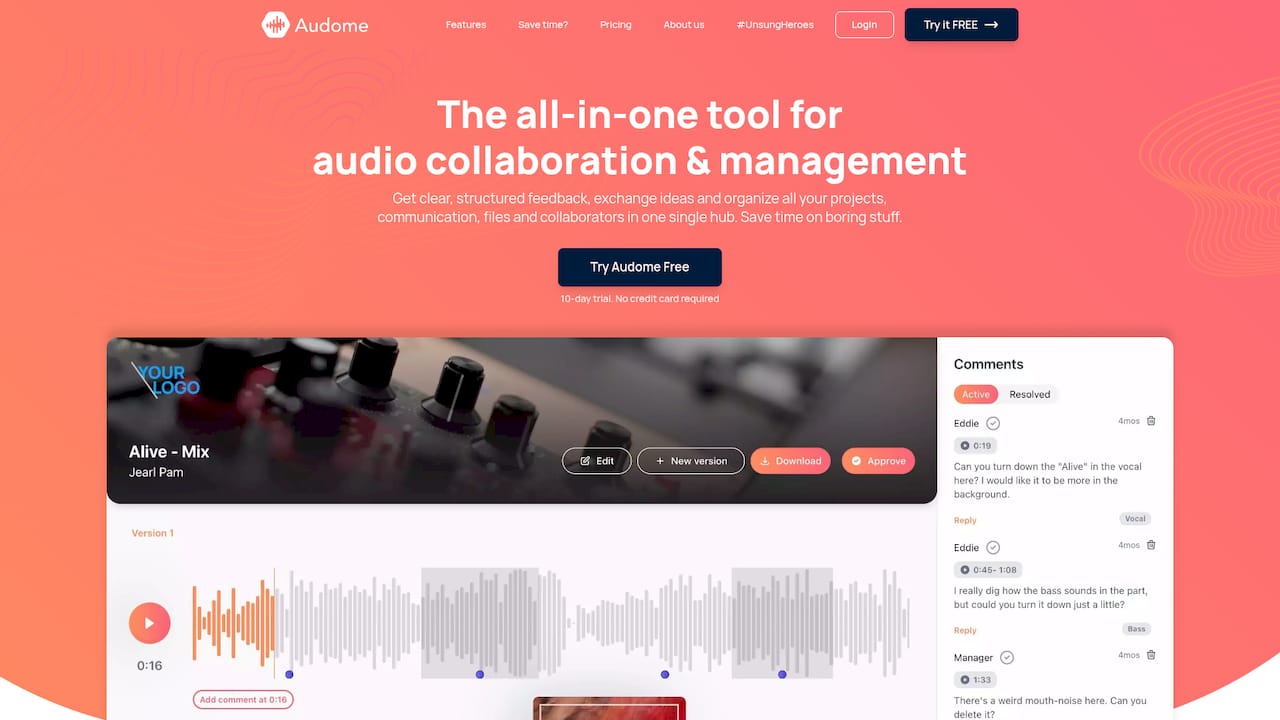
Audome is a collaboration and project management tool for audio professionals. It brings uploads, revisions, feedback and client communication into one place, so you don’t stitch together a drive, an email thread and a payment link. For download controls specifically, you get the access side that a hidden button can’t give you: password-protected, branded portals, download controls, and clients who never need to log in.
Pricing is published on the Audome pricing page: Studio is $12.50 per month or $150 per year, and Pro is $48 per month or $576 per year. A free trial comes first, so you can run a real project through it. You can also start from the Audome home page.
Our perspective
Most of the advice on download controls is written for people who build websites. Studios have a different problem. You aren’t trying to style a player, you are trying to decide who walks away with your work, and when.
We think of it as a sequence. Clients listen first, comment second, approve third, and only then receive files. Download rights should follow that sequence, not sit open from the first upload.
That is why Audome starts from the project, not the file. Lossless audio up to 96 kHz/24-bit, time-stamped comments on the waveform, automatic version tracking, password-protected branded portals and download controls all sit in one hub. Clients don’t create accounts. You don’t chase feedback across five apps.
The result is a calmer process. Your client hears exactly what you made, tells you exactly where they want a change, and gets the final files when the work is agreed and settled.
Kreg
FAQ
Can I stop people from downloading audio I share?
Yes, but not with a hidden button. Use a sharing setup where downloading is a separate permission and the link is protected by a password. Then clients can stream and comment while the file stays with you until you release it.
Does controlslist=“nodownload” work?
It asks the browser to hide its download option, and support is not universal. Even where it works, the file is still fetched to play, so it is not protection. Use it only as a cosmetic touch on public pages.
Should clients be able to download rough mixes?
Usually not. Rough mixes are for listening and feedback, and once downloaded they get shared and mistaken for the final. Keep review stream-only and open downloads for the approved files at delivery.
Do my clients need an account to listen?
Not with Audome. Clients open the link, enter the password if you set one, listen and comment. Fewer steps means faster feedback.
How do I tie delivery to payment?
Hold the download permission until the work is approved and settled. Audome supports revision limits and billing for paid revisions through Stripe-based payment integration, so extra rounds and final delivery follow one flow.
Sources
- <audio> HTML embed audio element, MDN
- HTMLMediaElement: controlsList property, MDN
- HTML controls attribute, W3docs
- Accessible multimedia, MDN
- Hide the download button for audio and video blocks
- Designing subscription-gated audio streaming
- DMCA section 1201: a legal overview, U.S. Copyright Office