
Version control in audio production is nothing like version control in software development, and treating it that way is one of the most common and costly mistakes collaborative teams make. Manual methods like file renaming and DAW snapshots remain surprisingly common despite years of technological advancement, which tells you something important: most available tools were built for code, not audio. This guide cuts through the noise, breaks down every real option available to music producers, podcast teams, and post-production crews, and gives you a practical framework for keeping your projects organized, recoverable, and revision-ready.
Table of Contents
- Why version control matters in audio projects
- Types of version control solutions for audio teams
- Hidden pitfalls and edge cases in audio version control
- Best practices for smooth, scalable audio version control
- Why most audio version control advice falls short—and what actually works
- Upgrade your team’s audio collaboration and version control
- Frequently asked questions
Key Takeaways
| Point | Details |
|---|---|
| Audio needs unique solutions | Project version control for audio differs from code and requires tools that handle large binary files and creative workflows. |
| Manual methods still common | Despite advances, file renaming and careful folder structures remain widely used, but carry risks. |
| DAW tools have limits | Built-in snapshots and versioning help, but proprietary formats make seamless collaboration hard across teams. |
| Avoid code VCS for audio | Tools like Git cause frustration and bloat for audio files; hybrid or specialized platforms work better. |
| Best practice: clear protocols | Transparent naming, change logging, and choosing workflow-appropriate tools boost reliability and creative freedom. |
Why version control matters in audio projects
Audio projects fail in ways that software projects rarely do. A mix engineer overwrites the wrong session file. A vocalist records new takes over a reference track that was never backed up. A podcast editor sends a client the wrong revision because three files share nearly identical names. These are not edge cases. They are Tuesday.
The core problem is that audio collaboration combines several genuinely difficult challenges at once:
- Large binary files that cannot be meaningfully compared line by line the way code can
- Proprietary DAW formats that only open correctly in the exact software version that created them
- Rapid iteration cycles where a single session might generate dozens of incremental saves
- Multiple stakeholders including artists, engineers, producers, clients, and mastering engineers, all with different technical skill levels
Missing files, plugin mismatches, and proprietary formats frequently derail collaborative sessions, sometimes hours before a deadline. When a session file references a third-party plugin that one collaborator does not have, the entire project can become unplayable. When a mix is exported without documenting which version of the session it came from, you lose the thread entirely.
Effective version control gives your team the ability to experiment boldly, revert mistakes cleanly, and demonstrate a transparent creative process to every stakeholder involved. It also protects you legally and professionally. If a client disputes a revision, your version history is your evidence.
“A version control system is not just a safety net. It is the shared memory of your project. Without it, every collaborator is working from a different story.”
Pro Tip: Before you open a single DAW or recording tool, establish a naming and update protocol with your team. Even something as simple as “ProjectName_v01_MixEngineer_YYYYMMDD` prevents the majority of confusion. Consistency matters more than sophistication, especially early in a project.
Good audio collaboration tools address these problems by combining file storage with version tracking and feedback in a single place, rather than forcing teams to stitch together four separate services.
Types of version control solutions for audio teams
There is no single right answer here. The best solution depends on your team size, project complexity, budget, and technical comfort level. Here is a breakdown of every major category.
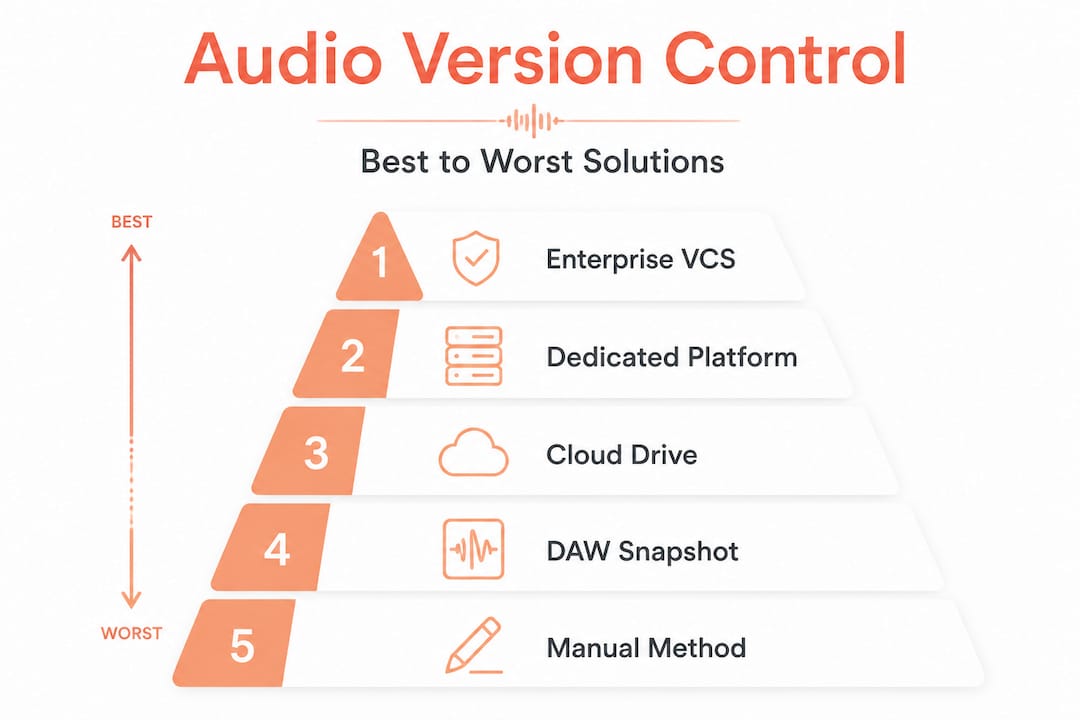
Manual methods, DAW snapshots, cloud drives, dedicated audio platforms, and enterprise VCS represent the full spectrum of options available today. Each has a distinct use case.
| Solution | Best for | Key strength | Key weakness |
|---|---|---|---|
| Manual (file renaming/folders) | Solo or very small teams | Zero cost, no learning curve | Human error, no true history |
| DAW snapshots (e.g., Logic alternatives) | Single-engineer projects | Built-in, fast | Proprietary, not shareable |
| Cloud drives (Dropbox, Google Drive) | File sharing across locations | Easy access, low cost | Limited history, no feedback tools |
| Dedicated audio platforms | Collaborative music/podcast teams | Playback, feedback, version context | Varies by platform features |
| Enterprise VCS (Perforce Helix) | Large studios, game audio, post | Scales to 10TB+ media repos with exclusive locking | Complex setup, cost, overkill for small teams |
Manual methods work until they do not. A folder called “Final_FINAL_v3_USE_THIS_ONE” is a sign that a team has outgrown manual versioning. It is fast to set up and requires no technical knowledge, but one person’s bad file hygiene can corrupt the entire history.
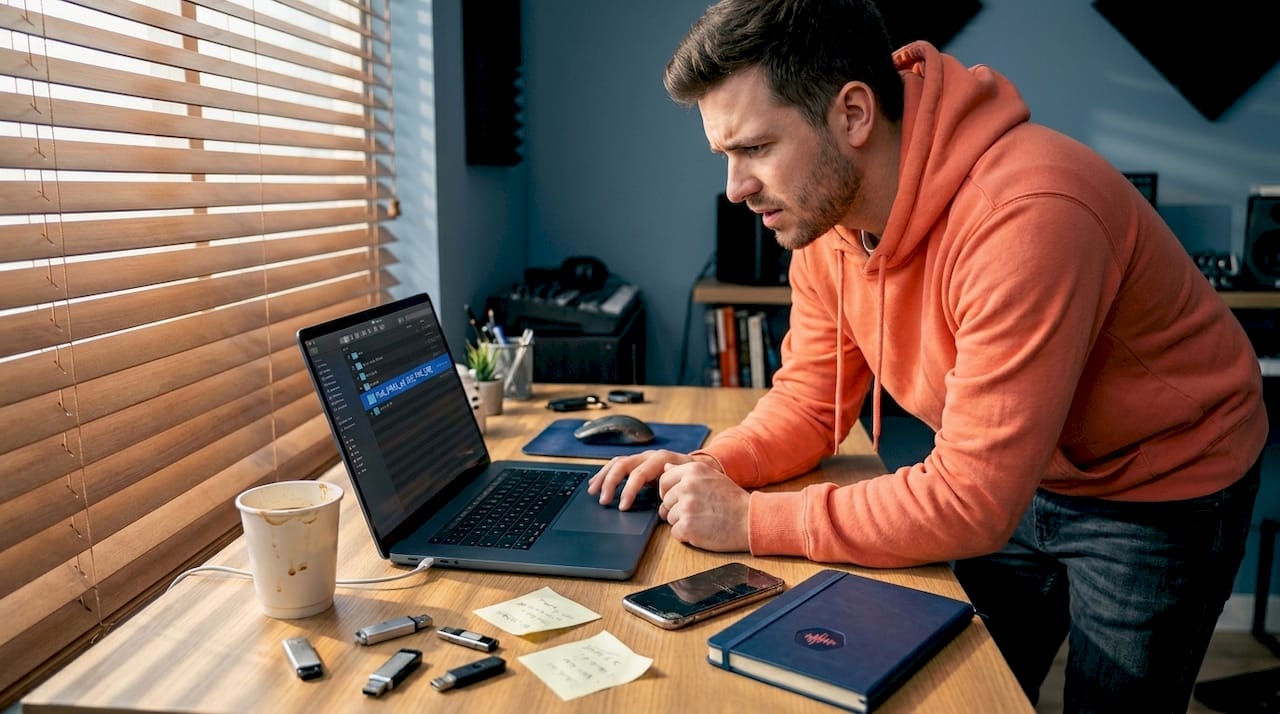
DAW-integrated snapshots are genuinely useful for solo engineers. Pro Tools has its own session backup system. Logic Pro saves automatic backups. But these are locked to one machine, one software version, and one person. The moment a second collaborator enters the picture, DAW snapshots become a liability rather than an asset.
Cloud drives solve the access problem but not the context problem. Dropbox will show you that a file changed on Tuesday at 3pm. It will not tell you that Tuesday’s version was the one where the client approved the final chorus arrangement. Version history without context is nearly useless in audio.
Dedicated audio platforms for audio post-production close this gap by attaching feedback, comments, and timestamps directly to specific versions. When a client says “I preferred the mix from two weeks ago,” you can actually find it and understand why it was different.
Perforce Helix Core is the enterprise standard for a reason. It handles exclusive locking and branching at a scale that no other system matches. For a large post-production house managing hundreds of simultaneous projects with dozens of engineers, it is the right tool. For a four-person podcast production team, it is almost certainly overkill.
Hidden pitfalls and edge cases in audio version control
This is where most guides go quiet, and where most teams get burned.
The most common bad advice circulating in audio communities is “just use Git.” It sounds reasonable. Git is free, powerful, and widely understood in tech circles. The problem is that Git is poorly suited to audio binaries, creating repository bloat, generating useless diffs, and creating merging headaches that non-programmers simply cannot navigate. A 500MB session file does not compress meaningfully in Git. Every change creates a full copy. After a few months of active production, a Git repository for an audio project can balloon to dozens of gigabytes with no practical way to recover space.
Here are the numbered edge cases every audio team should anticipate:
- Plugin version mismatches: A session saved with Plugin X version 2.1 may not open correctly in version 2.3. Always document plugin versions alongside your session files.
- Sample rate and bit depth conflicts: Mixing 44.1kHz files with 48kHz files in the same session causes subtle but audible artifacts. Version notes should always include technical specs.
- Overwritten reference tracks: Reference mixes used for client approval get accidentally replaced during the next session. Keep reference exports in a separate, clearly labeled folder.
- Stem export inconsistencies: Stems exported at different points in the project may have different processing applied. Always export from a known, documented session state.
- Collaborative annotation loss: Timestamped notes and client feedback stored outside the project file are orphaned when files are reorganized.
- Cross-platform path issues: A session built on Windows may reference absolute file paths that break entirely when opened on macOS.
DAW project files are typically proprietary and incompatible across software platforms. Cross-DAW collaboration demands exporting stems or OMF/AAF files starting from bar 1, every single time. This is non-negotiable if your collaborators use different software.
| Risk | Manual | Cloud Drive | Dedicated Audio Platform | Enterprise VCS |
|---|---|---|---|---|
| Overwritten files | High | Medium | Low | Very Low |
| Lost feedback context | High | High | Low | Medium |
| Plugin mismatch documentation | None | None | Varies | Supported |
| Cross-DAW compatibility | None | None | Platform-dependent | Supported |
| Large file handling | Manual | Limited | Good | Excellent |
Hybrid approaches can bridge some of these gaps. Using Git for metadata, session notes, and change logs while storing actual audio files in a dedicated cloud or audio platform is a workable middle ground for small teams. But it requires discipline from every team member, and the moment someone skips a step, the hybrid system degrades fast.
Pro Tip: Never share raw session files for cross-collaborator work. Export consolidated audio stems starting precisely at bar 1 or timecode 00:00:00. This ensures every collaborator is working from the same reference point regardless of their DAW. Document the export settings in a shared change log.
Integrating solid audio feedback workflows into your version control approach means feedback is attached to specific file versions, not floating in a separate email thread that gets disconnected from the actual audio.
Best practices for smooth, scalable audio version control
Now that you understand the risks, here is how to build a system that actually holds up under real production pressure.
Step-by-step setup for any team size:
- Establish a naming convention on day one. Use a format like
ProjectName_Type_Version_Engineer_Date. Stick to it without exceptions. Inconsistency is the enemy. - Create a master project folder structure with subfolders for raw recordings, edited sessions, exports, references, and archives. Never mix categories.
- Use a dedicated change log file (a plain text or spreadsheet file) that lives in the root project folder. Every version update gets a one-line entry: what changed, who changed it, and when.
- Set up automatic cloud sync for your working files, but treat cloud sync as backup, not version control. Cloud sync protects against hardware failure. It does not protect against human error.
- Archive completed milestones before starting new phases. When the rough mix is approved, zip the entire session folder and store it as a milestone archive before beginning the fine mix.
- Define a single source of truth. Every team member should know which folder or platform holds the authoritative current version. Ambiguity here causes most versioning disasters.
Hybrid approaches combining DAW snapshots, cloud storage for mixes, and metadata tracking work well for most small to medium teams, provided everyone follows the same protocol.
Additional best practices worth building into your workflow:
- Track plugin versions in your change log, not just file names
- Export a reference MP3 or AAC alongside every major session save so non-technical collaborators can listen without opening the DAW
- Use password-protected sharing links for client-facing versions to prevent confusion between internal and external files
- Document tempo maps, key signatures, and sample rates at the top of every change log entry
- Assign version ownership so one person is responsible for merging feedback and updating the master version after each round of revisions
For project management for audio teams at scale, the platform you choose should support all of these practices natively rather than forcing you to build workarounds in spreadsheets and email chains.
Why most audio version control advice falls short—and what actually works
Here is the uncomfortable truth: most version control advice for audio teams is written by people who understand either software development or music production, rarely both. The result is guidance that either oversimplifies the technical side or ignores the human side entirely.
The tools matter far less than the culture. You can deploy Perforce Helix Core across a ten-person studio and still end up with chaos if two engineers have different ideas about what constitutes a “final” version. Conversely, a disciplined two-person team with a shared Google Drive folder and a consistent naming convention can manage a complex album project with zero confusion.
The advice to avoid Git for production audio and rely instead on manual, DAW-based, and cloud hybrid approaches is sound for most teams. But the deeper lesson is this: choose the simplest tool that your entire team will actually use consistently. A sophisticated system that two out of five team members ignore is worse than a simple system that everyone follows.
Complexity is the enemy of adoption. Every additional step in your version control process is a step someone will eventually skip under deadline pressure. Build your system around the least technically confident person on your team, not the most. That is not dumbing it down. That is designing for reliability.
From years of working with audio projects that needed rescuing, the pattern is always the same: the project that went wrong had a technically capable lead who assumed everyone else was following the same mental model. They were not. Transparent, simple, documented systems win every time.
Upgrade your team’s audio collaboration and version control
Applying everything in this guide becomes dramatically easier when your tools are built specifically for audio workflows rather than adapted from software development or generic file storage.
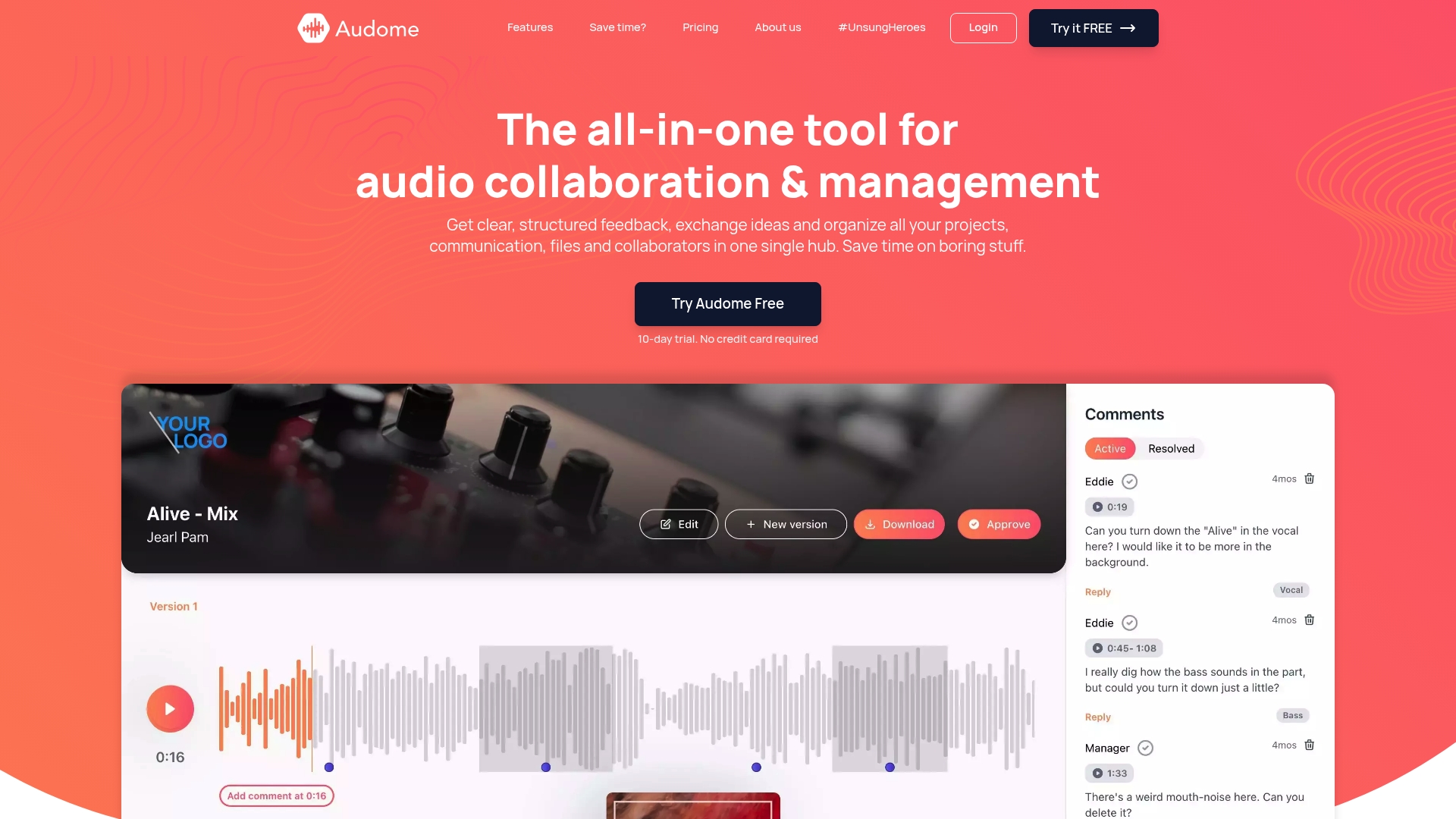
Audome’s audio collaboration platform brings version control, timestamped feedback, lossless file sharing up to 96kHz/24-bit, and private collaborator spaces into a single hub designed for exactly the workflows described in this article. No client logins required. No compression artifacts. No stitching together four separate services. Whether you are managing a full album production, a podcast series, or a post-production pipeline, Audome gives your team the structure and visibility to stay organized from first take to final delivery. Start with a clear system, and let the platform do the heavy lifting.
Frequently asked questions
Why is Git not recommended for managing audio project files?
Git is slow and inefficient for large audio files because repository bloat and useless diffs make it nearly impossible for non-programmers to manage audio binaries reliably.
Can I use Dropbox or Google Drive for audio project version control?
Yes, but cloud drives offer limited history and lack the feedback tools and version context that collaborative audio teams genuinely need.
What is the safest way to share a DAW session with collaborators?
Export stems or consolidated audio files because cross-DAW collaboration requires stems or OMF/AAF starting precisely at bar 1 to ensure compatibility across different software platforms.
When should I consider enterprise version control like Perforce?
Consider Perforce when your team manages 10TB+ media repositories or requires exclusive file locking and branching at a scale that cloud drives and dedicated audio platforms cannot support.