
TL;DR:
- Sharing music professionally requires platforms that support lossless quality, secure access, and version control to prevent workflow chaos. General cloud services like Dropbox or Google Drive lack specialized features, leading to potential quality loss and security issues. Dedicated audio sharing platforms, such as Audome, offer timestamped feedback, file integrity checks, and full control, ensuring a reliable and compliant collaboration process.
Most people hear “file and music sharing” and immediately think piracy, sketchy torrent sites, or some college kid ripping MP3s in a dorm room. That’s not what this is about. If you’re a mixing engineer, producer, or podcaster trying to get stems to a client or send a final mix for approval, you need something that actually works. Reliable. High quality. Legally clean. This guide cuts through the noise and tells you what platforms are worth your time, what technical stuff actually matters, and where most audio pros trip up when setting up their sharing workflows.
Table of Contents
- Key takeaways
- File and music sharing platforms compared
- Technical things you actually need to know
- Self-hosted and P2P options for control freaks
- Legal realities of sharing music files
- Practical workflows for sending and collaborating
- My honest take after years of watching this go wrong
- How Audome handles this for audio pros
- FAQ
Key takeaways
| Point | Details |
|---|---|
| Platform choice matters | Free tiers often compress files or limit uploads, which kills audio quality for professional work. |
| Security is not optional | Client-side encryption and proper access controls protect your unreleased work from exposure. |
| Self-hosting gives control | Running your own music server removes platform dependency but comes with real technical responsibility. |
| Legal compliance is your job | Whether you’re sharing originals or licensed material, staying compliant is on you, not the platform. |
| Centralized workflows save time | Keeping files, feedback, and revisions in one place cuts the back-and-forth that kills deadlines. |
File and music sharing platforms compared
Not all sharing platforms are built the same, and the differences matter a lot when you’re dealing with 96kHz/24-bit WAV files instead of compressed MP3s.
Cloud storage tools like Dropbox and Google Drive are convenient but they were built for documents and photos. They’ll hold your audio just fine, but they don’t give you playback, version control, timestamped feedback, or any of the workflow features you actually need. Dropping a WAV file into a shared folder and waiting for an email reply is… not a professional workflow.
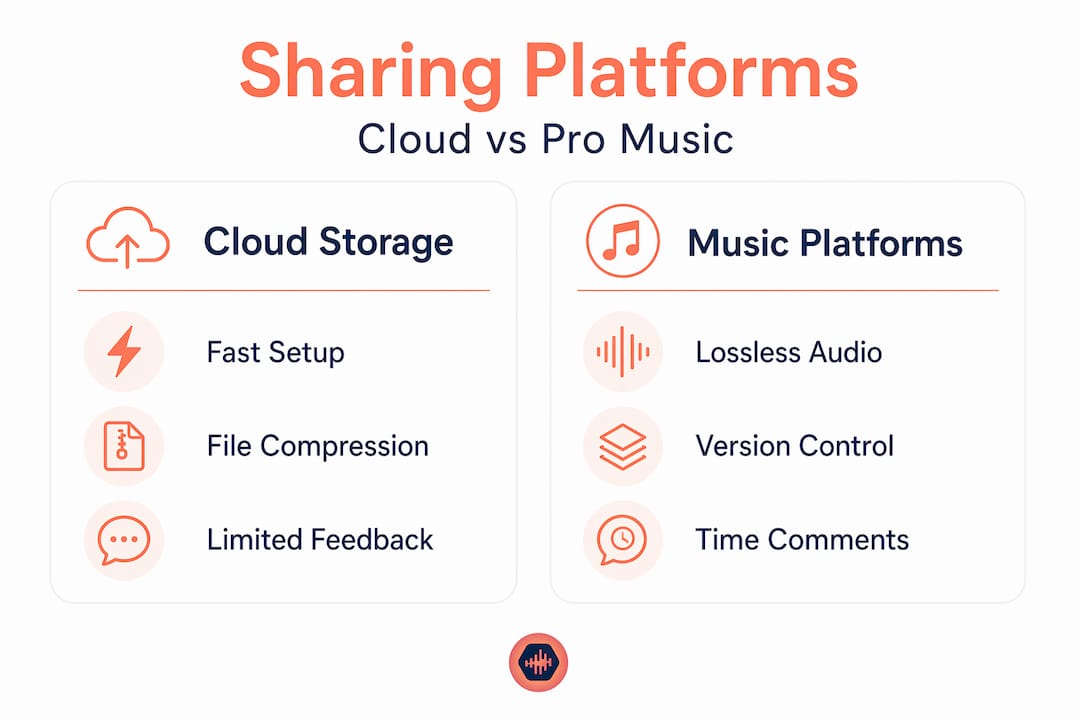
Dedicated platforms built for audio are a different story. Here’s how some of the common options stack up:
| Platform | Free tier | File size limit | Audio quality | Feedback tools |
|---|---|---|---|---|
| SoundCloud | Yes (limited) | 3 hours upload time | Compressed (lossy) | Comments only |
| WeTransfer | Yes | 2GB per transfer | No compression | None |
| Dropbox | Yes (5GB) | Up to 2GB per file | No compression | None |
| Byta | No free tier | Unlimited | Lossless | Basic |
| Audome | Yes | Unlimited | Lossless (96kHz/24-bit) | Timestamped comments, version control |
Professional music hosting platforms typically allow up to 100 tracks for free, but charge a 9% transaction fee on sales, with premium tiers dropping that to around 6%. That fee structure makes sense if you’re also selling music, but if you’re just collaborating, you’re paying for features you don’t need.
The honest take: WeTransfer works fine for one-off file drops. But if you’re managing a project with multiple rounds of revisions and several collaborators, you will end up with a chaotic mess of emails, renamed files, and missed feedback. You need a tool built for audio collaboration workflows, not a general-purpose file locker.
Technical things you actually need to know
Here’s where most people gloss over the details and later wonder why things go sideways.
Latency is a real problem
Relay-based networks can introduce delays up to 3.5 seconds for files over 10MB, which is almost every professional audio file you’ll ever send. When you’re waiting on a client to stream your mix for approval and they’re buffering every 30 seconds, they don’t think “technical issue.” They think “this engineer is unprofessional.” CDN-backed platforms handle this far better than volunteer relay setups or P2P systems without proper infrastructure.
Encryption matters for unreleased work
End-to-end encryption with client-side keys means the decryption key never touches the server. It lives in the URL fragment instead, which is never sent to the host. For an unreleased album or a client’s confidential project, this isn’t overkill. It’s the minimum standard you should expect from any platform you trust with your work.
Storage reliability is not the same as file sharing
There’s a meaningful difference between slapping a folder on SMB file sharing and running a proper NAS setup. Dedicated NAS systems using ZFS include self-healing, data integrity checks, and automatic repair that generic SMB sharing simply doesn’t offer. If a bit flips in your 24-bit audio file during transfer and nobody catches it, you’ve got corrupted audio that sounds fine until it doesn’t.
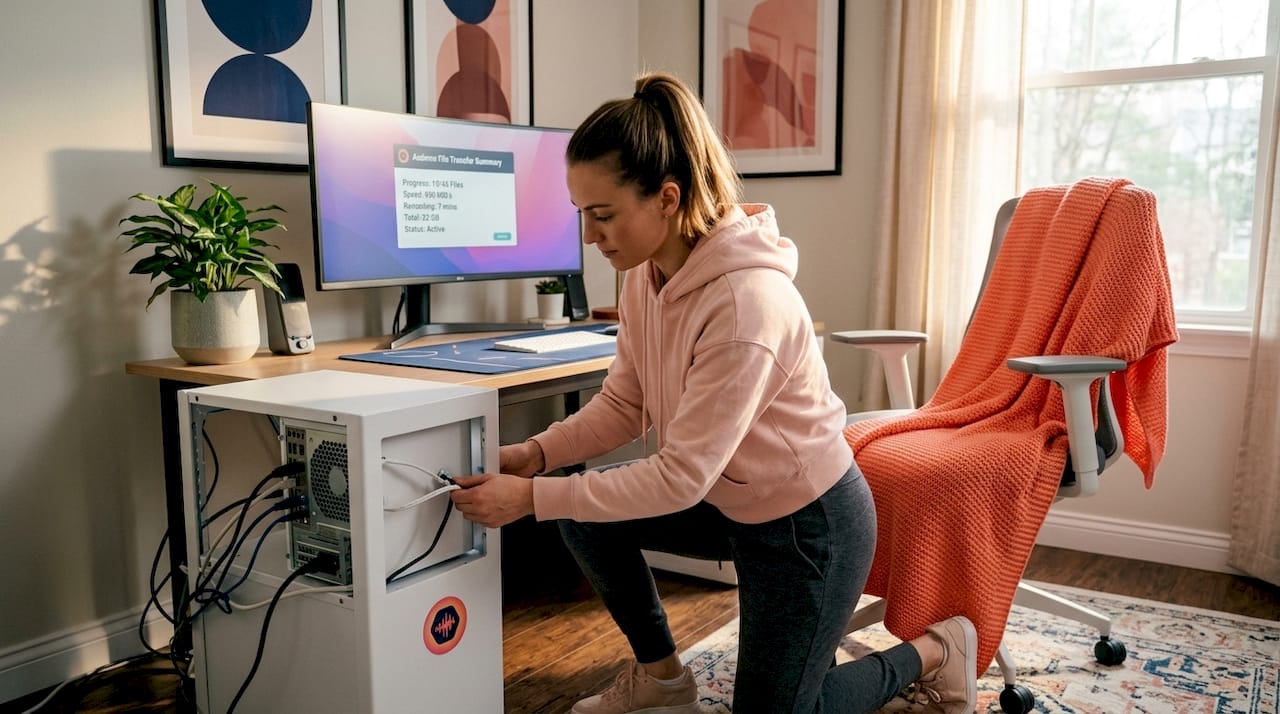
Pro Tip: Always verify file checksums after transferring large audio projects. A mismatch means corruption happened in transit, and you want to catch it before the client does.
| Risk | Common cause | Fix |
|---|---|---|
| File corruption | Generic SMB sharing, no checksums | Use ZFS-based NAS or hash verification |
| Latency spikes | Relay-based or P2P networks | Use CDN-backed platforms |
| Unauthorized access | No encryption or weak passwords | Client-side encryption + access controls |
| Version confusion | No version tracking | Platform with built-in version control |
Self-hosted and P2P options for control freaks
Some of you don’t want to depend on any platform. Fair. Here’s what the self-hosted world actually looks like in 2026.
Navidrome is a lightweight self-hosted music server that runs on as little as 128MB of RAM. It gives you full dashboard control, remote streaming, and library management without any subscription fees. If you’ve got a spare machine sitting around, you can have a full personal music server running in an afternoon.
SoundTime takes a different approach, using encrypted peer-to-peer QUIC connections for decentralized music sharing. It includes DHT discovery, waveform visualization, adaptive streaming, and playlist sync. For a team working off-grid or in a situation where centralized platforms aren’t an option, it’s genuinely interesting technology.
The benefits of going self-hosted are real:
- Complete ownership of your catalog. No platform can remove your music or change access terms overnight.
- No licensing interference. Self-hosting eliminates reliance on streaming giants and the licensing removals that come with them.
- Custom metadata and tagging exactly how you want it, not what the platform decides.
- Streaming quality control from lossless files you own, not compressed previews.
But here’s what nobody tells you upfront: decentralized P2P setups without proper security architecture open you up to increased latency, API security gaps, and real legal exposure. Running your own system means you are responsible for CORS policies, rate limiting, mTLS encryption, and keeping things updated. That’s not scary if you have the technical background. It’s a disaster if you don’t.
Legal realities of sharing music files
This section is not optional reading. People get this wrong all the time and the consequences are not small.
Copyright law in 2026 is tighter than ever. Court cases like Cox v. Sony have made it clear that ISPs and platforms carry liability when their systems are used for illegal file sharing. Platforms are actively building takedown systems and monitoring tools because of this pressure. Ignorance is not a defense.
For audio professionals working with original content, the rules are straightforward. Your original mixes, stems, and recordings are your copyright. Share them how you want. But the moment you’re working with licensed samples, third-party recordings, or client-owned material, the rules change.
Here are the things that actually get people in trouble:
- Sharing a client’s session files through a public link that anyone can find and download
- Using sample-based music in client work without proper licensing, then distributing it
- Hosting other people’s released music on your own server without a distribution license
- Assuming “private” means safe when the platform has no real access controls
“The safest approach is to treat every file you share as if the worst possible person could find it. Build your workflow around that assumption, and you’ll never have a bad day.”
Using professional platforms with password protection, download toggling, and audit trails isn’t paranoia. It’s how you stay clean legally and professionally. If you’re comparing platforms for compliance and control, this breakdown of sharing alternatives is worth reading.
Practical workflows for sending and collaborating
This is where the rubber meets the road. You know the platforms, you understand the tech. Here’s how to actually run a sharing workflow that doesn’t embarrass you in front of clients.
- Settle on your audio format before you start. For collaboration, WAV or AIFF at 24-bit is the standard. MP3 for quick reference listens only. Never send a final deliverable as an MP3 unless the client specifically requests it in writing.
- Organize files before you upload. Session stems, reference tracks, and final mixes should all live in clearly named folders. “Mix_v3_FINAL_REALFINAL.wav” is a red flag. Use version numbers and dates.
- Use a platform with timestamped comments. When a client says “something feels off around the chorus,” that’s not useful feedback. A timestamped comment at 1:23 is. This single feature alone will cut your revision cycles in half.
- Keep revisions tracked. Version control isn’t just for software developers. Every mix revision should be logged and accessible, so you can roll back if a client changes their mind (and they will).
- Lock down access on delivery. Once a project is done, disable downloads and revoke public links. You don’t want a finished master floating around the internet on an old share link.
Pro Tip: Before sending anything to a client, test the share link in an incognito window. If you can access it without logging in, so can anyone else who finds that link.
For detailed advice on sending mixes to clients without losing quality or creating confusion, that guide goes deep on the approval process specifically.
My honest take after years of watching this go wrong
I’ve seen producers lose unreleased material because they shared it through a platform with no access controls. I’ve watched engineers spend three hours on a revision because the client’s feedback came in as a vague voice note instead of a timestamped comment. And I’ve seen studios spend money on enterprise cloud storage that compressed everything because nobody checked the upload settings.
The real problem isn’t the tools. It’s that most audio pros pick whatever is convenient in the moment and never revisit it. Dropbox is fine until it isn’t. A Google Drive folder is fine until a client accidentally moves something or shares it with the wrong person.
My take: the free tier of almost any general purpose cloud platform is a trap for serious audio work. You end up patching together three different tools to get what one purpose-built platform would give you. And when something breaks… you’re the one who has to explain it to the client.
The P2P and self-hosted route is genuinely interesting, but it’s also genuinely time-consuming. I respect the engineers who run their own Navidrome instances. But if your job is making music and not managing servers, that’s probably not the right trade-off for you.
Pick a platform that was built for what you’re doing. Treat sharing like it’s part of your professional service, because to your clients, it is.
— Kreg
How Audome handles this for audio pros
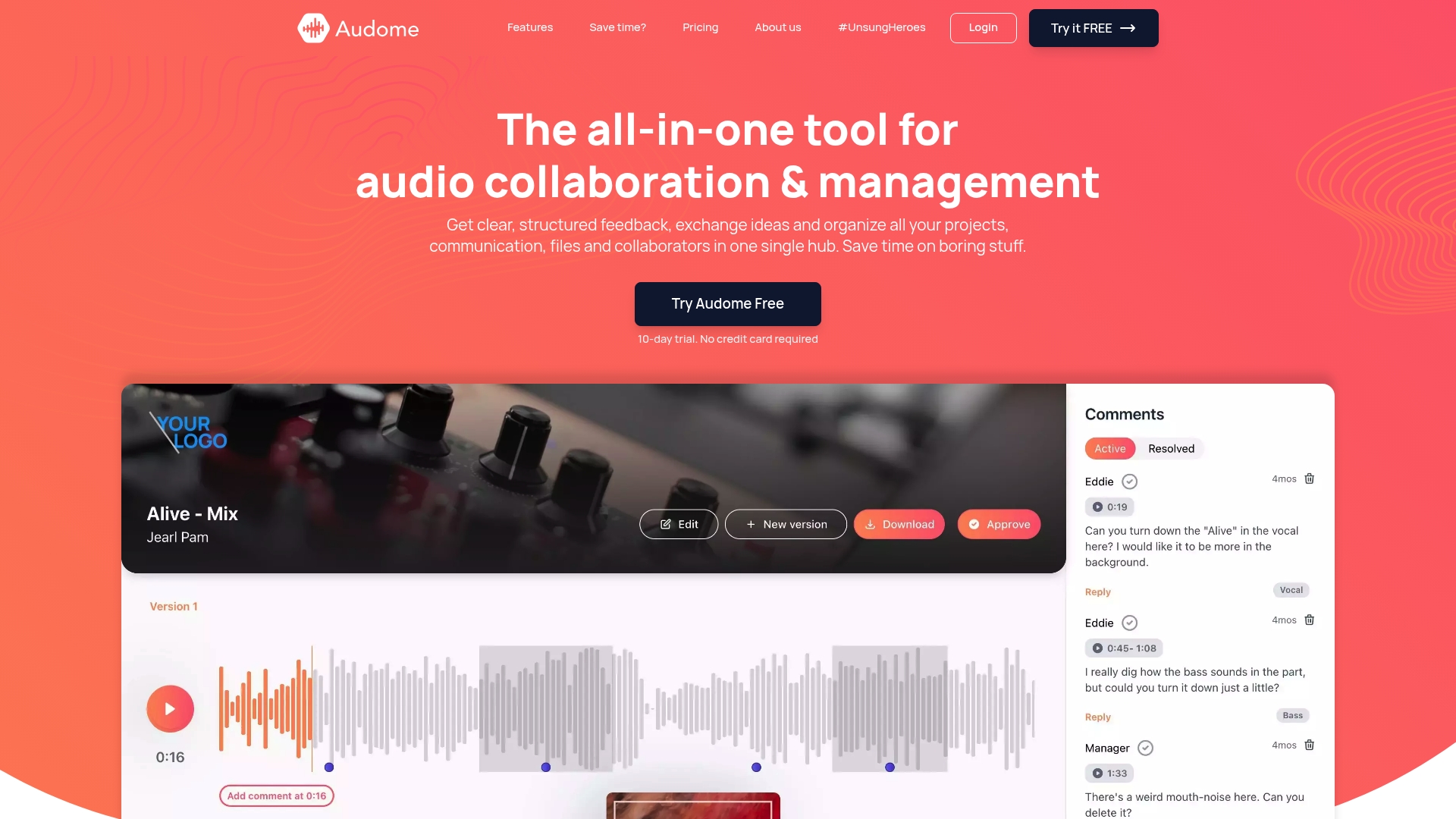
Audome was built specifically for audio professionals who are tired of stitching together three different tools just to share a mix and get feedback. It handles file sharing for music at full lossless quality up to 96kHz/24-bit, with no compression and no quality loss on the way to your client. Timestamped comments replace the vague email thread. Version control replaces the “FINAL_v7” filename chaos. Private collaborator spaces replace the shared Google Drive folder that someone always manages to break.
No client logins required. Password protection built in. Download toggling so you control what leaves the platform. If you’re looking for a tool that treats audio like audio and not like a spreadsheet attachment, try Audome and see how much cleaner your workflow gets.
FAQ
What is the best platform for professional file and music sharing?
For audio professionals, dedicated platforms with lossless support, version control, and timestamped feedback outperform general cloud storage tools. Audome is purpose-built for this use case.
Can I share music files for free without losing quality?
Most free tiers compress audio or limit file sizes significantly. For lossless music files sharing, you typically need a paid or professional-tier platform that explicitly supports uncompressed audio formats.
Is P2P music file sharing legal in 2026?
Sharing your own original work through P2P networks is legal. Sharing copyrighted material you don’t own is not. Court cases like Cox v. Sony have reinforced platform and ISP liability for illegal distribution.
How do I share high-quality audio without compression?
Use platforms that explicitly state lossless support, and always check that your upload settings don’t auto-convert files. WAV and AIFF at 24-bit are the safest formats for professional music and file sharing without quality loss.
What is the risk of using generic cloud storage for audio projects?
Generic tools lack audio-specific features like timestamped feedback, version tracking, and playback without download. They also typically have no access audit trail, which creates both workflow and legal exposure for professional projects.