
TL;DR:
- A structured delivery workflow with clear file formats, organization, and client feedback channels is essential for efficient, professional audio project completion. Using standardized file types, batching releases, and dedicated review platforms reduces confusion, accelerates approvals, and maintains quality. Implementing consistent processes and specialized tools like Audome enhances collaboration, minimizes revisions, and ensures reliable project management.
You send a mix. The client responds three days later with “sounds good but can you fix it?” No timestamp. No specific note. Just vibes. This scenario plays out constantly for mixing engineers and audio freelancers, and it costs real time, real money, and real goodwill. A structured delivery workflow, covering what files you send, how you share them, and how you collect feedback, is the difference between a smooth approval and a revision spiral that eats your schedule alive.
Table of Contents
- Gathering the right files for client delivery
- Organizing and batching your mix deliveries
- Choosing the best tools and platforms for file sharing
- Ensuring quality and avoiding common mix delivery mistakes
- Our take: Why workflow beats simple file sharing every time
- Upgrade your mix delivery: Streamline client approvals with Audome
- Frequently asked questions
Key Takeaways
| Point | Details |
|---|---|
| Deliver lossless WAVs | Clients expect mixes exported as stereo WAV files at the session’s native sample rate and bit depth. |
| Batch mixes for feedback | Sending mixes in small batches focuses client input and speeds up approvals. |
| Use review portals | Audio-specific platforms streamline feedback and version control, reducing confusion. |
| Check headroom and labels | Always verify mix files for proper headroom, no clipping, and clear labeling before delivery. |
| Professional workflow wins | Keeping everything in one place and using approval features makes mixing projects cleaner and faster. |
Gathering the right files for client delivery
Now that you know why preparation matters, let’s break down exactly what files you should deliver and how to ensure they’re ready for hassle-free review.
The foundation of any professional mix delivery is the stereo mix file itself. A clean lossless stereo WAV at the session’s native sample rate and bit depth is the industry-standard starting point. That means if your session runs at 48kHz/24-bit, your export should match exactly. Never downsample before delivery unless the client specifically requests it.
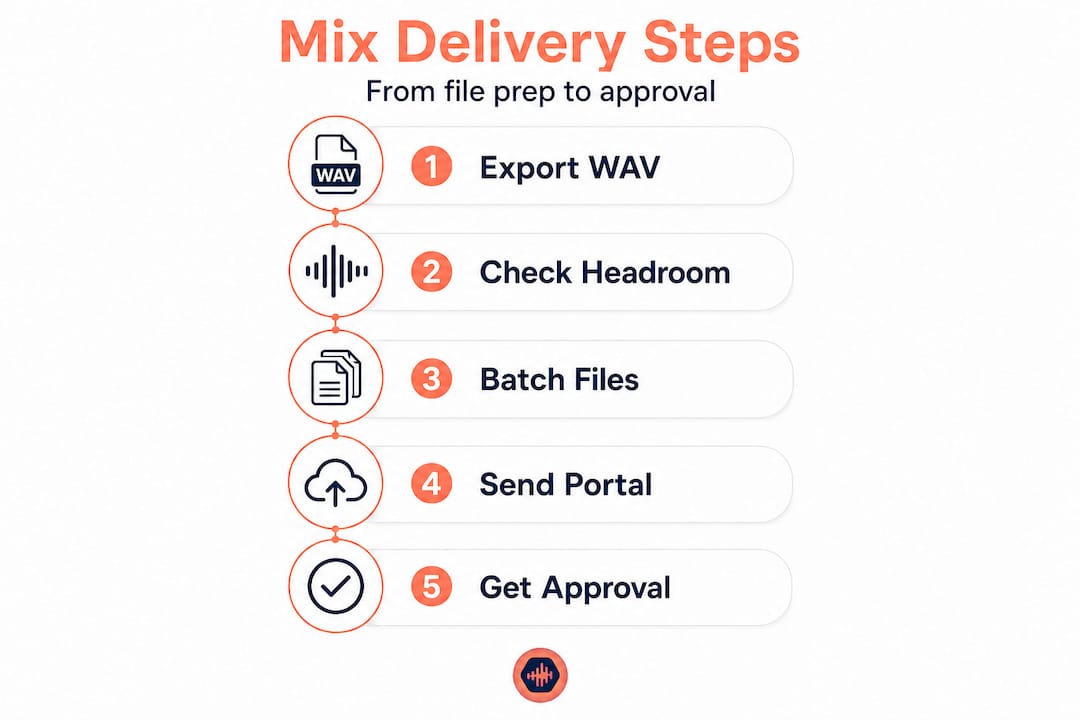
Headroom is one of the most overlooked details at this stage. Peaks should land between -3 and -6 dBFS to give the mastering engineer room to work without hitting a ceiling. Sending a mix that’s been pushed too hot is one of the most common reasons mastering engineers send files back. The mastering studio’s role is to add loudness and polish, not to undo your limiting decisions.
What to include in a complete delivery package
Here’s a checklist of what a thorough mix delivery typically contains:
- Stereo mix (WAV, session sample rate, 24-bit): The primary deliverable
- Unlimited mix: No limiter on the master bus, intended for mastering
- Limited reference mix: With your reference limiter engaged, so the client hears a finished-sounding version
- Stems (if contracted): Grouped exports like drums, bass, keys, vocals, FX
- Instrumental version: If applicable for sync or release
- TV mix / clean version: For broadcast or explicit content situations
When stems are part of the deal, every stem must start from the exact same session start point, typically bar 1 beat 1, and be exported at the same length. Misaligned stems cause real problems when a client or another engineer imports them into a new session. Use uniform naming conventions like "ProjectName_Drums_v1.wavrather thanfinal_drums_REAL_USE_THIS.wav`.
Pro Tip: Use audio version control from the start of a project, not just at delivery. Tracking your mix iterations prevents you from losing work and makes it easy to compare versions when a client asks to go back to “the one from last Tuesday.”
| File type | Format | Sample rate | Bit depth | Headroom |
|---|---|---|---|---|
| Stereo mix (unlimited) | WAV | Session native | 24-bit | -3 to -6 dBFS |
| Stereo mix (limited) | WAV | Session native | 24-bit | Near 0 dBFS |
| Stems | WAV | Session native | 24-bit | -6 dBFS or lower |
| Reference MP3 | MP3 | 44.1kHz | 16-bit | Match limited mix |
The music collaboration process gets significantly smoother when everyone on the project, from the artist to the label A&R, receives files in a consistent, predictable format. Consistency signals professionalism before the client even presses play.
Organizing and batching your mix deliveries
Once your files are prepared, the next challenge is handling delivery. Should you send everything at once, or batch for sanity and clarity?
Dumping 12 mixes into a shared folder on a Monday morning is a guaranteed way to get confused, contradictory feedback. Clients are not audio engineers. When they’re faced with a wall of files, they either ignore half of them or leave vague comments that apply to the wrong version. Batching solves this.

The general rule is to deliver 3 to 5 files per batch. This keeps client attention focused and makes feedback actionable. If you’re working on an EP with 6 tracks, split delivery into two rounds. First batch gets reviewed, approved, or revised before the second batch lands. This also creates natural checkpoints that help you track the project’s progress without chasing clients for responses.
A delivery schedule is not just a nice-to-have. It’s a professional commitment. When you tell a client “you’ll receive the first three mixes by Thursday at noon,” you set expectations and create a rhythm that keeps the project moving. Vague timelines breed vague responses.
Batching vs. one-off drops: A comparison
| Approach | Client experience | Feedback quality | Revision risk |
|---|---|---|---|
| Batch delivery (3–5 files) | Focused, manageable | Specific and actionable | Lower |
| Full project drop | Overwhelming | Scattered and inconsistent | Higher |
| One file at a time | Slow, disjointed | Inconsistent | Medium |
| Portal-based task workflow | Organized, trackable | Structured and timestamped | Lowest |
Uploading each deliverable as a task in a portal means clients review, approve, or request changes within a structured system rather than firing off a text message. This approach transforms mix delivery from a chaotic back-and-forth into a trackable, professional process.
Avoid scattering files across multiple channels. If you send one mix via email, another via a cloud drive link, and a third through a messaging app, you’ve already lost control of the workflow. Pick one delivery channel and stick to it for the entire project.
Pro Tip: Set a home studio recording delivery SOP (standard operating procedure) for every new client. A one-page PDF explaining how you deliver files, how you expect feedback, and what your revision policy is will prevent 80% of workflow headaches before they start.
Choosing the best tools and platforms for file sharing
Having outlined batching strategies, next comes the crucial decision: which file sharing method will actually simplify client review and feedback?
The most common mistake audio professionals make is defaulting to general-purpose cloud storage for mix delivery. Drive links work, technically. But they don’t support in-context feedback, version history, or approval tracking. General-purpose file sharing increases the odds of vague feedback, while a portal with review and approve features reduces friction significantly.
Here’s a direct comparison of your main options:
| Tool type | Audio playback | Timestamped comments | Approval workflow | Version control |
|---|---|---|---|---|
| Cloud drive (generic) | Basic or none | No | No | Limited |
| Email attachment | No | No | No | No |
| Audio-specific portal | Yes, lossless | Yes | Yes | Yes |
| Generic project manager | No | No | Sometimes | No |
An audio-specific platform built for mix review changes the entire dynamic. Clients can leave a comment at 2:14 saying “the hi-hat is too bright here” without you having to decode what “the hi-hat part” means in a three-minute email chain.
How to set up a portal-based delivery in five steps
- Create a project space for the client with a clear name and any relevant notes about the project scope.
- Upload your batch of mixes directly to the portal, using your established naming convention.
- Enable timestamped commenting so clients can pin feedback to exact moments in the audio.
- Set approval or revision options so clients can formally mark a file as approved or flag it for changes.
- Notify the client with a single link, no login required if the platform supports it, so they can review immediately.
The edge case that trips up many engineers is stem requests mid-project. A client asks for the vocal stem after you’ve already delivered the final mix. If you’re using a platform with file syncing and version tracking, you can add the stem to the existing project space without creating a new thread of confusion. Check out remote collaboration tips for handling these kinds of mid-project changes without derailing your schedule.
Pro Tip: If you’re currently using multiple tools for file sharing, feedback, and approvals, look into file sharing alternatives that consolidate everything. The fewer platforms a client has to touch, the faster they respond. Reducing friction on their end directly reduces your turnaround time.
Staying current with music production news also helps you spot new tools and workflow approaches before they become industry standard. Early adoption of better delivery tools is a genuine competitive advantage.
Ensuring quality and avoiding common mix delivery mistakes
The final delivery isn’t just sending files. It’s about sending files that are ready for professional review. Here’s how to make sure nothing falls through the cracks.
Before any file leaves your session, run a QA pass. This is not optional. A clipped mix or a mislabeled file tells the client you rushed, even if the mix itself is excellent. Checking for clipping and appropriate headroom, then exporting correctly labeled lossless files, is the baseline standard for professional delivery.
Here’s a pre-delivery QA checklist to run through every single time:
- Clip check: Solo the master bus and scan the full track. Zero clipping allowed.
- Loudness check: Confirm peaks are within the agreed headroom range.
- Sample rate and bit depth: Verify export settings match the session specs.
- File naming: Every file follows the agreed convention, no “final_v3_REAL” naming.
- Silence check: Confirm there’s no unexpected silence or noise at the start or end.
- Mono compatibility: Check the mix in mono to catch phase issues before the client does.
- Limiter status: Confirm whether the limiter is on or off based on which version you’re exporting.
“A mix that passes QA before delivery is a mix that doesn’t come back with a ‘something sounds off’ email three days later.” This is the standard every professional engineer holds themselves to, and it’s what separates reliable freelancers from frustrating ones.
If you’re working with a mastering engineer downstream, follow their specific delivery specs even if they differ from your defaults. Some mastering engineers prefer -6 dBFS peaks. Others have specific loudness targets based on their chain. Always ask before assuming your defaults are correct.
The collaboration in sound design space has reinforced a consistent truth: the engineers who get repeat business are the ones who make every handoff clean and predictable. A well-labeled, properly exported file communicates respect for the next person in the chain.
One often-ignored detail is loudness metadata. If your client plans to produce music from home and distribute through streaming platforms, they need to know about integrated loudness targets like -14 LUFS for Spotify. Including a short delivery note with loudness info shows you understand the full production pipeline, not just your piece of it.
Our take: Why workflow beats simple file sharing every time
With the technical steps covered, let’s step back and consider why process, not just tools, makes the biggest impact for professional audio deliveries.
Here’s the uncomfortable reality: most mix delivery problems aren’t technical. The files are fine. The mixes are good. The problem is the absence of a defined process. When a client doesn’t know where to leave feedback, they leave it everywhere. When there’s no approval step, projects drag on indefinitely because “approved” is never formally stated.
We’ve seen engineers with average-sounding mixes build thriving freelance businesses purely on the strength of their workflow. And we’ve seen technically brilliant engineers lose clients because working with them felt like chaos. Clients don’t always know what a great mix sounds like. They always know what a frustrating process feels like.
Ad-hoc drive links create homework for clients. They have to download files, open them in whatever player they have, form an opinion, and then figure out how to communicate that opinion back to you. Every step in that chain is friction. Friction kills momentum. Killed momentum leads to delayed approvals, which leads to project fatigue, which leads to “let’s just go with what we have.”
A structured audio workflow solution keeps mix versions, feedback, and approvals in one place. It removes the homework. It gives clients a clear path from “listening” to “approved,” and it gives you a clear record of every decision made during the project. When a client comes back six months later and says “I thought we approved the version without the reverb on the snare,” you have the receipts.
Faster approvals also mean less revision fatigue. When feedback is specific and timestamped, you fix the right things the first time. When feedback is vague and scattered, you guess, re-deliver, and repeat. Organized delivery isn’t just a nice workflow habit. It’s how you protect the quality of your work and your time.
Upgrade your mix delivery: Streamline client approvals with Audome
Ready to upgrade your mix delivery workflow? Here’s how Audome can help you manage projects and keep feedback in one place.
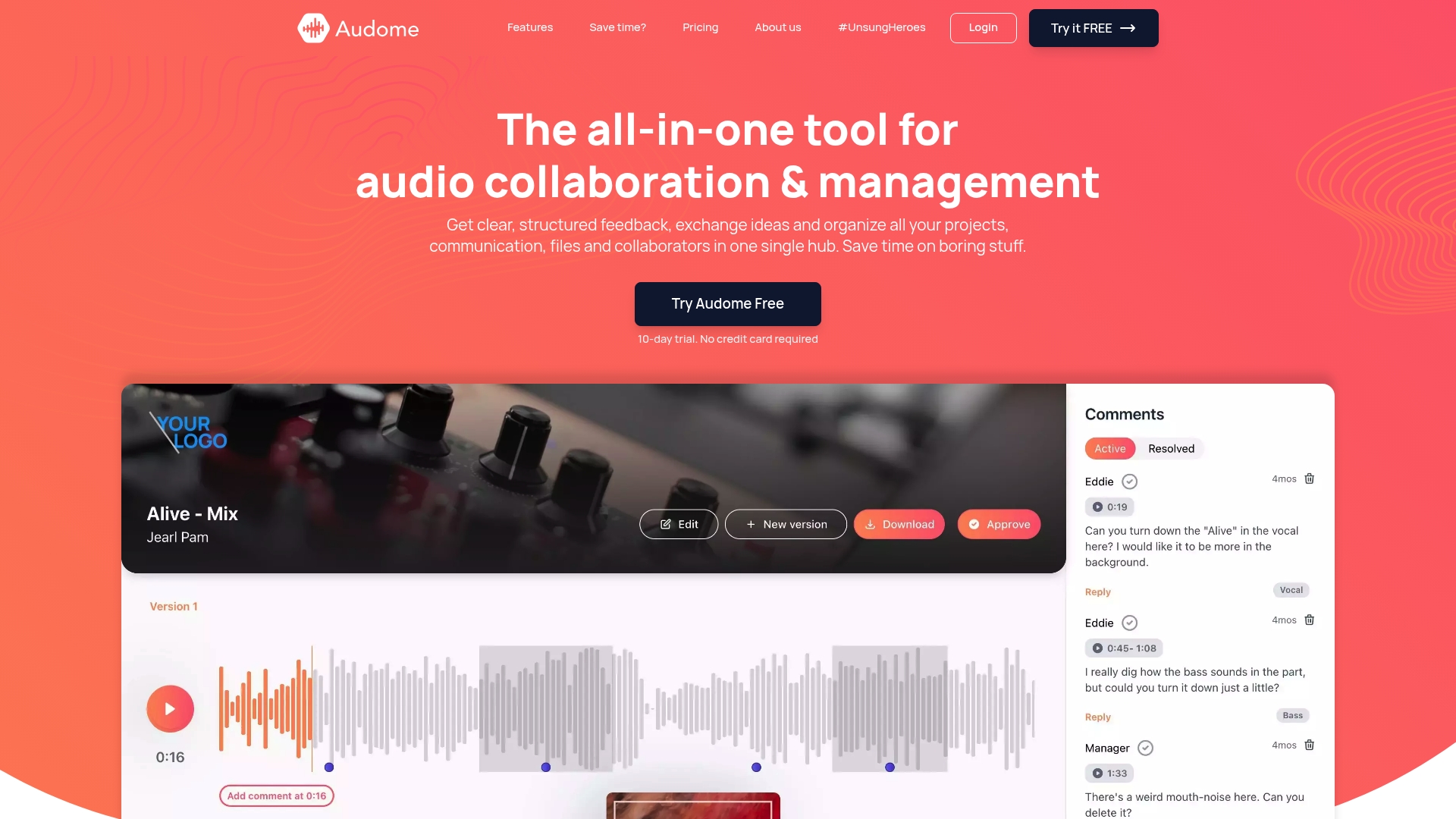
Audome is built specifically for audio professionals who need more than a generic file-sharing link. It supports lossless audio up to 96kHz/24-bit, so your mixes arrive exactly as you exported them, with no compression artifacts. Clients can leave timestamped comments directly on the waveform, version control keeps every iteration organized, and private collaborator spaces mean your assets stay secure. The best part is that clients don’t need to create an account to review and respond. You can explore everything Audome offers and start organizing your mix delivery workflow today, without the friction of juggling multiple tools.
Frequently asked questions
What sample rate and bit depth should I export mixes for clients?
Export mixes as WAV at the session’s native sample rate and 24-bit depth for maximum quality and compatibility with mastering engineers and streaming platforms.
How many mixes should I send to a client at once?
Batch deliverables in groups of 3 to 5 rather than sending everything at once, so clients can focus their feedback and give you actionable, specific responses.
What’s the best way for clients to request revisions?
Use a portal or review platform where clients review deliverables and either approve or request changes, keeping all communication tied to the specific file and timestamp.
Should I send limited and unlimited versions of mixes?
If mastering is the next step, send the unlimited mix without a limiter as the primary deliverable, and include a limited reference version only if the client needs to hear a polished-sounding preview.
How do I prevent mix feedback from getting scattered across channels?
Pick one platform for approvals so feedback doesn’t split across email, messaging apps, and cloud storage, keeping every comment and decision in a single, searchable location.