
Starting a professional studio without the right tools is like building a house without a blueprint. You might get walls up, but the whole thing falls apart when pressure hits. Many new audio engineers spend thousands on microphones and plugins before realizing their workflow is a mess, their clients are confused, and sessions are slipping through the cracks. This guide breaks down every essential tool category you need to set up a studio that actually runs like a business, from your monitoring chain to your client communication stack, so you can focus on making great audio instead of putting out fires.
Table of Contents
- Establishing your criteria: What makes a tool essential?
- The monitoring foundation: Interfaces, monitors, and room treatment
- Project management and session tracking tools
- Communication and client portals: Streamlining collaboration
- Our take: The one investment most new studios skip (but shouldn’t)
- Transform your studio workflow with all-in-one tools
- Frequently asked questions
Key Takeaways
| Point | Details |
|---|---|
| Prioritize monitoring gear | Interfaces and monitors have a bigger impact on your results than plugins or microphones. |
| Stay organized with checklists | Session checklists and backups protect against file loss and missed tracks. |
| Use dedicated management tools | Project management apps scale your workflow and avoid chaos as your studio grows. |
| Centralize client communication | Portals and organized systems improve the client experience and streamline revisions. |
Establishing your criteria: What makes a tool essential?
Before you spend a single dollar, you need a filter. Not every tool that sounds useful is actually essential. The question to ask yourself is simple: does this tool solve a problem I face every week, or am I buying it because it looks cool?
For new studio owners, an essential tool does at least one of three things. It supports your daily workflow. It makes you more reliable to your clients. Or it fixes a problem that keeps coming back. If a tool doesn’t do any of those three things, it’s a luxury, not a requirement.
Here’s where it gets interesting. A solo engineer working from a home setup has different needs than a small team running a commercial space. If you’re flying solo, you can get away with Apple Calendar or Google Calendar to manage your bookings, Trello for tracking session notes, and a simple spreadsheet for invoices. But the moment you add a second engineer, a client manager, or even a regular collaborator, that setup starts to crack. You need dedicated project management, clear communication channels, and tools that let multiple people see the same information without emailing back and forth.
The Production Expert team recommends using dedicated studio management software like Multiband alongside Xero or QuickBooks for invoicing, specifically because scattered tools create confusion and slow down billing.
Pro Tip: Write down every task you do in a week before buying a single tool. You’ll quickly spot the gaps a piece of software can actually fill.
The essentials to prioritize, in order:
- Audio quality and accuracy (your monitoring chain)
- Session and file organization (project management and backups)
- Client communication (portals, email tools, scheduling)
- Business basics (invoicing, CRM, website)
- Marketing (email lists, social presence)
Good project tracking in studios is the connective tissue between all of these. Without it, even the best gear setup falls apart.
The monitoring foundation: Interfaces, monitors, and room treatment
Most new engineers chase the wrong thing first. They budget for a premium condenser microphone before they can even hear what their mixes actually sound like. The harsh truth is that if your monitoring chain isn’t accurate, every decision you make at the faders is a guess.
Your audio interface is the first domino. It converts analog sound into digital data and back again, and it does this job dozens of times per session. If it adds latency, noise, or coloration, you’re working against yourself on every take. The Focusrite Scarlett series and Universal Audio interfaces are widely considered must-haves for low-latency audio I/O, phantom power for condenser mics, and multi-channel recording.
“The interface is the gateway to your studio. A weak link there affects everything downstream, from how you track to how you mix to how the client hears the playback.”
Studio monitors come next. Unlike consumer speakers, studio monitors are designed to be flat and honest. They don’t add bass boost or hyped highs to make music sound exciting. They show you exactly what’s there. Pair accurate monitors with basic room treatment (acoustic panels, bass traps in corners) and you’ll make better mix decisions faster, which means fewer revision rounds and happier clients.
Here’s the investment logic that most new engineers miss: one round of client revisions caused by a poor mix costs you more time than the price difference between a budget interface and a solid mid-range one. Accurate monitoring saves you that time, every single session.
Essential monitoring chain checklist:
- Audio interface (Focusrite Scarlett 2i2 or 4i4 for solo; Universal Audio Apollo for more headroom)
- Studio monitors (Yamaha HS series or Adam Audio for reliable flatness)
- Acoustic treatment (panels, bass traps, reflection filter for vocals)
- Headphones (closed-back for tracking, open-back for mixing reference)
Pro Tip: Before buying monitors, check how your room sounds by clapping once and listening for flutter echo. Dead rooms need fewer panels; live rooms need more treatment before monitors become useful.
Project management and session tracking tools
Once your monitoring chain is dialed in, you need to make sure your sessions, files, and client assets never get lost. This is where a lot of studios quietly fail. Files saved to a desktop with vague names like “final_mix_v3_REALFINAL” are a disaster waiting to happen.
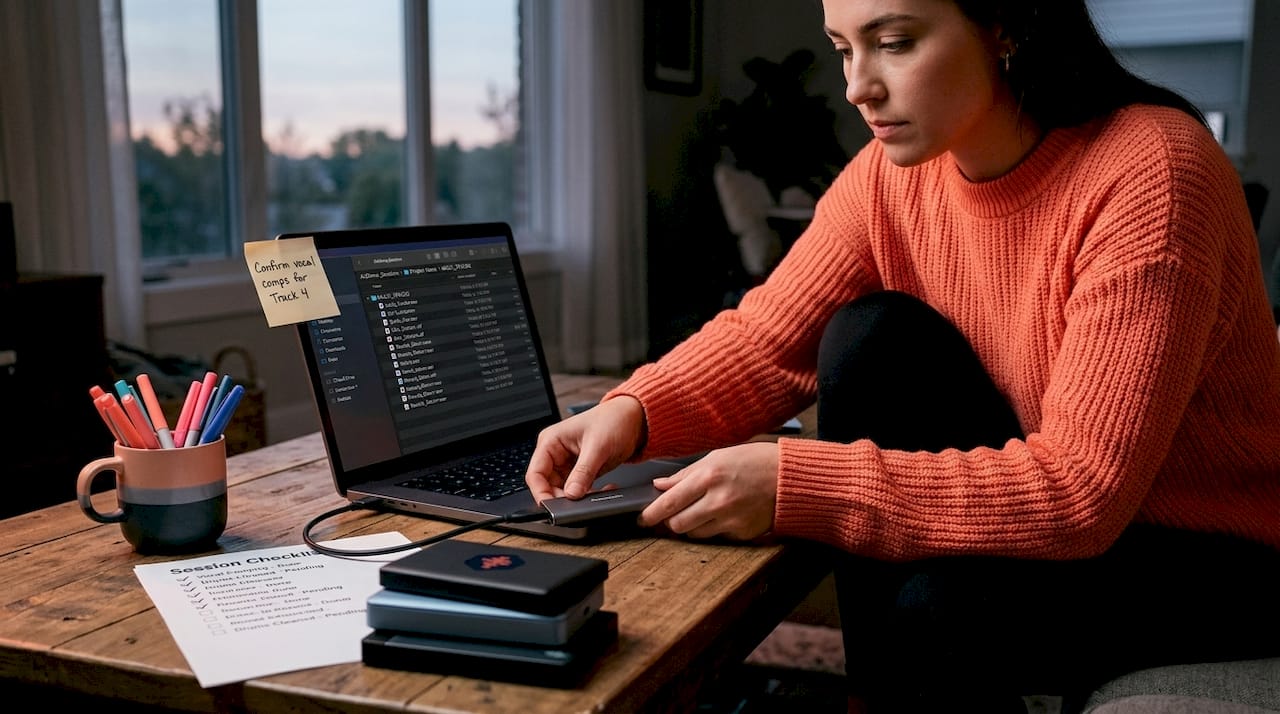
Session checklists and grids for tracking parts, combined with external SSD backups and clear communication chains, are what separate professional studios from bedroom operations. A forgotten track or a corrupted file without a backup can cost you a client relationship that took months to build.
Let’s look at how the most popular project management tools stack up for studio use:
| Tool | Best for | Audio-specific features | Price range |
|---|---|---|---|
| Trello | Solo or small teams | Basic card-based tracking | Free to $10/mo |
| ClickUp | Teams with complex projects | Custom fields, timelines | Free to $12/mo |
| Multiband | Studio-specific workflows | Session tracking, scheduling | Paid |
| Audome | Audio file sharing and review | Timestamped feedback, version control | Paid |
| Notion | Flexible documentation | Custom databases, wikis | Free to $10/mo |
The real return on investment (ROI) of using an integrated platform over piecemeal tools is time. When your project notes, file versions, and client feedback all live in the same place, you stop hunting for things. You start doing the actual work.
Using audio version control tools is especially critical for mix engineers who handle multiple revisions across weeks or months. Without clear version labeling, you risk sending a client an older revision, or worse, delivering a file that doesn’t match the approved version.
Here’s a real-world session workflow that actually works:
- Create a project folder before the session starts, labeled with the client name and date.
- Use a session checklist to confirm all tracks are armed, gain staged, and labeled.
- Back up to an external SSD at the end of every session, not at the end of the project.
- Log all client notes in your project management tool (Trello, ClickUp, or Notion) immediately after the session.
- Use version control naming for every mix: ClientName_SongTitle_MixV01, V02, and so on.
- Deliver files through a client portal, not email, to keep everything in one trackable place.
Pro Tip: Set a recurring calendar reminder to audit your backup drives once a month. Dead drives are silent until they’re critical, and you don’t want to find out during a delivery deadline.
For studio project trackers that handle complex sessions with multiple collaborators, look for tools that allow file attachments, comment threads, and status tracking all in one view. This also supports better music collaboration workflows when remote musicians or producers are involved.
Communication and client portals: Streamlining collaboration
Beyond tracking sessions, how you communicate with clients shapes your reputation more than your gear list. Think about it from a client’s perspective: they’ve trusted you with their music, their voice, their podcast, their film score. If they can’t easily hear revisions, give feedback, or find their files, they feel out of the loop. That feeling becomes a negative review.
The most efficient studios use client portals to centralize everything. Instead of emailing MP3s back and forth and losing track of which version is current, a portal gives clients one place to listen, comment, and approve. Client portals reduce email chaos, and fewer people flooding the control room with opinions also boosts the engineer’s focus and productivity.
Here’s how different communication tools compare at different studio growth stages:
| Studio stage | Tool stack | Key benefit |
|---|---|---|
| Solo startup | Google Drive + email + Calendly | Low cost, easy setup |
| Growing studio | Trello + Audome + Mailchimp | Organized, branded experience |
| Established studio | Full CRM + Audome + Calendly Pro | Scalable client management |
For scheduling, Calendly is a game changer for new studios. Instead of trading emails to find a time that works, you send clients a link and they book directly into your available slots. It syncs with Google Calendar and can even collect intake forms with booking. That one tool alone saves hours per month.
A CRM (Customer Relationship Management tool) like HubSpot’s free tier or Zoho CRM helps you track every client conversation, past projects, follow-up dates, and notes about preferences. As your client list grows beyond ten or fifteen people, keeping this in your head stops working. A CRM makes sure no client slips through the cracks.
Mailchimp or a similar email marketing tool matters more than most new engineers expect. Building an email list of past clients, local artists, and industry contacts gives you a direct line to announce new services, studio availability, or special rates. Social media algorithms are unreliable. Your email list isn’t.
The Production Expert team’s recommendation to avoid scattered tools applies directly here. Using one platform to handle audio delivery, feedback, and revision tracking is far more professional than stitching together five different apps.
For remote collaboration tips that go beyond file sharing, look at services like Analog Access for remote access to real analog hardware. This lets remote clients run sessions through actual outboard gear without traveling to your studio, which is a strong competitive advantage.
Don’t underestimate your studio website either. It’s your 24/7 sales rep. A clean, fast website with audio samples, a clear services page, and a contact or booking form sets the tone before a client ever speaks to you. Pair that with all-in-one client portals for post-booking communication and you have a complete front-to-back client experience.
Key benefits of a solid communication stack:
- Fewer revisions because feedback is clear and documented
- Faster approvals because clients can listen and comment immediately
- More professional image that justifies your rates
- Less time on admin so you spend more time on audio
Our take: The one investment most new studios skip (but shouldn’t)
Here’s the uncomfortable truth we’ve seen play out repeatedly: new studio owners almost always overspend on microphones and plugins first. They’ll drop serious money on a vintage-style large-diaphragm condenser before their monitoring chain can even reveal whether that mic sounds good in their room. They’ll stack plugin bundles before learning what their stock DAW tools can actually do.
The result is a studio with impressive gear photos and a chaotic workflow. Clients get confused, files get lost, and the engineer burns out on admin work instead of making music.
What veteran engineers consistently wish they had prioritized earlier is the combination of accurate monitoring and organized, systematized workflow. These two investments compound over time. An accurate monitoring environment means every hour you spend mixing actually produces a better result. A clean workflow system means you can take on more clients without dropping balls.
The same logic applies to client communication. Building strong communication habits early, before you’re too busy to think about it, is what separates studios that scale from studios that stay stuck. Using studio project tracking from day one makes you look and operate like a seasoned professional, even when you’re just getting started.
Our honest recommendation: spend the first third of your startup budget on your monitoring chain. Spend the second third on tools that organize your work and impress your clients. Save the last third for the microphone or plugin you’ve been eyeing. You’ll use all of it more effectively, and your clients will notice the difference.
Transform your studio workflow with all-in-one tools
Building a professional studio is about more than gear. It’s about creating a reliable, repeatable experience that clients trust and return to. The good news is that the right software can handle a huge portion of the heavy lifting.
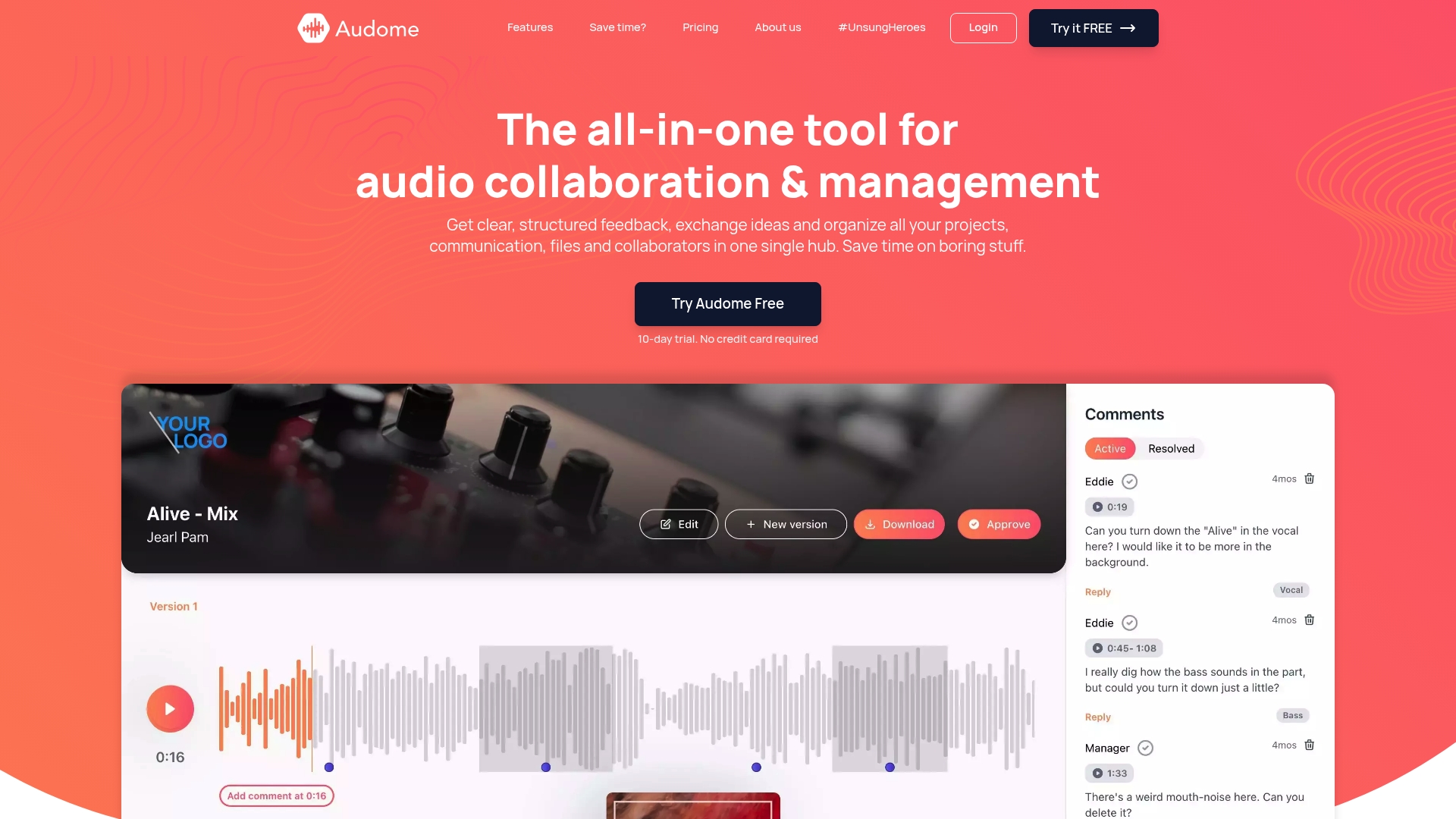
Audome is built specifically for audio professionals who need to manage files, share revisions, and collect feedback without stitching together five different apps. With lossless audio support up to 96kHz/24-bit, unlimited file uploads, timestamped comments, and private collaborator spaces, it replaces the fragmented stack that slows most new studios down. Clients never need to create an account. They just click, listen, and comment. Audome’s all-in-one platform is the kind of tool that pays for itself the first time a client approves a revision without a single back-and-forth email.
Frequently asked questions
What is the most important tool for new studio owners?
A reliable audio interface and monitoring chain are the core investment for accurate, professional sound that translates beyond your room. The Focusrite Scarlett series and Universal Audio interfaces are trusted industry standards for low-latency performance and essential features like phantom power.
How can studios prevent files from getting lost or sessions derailed?
Use dedicated project tracking, checklists, and frequent backups to ensure nothing falls through the cracks and all files are accounted for. Session checklists and backup routines are the most reliable way to prevent lost work.
Do small studios need project management software?
While solo studios can start with basic calendar and reminder apps, dedicated project management software becomes vital the moment your workload or team grows. Contrasting approaches show that solo operators can manage with simple tools, but teams need dedicated systems to scale without dropping projects.
What’s the main advantage of using client portals?
Client portals centralize file sharing, revisions, and feedback, making communication more efficient and professional. Fewer people in the control room and cleaner digital communication channels directly improve productivity and the client experience.