
TL;DR:
- Effective audio collaboration requires standardized workflows, clear roles, and centralized tools to prevent errors and miscommunication. Implementing strict file management, regular audits, and dedicated platforms like Audome ensures project continuity and streamlines the process from first take to final delivery. Delegating repetitive tasks and maintaining disciplined version control help teams scale efficiently while preserving quality.
Audio production is a team sport, but most project collaboration workflow systems in studios and home setups are held together with group chats, misnamed files, and crossed fingers. You send a mix, your collaborator opens it in a different DAW, half the plugins are missing, and you’re back to square one. This guide walks you through how to build a workflow that’s actually designed for audio professionals, covering how to standardize handoffs, define roles, pick the right tools, and keep your projects moving from first take to final delivery without the usual chaos.
Table of Contents
- Understanding workflow challenges in audio collaboration
- Preparing your team and tools for smooth collaboration
- Executing an efficient project collaboration workflow
- Verifying and maintaining your workflow for long-term success
- Why most audio collaboration workflows fail and how to actually fix them
- Streamline your audio project workflow with Audome
- Frequently asked questions
Key Takeaways
| Point | Details |
|---|---|
| Establish clear roles | Define responsibilities for each team member to avoid confusion and bottlenecks. |
| Use consolidated stems | Export audio stems starting at bar 1 for perfect alignment across collaborators. |
| Delegate time-consuming tasks | Hand off post-production and publishing to prevent burnout and increase efficiency. |
| Implement version control | Keep a strict naming system and use dedicated platforms to track revisions and feedback. |
| Centralize communication | Use one project management tool to store files, feedback, and schedules to reduce lost time. |
Understanding workflow challenges in audio collaboration
Before fixing a broken workflow, you need to know exactly where it breaks. For audio teams, the problems are almost always the same three things: file incompatibility, unclear handoffs, and communication gaps.
File incompatibility is the most technically painful. DAW project files are proprietary and won’t translate across platforms, which means a Logic Pro session sent to an Ableton user is essentially useless. Exporting consolidated stems is the only reliable fix, and yet a shocking number of collaborations skip this step entirely.
Handoff confusion shows up when nobody documents what version is final, what changes were made, or what the next person actually needs. The result is rework that eats hours you didn’t have. One mix engineer redoing a full session because a producer changed the arrangement without flagging it is a day of lost work.
Communication breakdowns are the slowest killers. When feedback lives across emails, voice notes, and DMs, nothing gets acted on cleanly. The person mastering a track shouldn’t be scrolling through a three-day text thread to find the one note that actually matters.
Common signs your workflow is already breaking down:
- Files named “final_v3_ACTUALFINAL_USE THIS ONE.wav”
- Collaborators working on outdated versions without knowing it
- Feedback given verbally but never captured in writing
- No one agrees on what “done” looks like for a given stage
- Post-production stretching days past the original deadline
Now that you recognize what usually trips up audio collaborations, let’s get into how to build something that actually holds up.
Preparing your team and tools for smooth collaboration
Good project collaboration workflow doesn’t start with software. It starts with clarity about who does what and what the files look like before anyone touches them.
Define roles before you start
Every project needs named owners for each phase. In podcast production, that typically means a content lead (handles scripting and guest coordination), a recording engineer (owns session setup and capture), and a post-production editor (handles editing, mixing, and mastering). In music production, those roles shift but the logic is the same. Role clarity is what separates teams that scale from ones that stall.
Set up your file management protocol
Before recording a single second of audio, agree on these rules as a team:
- All exported files start at bar 1 or timecode 00:00:00 for alignment
- File names follow a single convention: [ProjectName][Version][Role]_[Date]
- Every session folder has the same subfolder structure: Raw, Stems, Mixes, Finals
- No one shares raw DAW project files unless everyone uses the same DAW and plugin set
- All feedback is captured in writing, tied to a specific version
Choose centralized tools
The biggest efficiency gain in team workflows comes from consolidating your tools. Centralized platforms reduce communication breakdown time by 97 hours per year. That’s not a rounding error. That’s weeks of recovered time.
Here’s a simple comparison of tool categories and what they solve:
| Tool category | What it solves | What it misses |
|---|---|---|
| General project management | Task tracking, deadlines | Audio-specific file handling |
| Cloud storage (generic) | File access anywhere | No version control or audio feedback |
| DAW-native sharing | Session fidelity | Cross-platform incompatibility |
| Audio collaboration platform | Files, versions, and feedback in one place | Sometimes requires a learning curve |
Pro Tip: Before committing your whole team to a new platform, pilot your entire workflow on a single episode or track. One test run exposes more friction than any planning document will.
For digital collaboration in audio teams, the platform you choose sets the ceiling for how efficiently your team can operate.
With your groundwork set, it’s time to nail down the exact steps to run projects efficiently.
Executing an efficient project collaboration workflow
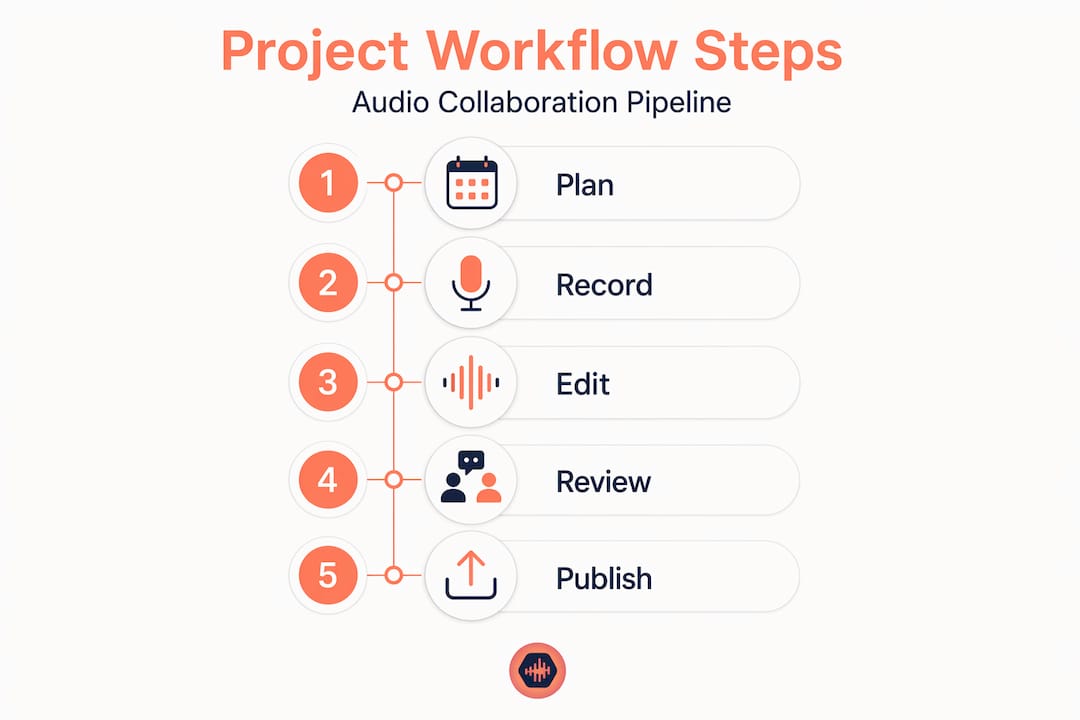
Every solid audio production workflow follows a linear pipeline. The four stages are Plan, Record, Post-produce, and Publish. The details vary, but the order doesn’t.
The four-stage pipeline
- Plan: Lock the brief, assign roles, confirm technical specs (sample rate, bit depth, delivery format), and create the project folder structure before any recording happens.
- Record: Capture audio to agreed specs. Engineer exports consolidated stems at bar 1 immediately after the session. No exceptions.
- Post-produce: Editor receives stems, works through a task checklist, and submits mixes for review using a platform that supports timestamped comments. This is where project tracking in audio production pays off massively.
- Publish: Final files are exported to agreed specs, labeled correctly, and archived before distribution.
The post-production phase is the most time-consuming, typically running one to two hours per episode. It’s also the most repeatable, which makes it the first task you should delegate when you’re ready to scale.
Time and delegation breakdown
| Phase | Avg. time per project | Delegation priority |
|---|---|---|
| Planning | 30 to 60 minutes | Low (keep in-house) |
| Recording | 1 to 3 hours | Medium (engineer) |
| Post-production | 1 to 4 hours | High (first to delegate) |
| Publishing | 30 minutes | Medium (can systematize) |
Delegating post-production isn’t giving up control. It’s the move that prevents burnout and lets you maintain quality as output volume increases.
Keep review stages tight
Review is where most timelines quietly collapse. Set a maximum 48-hour feedback window per revision round. Batch all feedback from all stakeholders into a single pass. Use platforms that attach comments to a specific timestamp on a specific version so nothing gets lost or misinterpreted. For guidance on sending mixes to clients cleanly, having a defined review protocol is the difference between one revision round and five.
Pro Tip: Use a checklist for every post-production handoff, listing exactly what’s been done, what version it is, and what specific feedback you need. It cuts revision rounds almost in half.
Now that you know how to run it, let’s cover how to keep your workflow clean and free from the mistakes that cause the most damage over time.
Verifying and maintaining your workflow for long-term success
A workflow that works today can quietly fall apart in three months if nobody maintains it. Auditing and version control discipline are what separate professional operations from ones that constantly restart from scratch.

Version control non-negotiables
The best practices for version control in audio aren’t complicated, but they require consistency. Manual file renaming is the most common approach and the most error-prone. The fix is a strict naming convention enforced by the whole team, not just the person who set it up.
Follow these rules without exception:
- Archive a milestone version before any major revision begins
- Maintain a centralized change log that records what changed, who changed it, and when
- Never use cloud sync alone as version control. Sync overwrites files. That’s not the same as versioning.
- Attach feedback to specific versions in your platform, not in a separate document or thread
- Keep raw session files archived separately from stems and mixes
A dedicated audio collaboration platform handles most of this automatically, which is exactly why purpose-built tools beat generic cloud storage for professional projects.
Quarterly workflow audits
Set a recurring calendar event every three months to review your workflow. Ask these questions:
- Where did we lose the most time last quarter?
- Which handoffs caused the most confusion or rework?
- Are all team members consistently following the naming convention?
- Is our feedback loop getting faster or slower?
The answers will tell you exactly what to fix. Don’t wait for a project to blow up before you look.
| Audit area | What to check | Red flag |
|---|---|---|
| File naming | All files follow agreed convention | Multiple naming styles in one folder |
| Version history | Clear log of all revisions | No record of who made changes |
| Feedback process | Comments tied to specific versions | Feedback scattered across messages |
| Handoff quality | Stems start at bar 1, labeled correctly | Collaborators asking basic clarifying questions |
Pro Tip: Use your digital collaboration success tips as a reference when onboarding new team members so the workflow stays consistent even when the team changes.
With these maintenance steps in place, let’s talk straight about what actually works in audio collaboration versus what most people think works.
Why most audio collaboration workflows fail and how to actually fix them
Here’s what I’ve seen over and over: teams spend real time and energy setting up a workflow, and then it quietly collapses because someone half-committed to version control or started using a personal folder system that nobody else can navigate. The cheapest and easiest method, just renaming files and emailing them around, eventually blows up and wastes everyone’s time. It’s not a matter of if. It’s when.
The real failure isn’t the tools. It’s the absence of a single source of truth. People patch together a group chat, a shared drive, email threads, and a spreadsheet, and call it a workflow. That’s not a system. That’s controlled chaos with a slightly nicer name.
The uncomfortable truth about delegation is that most audio professionals resist it because they think it means lowering the quality bar. It doesn’t. It means protecting your capacity to stay at the top of your craft instead of spending Tuesday afternoon editing room tone out of a forty-minute interview.
Stop sharing raw DAW files across different systems. Full stop. Unless every collaborator is running the exact same DAW version and plugin set, that file is a liability. Export stems. Every time.
The remote audio collaboration reality is that your collaborators are likely working in different time zones, on different gear, with different software. Your workflow has to be designed for that, not for the best-case scenario where everyone’s in the same room.
If you want a workflow that survives real-world conditions, you need one platform that holds your files, your versions, your feedback, and your project communication. Not four tools duct-taped together.
Streamline your audio project workflow with Audome
Managing a professional audio project across multiple collaborators shouldn’t mean wrestling with compression artifacts, lost version histories, or feedback buried in chat threads.
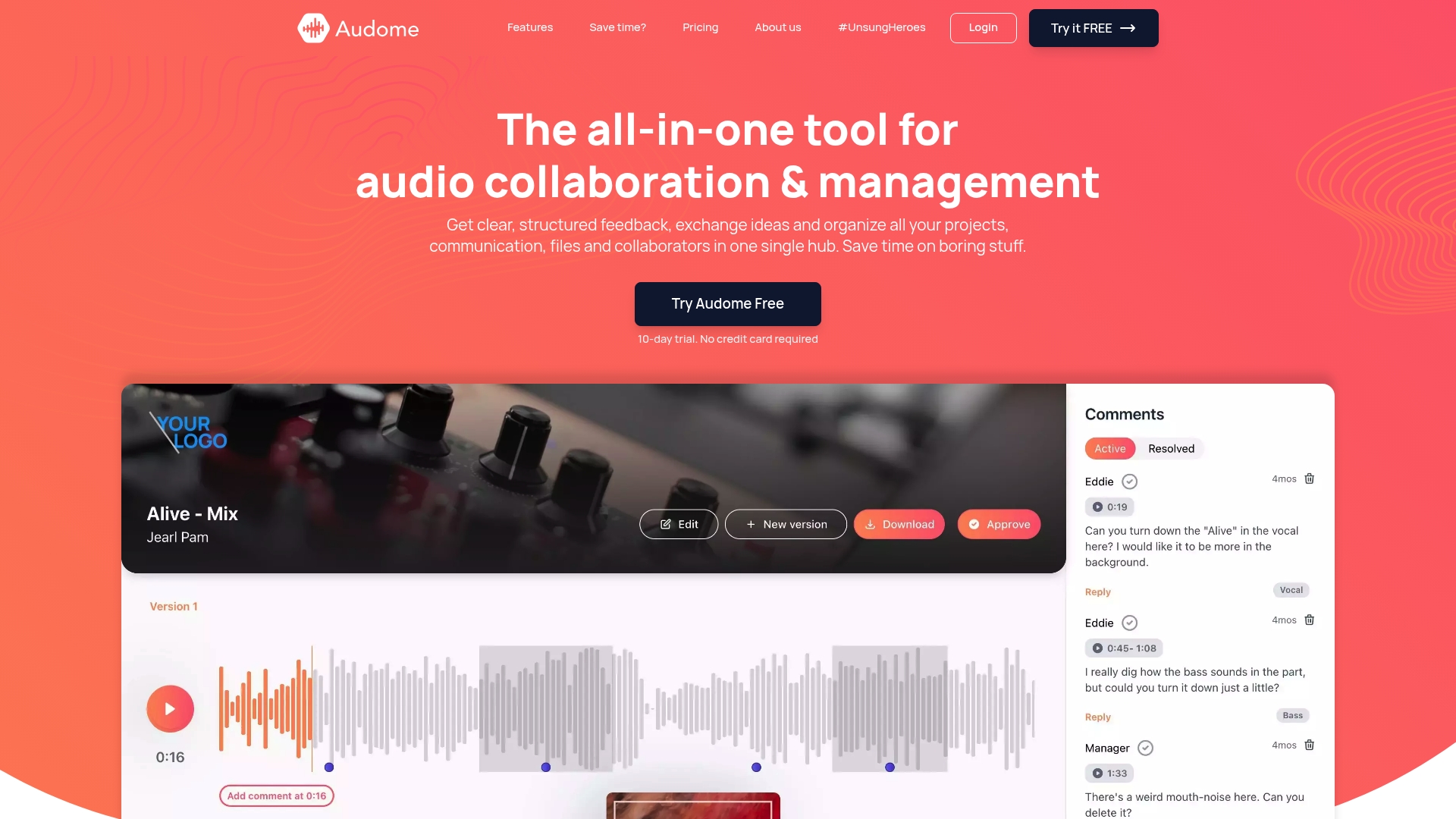
Audome was built specifically for audio professionals who need more than generic file sharing. It supports lossless audio up to 96kHz/24-bit so your files arrive exactly as you sent them. No client logins required, timestamped comments keep feedback precise, and version control means your team always knows what’s current. From initial stems to final master, every stage of your project lives in one place. If you’re ready to stop patching together tools that weren’t built for audio, explore the Audome audio collaboration platform and run your next project the way it was meant to be run.
Frequently asked questions
What is the best way to share audio files in a collaborative project?
Always export consolidated stems starting at bar 1 or timecode 00:00:00 to ensure perfect alignment across all collaborators’ systems, regardless of which DAW they use.
How can I prevent burnout when managing podcast or music projects?
Systematize your workflow with checklists and batch processing, then delegate post-production first. It’s the most time-consuming and repeatable phase, and handing it off protects your creative energy.
Which tools help reduce communication breakdowns in audio teams?
Centralized project management platforms can recover up to 97 hours per year by reducing the time teams spend chasing information and reconciling conflicting feedback.
Why is proper version control critical in collaborative audio projects?
It protects you legally, prevents costly rework, and gives every collaborator a clear revision history so no one is ever working on the wrong version of a project.
How do I scale a podcast production team efficiently?
Start by delegating distribution tasks, then separate content and production roles, and finally build governance around brand voice and access controls as your team expands.