
Delivering lossless audio files to clients while tracking feedback and version control is usually a mess when generic file sharing platforms ignore audio-specific needs. Most cloud services either compress files until mixes sound wrong or force studios to juggle payments and revision notes outside the main delivery tool. This comparison covers pricing, audio fidelity, feedback tools, and payment features so you can pick the platform that fits your workflow without wrangling three separate apps.
Table of Contents
filepass
At a Glance
Clients must complete payment through an integrated paywall before they can download files, turning delivery into a transaction rather than a manual step. Filepass pairs that payment unlock with lossless streaming so clients can audition full-quality audio before they buy.
Core Features
Filepass delivers lossless audio streaming that avoids re-encoding to preserve fidelity. Time-stamped comments sit on the waveform for frame-accurate feedback. Centralized revision requests include a checkable to-do list so engineers can track fixes. Built-in payments let you gate downloads until a client pays. Client uploads work without forcing account creation.
Key Differentiator
The platform focuses on the audio workflow, not generic file hauling. Combining lossless playback, time-stamped commenting, and a native paywall means you can send a session, get pinpointed notes, and collect payment all inside one flow. That narrow focus trades broad file-type flexibility for speed in production use.
Pros
-
Tailored for audio pros so feedback lands where it matters. Time-stamped comments reduce back-and-forth compared with email notes.
-
No client accounts required for uploads or comments which removes friction when dealing with musicians and nontechnical clients.
-
The paywall turns delivery into a monetized step. Freelancers and small studios can require payment before granting final downloads.
-
Accelerated uploads and basic branding options make deliveries feel professional and cut turnaround time between revisions.
-
Lossless streaming preserves original fidelity so you avoid misjudging mixes due to lossy previews.
Cons
-
Pricing is higher than many generic file storage solutions which hurts tight-margin freelancers.
-
The product optimizes audio workflows which means non-audio file types get less attention and fewer optimizations.
-
Zapier support is in beta which limits automation for now and creates some risk if you rely on extensive third-party workflows.
When It May Not Fit
If your work routinely mixes audio with large numbers of video stems, stems plus session PDFs, or non-audio deliverables, Filepass may feel constrained. Teams that require mature automation should expect limitations while the Zapier connector is still in beta. If you need unlimited upload throughput without a Pro plan, that will also be a constraint.
Notable Integrations
- Zapier (in beta). This connection is available but may not yet handle complex automations reliably.
Who It’s For
Freelance mixing and mastering engineers, recording studios, podcast editors, and small audio teams who want a single place for high-fidelity previews, precise client notes, and payment collection tied to delivery.
Real World Use Case
A mixing engineer sends a 1.2 GB session to a client. The client listens in the lossless web player and drops time-stamped comments at verse changes. The engineer marks revision checklist items as done and the client completes payment in the same window to unlock the final WAV download.
Pricing
Part-Time plan starts at $19 per month billed yearly with 256 GB storage and a 10 GB monthly upload limit. Pro plan starts at $39 per month billed yearly with 512 GB storage and no upload limit. Both plans include unlimited projects, clients, files, paywall access, and timestamped comments.
Website: https://linkedin.com/company/dropsecure
Samply
At a Glance
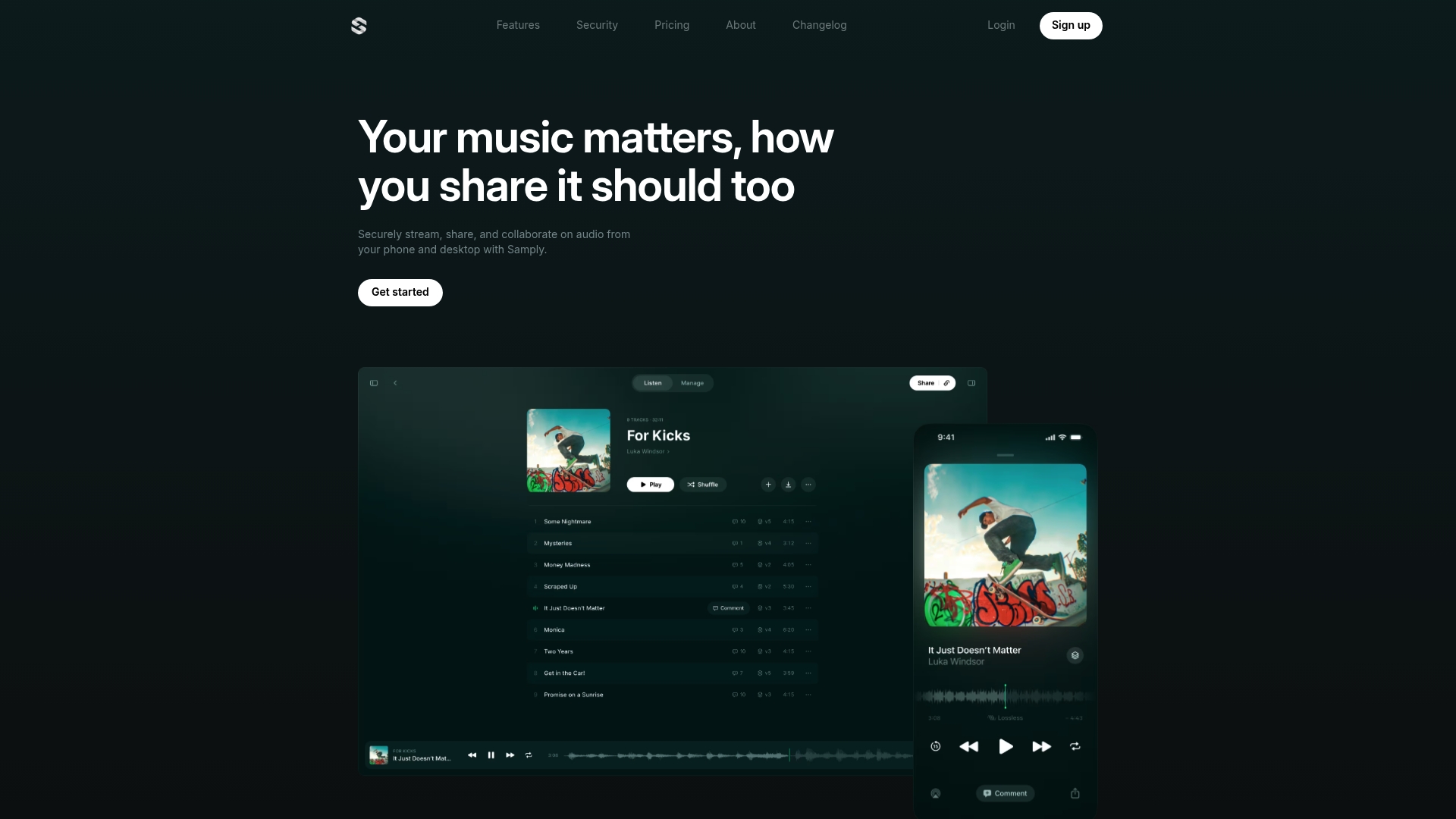
Samply’s marketing materials say it’s trusted by Grammy-winning engineers and artists. It delivers lossless, gapless audio streaming across devices and surfaces listener activity while letting you keep unlimited project versions and stacks.
Core Features
- Lossless and gapless audio streaming for desktop and mobile so clients hear mixes without compression artifacts.
- Time-coded commenting that pins feedback to exact bars, beats, or stems for clear revision notes.
- Unlimited projects and stacked version control for easy A B switching between mix passes.
- Password protection and download prevention to restrict access and keep masters private.
- Support for spatial audio formats and metadata parsing on higher tiers for pro deliverables.
Key Differentiator
That trust claim above pairs with the platform’s focus on fidelity and revision hygiene. Samply’s real-time listener insights plus precise time-coded feedback make it easier to run remote mix passes that actually match the studio session you sent.
Pros
- Streams mixes without lossy conversion which preserves transient detail and low end for accurate client listening.
- Version stacks let you flip between alternate masters quickly so you can reference A B comparisons without hunting folders.
- Time-stamped comments reduce vague feedback like “fix the middle” into actionable edits tied to seconds in the track.
- Security controls such as passwords and download prevention help when you must share pre-release masters with labels or collaborators.
- Mobile apps mirror much of the web functionality so clients can preview mixes on phones and still leave precise notes.
Cons
- Users report minor bugs like trouble renaming tracks while reordering which interrupts quick session cleanup.
- No support for video or general file types so projects with stems plus video deliverables require another tool.
- Top tier pricing is noticeably higher than indie plans which may sting solo engineers on tight margins.
- Missing features some studios ask for such as lyrics attachments and playlist duplication.
When It May Not Fit
If you deliver dossiers that include stems plus picture lock or video you will need a different service. If your studio bills by seats and wants an all-in-one media hub Samply’s audio focus feels narrow. Small hobbyists who do not need lossless playback will find the Pro tier overkill.
Notable Integrations
Samply includes Zapier integration on higher tiers so you can push uploads or activity events into automations and trigger workflows with the rest of your stack.
Who It’s For
Independent musicians, mix and mastering engineers, producers, and audio professionals who need secure lossless delivery and precise feedback loops. Ideal when fidelity and version control matter more than broad file type support.
Real World Use Case
A remote mix engineer uploads three alternate masters. The client listens in lossless quality, drops time-coded comments at 1:02 and 2:18, and the engineer uses stacks to audition earlier passes while making corrections. Revisions happen faster and with fewer misunderstandings.
Pricing
Basic is free forever with 4 GB storage and time-coded comments. Indie is $5 per month with 1 TB storage, password protection, download prevention, and listener insights. Pro is $28 per month with 5 TB, spatial audio, metadata parsing, upload portal, and Zapier. Studio adds multi-user workspaces and API access with custom pricing.
Website: https://samply.app
Comparing filepass and Samply for Audio Professionals
When choosing a platform for managing audio projects and facilitating secure client interactions, filepass and Samply each present solutions. These platforms both cater to audio professionals, yet they excel in different areas that could align with specific user requirements.
Client Interaction Management
filepass integrates a paywall feature that allows professionals to secure payments before finalizing downloads, ensuring tools for monetization are integrated directly into the delivery workflow. Additionally, clients can provide precise feedback using time-stamped comments. In contrast, Samply focuses on enhancing the collaborative experience with gapless, lossless audio streaming and listener insights, making it easier to assess revisions remotely. While both tools facilitate detailed feedback, the choice boils down to whether users prioritize integrated payment solutions or advanced audio listening experiences during collaboration.
Project and Version Organization
Professionals handling multiple versions of a project will benefit from Samply’s version stack capabilities. This feature enables toggling between alternate takes, making comparative assessments direct and efficient. On the other hand, filepass simplifies delivery logistics by centralizing uploads and downloads while tracking revisions through an integrated checklist—elements valuable for streamlined project management. The distinction lies in version control precision versus overall management flexibility.
Best Fit by Scenario
- Choose filepass if a paywall for instant payment collection with file release is critical.
- Select Samply if you frequently work on projects that evolve through multiple versions and require direct sound fidelity monitoring.
Our Pick
For professionals seeking a tool that combines secure, high-fidelity file transfer with detailed collaborative options, filepass shines when managing client transactions directly within the platform. Conversely, Samply stands out for its in-depth listener feedback support and project version handling. However, selecting the best platform depends on individual project workflows and priorities—choosing one may mean compromising on certain unique features offered by the other.
filepass vs samply
Below is a detailed comparison between Filepass and Samply, focusing on their key features, audience fit, strengths, and pricing.
| Product Name | Core Features | Intended Audience | Noteworthy Strength | Pricing |
|---|---|---|---|---|
| Filepass | Lossless streaming, paywall integration, time-stamped comments, revision checklist | Audio professionals like mixing and mastering engineers | Streamlines client feedback and payment collection in a seamless workflow | Part-Time at $19/month, Pro at $39/month |
| Samply | Lossless gapless streaming, time-encoded feedback, version stacking | Musicians and audio work professionals requiring secure feedback and delivery | Supports alternate version management and real-time client insights | Basic free, Indie at $5/month, Pro at $28/month |
Choosing the Right Audio File Sharing Solution Can Feel Overwhelming
The article comparing FilePass and Samply highlights real pain points audio pros wrestle with like lossless streaming, time-stamped commenting, payment gatekeeping, and version control. If you want to cut through the clutter of platforms that either overcomplicate with features you don’t need or miss basics that drag your workflow down, you’re not alone. Dealing with clients who don’t want account signups, juggling multiple mix versions, or needing secure download controls can crush your productivity.
That’s where Audome steps in. Built just for audio professionals, Audome merges high-quality lossless sharing up to 96kHz/24-bit with easy timestamped feedback, unlimited uploads, and private spaces for collaborators—all without forcing client logins or complicated setups. If you want to stop guessing and start managing your mixes, revisions, and file security in one spot that respects your craft and your time, check out Audome.
Ready to see how simple precise audio project management can be Grab your files, get feedback fast, and keep ownership tight—explore Audome now and kick your workflow frustration to the curb.
Frequently Asked Questions
Which platform is better for audio professionals who prioritize feedback?
Filepass is designed specifically for audio professionals, providing lossless audio streaming and time-stamped commenting to facilitate precise feedback. This is evident in its feature set that focuses on audio workflows, which can significantly reduce miscommunication during revisions. For audio engineers needing detailed interaction with clients, Filepass is the clear choice.
What are the main differences in security features between Filepass and Samply?
Samply offers password protection and download prevention, ensuring that access to pre-release masters is tightly controlled. In contrast, Filepass does not highlight such security measures, focusing instead on payment integration for file delivery. If security is paramount in sharing sensitive audio files, Samply may be the better option.
How does Filepass handle payments compared to Samply?
Filepass incorporates built-in payments, allowing clients to pay before downloading files, which monetizes the delivery process. Samply, while delivering high-quality audio, does not feature this paywall, focusing more on feedback rather than transactions. For freelancers looking to secure payments upfront, Filepass is an essential consideration.
Can I use Filepass if I need to share non-audio files?
Filepass is optimized for audio workflows, and while it allows straightforward audio feedback, it may not be the best choice for varied file types, like video or documents. If you need to share multiple file types during a project, consider a more versatile platform like Samply, even if it specializes in audio.
What are the pricing options for Samply compared to Filepass?
Samply offers a Basic plan that is free forever with limited features, while its Indie plan is just $5 per month with expanded storage and features. Filepass starts at $19 per month for its Part-Time plan, offering different storage capacities. For budget-conscious users, Samply can be more appealing.