
Passing high-resolution audio, accurate feedback, and payment in a single flow is still a damn headache if you are shuffling between artist-driven links, janky paywalls, or file compression that wrecks your mix. Most so-called pro options either bottleneck your upload size, hide time-stamped notes behind higher tiers, or bolt payments on as a buggy afterthought. This comparison puts Audome, Samply, and Filepass head to head so you can finally pick one that matches your studio workflow, your clients, and your bank account without trial-and-error guesswork.
Table of Contents
Audome
At a Glance
Lossless audio sharing at up to 96kHz/24bit with no compression, plus client uploads with no file-size limits. That technical ceiling means mixes reach reviewers exactly as you exported them, which matters when tiny EQ moves change a master.
Audome was built by studio pros for studio pros, trading consumer-friendly shortcuts for tools that match real studio workflows.
Core Features
- Lossless audio streaming and file sharing at up to 96kHz/24bit for precise critical listening.
- Time-stamped comments and threaded replies placed directly on the waveform for exact revision notes.
- Unlimited upload bandwidth and a drag-and-drop File Vault that accepts large session stems from clients.
- Custom branding and delivery pages that let you present masters, artwork, and notes without forcing reviewers to create accounts.
- Project dashboard with status of stakeholder feedback and version control to keep multiple revisions understandable.
Key Differentiator
Created by professional studio engineers, Audome focuses on studio workflows rather than artist-oriented convenience. Its combination of unlimited uncompressed file handling and in-audio, timestamped feedback lives in the same product, which replaces the usual juggling of FTP, cloud storage, and fragmented comment tools.
Pros
- Centralises projects, collaborators, files, and feedback in one place which reduces context switching between apps.
- Uncompressed delivery preserves fidelity during client approvals so you never argue about whether a file was downsampled in transit.
- Unlimited bandwidth and uploader features let clients send full session files without workarounds or separate transfer services.
- Time-stamped feedback cuts translation errors. Engineers get exact playhead locations and can reply, so revisions stop guessing where a client meant.
- Branded delivery pages and toggleable download controls improve presentation and protect intellectual property during review.
Cons
- Pricing sits above simpler artist tools, so solo hobbyists will find it overkill for occasional demos.
- Advanced analytics, paywall options, and custom integrations require the higher-tier Pro plan at $48 per month billed annually.
- No free tier beyond a 10-day trial, which means an immediate subscription decision after trial ends.
When It May Not Fit
If you are a solo musician who only needs basic file sharing and quick links, Audome is more platform than you need. If budget is tight and you do few paid projects, the Studio plan still requires an annual commitment. Pro features are gated behind a pricier tier.
Notable Integrations
- Zapier connects Audome to thousands of apps for automations like creating invoices or adding projects to task lists.
- Custom integrations are available on the Pro plan for studios that need SSO or bespoke automation.
Who It’s For
Professional audio engineers, mastering houses, and production teams who require uncompromised audio fidelity, clear revision trails, and branded client delivery. If you manage multi-stakeholder projects and care about exact feedback, this fits your day-to-day.
Real World Use Case
A mastering engineer delivers a high-resolution master to a client. The client leaves timestamped notes on three moments in the track and uploads revised stems back into the same project without creating an account. The engineer completes revisions in a single session instead of chasing emails and links.
Pricing
Studio plan at $12.50/month billed annually ($150/year) includes unlimited projects, 300GB storage, unlimited collaborators, unlimited bandwidth, time-stamped comments, and basic project management. Pro plan is $48/month billed annually ($576/year) and adds advanced analytics, paywall options, automated invoicing, priority support, and custom integrations.
Website: Audome.com
samply
At a Glance
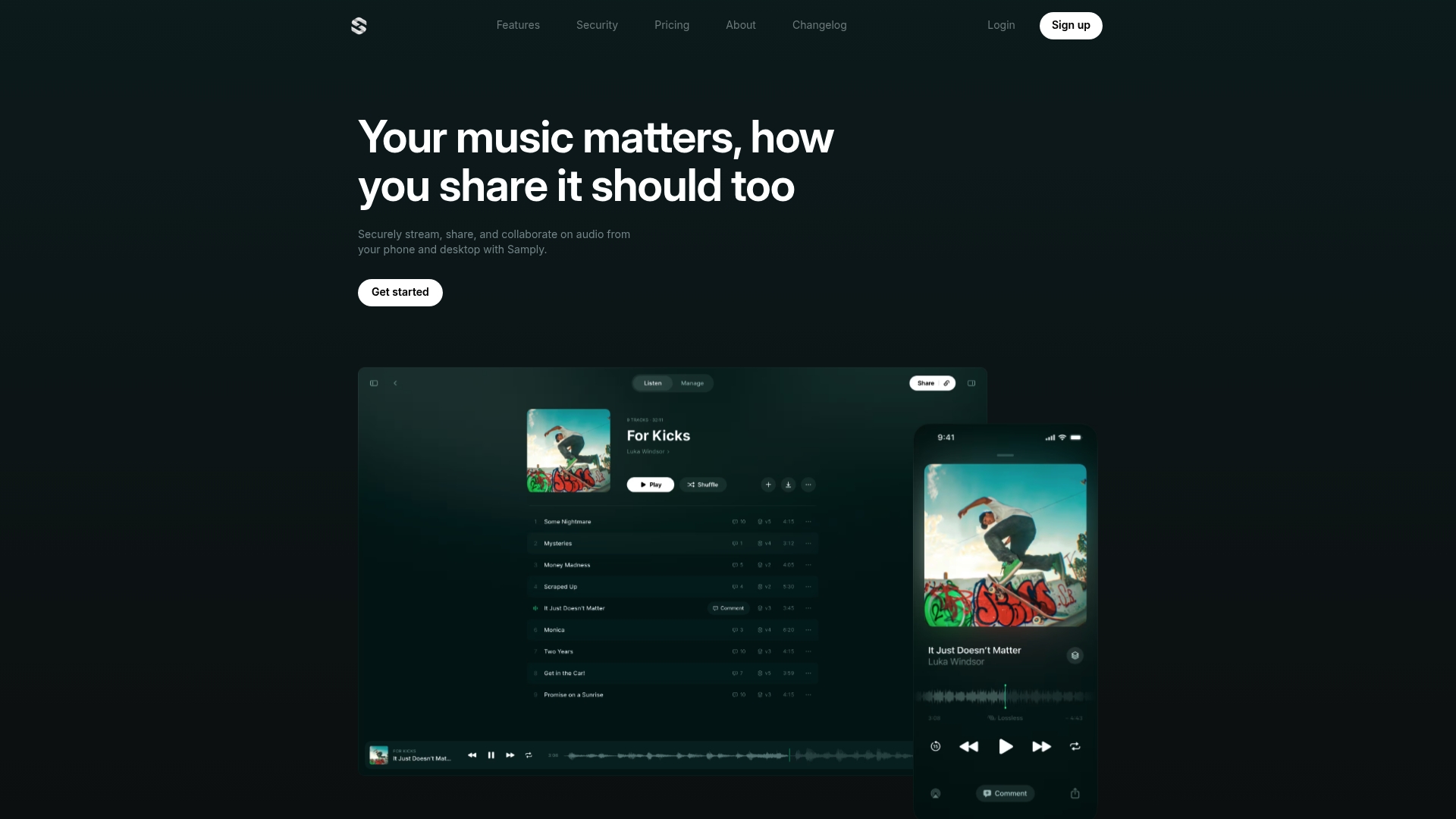
Real-time listener insights show who played a file, how long they listened, and where they listened from, including geographic data and playback activity. That analytics layer sits alongside lossless, gapless streaming and version control aimed at artists and indie producers.
Core Features
- Lossless and gapless audio streaming across web and iOS so collaborators hear the full file without mobile compression.
- Time-coded comments for pinpoint feedback tied to exact moments in a mix.
- Unlimited projects and version control to keep mix revisions organized and retrievable.
- Download prevention and password protection for secure sharing.
- Listener Insights with playback activity and geographic tracking for engagement data.
Key Differentiator
Samply leans hard into artist-facing needs: high-resolution playback plus live engagement metrics. That combo lets you prove a client actually listened to a mix and capture where and when they did it. It is built around musician workflows rather than heavy studio ops.
Pros
- Supports true lossless playback on phones and browsers so you can hear artifacts that MP3s hide during approvals.
- High storage tiers up to 5 TB on paid plans which works if you host lots of stems or multitrack sessions.
- The web and iOS interface is simple and fast, which means artists and managers actually use it instead of filing tickets.
- Secure sharing options like password locks and download prevention reduce accidental leaks during pre-release windows.
- Listener analytics help prioritize follow-ups. If a collaborator skipped the chorus twice you can call that out instead of guessing.
Cons
- Focused on artists and musicians, not built for studio scheduling, patching hardware, or managing in-house session logistics.
- Higher-tier plans grow pricey if you only need occasional file swaps and feedback.
- Some users report bugs with track renaming and intermittent playback issues on the app, which can interrupt a tight approval window.
- No direct DAW or hardware integration, so it adds a manual step to studio-centric workflows.
When It May Not Fit
If you run a busy commercial studio that needs DAW integration, session locking, or multi-user resource scheduling, Samply will feel limited. It also is not the best pick for engineers who rely on studio control room routing and hardware syncing in their daily workflow.
Notable Integrations
- Zapier for automation hooks and simple workflows.
- Upload Portal to collect files from collaborators without giving them full account access.
Who It’s For
Independent musicians, podcasters, and freelance engineers who want secure, high-fidelity sharing and quick feedback cycles. If your day is mostly handing mixes to remote collaborators and getting timestamped notes back, this fits.
Real World Use Case
A mix engineer uploads three mix passes, shares the private link with an artist, and watches playback stats roll in. The artist leaves time-coded comments on two choruses and approves a master from their phone without downloading files. No FTP, no giant email thread.
Pricing
Free Basic plan includes 4 GB storage and core features. Indie is $5 per month and adds 1 TB storage plus download prevention and password protection. Pro is $28 per month with 5 TB, spatial audio support, metadata parsing, and Zapier. Studio tier has multi-user workspaces and API access at contact pricing.
Website: https://samply.app
Filepass
At a Glance
Filepass can lock final downloads behind payment and automatically unlock files once a client pays. That integrated paywall combined with lossless WAV streaming for previewing mixes without re-encoding makes it a delivery-first tool for engineers who sell masters and stems.
Core Features
- Large session uploads with drag-and-drop client uploads and no client login required for uploads.
- Time-stamped comments placed directly on audio playback so notes land on the exact beat or bar.
- Revision checklist to mark feedback as completed and keep version chaos under control.
- Integrated payment system that ties payments to file access and can unlock downloads after transactions.
- Accelerated uploads, custom branding, and an embeddable portfolio player for client-facing delivery.
Key Differentiator
Filepass is built around two tightly coupled needs: getting high-quality audio to clients for review and turning that review process into paid delivery. The combo of lossless WAV streaming, a built-in paywall, and very large uploads with no client login requirement is what sets it apart.
Pros
- Handles big sessions the way studios need it to. You can accept raw session folders and let clients drop files without creating accounts, which saves time during tracking and remote collaboration.
- Feedback stays precise. Time-stamped comments reduce guesswork when a client says “that snare needs to be louder at 1:12” and you can act on the exact moment.
- Payments and delivery live in one place. Charging clients through the same workflow means fewer email threads, fewer lost invoices, and automatic file unlocking once the transaction clears.
- Professional delivery features like custom branding and a portfolio player make handoffs look clean to labels or managers.
- Faster uploads for large files remove the dread of sending multi-gig sessions across flaky connections.
Cons
- No mobile app is mentioned, so on-the-go review or quick uploads from phones and tablets could be limited compared with services that offer native apps.
- Pricing is focused on audio pros and may be pricier than generic file-sharing drives for users who just need basic transfer features.
- Some advanced automation is still in Beta, notably Zapier (Beta), which can limit robust workflow integrations until it leaves Beta.
- The product is narrowly tailored to audio. That specialization helps studios but makes it a poor choice for teams that need multi-media or non-audio workflows.
When It May Not Fit
If your team needs a full mobile client or you send a lot of non-audio deliverables, Filepass will feel like a niche tool. Also, if you rely on mature automation via Zapier today, the Beta status could slow your integration plans. Price-sensitive groups that only move occasional files will find cheaper, more general options elsewhere.
Notable Integrations
- Zapier (Beta) for automation and connecting Filepass to invoicing, CRMs, or messaging platforms. The integration is advertised as Beta, so workflows may still evolve.
Who It’s For
Freelance mixing and mastering engineers, recording and mixing studios, podcast editors, and small audio businesses that sell deliverables and need precise feedback loops. If you invoice clients and deliver stems or masters, Filepass is built around that exact workflow.
Real World Use Case
A mixing engineer sends a revision link to a band. Each member listens in full quality and drops time-stamped notes: “boost guitar at 0:42” or “tighten vocal comp at 2:15.” The engineer marks items done on the revision checklist and the client pays through the page, which then unlocks the final download automatically.
Pricing
Two yearly-billed plans: Part-Time at $19 per month with 256 GB storage and a 10 GB monthly upload cap, and Pro at $39 per month with 512 GB and no upload limit. Both plans include unlimited projects, WAV streaming, paywall file protection, timestamped comments, custom branding, and accelerated uploads.
Comparative Analysis: Audome vs Samply vs Filepass
Making the right choice between Audome, Samply, and Filepass depends on understanding their fundamental differences as they apply to studio operations, artist feedback workflows, and integrated payment systems.
Audio Fidelity and Feedback Precision
Regarding maintaining uncompromised studio-quality audio during both file sharing and playback, Audome stands out with its support for uncompressed audio at up to 96kHz/24bit alongside direct waveform-timed commenting tools. Similarly, Samply offers lossless and gapless audio streaming, albeit targeted more towards musical artists, with the added benefit of listener engagement metrics. Filepass, while offering high-quality audio streaming, supplements this capability with revision checklists to manage multiple feedback points from collaborators.
Workflow Integration and Professional Features
A unique aspect of Filepass is its integrated payment system, which allows users to tie the delivery of files to client payments, streamlining the transaction and revision process. In contrast, Audome emphasizes a centralized project management approach, aiding studios in managing multiple projects, large session files, and detailed comments without the necessity of external tools. Conversely, Samply prioritizes artist-oriented features, such as mobile-access playback and engagement analytics, catering to users seeking straightforward but collaboration tools.
Best Fit
- Audome: This platform is ideal for audio professionals managing complex studio workflows requiring high fidelity and detailed collaborative precision.
- Samply: Best suited for artists and indie producers who value real-time analytics on collaborator activities and a straightforward interface for mix approvals.
- Filepass: A match for engineers and studios that prioritize combining audio sharing with integrated client payment processes for commercial project management.
Our Pick
Each platform in this comparison is tailored to distinct professional needs. Audome suits studios that demand uncompromised audio quality and intricate feedback implementation, ensuring accuracy in productions with numerous stakeholders. Samply fits producers and musicians requiring mobile-friendly analytics and efficient mix-sharing tools. Filepass is well-suited for professionals in transactional environments, optimizing the junction of collaboration with financial workflows. When selecting between these solutions, prioritize the features directly supporting your workflow, while acknowledging the specialization and trade-offs each option entails.
Comparing Audome, Samply, and Filepass
This table provides a concise comparison of Audome, Samply, and Filepass based on their core features and target users, helping you decide which platform aligns best with your needs.
| Feature | Audome | Samply | Filepass |
|---|---|---|---|
| Target Audience | Studio professionals | Independent musicians | Audio businesses |
| Core Feature | Lossless uncompressed audio sharing | Listener analytics and playback insight | Locking downloads until payment |
| Notable Differentiator | Audio fidelity and collaborative tools | Ease of use and real-time tracking | Built-in payment and delivery tools |
| Pricing | Studio $12.50/month (150$/year), Pro $48/month ($576/year) | Free plan, paid plans start at $5/month | Part-Time $19/month, Pro $39/month |
| Best For | High-scale audio projects | Independent artists seeking feedback | Deliverable management for professionals |
Cut Through the Noise: Why Audome Wins for Serious Studio Pros
Choosing between Audome vs Samply vs Filepass comes down to what really matters when you’re managing complex audio projects. Audome was built by real studio professionals for real studio professionals. It skips the fluff made for artists or YouTube gurus and focuses on what matters: lossless audio up to 96kHz/24-bit, unlimited uploads with no file size limits, and pinpoint timestamped feedback that actually helps you nail revisions faster. No distractions, no compromises on fidelity — just tools that keep your projects tight and your collaborators accountable.
If you want to stop juggling multiple apps and start owning your workflow with secure, branded client delivery, then Audome.com is where you want to be. Whether you’re mastering, mixing, or producing, Audome lets you share full quality audio and collect precise feedback without wasting time or losing detail.
Ready to bring your studio pro workflow into one streamlined platform? Discover how you can lock down your sessions with precise timestamped notes and unlimited upload power at Audome.com. Import your full session stems and get clear, exact client feedback in one place without forcing collaborators to create accounts.
Frequently Asked Questions
Which platform is best for professional audio engineers?
Audome is the best choice for professional audio engineers. It offers lossless audio streaming at up to 96kHz/24bit, which preserves the quality of mixes exactly as exported. If you’re a studio pro needing precise audio fidelity and clear revision trails, Audome is tailored for your workflow.
How does Samply compare to Filepass for artist engagement?
Samply excels in providing listener insights, while Filepass offers a paywall feature for secure downloads. Samply’s analytics let artists track who listened to their mixes and when, making it perfect for independent musicians looking for engagement metrics. If you’re primarily focused on feedback loops and listener data, Samply might fit you better; however, if secure, paid access to files is your priority, Filepass is the way to go.
Can I use Audome if I need to share large client files?
Yes, Audome supports unlimited upload bandwidth, allowing clients to drop large files directly without needing an account. This feature is particularly useful for studios that often deal with large session stems and require seamless file handling.
What are the limitations of using Samply?
Samply is not designed for complex studio operations or hardware integration. It’s focused on artist needs, such as secure sharing and feedback on mixes, making it limited for commercial studios that rely on detailed resource management and scheduling.
Which platform offers integrated payment options?
Filepass offers an integrated payment system that ties payments to file access. This feature allows engineers to unlock downloads automatically once payment is processed, streamlining the delivery process and making transactions simple for clients.
What should I expect from pricing on these platforms?
Audome’s Studio plan costs $12.50 per month, while Samply has a free Basic plan and a $5 Indie plan. Filepass has two plans, starting at $19 per month for its Part-Time plan. Depending on your needs, pricing varies significantly, with Audome being ideal for serious professionals willing to invest more for quality.