
TL;DR:
- Effective revision management requires clear policies, timestamped client feedback, and proper version control to avoid chaos and scope creep. Using dedicated audio platforms with audio-specific tools streamlines workflows, ensures traceability, and prevents file confusion. Final project sign-offs should be documented in writing, with organized archives and standardized file naming to protect both the engineer and client.
Revisions are where audio projects go to die… or where engineers build real reputations. How do audio engineers handle revisions when a client drops 47 scattered notes across three text threads, two emails, and a voice memo? Most of the time, badly. The good news is there’s a better way. This guide covers everything from setting revision policies upfront to locking down approval so you never get a “one more tiny thing” text at 11pm again. If you’ve been burned by revision chaos before, keep reading.
Table of Contents
- Key takeaways
- How audio engineers handle revisions: start with a clear policy
- Building a feedback system that actually works
- Session files and version control done right
- Digital tools built for audio revision workflows
- Getting final sign-off and closing projects cleanly
- My honest take on revision management
- Stop managing revisions in your inbox
- FAQ
Key takeaways
| Point | Details |
|---|---|
| Set revision policies early | Define rounds, limits, and extra charges before work starts to prevent scope creep. |
| Require timestamped feedback | Clients who reference exact timecodes make edits faster and reduce guesswork. |
| Maintain version control | Use clear file naming and a changelog to track every change without losing work. |
| Use audio-specific tools | Platforms built for audio tie feedback directly to file versions, cutting out email chaos. |
| Get written final approval | Always confirm completion in writing before delivery to close the project cleanly. |
How audio engineers handle revisions: start with a clear policy
The number one reason revisions spiral out of control is that nobody defined the rules before work started. That’s not the client’s fault. It’s yours.
Before you touch a single fader, your contract needs to spell out exactly what a revision round is. A revision round is one consolidated batch of feedback, submitted at a specific stage, addressed in a single session, and delivered back to the client. Not one note. Not a trickle of texts over four days. One round. One batch.
Here’s what your revision policy should cover:
- How many rounds are included in the project price, typically two to three for mixing
- What counts as a new round versus a quick fix within the current round
- The cost of additional rounds beyond the included number, stated clearly in writing
- Deadlines for submitting feedback, so you’re not waiting weeks between rounds
- Feedback format requirements, meaning all notes come in one message, not scattered drips
Batched feedback is non-negotiable for keeping efficiency intact. If a client sends you notes across five channels, you will miss something, and that mistake becomes your problem to fix for free.
The question of client pushback is real. Some clients will argue they should get unlimited revisions because “it’s not done until it’s done.” Your answer is simple: you pay a contractor to build a wall and they don’t keep adding bricks for free after the contract ends. Your time has the same value.
Pro Tip: Put your revision policy in a simple one-page PDF and send it before the client signs anything. When they see it presented professionally, they take it seriously. When it’s buried in paragraph seven of a long contract, nobody reads it.
Revision rounds explicitly tied to deliverables keep the process moving and mark clear project progress. Send a labeled version file after every round, with a short summary of what changed. That paper trail matters more than you think.
Building a feedback system that actually works
Vague feedback is the silent killer of revision efficiency. “The mix feels off” tells you absolutely nothing. “The kick at 1:23 is getting buried by the bass during the chorus” tells you exactly where to go and what to fix. The difference between those two notes is the difference between a 20-minute fix and a two-hour guessing game.
Here is how to build a feedback system that produces the second type of note, not the first:
- Require timestamped comments. Clients referencing exact timecodes make every problem spot clear and cut guesswork out of the equation entirely.
- Send clients a feedback template. A simple document asking “What’s the issue? At what point in the track? What direction do you want it to go?” produces dramatically better notes than an open text field.
- Encourage clients to express uncertainty directly. Revision works best as a conversation, not a checklist. If a client says “I’m not sure what’s wrong but something feels off in the second verse,” that’s infinitely more honest and workable than vague demands.
- For band or group clients, require consensus before submission. This is huge. Multi-person projects need one consolidated voice submitting feedback after the group has agreed internally. Otherwise you get contradictory notes, and the engineer ends up as the referee in a band argument. Nobody wins that game.
- Limit revision submissions to one document or thread per round. Point them to a single channel. If feedback comes in from anywhere else, it goes in the next round.
Pro Tip: When you send a new mix version, include a short bulleted list of every change you made. This shows clients you heard them, sets context for their listening, and dramatically reduces the “did you even look at my notes?” response.
The goal here is clarity on both ends. Good audio feedback handling techniques protect your time and actually make clients feel heard because you can respond precisely to what they asked for.

Session files and version control done right
This is the section where careers get saved or trashed. Losing a client’s approved version because you overwrote the file is the kind of mistake that follows you. Good version control is not optional.
Start with a folder structure that you use on every project, no exceptions:
- "/Project_Name/Raw` for original recordings
/Project_Name/Sessionsfor DAW sessions at each stage/Project_Name/Stemsfor exported stems/Project_Name/Exportsfor client-facing deliverables
File names should follow a consistent format. Something like ProjectName_MixV1_2026-05-14 tells you exactly what it is, what version, and when it was made at a glance. No guessing, no “wait, which final is the actual final?”
Here’s a comparison of common version control approaches and how they hold up for audio work:
| Method | Works for audio? | Main limitation |
|---|---|---|
| Manual folder versioning | Yes | Requires consistent discipline to maintain |
| Git or code-based version control | No | Not suited for large audio binaries |
| Dedicated audio platforms | Yes | Requires subscription but pays for itself fast |
| Generic cloud storage | Partial | No version linking or feedback features |
Alongside your folder structure, keep a changelog. A simple text file or spreadsheet that logs the version number, the date, and a bullet list of what changed. When you’re six rounds deep into a project and a client asks “wait, when did the guitar tone change?” you want an answer in 30 seconds, not a 40-minute archaeology session.
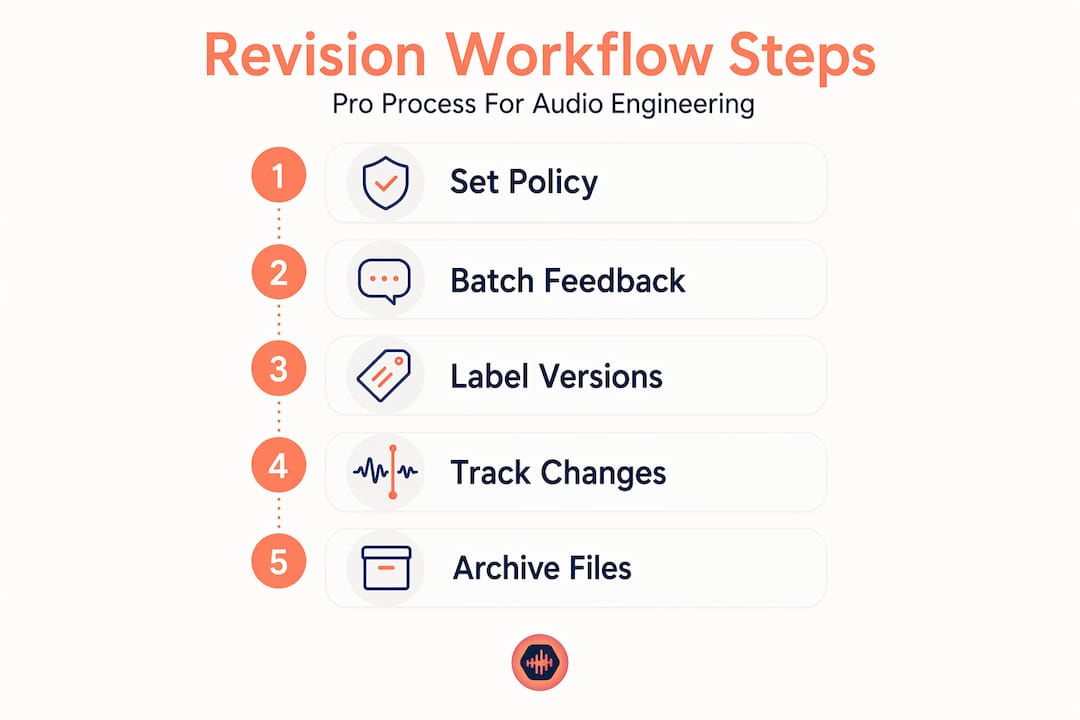
A dedicated change log tracking who changed what and when is what separates engineers who get repeat clients from engineers who keep losing things and making excuses.
One more thing: avoid sharing raw DAW session files across collaborators. Export stems starting from bar one at timecode zero. This way every collaborator works from the same reference point and you avoid the nightmare of session incompatibility issues.
Digital tools built for audio revision workflows
Email is not a revision system. Google Drive is not a revision system. A text thread is definitely not a revision system. These tools were built for other jobs, and using them for audio revisions is like trying to do surgery with a butter knife. Technically possible, wildly inefficient.
The problems with generic tools pile up fast:
- Feedback gets buried in email chains with no connection to specific file versions
- Multiple versions of the same file float around with names like “final,” “final2,” and “actualfinal”
- Clients can’t leave comments directly on the audio at specific timestamps
- No central audit trail exists showing which changes were requested and which were delivered
Dedicated platforms that combine file sharing, timestamped feedback, and version control cut through all of that. When feedback is attached directly to a specific file version at a specific timestamp, everything is traceable and nothing gets lost.
When evaluating tools for managing audio revisions, look for these features specifically:
- Timestamped commenting tied to specific audio positions
- Version history that keeps every uploaded file accessible
- No client login required, because any extra friction reduces response speed
- Lossless audio support so you’re not reviewing compressed files that misrepresent the work
- Private collaborator spaces for multi-stakeholder projects
The right project management platform for mixing engineers is the one that eliminates confusion, not adds to it. If you’re still cobbling together Dropbox, email, and a notes app… there’s a better way.
Getting final sign-off and closing projects cleanly
The goal of every revision cycle is to reach a clear, documented end. Not a fade-out where the client just stops responding, not an open-ended “let me know if anything comes up.” A real, written closure.
Here’s what a clean project close looks like in practice:
- Send the final version with a clear label. Something like “Final Approved Mix” in the file name, accompanied by a short summary of what the version contains.
- Request written confirmation. A simple email or message asking the client to confirm this is the approved final. One sentence is fine. Just get it in writing.
- Set expectations about what “final” means. Make it clear that after approval, any additional changes fall under a new agreement. No exceptions, no gray areas.
- Archive the project. Store the sessions, exports, stems, and the approval confirmation together. If anything ever comes up, you have everything.
Getting written client confirmation before final delivery is the professional standard precisely because it protects you from projects getting “reopened” six months later with a fresh round of notes.
Small last-minute requests after approval are the most annoying thing in this business… and they happen constantly. Handle them with a simple, professional response: “That sounds like a great idea. That falls outside the current scope but I’d be happy to handle it as a quick add-on.” You’re not being difficult. You’re running a business.
Pro Tip: Keep a project archive folder for at least 12 months after delivery. Clients come back, masters get licensed, stems get requested. Having everything organized means you can respond to any future need in minutes.
My honest take on revision management
I’ve been in sessions where a client texted notes at 2am, called at 9am to contradict those notes, and then emailed an entirely different direction at noon. By lunch I’d done three rounds of changes that all cancelled each other out. That’s not a client problem. That’s a structure problem, and the structure was mine to fix.
The engineers who handle revisions well aren’t necessarily the most technically gifted. They’re the most disciplined about how they communicate before work starts. Every hour you spend in a chaotic revision cycle is an hour you didn’t spend getting paid to do something new.
I’ve also watched engineers cling to the idea that more tools will fix their revision problems. They won’t. Software helps, but clients who don’t respect revision limits will abuse any system you put them in. The fix is culture: yours and theirs. You set the tone in the first conversation.
The version control stuff isn’t glamorous. Naming conventions and changelog files feel tedious until the day you need them and they save you three hours of panic. Do it from day one on every project, not just the big ones.
And honestly? The clients who push back hardest on revision limits are almost always the ones who take the longest and pay the least. That pattern is very real. Knowing your limits and sticking to them is not a personality flaw. It’s professional self-preservation.
— Kreg
Stop managing revisions in your inbox
If your current revision workflow involves copy-pasting feedback from emails, renaming files with “v2FINAL” in the title, and hoping nothing falls through the cracks… Audome was built specifically to fix that.
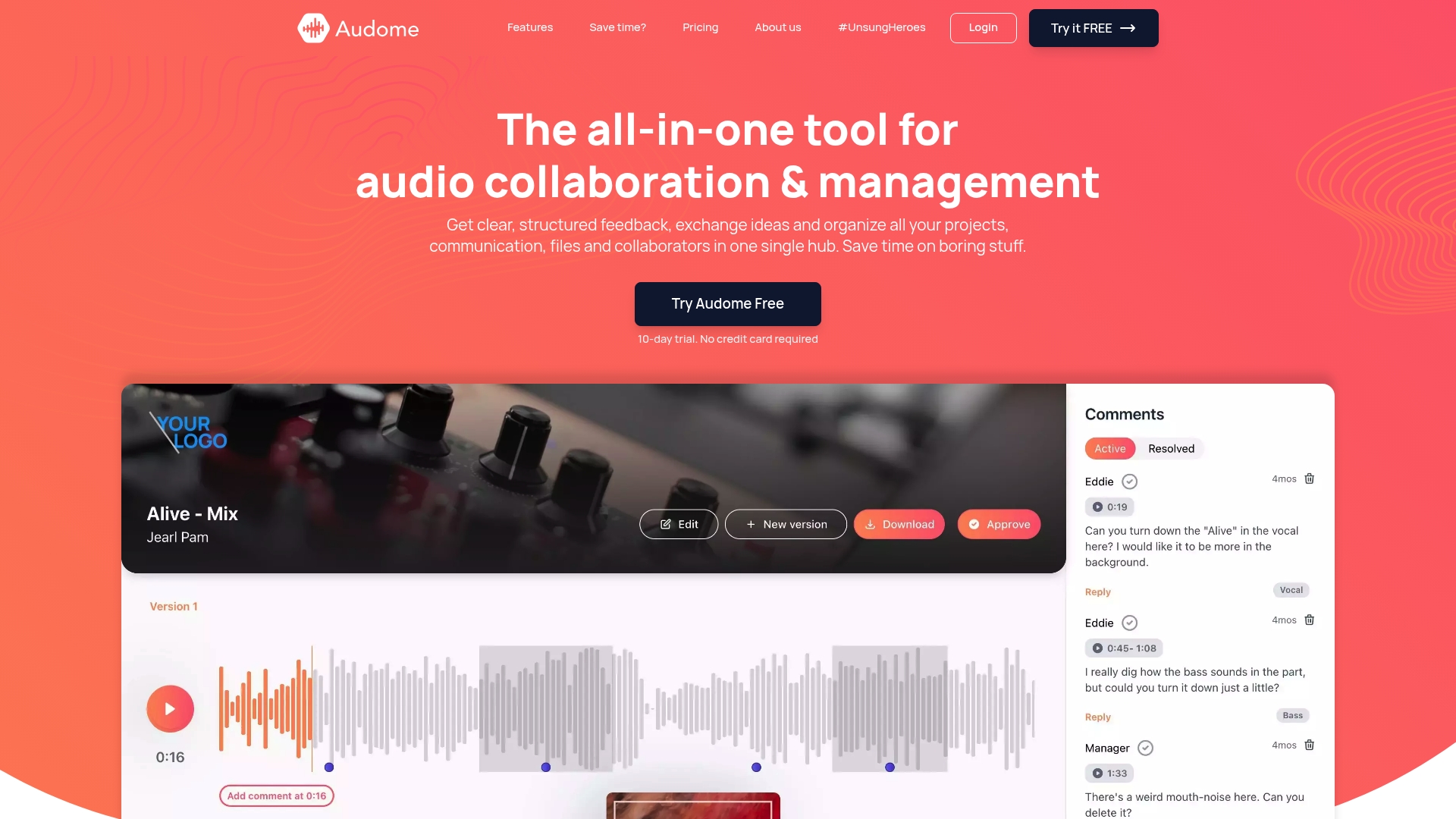
Audome consolidates file sharing, timestamped feedback, and version control into a single platform built for audio professionals. Clients can leave comments directly on the audio at exact timestamps, with no login required on their end. You get full version history, lossless audio support up to 96kHz/24-bit, and private collaborator spaces that keep projects organized and protected. No more scattered email chains. No more mystery file names. Just clean, traceable audio revision workflows from first draft to final approval. Try Audome and start your next project without the revision nightmare.
FAQ
What does an audio revision policy include?
An audio revision policy defines how many rounds are included in the project price, what counts as a new round, additional charges for extra rounds, and feedback format requirements. Setting this upfront protects both the engineer and the client from scope creep.
Why is timestamped feedback so important?
Timestamped feedback ties each note to a specific moment in the track, which removes guesswork and makes fixes faster and more accurate. Clients referencing exact timecodes produce clear and actionable notes instead of vague impressions that waste session time.
How should audio engineers organize session files for revisions?
Use a consistent folder structure separating raw files, sessions, stems, and exports. Name files with a format that includes the project name, version number, and date. Maintain a changelog tracking every change made per version to keep context intact across long projects.
How do you officially close a revision cycle?
Send the final version with a clear label and request written confirmation from the client that it’s approved. This written sign-off prevents projects from being reopened and protects the engineer if disputes arise later.
What tools work best for managing audio revisions?
Tools designed specifically for audio work, meaning platforms that support timestamped commenting, version history, and lossless file sharing, consistently outperform generic cloud storage or email. Look for platforms that require no client login to reduce friction in the feedback process.