
TL;DR:
- Secure file sharing for engineers requires understanding compliance, encrypting files beforehand, and utilizing resumable uploads to prevent transfer failures. It is critical to control access with permissions, monitor activity in real time, and revoke access promptly to protect sensitive IP throughout project phases. Simple, integrated security tools and thorough audit trails ensure compliance, mitigate risks, and maintain control over proprietary engineering data.
You’ve got a 200MB STEP file, a client who needs it today, and a project that’ll be dead in the water if the wrong person gets their hands on it. Secure file sharing for engineers isn’t just an IT checkbox. It’s the difference between protecting months of work and watching your IP walk out the door because someone emailed a DWG to the wrong address. This guide cuts through the noise and gives you practical, no-fluff methods to share sensitive engineering files without slowing your team down or leaving your project exposed.
Table of Contents
- Key takeaways
- Secure file sharing for engineers: what you need before you start
- How to actually share files securely, step by step
- Mistakes that will absolutely wreck your security
- Verifying delivery and maintaining your audit trail
- My honest take on all of this
- Why Audome fits this kind of work
- FAQ
Key takeaways
| Point | Details |
|---|---|
| Know your compliance baseline | CUI and CMMC 2.0 requirements vary by contract, so understand what applies before you pick a platform. |
| Use resumable uploads for large files | Multipart uploads prevent failed transfers that corrupt files and kill project timelines. |
| Revoke access when work closes | Always terminate file access after a bid closes or project phase ends, not just when the project finishes. |
| Audit trails aren’t optional | Immutable logs of who accessed what protect you during compliance reviews and internal disputes. |
| Simple security gets used | Overly complex tools create workarounds that are worse than no security at all. |
Secure file sharing for engineers: what you need before you start
Before you pick a tool or upload a single file, you need to know what you’re actually dealing with. Engineering files are not like documents or spreadsheets. A single CAD assembly can hit 500MB. A full project package with DWG, DXF, STEP, and STL files can blow past a gigabyte without blinking.
Here’s a quick look at what you’re working with:
| File Format | Typical Size Range | Key Security Notes |
|---|---|---|
| DWG / DXF | 1MB – 100MB | Contains proprietary geometry; restrict downloads |
| STEP / STP | 10MB – 500MB+ | Full 3D model data; high IP value |
| STL | 5MB – 200MB | Common in additive manufacturing; limit viewer access |
| PDF (technical) | 1MB – 50MB | Often contains CUI; password protect always |
| ZIP (project bundle) | 50MB – 2GB+ | High risk if intercepted; encrypt before upload |
Compliance is the part most engineers ignore until it bites them. If you work on government contracts or defense supply chains, you’re likely dealing with Controlled Unclassified Information (CUI). NIST’s enhanced security requirements for protecting CUI aren’t a universal checklist. They’re tailored controls based on your specific risk profile and contract terms. That means you can’t just buy a platform that says “CMMC compliant” and call it done.
Before you share anything sensitive, ask yourself three questions. Who actually needs this file? What can they do with it once they have it? And what happens if it leaves your control?
Here are the non-negotiable features any platform needs before you trust it with engineering data:
- End-to-end encryption at rest and in transit (AES-256 minimum)
- Granular access controls with view-only or download-restricted options
- Password protection and link expiry on shared files
- Immutable audit logs with timestamps and user identity
- Multi-factor authentication for recipients
- Access revocation that works in real time
- Compliance certifications relevant to your industry (FedRAMP, SOC 2, CMMC)
Pro Tip: Don’t rely on a platform’s marketing page to verify compliance. Ask for their third-party audit reports directly. If they can’t produce them, walk away.
How to actually share files securely, step by step
Most engineers know that they should share files securely. Fewer know how to do it without turning a five-minute task into a 45-minute headache. Here’s a workflow that works.
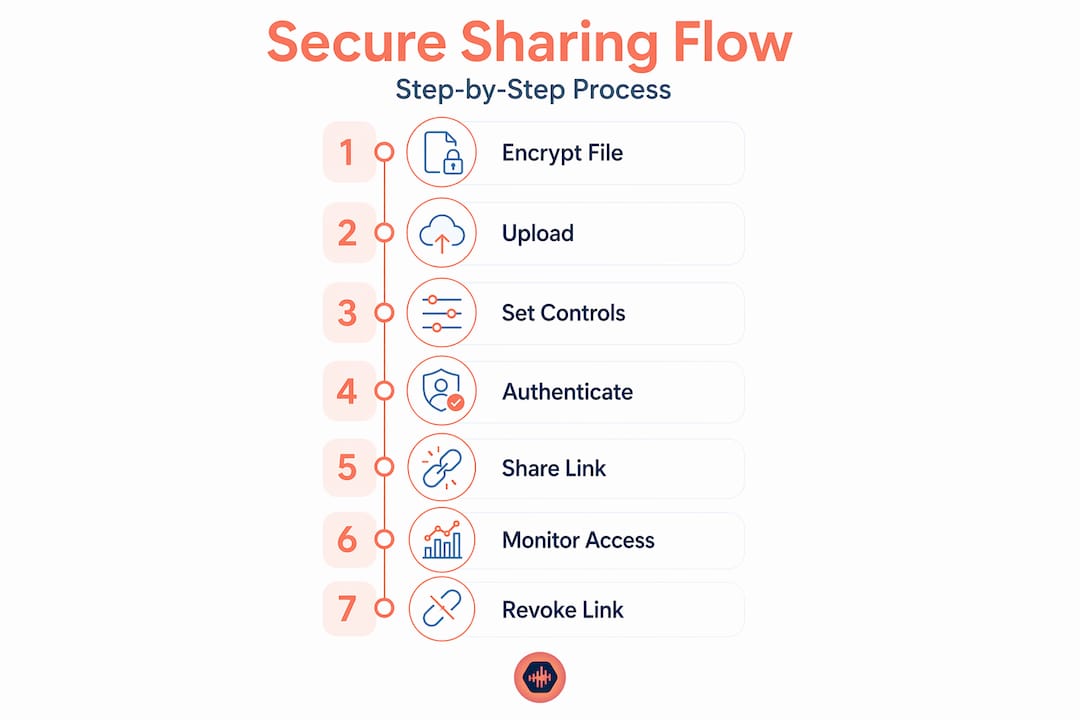
1. Prep your file before upload.
If the file contains CUI or sensitive IP, encrypt it client-side before it ever hits a server. Tools that support XChaCha20 or AES-GCM let you do this in the browser. The file that leaves your machine is already locked.
2. Use a platform with multipart resumable uploads.
Resumable upload protocols split large files into chunks. If your connection drops at 80%, the upload picks up where it left off instead of starting over. For a 600MB STEP file on a flaky hotel WiFi, that’s not a nice-to-have. It’s survival.
3. Set access controls before generating a share link.
Don’t upload and then configure security. Do it in the opposite order. Set the password, expiry date, download limit, and viewer permissions before you share anything. Most people skip this step because the tool defaults to “anyone with the link can download.” That is a terrible default.
4. Authenticate your recipient.
Protect your share links like you protect your passwords. Token security guidance from NIST IR 8587 recommends lifecycle controls and verification checks on identity tokens. At minimum, recipients should authenticate with MFA before they can touch your file. SSO integration is even better for internal teams.
5. Grant the minimum access needed.
If a vendor needs to review a drawing, give them view-only. Don’t give download access by default. Policy-based controls like view-only access and real-time activity monitoring exist specifically to stop your file from getting forwarded to someone you’ve never met.
6. Share the link through a secure channel.
Not email. Not a group Slack channel. A direct, authenticated message or a client portal where you control who’s in the room.
7. Monitor access in real time.
Watch who opens the file and when. Good platforms will show you exactly this.
8. Revoke when the phase closes.
The moment a bid closes or a review milestone ends, kill the link. Every day a share link stays active is a day something can go wrong.
A clean secure sharing flow looks like this: you upload an encrypted file, the recipient gets a secure link, they authenticate, they decrypt locally in their browser, and they never download a raw file. No software installation needed on their end. That’s the model that works.
Pro Tip: Never send a file as an email attachment. If your email gets intercepted, forwarded, or breached, your file goes with it. Always use a platform with access controls.
Mistakes that will absolutely wreck your security
You can have the best platform in the world and still get burned. Here’s where engineers blow it:
- Open cloud drives with no controls. Dropping a DWG into a generic cloud folder and sharing the link publicly is the file sharing equivalent of leaving your front door open. Yet people do it constantly because it’s fast.
- Forgetting to revoke access. Engineering security research is clear that the biggest leakage risk isn’t the transfer itself. It’s what happens after. Files stay accessible long after projects end because nobody remembered to turn off the link.
- Zero audit monitoring. If you don’t know who looked at your file, you don’t know if something went wrong. Most teams never check.
- Underestimating screenshots and forwarding. Downstream risks like screenshots, printing, and third-party storage are where most engineering IP actually leaks. A “view-only” file can still be photographed with a phone in 30 seconds.
- Picking tools your collaborators refuse to use. If a platform requires your external vendor to create an account, download software, and configure permissions, they’ll ask you to just email the file. And you probably will. That’s how security fails in the real world.
- Treating all files the same. A public datasheet and a proprietary STEP model are not the same risk level. Applying blanket security settings to everything means you’ll over-protect low-risk stuff and under-protect the things that matter.
Pro Tip: Before trusting any secure sharing workflow with real project data, run a complete end-to-end test with a dummy file. Try to break it yourself. If you can’t, your vendors definitely can’t.
Verifying delivery and maintaining your audit trail
Sending the file is only half the job. Knowing it was received correctly, by the right person, is the other half.

Good platforms give you real-time access logs. You should be able to see who opened the file, from what IP address, at what time, and whether they downloaded it or just viewed it. If someone unauthorized tried to access your link and failed, you should get an alert for that too.
For teams dealing with CMMC requirements, audit trails need to be immutable and tamper-evident. That means the log can’t be edited, deleted, or fudged after the fact. Platforms that integrate centralized governance with auditor-ready logging close the evidence gaps that kill compliance reviews.
Here’s what to look for when comparing platforms on audit and logging:
| Feature | Why It Matters |
|---|---|
| Immutable access logs | Required for CMMC/NIST audits; prevents log tampering |
| Real-time activity alerts | Catch unauthorized access before damage spreads |
| Per-file access history | Know exactly who touched what and when |
| Cryptographic revocation | Kill access at the file level, not just the link |
| Export-ready audit reports | Speeds up compliance reviews with auditor-friendly output |
Some platforms go further by embedding cryptographic controls directly into files. This means the file owner retains control even after download. You can revoke access to a file someone already has on their machine. That’s not magic. That’s the Trusted Data Format (TDF) model, and it matters when you’re dealing with sensitive project data that changes hands multiple times.
Pro Tip: Keep your audit logs for at least 12 months, even if your contract doesn’t require it. Internal disputes and surprise audits happen more often than you’d think.
My honest take on all of this
I’ve seen engineering teams lose bids because a design file got forwarded to the wrong vendor. I’ve watched a project get compromised because someone shared a Google Drive link in a group email thread and forgot to set the permissions to “restricted.” And yeah… I’ve done dumb stuff myself.
Here’s what I’ve learned: security that creates friction will get bypassed. Every time. If your team has to jump through five steps to share a file, they’ll find a workaround. And that workaround will be something like “just email it.” The tools that actually protect your work are the ones your team and clients will actually use. Simple password protection. Expiry links. One-click revocation. No login required for the recipient.
The vendors selling you “military-grade” this and “zero-trust” that are often selling you complexity you don’t need. What you actually need is a platform where uploading, controlling access, and killing a link are so easy you don’t think twice. That’s it.
The compliance piece is real, especially if you’re touching defense contracts. But even for commercial work, treating your IP like it matters is just basic professional respect for the work you’ve done. Stop sharing DWG files over email. Stop leaving old share links alive. Start monitoring who’s looking at your stuff. None of that is complicated. It’s just discipline.
— Kreg
Why Audome fits this kind of work
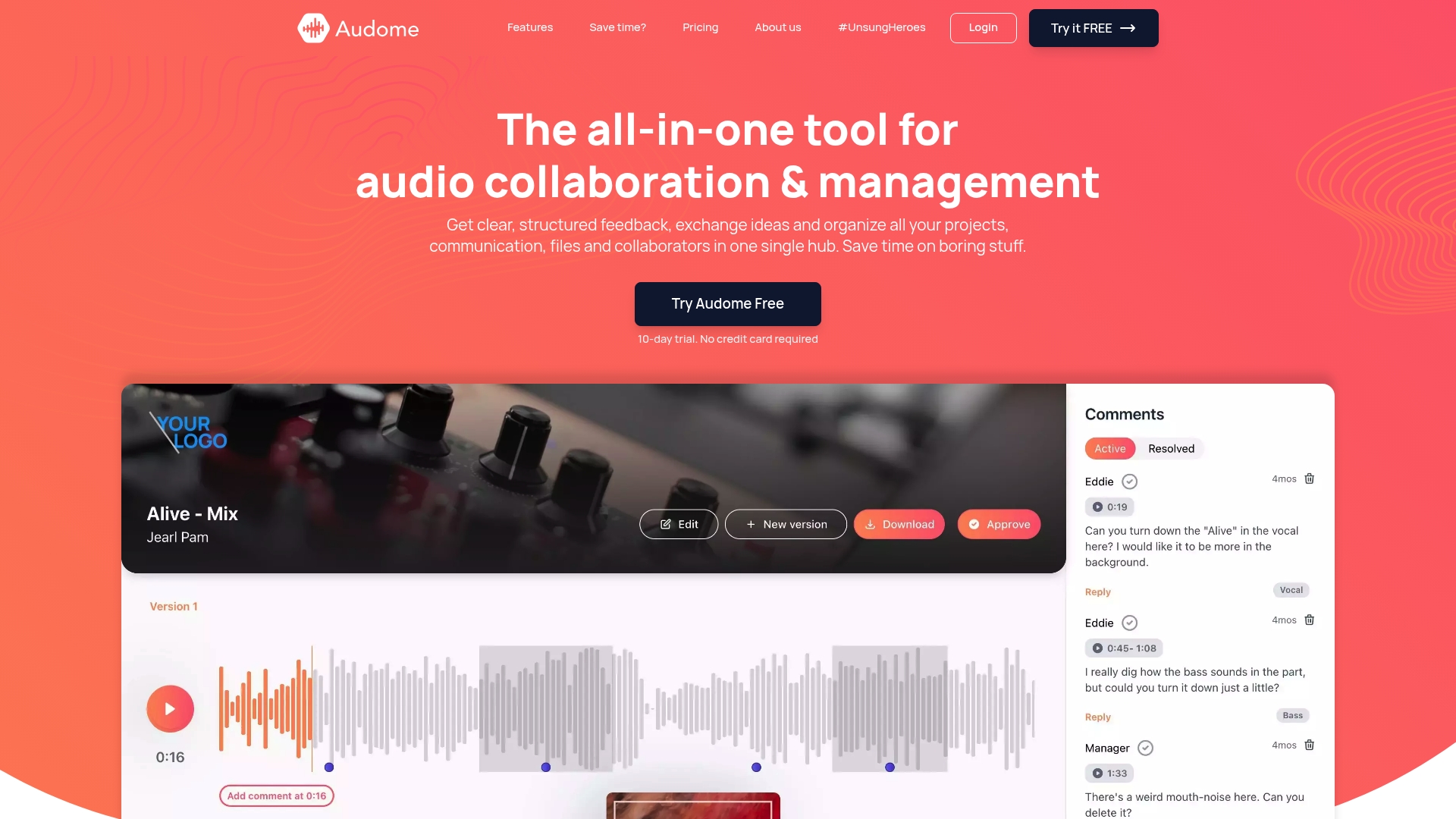
If you’re managing projects that involve sensitive files, multiple collaborators, and tight feedback cycles, you already know that juggling email threads, cloud drives, and random file links is a disaster waiting to happen. Audome brings file sharing, version control, and feedback into one place with real security controls built in from the start. Password protection, download toggling, private collaborator spaces, and no-login access for clients mean you can share files without either compromising security or making your collaborators jump through hoops.
Audome was built for professionals who care about the integrity of their work. Whether you’re handling large project files or managing multiple stakeholders across a revision cycle, it gives you the control you actually need. Check out how the project collaboration workflow approach on Audome can change how your team operates. Try Audome at audome.com and stop patching together tools that were never designed to work together.
FAQ
What encryption should secure engineering file sharing use?
AES-256 encryption at rest and in transit is the standard minimum. Platforms supporting client-side encryption with XChaCha20 or AES-GCM add another layer before files even reach the server.
Do I need CMMC compliance for all engineering file sharing?
Not necessarily. CMMC requirements apply specifically to contractors handling Controlled Unclassified Information on Department of Defense contracts. Check your contract terms to know what applies to your situation.
How do I share large CAD files without transfer failures?
Use a platform with multipart resumable uploads. Files are split into chunks that resume automatically if your connection drops, which prevents the partial transfers and corruption that plague large DWG and STEP files.
What is the biggest risk after a file has been shared?
The biggest risk is often what happens after sharing. Downstream actions like screenshots, forwarding, and printing create leaks that transport-level encryption never addresses. Use view-only access and real-time monitoring to limit these risks.
How long should I keep file access logs?
Keep access logs for at least 12 months as a baseline. If you work on government or defense contracts, your specific compliance framework may require longer retention. Immutable logs are required for CMMC compliance.