
TL;DR:
- Clear roles and a written project brief are essential to prevent chaos in studio collaboration. Balancing synchronous meetings with asynchronous feedback enhances productivity, especially in remote setups. Building trust and setting boundaries upfront are key to successful, efficient creative teamwork.
Bad sessions don’t fail because of bad gear. They fail because nobody knew who was in charge, the brief was vague as hell, and somebody dropped three versions of the same file with zero naming convention. Studio collaboration tips get thrown around like they’re obvious, but the obvious stuff is exactly what gets ignored under pressure. Whether you’re producing a full album, cutting podcast episodes, or doing post-production for a client who changes their mind every Tuesday, the way your team communicates and organizes is what determines whether the project lands or blows up. This is the no-BS version.
Table of Contents
- Key Takeaways
- 1. Studio collaboration tips start with clear roles
- 2. Set the project scope before anyone touches a fader
- 3. Balance synchronous and asynchronous workflows
- 4. Build psychological safety or don’t bother
- 5. Use a naming convention everyone actually follows
- 6. Treat AI as a partner, not a shortcut
- 7. Move conflict out of comment threads
- 8. Traditional vs. digital collaboration: know your tradeoffs
- 9. Common pitfalls that wreck studio collaborations
- My honest take on what actually makes studio collaboration work
- How Audome makes all of this a lot less painful
- FAQ
Key Takeaways
| Point | Details |
|---|---|
| Roles prevent chaos | Assign a single point of contact and clear responsibilities before the first session starts. |
| Briefs are non-negotiable | A project without a written scope, timeline, and budget is a project heading toward conflict. |
| Async beats endless meetings | Use timestamped feedback and written updates to protect deep creative work time. |
| Sync for conflict, async for feedback | Move disputes to live conversations and keep routine notes in writing. |
| Map workflows before adding tech | Audit how your team actually works before dropping in AI or new tools. |
1. Studio collaboration tips start with clear roles
Confusion about who does what is the number one killer of studio sessions. Not creative differences. Not budget. Confusion.
Assigning a single point of contact is one of the fastest ways to reduce miscommunication and keep a project moving. When five people can all approve a mix or redirect a producer, you get five different opinions flying into the same session at the same time. That’s not collaboration. That’s a committee, and committees don’t make good music.
Before the first session, define who is the creative lead, who handles client communication, and who has final say on revisions. Write it down. Put it in the brief. This is one of the most foundational studio teamwork strategies you can apply, and most teams skip it entirely because it feels bureaucratic. It’s not. It’s survival.
Pro Tip: Create a one-page roles sheet for every project. It doesn’t need to be formal. Just names, responsibilities, and who to go to when something needs a decision.
2. Set the project scope before anyone touches a fader
Here’s the thing about vague project starts. They always cost you more time than they save. You know the pitch: “Let’s just get in the room and vibe it out.” Cool. And then six weeks later nobody can agree on what the deliverable even is.
Effective collaboration invites need scope, timelines, and budgets spelled out from the jump. This applies whether you’re reaching out to a feature artist, bringing in a session engineer, or onboarding a new podcast client. Vague “let’s work” messages are a waste of everyone’s time. Be specific. Show you’ve thought it through. It signals professionalism and gets traction.
A solid project brief covers the goal, the deliverables, the timeline, the revision policy, and the budget range. That’s it. One page. And it saves you from having the “wait, I thought we were doing four versions” conversation at hour ten of a session.
3. Balance synchronous and asynchronous workflows
Not every decision needs a meeting. Seriously. Some of the most productive collaborative studio techniques come from protecting people’s deep work time and reserving live sessions for the stuff that actually needs real-time back and forth.
Blending synchronous alignment with async deep work is how effective teams operate. Use live sessions for creative decision points, conflict resolution, and major directional calls. Use async tools like timestamped comments, voice notes, and written updates for everything else.
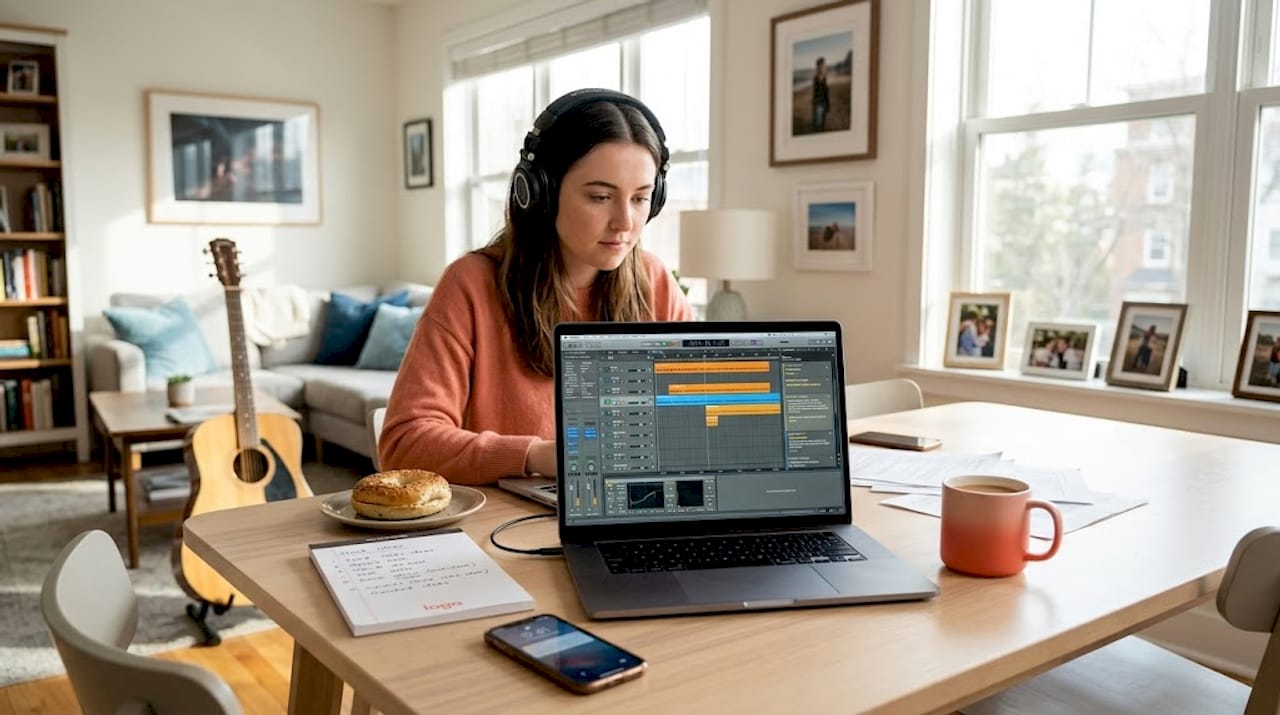
This matters even more in hybrid and remote setups. If your team is spread across time zones, forcing live meetings for every small decision bleeds productivity. Give people the space to focus, then bring the group together when it counts.
Pro Tip: For async feedback on audio, use tools that support timestamped comments directly on the audio file. It removes the guesswork of “around the 2-minute mark” style notes and cuts revision cycles in half.
4. Build psychological safety or don’t bother
You can have the cleanest workflow in the industry and still end up with mediocre work if nobody feels safe enough to pitch an idea that might sound stupid. Psychological safety is not a soft skill. It’s a production requirement.
Creative freedom combined with disciplined workflows is what separates great collaborative environments from ones where everyone just nods and produces average output. People need to know they can throw out a weird idea without getting roasted. That’s how you get the unexpected moments that make a track memorable.
Set the tone early. Normalize “bad” ideas in the room. The producer who feels safe to say “what if we strip everything back to just the vocal and one synth” is the producer who might just save the song.
5. Use a naming convention everyone actually follows
File management is not glamorous. It is also the thing that will absolutely destroy a project if you ignore it. Nothing wastes studio time like hunting for the right version of a vocal take across three hard drives and a random Dropbox folder named “FINAL_FINAL_USE THIS ONE.”
Pick a naming convention before the project starts and make it non-negotiable. Something like ProjectName_TrackTitle_Version_Date works for most setups. The format matters less than the consistency. Everyone on the project uses it. Every time. No exceptions.
Version control goes hand in hand with this. Knowing which file is current, which was rejected, and which is under review is basic studio project collaboration hygiene. It’s also the difference between a smooth handoff and a catastrophic mix-up at delivery.
6. Treat AI as a partner, not a shortcut
AI tools are not going to save a broken workflow. They’re going to accelerate it right off a cliff. Auditing workflows before AI adoption is the step most studios skip because they’re excited about the new tool and skip straight to implementation.
Before you bring AI into your studio collaboration process, map out how your team actually works. Where are the bottlenecks? Where are decisions getting stuck? Fix those first. Then see where AI can genuinely reduce friction, not just add another layer of complexity.
That said… when AI is applied to the right parts of the workflow, the returns are real. AI integration saves creative teams an average of 17 hours per week. That’s significant time back for actual creative work. The goal is to use AI to augment what your team does well, not to replace the human judgment that makes a project worth finishing.
The emerging model here is interesting. Human and AI forming a “Third Mind” in collaborative sessions, where the combined output exceeds what either could produce alone, is where the best studios are heading. But that only works when the human side of the equation is already solid.
7. Move conflict out of comment threads
Comment threads are for feedback. They are not for arguments. The moment a disagreement starts escalating in the notes section of a shared file, you’ve already lost control of the situation.
Shifting major conflicts to live conversations reduces friction and gets resolutions faster. Text-based back-and-forth strips out tone, context, and nuance. What reads as critical feedback in a comment can feel like a personal attack when someone’s already stressed about a deadline.
Make it a rule on your team: if a comment thread hits three replies without resolution, it moves to a call. No exceptions. This one habit alone can save relationships and projects.
8. Traditional vs. digital collaboration: know your tradeoffs
In-person collaboration builds trust faster. There’s something about being in the same room, feeding off the same energy, that digital tools still haven’t fully replicated. In-person collaboration fosters trust in ways that remote setups need to work harder to achieve.
But digital workflows offer things in-person sessions can’t. Remote and hybrid teams can access audio collaboration tools that allow lossless file sharing, real-time version tracking, and async feedback collection without anyone needing to be in the same city. That flexibility is a genuine advantage for studios working with talent across regions.
Here’s a quick breakdown:
| Method | Strengths | Limitations |
|---|---|---|
| In-person | Real-time creative energy, faster trust | Geographic limits, scheduling friction |
| Digital async | Flexibility, documented feedback, scalable | Requires strong communication discipline |
| AI-augmented | Speed, pattern recognition, idea generation | Needs solid workflow foundation first |
| Hybrid | Best of both worlds | Requires clear protocols to avoid confusion |
The smartest approach for most studios right now is hybrid. Keep in-person sessions for key creative moments and use digital tools to handle the logistical and feedback layers of the project.
9. Common pitfalls that wreck studio collaborations
Most of these you already know. The problem is knowing them and still falling into them anyway.
- Scope creep without timeline adjustments. Adding tracks, extra episodes, or new deliverables mid-project without updating the schedule or budget is a fast track to burnout and resentment.
- Feedback that’s personal, not objective. Feedback tied to goals, not preferences, drives better creative outcomes. “I don’t like the kick drum” is useless. “The low end is competing with the bass in the chorus and it’s muddying the drop” is useful.
- Personality clashes taking over the session. Creative tension is fine. Personal vendettas are not. When ego starts outweighing the work, someone needs to call it.
- Meeting overload. Too many check-ins fragment creative focus and signal that nobody trusts the team to work independently.
- Ignoring trust as a prerequisite. Technical skills and good tools don’t compensate for a team that doesn’t trust each other. Build that first.
My honest take on what actually makes studio collaboration work
I’ve been in sessions where we had every tool, every plugin, every resource imaginable… and the project still fell apart because nobody knew who was actually in charge. I’ve also been in sessions with a laptop, one microphone, and a shared Google Doc that produced some of the best work I’ve been a part of.
In my experience, the difference comes down to trust and clarity. Not technology. Not fancy workflows. Trust. When people in the room feel like their contributions matter and they know exactly what they’re responsible for, the creative energy takes care of itself.
What I’ve learned the hard way is that saying no early saves everyone later. When a project brief is vague, say so. When a timeline is unrealistic, say so. When roles are unclear, call it out before the session starts. Setting that boundary upfront feels uncomfortable. But it’s nowhere near as uncomfortable as an unraveling project three weeks in.
The best studio collaborations I’ve been part of weren’t the ones with the most talented people. They were the ones with the most honest people. People who showed up, did their job, and weren’t afraid to say “this isn’t working” when it wasn’t. That’s what enhancing creativity through collaboration actually looks like in practice. Not the Pinterest version. The real one.
The most talented team in the room is useless if half of them don’t know what they’re building.
— Kreg
How Audome makes all of this a lot less painful
If you’ve ever managed a studio project across multiple collaborators using a patchwork of email, cloud storage, and group chats, you know exactly how fast that falls apart. Audome is built specifically so audio professionals don’t have to live in that mess.
With Audome’s collaboration platform, you get lossless file sharing up to 96kHz/24-bit, timestamped comments directly on audio files, version control, and private collaborator spaces all in one place. No client logins required. No compression on your files. No chasing people across three apps to get a simple approval. If you want a real look at what remote audio collaboration can look like when the tools are actually built for it, Audome is worth your time.
Try it at audome.com and see what a proper audio collaboration workflow feels like.
FAQ
What are the most important studio collaboration tips?
Define roles, set a written project brief before starting, and use a naming convention for all files. These three basics eliminate the majority of collaboration breakdowns in studio environments.
How do you handle conflict during a studio collaboration?
Move disputes out of comment threads and into live conversations immediately. Synchronous conflict resolution reduces friction and gets to a decision faster than text-based back and forth.
Should studios use AI tools for collaboration?
Yes, but only after auditing your existing workflow first. Applying AI to a broken process makes the problem worse faster. Fix the foundation, then integrate AI where it genuinely saves time.
What is the best format for a studio project brief?
Cover the goal, deliverables, timeline, revision policy, and budget in one page. Keep it simple. The point is clarity and accountability, not documentation for its own sake.
How do async tools improve studio teamwork?
Async tools protect deep creative work time by reducing unnecessary meetings. Timestamped audio feedback, written updates, and version-tracked files let collaborators contribute on their own schedule without losing communication quality.