
TL;DR:
- Most audio professionals confuse file sharing with true collaboration, which leads to project chaos and errors. A collaborator space is a purpose-built environment that maintains shared context, standards, and live coordination, enabling continuous teamwork. Using both shared knowledge and live session rooms effectively reduces rework, speeds onboarding, and enhances project reliability.
Most audio pros think collaboration means sending a project file over email or dropping a mix in a shared drive folder. That mindset quietly kills projects. Missed notes, version confusion, and sessions that start 20 minutes late are all symptoms of the same root problem: no real structure for working together. A collaborator space is not a fancy term for a shared folder. It is a purpose-built environment where everyone on your project stays in sync, not just exchanging files, but sharing context, standards, and live coordination. This guide breaks down exactly what that means for your work.
Table of Contents
- What exactly is a collaborator space?
- How collaborator spaces work for audio pros
- The benefits of collaborator spaces for audio projects
- Common pitfalls and how to avoid them
- How to apply collaborator spaces in your audio workflow
- Why most audio pros still get collaborator spaces wrong, and what that costs
- Streamline your audio projects with Audome’s collaborator spaces
- Frequently asked questions
Key Takeaways
| Point | Details |
|---|---|
| Collaboration goes beyond files | Collaborator spaces provide shared context and workspace for teams, not just simple file swaps. |
| Two main types | Audio pros use shared knowledge spaces and live session rooms depending on workflow needs. |
| Admin control is critical | Clear host roles and readiness checks keep live sessions from stalling or chaos. |
| Avoid common mistakes | Using the wrong collaboration pattern or skipping session controls wastes time and harms quality. |
| Choose the right tools | Platforms like Audome tailor collaborator spaces for audio pros to streamline projects and training. |
What exactly is a collaborator space?
A collaborator space is a shared virtual workspace where multiple people work on the same project context together, not just swapping files back and forth. Think of it less like a filing cabinet and more like a persistent team room that stays open between sessions, holds shared knowledge, and keeps everyone working from the same reference points.
The key shift here is context persistence. When you email a mix to your vocalist, the context lives in your head and disappears from the conversation the moment the thread gets buried. In a proper collaborator space, the context stays put. Guidelines, version notes, checklists, and comments are all part of the shared environment.
What this looks like in practice for audio pros:
- Virtual team rooms where producers, engineers, and clients see the same project state
- Shared context boards that hold mixing standards, reference tracks, and session notes
- Live session lobbies where everyone gathers before starting a recording or review session
- Persistent comment threads tied to specific timestamps or versions
These elements together make collaboration continuous rather than episodic. You stop losing ground every time a conversation ends. For a deeper look at building this kind of setup, digital collaboration spaces in audio production are worth understanding front to back.
How collaborator spaces work for audio pros
Understanding what a collaborator space is gets real when you look at the two main types serving audio pros in day-to-day work. They solve different problems, and mixing them up is where most people go wrong.
The two main types
| Type | What it does | Best for |
|---|---|---|
| Shared knowledge/context space | Stores guidelines, checklists, standards, reference material | Onboarding, async workflows, pre-session prep |
| Shared live session room | Real-time group interaction with admin controls and readiness signals | Recording sessions, review calls, training |
Shared knowledge spaces are the backbone of async audio collaboration. These hold everything your team needs to stay aligned without jumping on a call. GitHub Copilot Spaces demonstrates how curated shared context keeps teams aligned and avoids repeated explanations across workflow iterations. In audio terms, this means your mix engineer does not have to ask the same questions about loudness targets and delivery formats every single session.
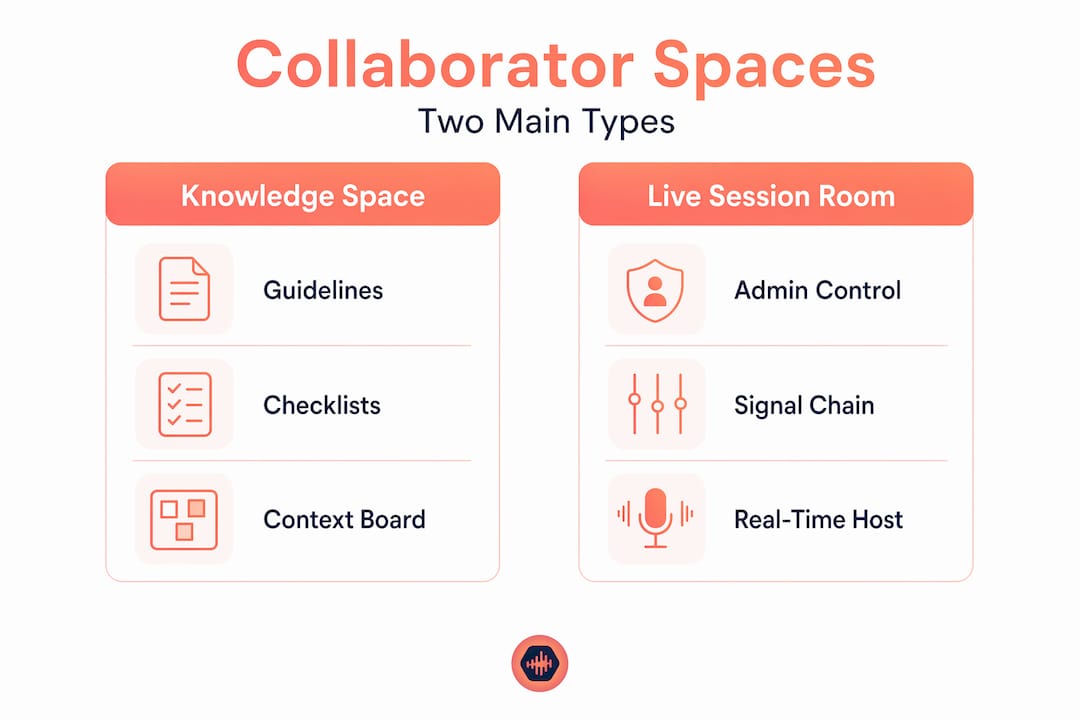
Shared live session rooms work differently. A platform like AudioFusion’s Collab Mode is a virtual studio where multiple users join the same room live, with admin controls to keep sessions from falling apart. The admin launches the session, participants signal readiness, and the work actually starts on time.
Common features to look for in each type:
- Shared context spaces: searchable notes, version history, onboarding checklists, reference file storage
- Live session rooms: host launch control, participant readiness indicators, automatic host reassignment
Pro Tip: Use both types together. Prep your shared context space before every session so your live room time is spent doing work, not answering setup questions.
For a full toolkit overview, check out tools for studio collaboration and pair it with guidance from audio collaboration strategies built for working pros.
The benefits of collaborator spaces for audio projects
Now that you understand what collaboration spaces are and how they work, here is exactly why they matter for your projects and how they protect your time and output quality.
The biggest win is error reduction. Sharing curated context cuts repeated explanations and handoffs, which lowers the risk of production mistakes and keeps everyone on the same page. In audio, that means fewer re-renders because someone delivered at the wrong sample rate, fewer revision rounds from misunderstood notes, and fewer “I thought you meant…” moments.
A single miscommunication in a mastering session can cost you a full day of rework. Collaborator spaces exist to make that scenario rare, not routine.
The practical benefits stack up fast:
- Less rework from misaligned deliverables or forgotten notes
- Faster onboarding for new session musicians, mix engineers, or podcast editors
- Consistent quality because everyone references the same standards
- Accountability through session logs and readiness checks
On the live session side, admin control in live sessions prevents the “everyone’s here but nothing starts” failure mode, which saves time in hands-on audio training and production. That one feature alone pays for itself in recovered session time.
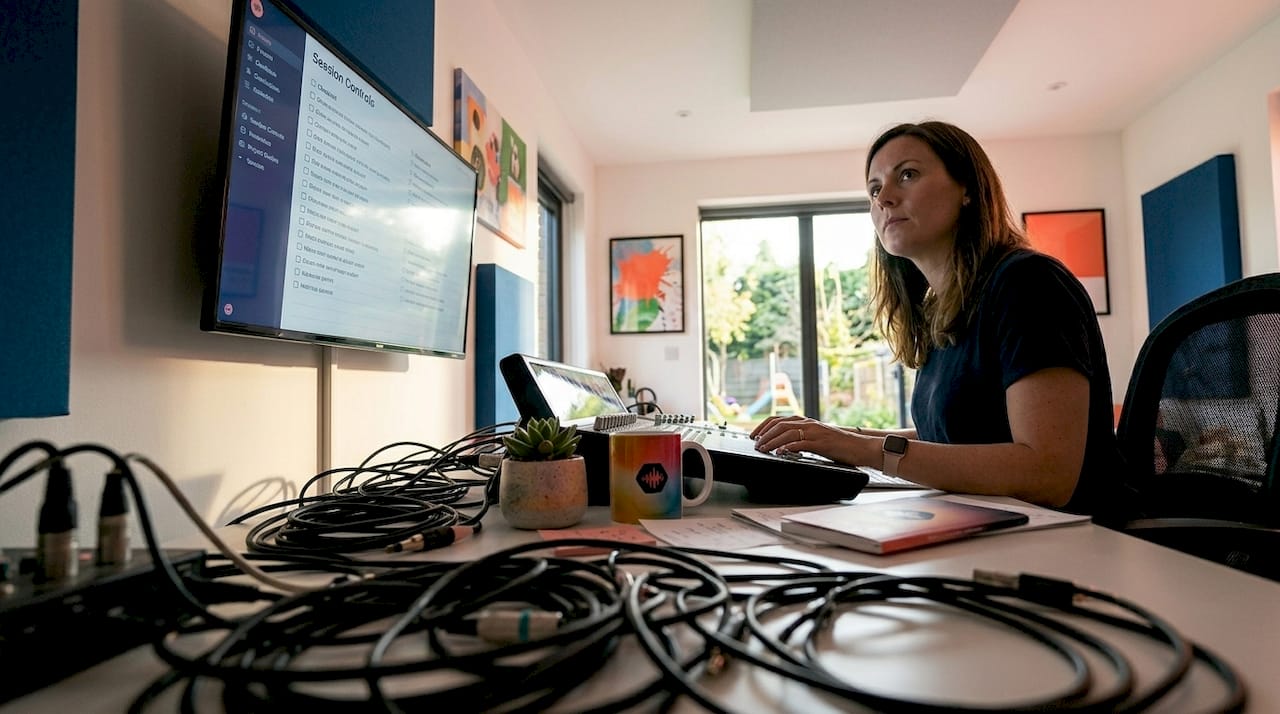
Pro Tip: Build a pre-session checklist inside your shared context space. Three questions: Is your signal chain confirmed? Have you reviewed the reference? Are your deliverable specs loaded? That alone cuts 15 minutes off most session starts.
For more on making distributed teams work at a high level, remote collaboration tips and the fundamentals of music collaboration benefits both give solid ground to build on.
Common pitfalls and how to avoid them
If you want real gains from collaborator spaces, you need to dodge these traps that catch even experienced producers off guard.
-
Treating collaboration as just file swapping. Dropping a session file in a shared drive with no context attached is not collaboration. It is delegation with missing instructions. The person receiving that file has to guess your intent, and guessing leads to errors.
-
Using only live sessions without shared reference info. If your team only connects during live sessions with no persistent knowledge space backing it up, every session starts from scratch. You end up spending the first 20 minutes re-explaining things that should already be documented.
-
No admin control or readiness checks in live sessions. Sessions without a clear host and explicit readiness signals drag. People join, assume someone else will start things, and you lose a quarter of your session window before a single track gets played.
-
Overloading the shared space with raw files instead of curated context. A collaborator space is not an archive. When you dump every project file in there without organization, you recreate the same confusion you were trying to escape.
-
Never updating the shared knowledge space. Outdated checklists and old reference tracks in your context space will mislead new collaborators. Keep it current or it works against you.
Choosing the wrong collaboration pattern leads either to standards disputes or session chaos, both wasting time and screwing up results.
Pro Tip: Audit your collaborator space every time a project phase closes. Delete what is no longer relevant and update anything that changed. Ten minutes now saves hours of confusion later.
For a platform that helps you stay organized across all of this, project management platforms built for mixing engineers are a practical place to start.
How to apply collaborator spaces in your audio workflow
Here is the actionable breakdown on actually integrating collaborator spaces into your production or training process.
-
Decide which type fits your main needs. Are you mostly working async with remote collaborators? Build a shared context space first. Running live recording or review sessions regularly? Start with a live session room setup. Most workflows need both, but one will dominate.
-
Choose a platform built for audio. Generic team tools do not understand lossless files, timestamped feedback, or version control at the audio level. Pick something designed for your actual work, whether that is a dedicated audio platform or a studio-focused tool like AudioFusion with its built-in Collab Mode.
-
Set clear roles before the first session. Every collaborator space needs a host or admin. That person owns session launch, readiness checks, and keeps things moving. Without a clear host, no one takes ownership and everything slows down.
-
Build your shared context space before inviting anyone in. Populate it with:
- Loudness and delivery specs
- Reference tracks
- Session checklists
- Communication norms (response time expectations, feedback format)
-
Train your team on readiness signals. Host control, readiness signaling, and automatic host reassignment keep live audio sessions smooth and continuous without wasting time restarting. Make sure everyone knows how to use these features before the first live session.
A solid guide on sending mixes to clients also covers how to structure the handoff side of your workflow, which pairs directly with a good context space setup. For the full picture on building this out, digital collaboration practices in audio production is worth a read.
Why most audio pros still get collaborator spaces wrong, and what that costs
Here is the honest take: most audio professionals understand the concept of collaboration in theory but have never actually experienced a well-structured collaborator space in practice. So they default to what they know, which is file sharing and text messages, and then wonder why their projects feel chaotic.
The problem is not a lack of tools. The tools exist. The problem is that too many people do not recognize that a shared context space and a live session room are fundamentally different beasts that solve different problems. Using one when you need the other is like using a chat thread to replace a rehearsal.
I have been in remote sessions where no one started for 20 minutes because the host was unclear, three people thought someone else was in charge, and no one had the reference material in front of them. That is not a technology failure. It is a structure failure. And it happens in professional environments more often than anyone admits.
The real cost is not just time. It is the slow erosion of team trust. When sessions drag, when notes get lost, when someone delivers at the wrong spec for the third time, people stop believing the project will get done right. That loss of momentum is hard to recover from mid-project.
Getting the structure right, deciding your collaboration type, assigning clear roles, and maintaining a live knowledge space, is not overhead. It is the actual work of running a professional audio project. Skipping it is not efficiency. It is just deferred chaos.
The remote collaboration pitfalls that trip up distributed audio teams almost always trace back to this same structural gap. The fix is not a new app. It is using the tools you already have with intention.
Streamline your audio projects with Audome’s collaborator spaces
If you are serious about fixing the collaboration gaps in your audio workflow, the platform you use has to be built for the specific demands of audio production. Generic team tools fall short the moment you need timestamped feedback on a 96kHz mix file or version control across a 40-track session.
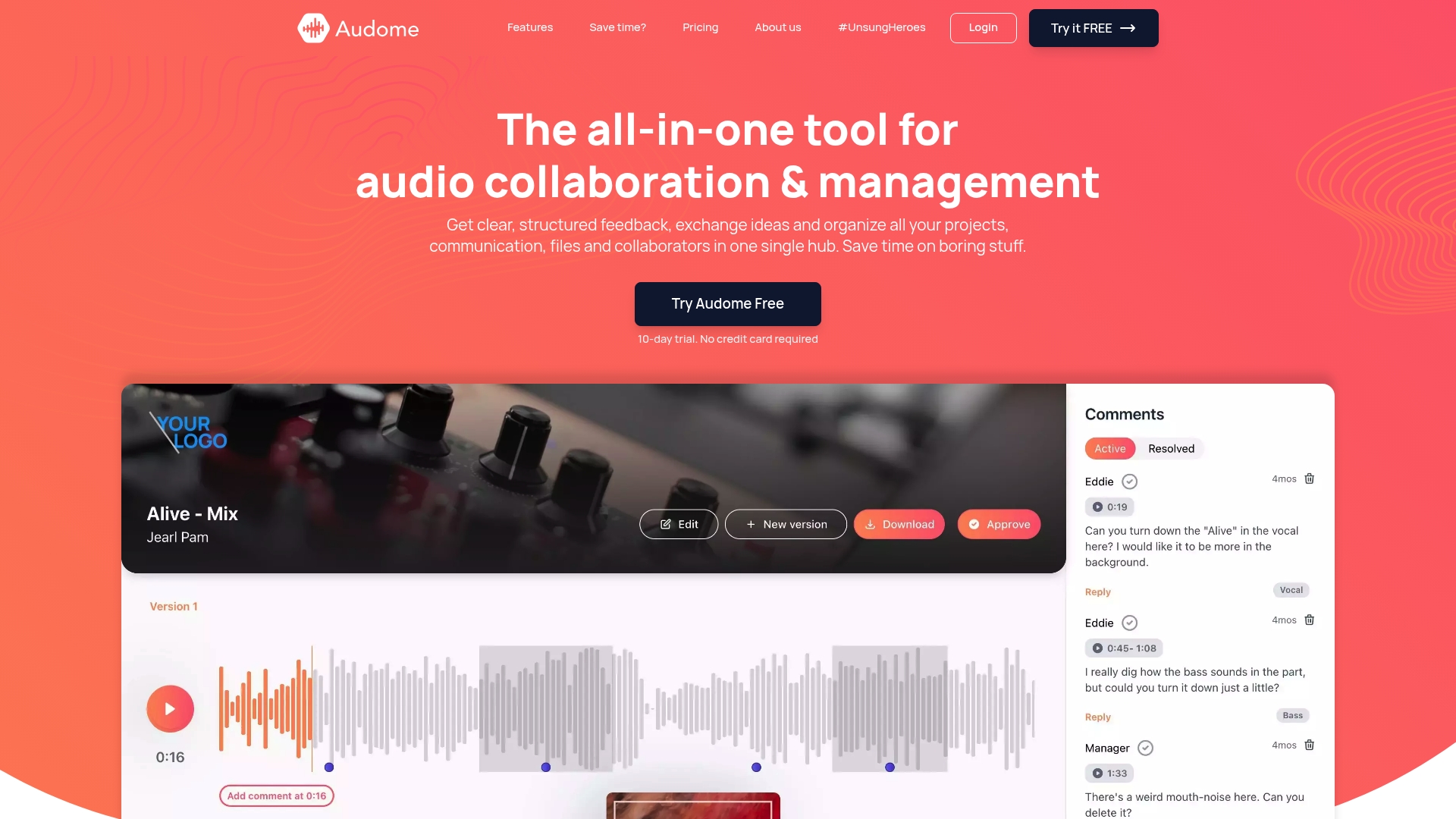
Audome is built specifically for music producers, sound designers, and podcast creators who need real collaborator spaces, not a workaround. It combines persistent shared workspaces with version control, timestamped comments, and admin-level session controls, all without requiring clients or collaborators to create an account. Password protection, download toggling, and lossless file support up to 96kHz/24-bit mean your projects stay secure and your audio stays pristine. If you are ready to replace the scattered tools and get your team working in one structured environment, Audome’s digital collaboration features are designed to get you there without the friction.
Frequently asked questions
What makes a collaborator space different from just sharing files?
A collaborator space offers a shared persistent environment with context, roles, and live controls, not just file exchange, which helps teams stay aligned and speeds up project flow.
Can collaborator spaces help prevent audio production mistakes?
Yes. By maintaining shared guidelines and reducing repeated explanations, collaborator spaces keep teams on track. Curated shared context reduces misaligned work and cuts production errors that come from miscommunication.
What features should I look for in a collaborator space for audio?
Look for explicit admin launch control, participant readiness signals, automatic host reassignment, shared context boards, and version history to keep both async and live workflows running smoothly.
Are collaborator spaces useful for remote audio teams?
Absolutely. They provide a virtual room for teams to share knowledge, work live, and stay aligned regardless of where each member is physically located, which is especially valuable across time zones.
What common mistakes should I avoid with collaborator spaces?
Do not use collaborator spaces as file dumps or skip admin controls. Wrong collaboration patterns and missing session structure cause confusion, delays, and wasted effort on audio projects.