
TL;DR:
- A structured producer client workflow guides project management from inquiry to payment, reducing stress and delays. Live mix review sessions enable near-instant feedback, minimizing revision cycles and improving collaboration. Clear contracts, centralized tools like Audome, and thorough offboarding ensure smooth delivery, payment, and client relationships.
A producer client workflow is the step-by-step system audio professionals use to manage client communication, feedback, and project delivery from the first email to the final invoice. Without a defined process, you’re basically just winging it… and winging it costs you time, money, and clients. Tools like Audome, Auxfeed, and Source-Connect exist specifically to fix the chaos that comes from fragmented communication and scattered file sharing. A structured client workflow creates clarity and repeatability, which means fewer “wait, what version is this?” moments and more projects delivered on time.
What are the essential stages of a producer client workflow?
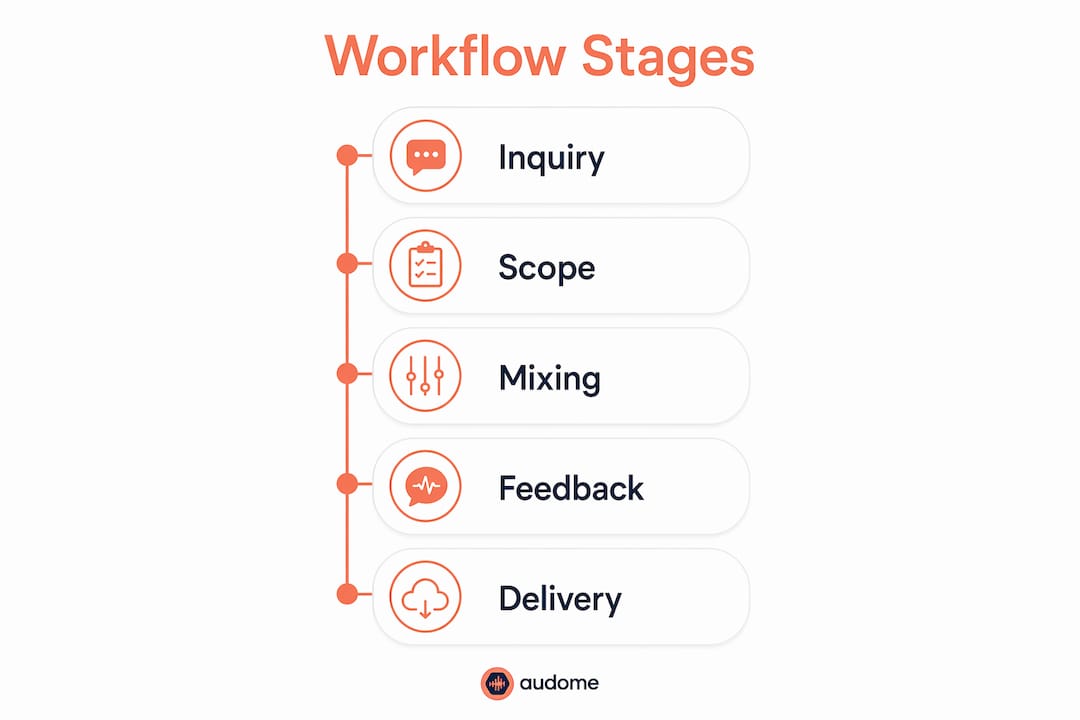
The client management process in audio production follows seven core stages. Every stage matters. Skip one and you’ll feel it later, usually in the form of a client asking for the fifth revision on something you thought was approved three weeks ago.
Here’s the full lifecycle:
- Inquiry — The client reaches out. You qualify them. Not every inquiry is worth your time, and that’s fine.
- Proposal and contract — You define scope, price, deposit, and revision limits before a single file gets opened. No exceptions.
- Onboarding — Client delivers all required materials: stems, references, briefs, and anything else you need to start. You don’t start without it.
- Task and project management — You track progress, deadlines, and communication in one place. Tools like Notion, Trello, or Audome’s project spaces keep this from becoming a text thread nightmare.
- Service delivery — The actual work. Mixing, mastering, sound design, post-production. This is where your craft lives.
- Invoicing and payment — Tied directly to delivery milestones in your contract. Not an afterthought.
- Offboarding and follow-up — You close the project cleanly, archive files, and leave the door open for future work.
A repeatable workflow framework is what separates producers who are constantly stressed from producers who actually run a business. The framework isn’t glamorous. It’s just the thing that keeps you from losing your mind at 2am wondering if the client approved the final mix or not.
How can live mix review and real-time feedback improve client collaboration?

Traditional bounce-then-send is slow. You finish a mix, export it, upload it, send a link, wait two days, get feedback that says “can you make it more… punchy?” and then you do it all over again. That cycle can eat a week for something that should take an afternoon.
Live mix review changes the math entirely. Revision rounds collapse from days to minutes when clients hear the mix in near-real time. Two iterations can happen in two minutes. The average revision round, including client response time, runs about ten minutes. That’s not a typo.
Here’s why it works so well:
- Shared timeline listening eliminates vague feedback. When both you and the client are hearing the exact same playback at the exact same position, vague feedback gets specific fast. “More punchy” becomes “at 1:14, the kick needs more attack.”
- Immediate response means you make the change while the client is still listening. They hear the fix in context. They approve or redirect on the spot.
- No compression artifacts in the feedback loop. The client hears what you’re actually working with, not a lossy MP3 that makes everything sound different.
- Multi-listener scenarios work too. You can have the artist, the A&R rep, and the label contact all listening together, which means consolidated feedback instead of three separate email chains with conflicting notes.
Tools like Auxfeed are built specifically for this. Near-real time client notes reduce editing time to the duration of listening plus immediate revisions, not the duration of waiting for someone to check their inbox.
Pro Tip: Before a live review session, send the client a one-paragraph brief on what to listen for. “Focus on the low end balance and the vocal level. We’ll address arrangement notes in the next pass.” This keeps the session focused and prevents scope creep from sneaking in through the back door of a casual listening session.
What policies and contract elements help control scope and revisions?
Scope creep is the slow death of producer project management. It doesn’t show up all at once. It shows up as “just one more small thing” repeated fifteen times until you’ve done three extra days of work for free.
The fix is contractual clarity before work starts. Projects should only begin after scope, pricing, deposit, and onboarding materials are confirmed. That’s not being difficult. That’s running a business.
Here’s what your contract and project policy need to cover:
- Complete input materials upfront. The client delivers everything before you start. Stems, references, lyrics, briefs. If they send you half the files and ask you to start anyway, that’s a problem waiting to happen.
- Consolidated feedback only. One round of notes per revision pass, from one decision-maker. Not three separate emails from three different people over four days.
- Defined revision rounds. Two rounds included. Third round is a new scope item with a fee. This is standard. Revision limits with fees for overruns are how you prevent the project from becoming a subscription service.
- Review time windows. The client has a defined window to respond. If they don’t respond, the project moves forward or is considered approved. Without clear review deadlines, clients can hold up projects indefinitely, which holds up your payment.
- Acceptance criteria. What does “approved” actually mean? Define it. A written confirmation, a signed-off email, a checkbox in your project management tool. Something explicit.
- Payment triggers. Tied to milestones, not to vibes. Deposit before start. Balance before final delivery. No exceptions.
Pro Tip: Add a clause that defines what happens if the client goes silent. Something like: “If no feedback is received within 7 business days of delivery, the deliverable is considered approved and the final invoice becomes due.” This single clause has saved more projects from stalling than any other contract element.
Here’s a quick reference for the core contract elements every producer needs:
| Contract element | Why it matters |
|---|---|
| Scope and deliverables | Defines exactly what you’re building so there’s no ambiguity |
| Revision rounds and fees | Caps the number of free changes and prices additional work |
| Client review window | Prevents indefinite project holds and payment delays |
| Acceptance criteria | Creates a clear trigger for project completion and final payment |
| Input material requirements | Stops you from starting with incomplete assets |
Explicit acceptance triggers and review duration terms are what close the loopholes that stall delivery schedules and payment timelines.
Which tools and project management practices work best for producers?
Workflow automation for producers isn’t about replacing your judgment. It’s about removing the repetitive manual tasks that eat your time and create errors. Here’s how the tool categories break down:
| Tool category | What it does | Examples |
|---|---|---|
| Project management | Tracks tasks, deadlines, and communication | Notion, Trello, Audome |
| File sharing and feedback | Delivers audio and collects timestamped notes | Audome, Google Drive |
| Version control | Keeps track of mix iterations without file name chaos | Audome, dedicated audio version control systems |
| Invoicing | Automates payment requests tied to milestones | HoneyBook, Wave, QuickBooks |
| Communication | Centralizes client messaging | Slack, email, in-platform comments |
Version control deserves its own mention because it’s where most producers quietly lose their minds. “Final_mix_v7_ACTUALFINAL_USE_THIS.wav” is not a version control system. It’s a cry for help. A proper audio version control setup means every iteration is labeled, dated, and retrievable without a scavenger hunt.
The best approach to producer project management combines a few focused tools rather than one bloated platform that does everything poorly. Audome handles file sharing, timestamped feedback, and version control in one place, which cuts out the three-app juggle that most producers are currently doing. For deeper reading on how to structure the collaboration side, the project collaboration workflow guide for audio pros covers the specifics in detail.
Checklists matter more than most producers admit. A simple onboarding checklist, a delivery checklist, and a close-out checklist take about an hour to build and save you from the “oh I forgot to send the stems” conversation every single project.
How to ensure smooth project delivery, invoicing, and client offboarding?
The final stages of a project are where a lot of producers get sloppy. The work is done, you’re mentally on to the next thing, and the client is still waiting for a clean handoff. That gap is where relationships get damaged and payments get delayed.
Here’s how to close a project the right way:
- Schedule a final review session. Don’t just drop files in a folder and send a link. Walk the client through the final delivery. Confirm they have everything they need. This takes 20 minutes and prevents a week of follow-up emails.
- Send a delivery summary. A short document or email listing every deliverable, file format, and version included. The client knows what they got. You have a paper trail.
- Invoice immediately on delivery. Not the next day. Not when you remember. The moment the final files go out, the invoice goes out. Tie this to your contract terms so it’s automatic in the client’s expectation.
- Archive the project. Store all files, communications, and contract documents in one place. If the client comes back in six months asking for a stem, you can find it in two minutes.
- Send a follow-up note two weeks later. Not a sales pitch. Just a check-in. “How’s the release going?” This is how you get repeat clients and referrals without being weird about it.
For the full picture on sending mixes to clients and managing approvals, that guide covers the delivery side in detail.
Key takeaways
A producer client workflow succeeds when scope, feedback, contracts, and delivery are all defined before the session starts, not after problems appear.
| Point | Details |
|---|---|
| Define scope before starting | Confirm deliverables, revision limits, and deposit before opening a single session. |
| Use live review to cut revision time | Real-time shared playback collapses feedback cycles from days to minutes. |
| Contract review windows and acceptance | Explicit deadlines and approval triggers prevent payment stalls and project drift. |
| Centralize files and feedback | One platform for audio sharing, versioning, and comments eliminates the multi-app chaos. |
| Close projects with a clean offboarding | A delivery summary, immediate invoice, and follow-up note protect relationships and cash flow. |
What I’ve learned from watching workflows fall apart
Here’s the honest version nobody puts in the blog post: most producer workflow problems are not tool problems. They’re boundary problems.
I’ve seen producers with every app imaginable still drowning in revision hell because they never said no to a client who wanted to change the entire arrangement after mastering. The tools don’t fix that. A clear contract and the willingness to enforce it does.
The other thing I’ve noticed is that producers underestimate how much vague feedback costs them. “Make it warmer” is not feedback. It’s a guessing game. Live review sessions, where the client is hearing what you’re hearing in real time, fix this faster than any amount of email back-and-forth. When you’re both on the same timeline position and you move a low shelf by 2dB and the client says “yes, that,” the project moves. That’s the whole game.
The technology is genuinely good now. Audome handles the file management and feedback side in a way that would have saved me hours per project years ago. But I want to be clear: the tech is the infrastructure, not the solution. The solution is knowing what you’re delivering, to whom, by when, and what happens if they don’t respond. Write that down. Put it in a contract. Then use the tools to execute it cleanly.
Flexibility is fine. I’m not saying be a robot. But flexible on creative direction is different from flexible on scope and payment. Know which one you’re being.
— Kreg
Audome keeps your producer workflow from falling apart
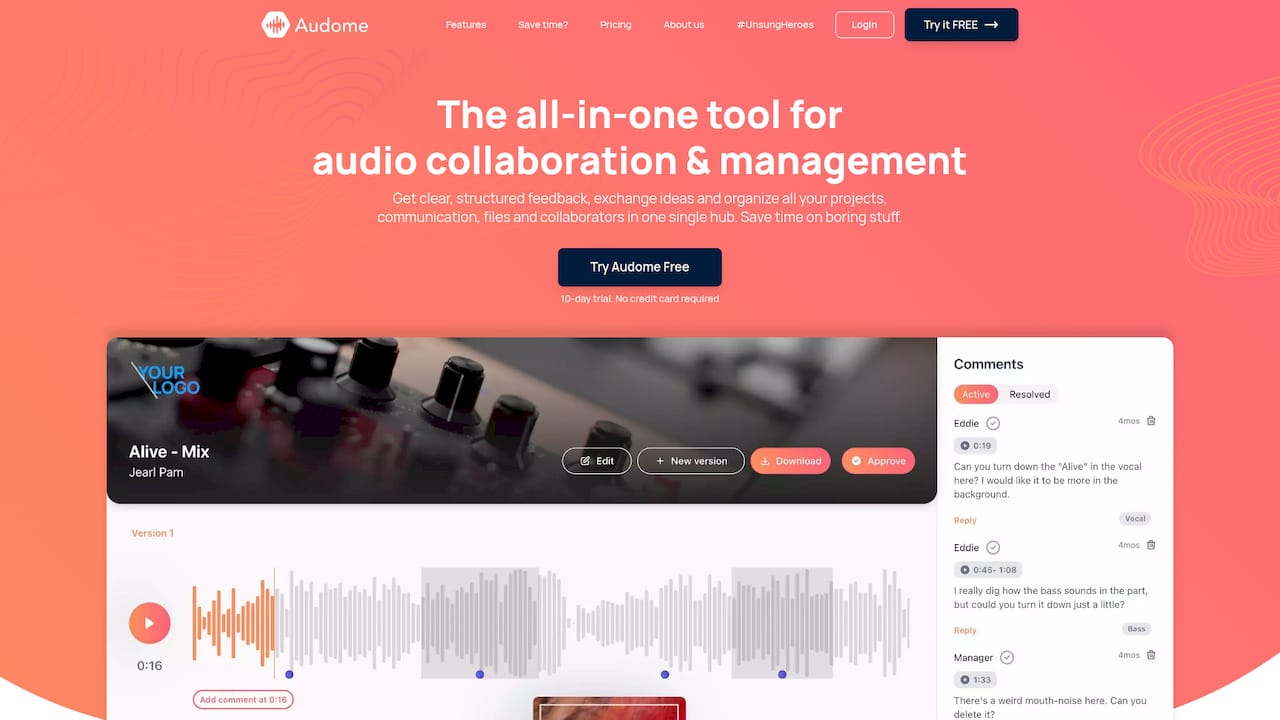
Audome is built for exactly the kind of workflow described in this article. It consolidates file sharing, timestamped feedback, version control, and private collaborator spaces into one platform, so you’re not bouncing between Google Drive, email threads, and voice notes trying to figure out which mix the client actually approved. It supports lossless audio up to 96kHz/24-bit, no compression, no quality loss. Clients don’t need to create an account to leave feedback, which removes the single biggest friction point in getting notes back fast. If you want to stop managing your projects across five different apps, explore Audome and see what a single hub actually looks like in practice.
FAQ
What is a producer client workflow?
A producer client workflow is the structured process audio professionals use to manage a project from initial inquiry through final delivery and payment. It includes stages like onboarding, feedback collection, revision management, and invoicing.
How do you reduce revision rounds with clients?
Live mix review sessions reduce revision rounds from days to minutes by letting clients hear changes in near-real time and respond immediately. Shared timeline listening also makes feedback more specific and actionable.
What should a producer’s contract include for client projects?
A producer contract should define deliverables, revision rounds and fees, client review windows, acceptance criteria, and payment triggers tied to milestones. Clear review deadlines prevent clients from stalling projects and holding up payment.
Which tools help with producer project management?
Tools like Notion and Trello handle task tracking, while Audome covers audio collaboration and feedback in one platform. HoneyBook and Wave handle invoicing tied to project milestones.
How do you handle client offboarding after a project?
Send a delivery summary listing every file and format, invoice immediately on delivery, archive all project assets, and follow up two weeks later with a brief check-in. This protects your payment timeline and keeps the relationship open for future work.