
TL;DR:
- A podcast approval workflow involves multiple stages to ensure error-free publishing from raw recording to release. It reduces delays caused by poor file management and too many approvers, especially during platform review. Using clear processes, limited approvers, and dedicated tools like Audome enhances efficiency and consistency.
A podcast approval workflow is the structured set of steps that moves every episode from raw recording to published audio without errors, missed edits, or last-minute chaos. Without one, you’re guessing. With one, you’re running a production. The difference shows up in your publish dates, your audio quality, and your sanity. Platforms like Spotify and Apple Podcasts have their own review timelines. Spotify approves new submissions in under 48 hours, while Apple Podcasts takes 1–3 days, sometimes up to 5. That means your internal process has to be tight before the file ever leaves your hands.
What does a podcast approval workflow actually need?
Before you build anything, get the basics locked down. You need a hosting platform, a file format standard, a folder structure, and defined roles. Without these, your workflow is just a list of hopes.

File formats matter more than people admit. MP3 and AAC are the standard delivery formats for podcast distribution. Your editing session might live in WAV or AIFF, but your export for review and publishing should be consistent every single time. A sample folder structure includes separate folders for raw audio, project files, exports, transcripts, graphics, and clips. All of it version-controlled and labeled. That’s not overkill. That’s how you avoid publishing last week’s rough cut.
Team roles need to be explicit, even on a solo show. Every step in the process needs an owner. Clear ownership for every workflow step, explicitly assigned even when you’re the only one, stops tasks from slipping through the cracks. If you have a team, keep the approval path short. The maximum recommended approvers is two. More than that and you’re scheduling meetings about meetings.
Here’s a quick reference for the tools and standards you need before episode one goes through review:
| Element | Standard or Tool |
|---|---|
| Delivery format | MP3 (128–192 kbps) or AAC |
| Version labeling | v1-rough, v2-approved, final-master |
| Folder structure | Raw, exports, transcripts, graphics, clips |
| Approver limit | Maximum two people |
| Feedback method | Centralized, not scattered across chat |
Pro Tip: Use a one-page workflow brief with your naming rules, handoff points, and expectations written out. It keeps everyone on the same page and cuts onboarding time for new collaborators to near zero.
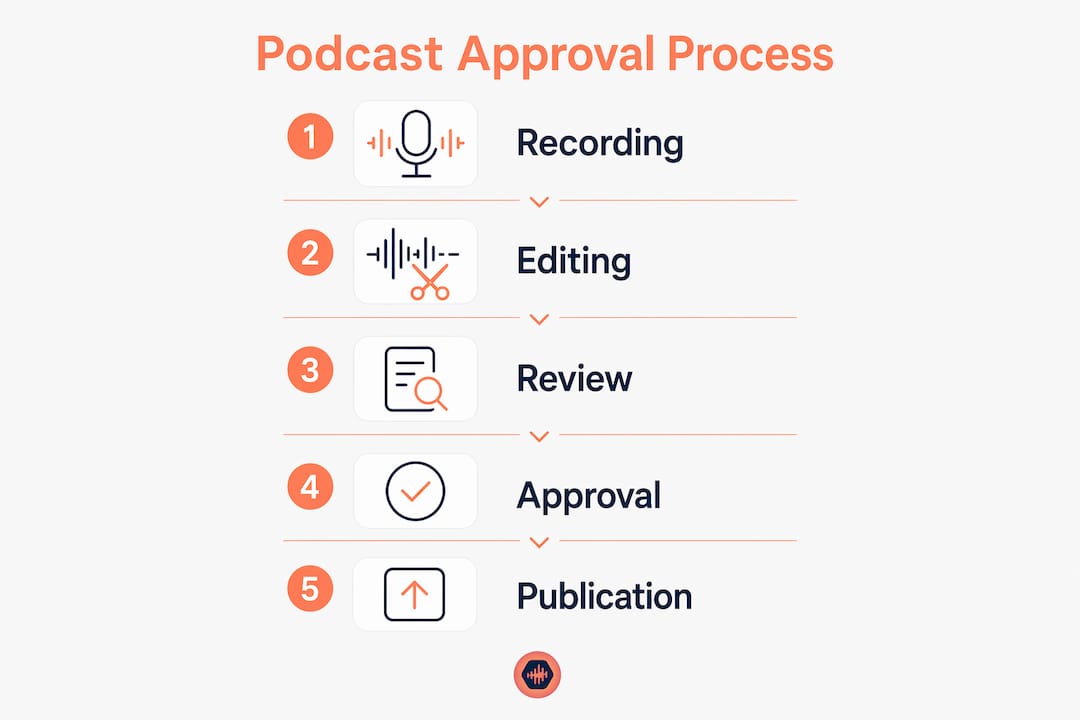
What is the step-by-step podcast review process?
A five-stage quality control process is the industry standard for audio content approval. Each stage catches a different type of error. Skipping one means that error category goes unchecked.
-
Source file check. Confirm the raw file is the correct take, properly named, and at the right sample rate. This is where you catch “I exported the wrong session” before it wastes anyone’s time.
-
Editorial edit. Review content for accuracy, pacing, and brand alignment. Cut the dead air, the repeated takes, and anything that shouldn’t go live. This is a content decision, not an audio one.
-
Audio review. Check levels, noise floor, EQ, and overall mix. Test on standard earphones and mobile phones, not just studio monitors. Your listeners aren’t sitting in a treated room. Most of them are on a commute.
-
Metadata review. Confirm episode title, description, show notes, tags, and artwork are correct and complete. Metadata errors are the ones that embarrass you publicly.
-
Final sign-off. One designated person gives the green light. Not two. Not a group chat vote. One person, one decision, one timestamp.
Pro Tip: Version labels like “v1-rough,” “v2-approved,” and “final-master” kill the “final-final-FINAL” naming trap. Pick the system once and never deviate.
Handoffs between stages need to be explicit. Don’t assume the editor knows the audio reviewer is done. Use a task card, a shared doc, or a platform with status tracking. Centralizing edit notes and approvals in one place prevents the version confusion that comes from feedback scattered across Slack, email, and voice notes. That scattered feedback situation is how you end up with three people giving conflicting notes on different versions of the same file.
What causes podcast approval bottlenecks?
The main approval delays come from poor file management and too many approvers. Not from technical skill gaps. That’s worth sitting with for a second, because most producers go looking for a plugin or a new DAW when the real problem is a naming convention.
Here are the most common bottlenecks and how to fix them:
- Wrong file published. Caused by missing or inconsistent naming conventions. Fix it with a strict folder structure and version labels applied from day one.
- Approval loop that never closes. Caused by too many stakeholders with veto power. Cap it at two approvers and define who has final say.
- Metadata changed during platform review. Editing show metadata while your episode is in the Apple Podcasts or Spotify queue resets the review clock entirely. That’s a multi-day delay for a change that could have waited.
- Feedback in the wrong place. Notes in a group chat, edits in an email thread, and approvals via text message create version chaos. One tool, one thread, one record.
“The approval delays come from poor file management and excessive approvers, not technical skill gaps.” Fixing your process is faster and cheaper than buying new gear.
Workflows need regular review too. Before a seasonal push, before you add a team member, or whenever your tools change, audit the process. A workflow that worked for a solo show breaks fast when a second person joins.
Manual workflow vs. dedicated approval tools: which is right for you?
Most podcast producers start with a manual workflow. A shared Google Drive, a Notion doc, and a group chat. It works… until it doesn’t. The moment you add a second collaborator or start publishing on a weekly schedule, the cracks show up fast.
| Approach | Best for | Weakness |
|---|---|---|
| Manual (Drive + Docs) | Solo hosts, low frequency | No version control, feedback gets lost |
| Project management tools | Small teams with defined roles | Not built for audio, no timestamped feedback |
| Dedicated audio platforms | Teams with regular review cycles | Requires setup and onboarding |
Dedicated audio collaboration platforms solve the problems that manual workflows create. Audome is built specifically for this. It handles file sharing and feedback in one place, supports lossless audio up to 96kHz/24-bit, and gives collaborators timestamped comments so feedback is tied to the exact moment in the file. No login required for collaborators, which removes the friction that kills review cycles. Version control is built in, so you’re not hunting through a Drive folder trying to figure out which “final” is actually final.
Professional podcasters treat each episode as a campaign with repeatable checklists for approvals and distribution. That mindset is what separates shows that scale from shows that stall. A dedicated tool makes that repeatable system easier to maintain. For a deeper look at how client approval software stacks up across options, the comparison is worth reading before you commit to a tool.
Key Takeaways
A podcast approval workflow built on a five-stage review process, strict file naming, and a maximum of two approvers is the fastest path to consistent, error-free publishing.
| Point | Details |
|---|---|
| Five-stage review process | Cover source check, editorial edit, audio review, metadata review, and final sign-off every time. |
| Cap approvers at two | More than two approvers creates delays that compound across every episode. |
| Never edit during platform review | Changing metadata while in the Spotify or Apple Podcasts queue resets the review clock. |
| Centralize all feedback | Scattered notes across chat and email create version confusion and missed edits. |
| Treat each episode as a campaign | Repeatable checklists reduce friction and make your workflow scalable from solo to team. |
The workflow nobody wants to build until they’ve already broken something
Here’s my honest take: most producers don’t build a real approval process until they’ve published the wrong mix, or sent a client an episode with the wrong guest name in the title, or watched a platform review reset because someone swapped the artwork mid-queue. The workflow gets built after the disaster, not before it.
The thing is, the process doesn’t have to be complicated. Two approvers. Five stages. One folder structure. One version label system. That’s it. The producers I’ve seen struggle the longest are the ones who keep adding approvers because they’re nervous, or who let feedback live in three different apps because “everyone uses something different.” That’s not a workflow. That’s a fire drill with extra steps.
The other thing I’d push back on is the idea that a workflow is a one-time setup. It’s not. Your tools change, your team changes, your publishing frequency changes. The workflow has to change with it. Review it before every season. Review it when someone new joins. Don’t wait until something breaks to ask whether the process still makes sense.
And if you’re still running everything through a shared Drive folder and a group chat… I get it. It works until it doesn’t. But when it stops working, it stops working fast.
— Kreg
How Audome fits into your podcast production workflow
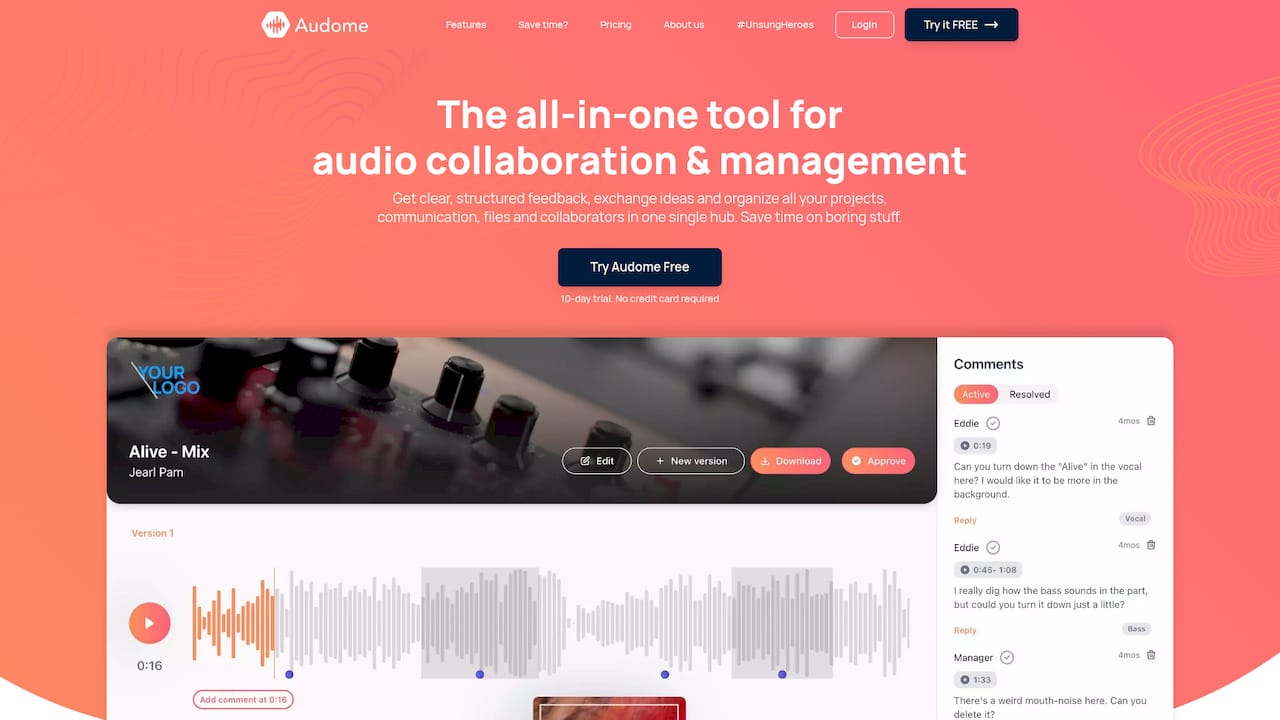
Audome is built for exactly the kind of audio content approval process this article describes. Timestamped comments let collaborators flag the exact moment in an episode that needs a fix, no more “around the 12-minute mark” guesswork. Version control keeps your file history clean so you always know which mix is current. Private collaborator spaces mean your clients and co-hosts can review and respond without creating an account. If you’re serious about getting your podcast review process off spreadsheets and out of group chats, Audome is worth a look. You can also dig into audio version control best practices to see how the file management side of this fits together.
FAQ
What is a podcast approval workflow?
A podcast approval workflow is a structured, multi-stage process that moves an episode from raw recording through editing, audio review, metadata check, and final sign-off before publishing. It defines who reviews what, in what order, and when the episode is cleared to go live.
How long does podcast platform approval take?
Spotify approves new podcast submissions in under 48 hours. Apple Podcasts typically takes 1–3 days, with some submissions taking up to 5 days.
How many people should approve a podcast episode?
The maximum recommended number of approvers is two. More than two creates bottlenecks and extends production timelines across every episode.
What happens if I edit my podcast during platform review?
Editing show metadata or swapping artwork while your episode is in the Spotify or Apple Podcasts review queue resets the review clock entirely, adding multiple days to your approval timeline.
What is the most common cause of podcast approval delays?
Poor file management and too many approvers are the top causes of production delays, not technical skill. Strict naming conventions and a capped approval path fix most bottlenecks before they start.