
TL;DR:
- Effective collaborative podcast editing relies on cloud-based platforms, clear roles, and shared workflows to prevent version chaos and delays. Teams should establish structured folder naming, regular communication, and consistent version control to maintain organization and productivity. Using tools like Descript and Audome enhances efficiency, but strong culture and discipline are essential for long-term success.
Collaborative podcast editing is the practice of multiple people working together on a single audio project, either in real time or asynchronously, using cloud-based software built for team production. Done right, it cuts episode turnaround time, kills version chaos, and lets producers, editors, writers, and reviewers all touch the same project without stepping on each other. Tools like Descript, Riverside, and Audome have made this possible without needing everyone in the same room or on the same schedule. This guide covers the tools, the setup, the execution, and the stuff that actually breaks teams… so you can avoid it.
What tools enable effective collaborative podcast editing?
Most podcast teams hit a wall when they try to collaborate using traditional DAWs like Adobe Audition or Pro Tools. Those tools were built for one person sitting at one machine. When you add a second editor, you’re suddenly emailing WAV files back and forth, losing track of which version is current, and wasting hours you don’t have. Traditional DAWs create friction and version delays that cloud-based platforms are specifically designed to eliminate. That’s not an opinion. That’s just what happens when you use the wrong tool for the job.
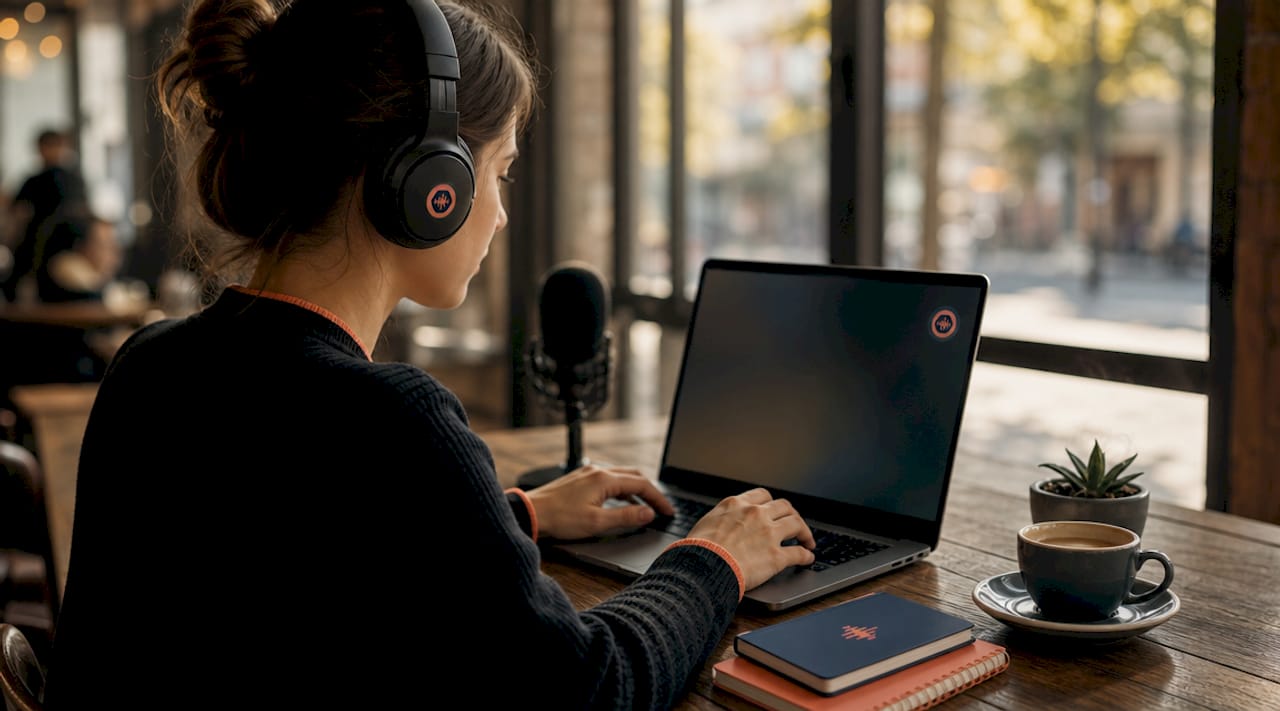
Cloud-based podcast collaboration software solves this by treating your project like a shared document instead of a locked file on someone’s hard drive. The features that actually matter are real-time or async multi-user access, timestamped comments, transcript-based editing, and version control that doesn’t require a PhD to manage.
Here’s how the major platforms stack up:
| Platform | Best for | Key collaboration feature |
|---|---|---|
| Descript | Teams with non-technical editors | Text-based editing, transcript comments |
| Riverside | Remote recording + light editing | Separate track recording, basic review tools |
| Audome | Full production management | Timestamped feedback, version control, no login required for clients |
| Trello / Notion | Project tracking (not editing) | Task assignment, deadline management |
Descript’s text-based editing is worth calling out specifically. It works like Google Docs for audio. Multiple contributors can edit the transcript, leave comments, and review changes without touching a single audio waveform. That’s huge for teams where not everyone is an audio engineer.
Audome sits in a different lane. It’s built for the full production management side: sharing lossless audio files up to 96kHz/24-bit, collecting timestamped feedback, managing versions, and keeping everything in one private space. No one needs to create an account to leave feedback. That alone removes a stupid amount of friction from client and collaborator review cycles.
Pro Tip: Evaluate tools based on your team’s weakest technical link. If your co-host can barely attach a file to an email, Descript’s transcript interface will save you more time than any advanced DAW plugin.
How to set up your podcast collaboration workflow
Before anyone touches an audio file, you need a structure. Skipping this step is how teams end up with folders named “final_v3_ACTUALLY_FINAL_use_this_one.wav.” It’s embarrassing and it costs real time.
Shared naming conventions and folder organization need to be locked in before the first recording session. Not after. Not “when things get complicated.” Day one. A simple structure like "Show Name / Season / Episode Number / Assets` keeps everyone oriented as the project grows.
Here’s a practical setup sequence for any podcast team:
- Define roles before you start. Who records? Who does the first edit pass? Who handles music and sound design? Who approves the final mix? Write it down.
- Create your shared folder structure. Use Google Drive, Dropbox, or whatever your team already uses. Consistency matters more than the platform.
- Set file naming rules. Something like
EP042_raw_interview_guest-name_dateis infinitely better than “new recording 3.” - Pick a project management tool. Trello or Notion work well for tracking episode status, assigning tasks, and flagging blockers.
- Schedule a weekly sync. Even 15 minutes. Remote teams that skip regular check-ins drift apart faster than you’d think.
- Document your workflow. One shared doc that explains the process. New team members should be able to onboard without asking 40 questions.
The ‘Bring and Need’ framework is worth stealing here. Each team member states what they bring to the project (skills, time, tools) and what they need from others (feedback, files, decisions). It sounds simple because it is. But it eliminates the guesswork that causes most team friction.
Pro Tip: Don’t use your DAW’s project folder as your shared collaboration folder. Keep raw assets, project files, and deliverables in separate subfolders so nobody accidentally overwrites a source file.
Step-by-step: how to edit podcasts together as a team
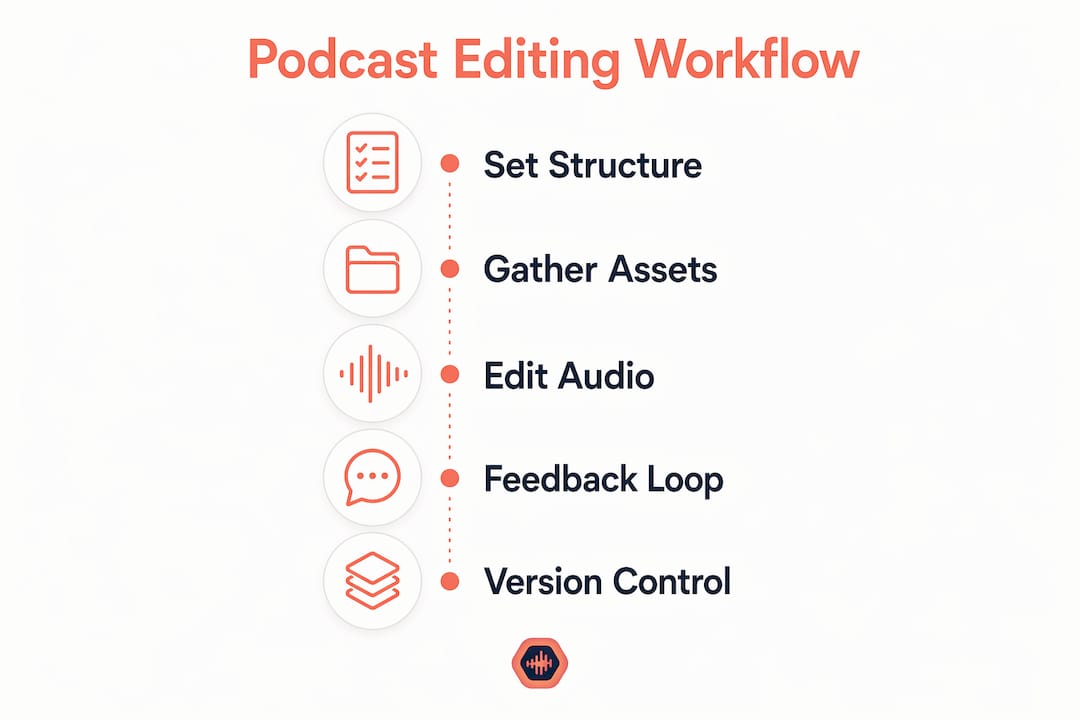
Once your structure is in place, the actual editing process gets a lot less chaotic. Here’s how a functional team podcast editing workflow runs in practice.
The producer imports all raw tracks into the editing platform first. In Descript, that means uploading audio and letting the auto-transcription run. AI features like automatic transcription and filler word removal handle the grunt work so editors can focus on content decisions instead of hunting down every “um” manually. This alone can cut the first edit pass time significantly.
From there, the workflow typically splits across roles:
- Editor: Works through the transcript, cuts dead air, removes filler words, and flags sections that need re-records or fixes.
- Producer: Reviews the edit, leaves timestamped comments on specific moments that need attention.
- Writer / Show notes person: Works from the same transcript to pull quotes and structure the episode description.
- Reviewer / Host: Listens to the rough cut and leaves feedback without needing to touch the edit themselves.
The key to keeping this from turning into a mess is a clear feedback loop. One round of notes per role. One person who has final say on the edit. No one making changes without flagging them in the comments. Remote teams reduce coordination friction by 50 to 70% when they use cloud platforms instead of manual file transfers. That number reflects what happens when you stop emailing files and start working in a shared environment.
Version control is where most teams fall apart. The fix is simple: never overwrite a file. Always save a new version with a version number or date. Platforms like Audome handle this automatically with built-in audio version control so you’re not relying on anyone’s memory or folder discipline.
| Workflow stage | Who owns it | Tool used |
|---|---|---|
| Raw recording | Host / Producer | Riverside or local recorder |
| Transcript edit | Editor | Descript |
| Feedback and review | Producer / Host | Audome or Descript comments |
| Final mix and delivery | Audio engineer | DAW + Audome for delivery |
Common collaboration pitfalls and how to avoid them
Most podcast team breakdowns aren’t technical. They’re human. Here are the ones that show up over and over.
- Version chaos. Someone edits an old file. Someone else exports the wrong version. The fix is a single source of truth: one shared folder, one naming convention, one platform where the current version lives. Always.
- The single-editor bottleneck. When one person handles every edit, the whole show stops if they get sick, busy, or quit. Cross-train at least one other team member on the basic edit process.
- No project tracking. Without a tool like Trello or Notion, episodes fall through the cracks. Assign every task. Set deadlines. Check them.
- Communication gaps in remote teams. Global creative teams underestimate communication gaps. Async tools help, but they don’t replace the occasional real conversation. Build informal check-ins into your process.
- Ignoring culture. Employees with strong collaborative partnerships are 29% more likely to stay long-term. That stat applies to podcast teams too. If your collaboration culture is toxic or unclear, people leave. Then you’re back to doing everything yourself.
Pro Tip: When a workflow bottleneck appears, trace it back to the handoff point. 90% of the time the problem isn’t the tool. It’s that nobody agreed on who was responsible for that step.
Leadership behavior shapes collaboration culture more than software choices alone. If the lead producer is disorganized, the whole team reflects that. Own your role in the dysfunction before blaming the tools.
Key takeaways
Effective collaborative podcast editing requires cloud-based platforms, defined roles, shared file conventions, and a culture of clear communication to function without constant friction.
| Point | Details |
|---|---|
| Cloud platforms beat DAWs for teams | Traditional DAWs create version conflicts; cloud tools like Descript and Audome eliminate them. |
| Setup before you record | Shared naming conventions and folder structures prevent file chaos before it starts. |
| AI speeds up the edit | Auto-transcription and filler removal cut manual editing time significantly on every episode. |
| Culture drives retention | Teams with strong collaborative relationships are 29% more likely to stay together long-term. |
| Version control is non-negotiable | Never overwrite files; use platforms with built-in versioning to protect every edit. |
What I’ve actually learned from watching teams get this wrong
Here’s my honest take: most podcast teams don’t have a tools problem. They have a communication problem dressed up as a tools problem. I’ve watched teams spend weeks testing every platform on the market and still produce chaotic episodes because nobody agreed on who owned the final edit.
The advice you’ll find in most articles focuses almost entirely on software features. And yeah, Descript is great. Audome is great. But if your team lead is sending feedback in three different places and nobody knows which comments are final… the software doesn’t matter. You’re still screwed.
What actually works is boring. It’s a shared folder everyone respects. It’s one person with final say on the edit. It’s a 15-minute weekly sync where you actually talk through blockers instead of letting them fester in a Slack thread. Effective collaboration is about ongoing discipline, not just one-off setup sessions. That’s the part nobody wants to hear because it requires consistency, not a new subscription.
The other thing I’d push back on is the idea that remote podcast editing is inherently harder than in-person. It’s not. It’s just different. Remote teams that build real trust and use the right remote audio collaboration practices can outperform co-located teams that rely on proximity instead of process. I’ve seen it. The teams that win are the ones who treat their workflow like a product they’re constantly improving. Not something they set up once and forget.
— Kreg
How Audome fits into your podcast production workflow
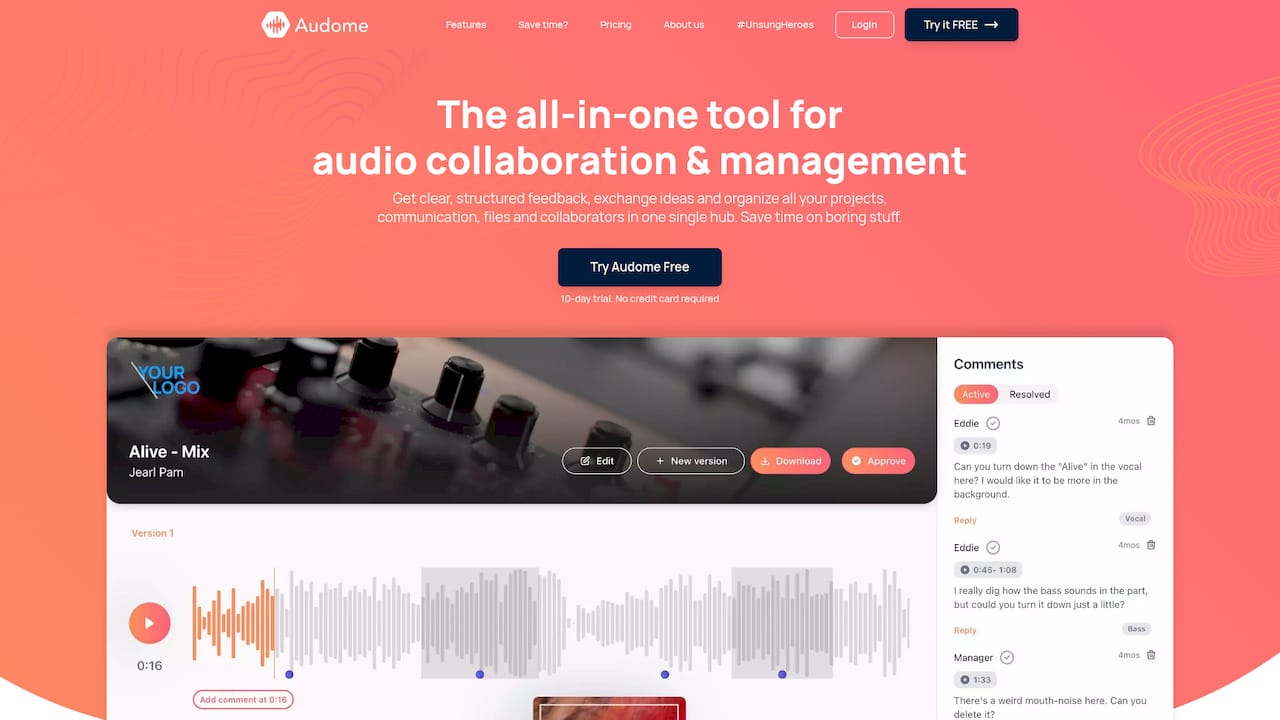
If you’re tired of chasing feedback across email threads, losing track of which audio file is current, and explaining to clients why they need to create yet another account just to leave a comment… Audome fixes all of that in one place. It’s built specifically for audio professionals who need to share lossless files, collect precise timestamped feedback, and manage versions without the chaos. No client logins required. No compression on your files. Just a clean, centralized hub where your podcast production workflow actually makes sense. Whether you’re a solo producer managing a client roster or a full team running multiple shows, Audome keeps everything organized and accessible. Try it and see how much time you get back.
FAQ
What is collaborative podcast editing?
Collaborative podcast editing is the process of multiple team members working together on a single podcast project using shared cloud-based software. It allows editors, producers, hosts, and reviewers to contribute simultaneously or asynchronously without manual file transfers.
What’s the best software for team podcast editing?
Descript is the leading choice for transcript-based team editing, while Audome handles production management, file sharing, and timestamped feedback without requiring collaborator logins. The best tool depends on your team’s technical skill level and workflow needs.
How do you avoid version control problems in podcast editing?
Never overwrite source files. Use a consistent naming convention with version numbers or dates, and work on platforms with built-in version control like Audome. One shared folder with a clear structure eliminates most version conflicts before they start.
Can non-technical team members contribute to podcast editing?
Yes. Text-based editing platforms like Descript allow contributors without audio engineering backgrounds to edit transcripts, leave comments, and review changes directly. This makes distributed teamwork accessible to writers, producers, and hosts who aren’t engineers.
How do remote podcast teams stay coordinated?
Remote teams stay coordinated by combining cloud editing platforms with project management tools like Trello or Notion, scheduling regular check-ins, and establishing clear role ownership from the start. Communication structure matters more than the specific tools chosen.