
TL;DR:
- Sharing WAV files online requires platforms that deliver uncompressed, lossless audio without re-encoding or compression. Browser-based streaming with security controls like password protection and link expiration is ideal for collaboration and confidentiality. Proper file preparation and workspace organization prevent confusion and streamline review cycles for professional audio work.
Sharing WAV files online means delivering uncompressed, lossless audio to collaborators, clients, or engineers without letting the internet eat your quality alive. WAV is the industry standard for uncompressed audio, and getting it from your session to someone else’s ears intact is harder than it sounds. File sizes balloon fast. Free tools compress or cap uploads. Clients end up downloading the wrong version. And nobody has time to chase emails about which mix is the final one. This guide cuts straight to what works, what doesn’t, and how to build a sharing workflow that doesn’t embarrass you.
What are the best ways to share WAV files online?

The best platforms for sharing WAV files online are the ones that don’t touch your audio. No re-encoding, no compression, no mystery processing in the background. That rules out a lot of the generic cloud storage options right away.
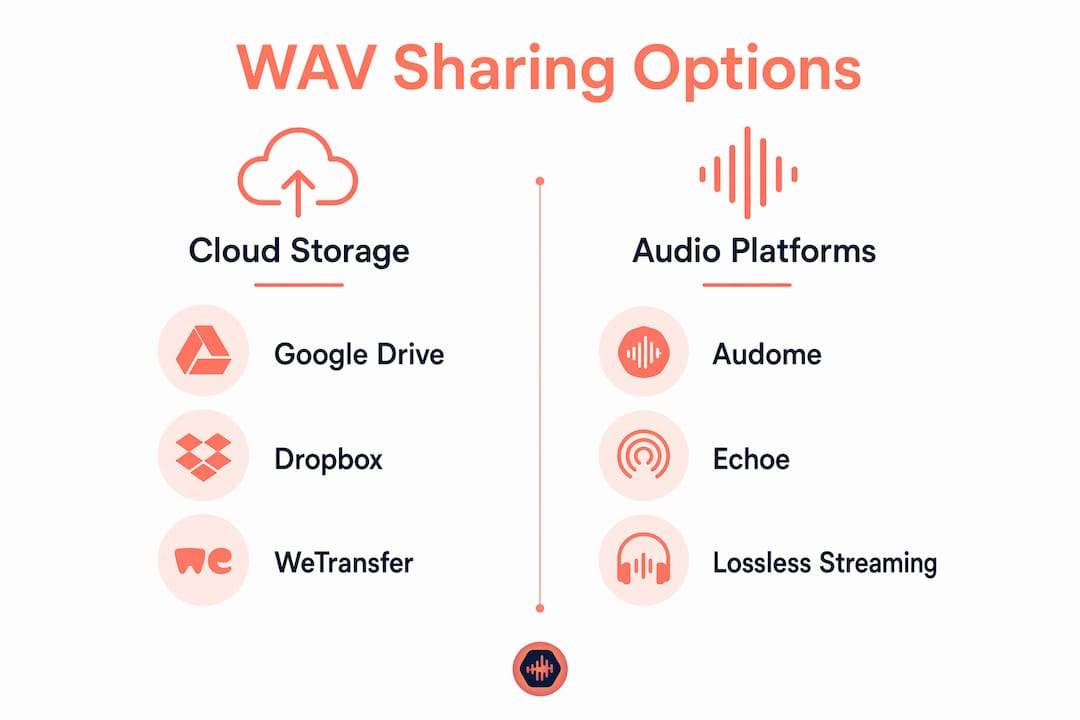
WeTransfer handles WAV delivery well for straightforward transfers. It keeps files exactly as recorded with no compression and supports in-browser playback for files up to 300 MB. That’s solid for sending a single mix or stem pack to a client who just needs to listen and respond. Echoe takes a more specialized approach. It offers lossless WAV streaming with timestamped feedback and non-expiring links, which makes it genuinely useful for ongoing production work. Audome goes further by combining file sharing, version control, and feedback collection into one hub, with support for lossless audio up to 96kHz/24-bit.
The real split is between cloud storage and browser-based streaming. Cloud storage like Dropbox or Google Drive stores your file and lets people download it. Browser-based platforms let clients listen directly in the browser without downloading anything. For professional review cycles, browser-based streaming wins every time. Clients actually listen. They don’t lose the file in their downloads folder.
| Platform | Max file size (free) | Lossless streaming | Timestamped feedback | Security controls |
|---|---|---|---|---|
| WeTransfer | 2 GB | Yes | No | Basic link sharing |
| Echoe | Limited on free tier | Yes | Yes | Password protection |
| Audome | Unlimited uploads | Yes (96kHz/24-bit) | Yes | Password, download toggle |
| Dropbox | 2 GB | No | No | Link expiration |
Pro Tip: If your project involves multiple rounds of feedback from a client, pick a platform with timestamped comments from day one. Switching tools mid-project creates confusion and loses context.
Professional-grade platforms start paid tiers around €10/month, while free tiers cap file sizes between 50 MB and 200 MB. That cap matters when a single 24-bit, 96kHz stereo file can easily hit 1 GB or more.
How to upload and prepare WAV files for sharing
Getting the file ready before you upload is where most audio professionals skip steps and pay for it later. A raw export from your DAW with a generic filename like “final_v3_REAL_FINAL.wav” is a disaster waiting to happen.
Preserving metadata and version control when sharing WAV files prevents collaboration mistakes. Embed the correct artist name, project title, and version number in the file metadata before you export. Name files with a consistent convention: ProjectName_TrackTitle_v01_YYYYMMDD.wav. That format tells anyone who opens the folder exactly what they’re looking at without a single email.
Here’s a clean upload checklist to run through before you share audio tracks:
- Export at the correct bit depth and sample rate for the project (usually 24-bit/48kHz for post, 24-bit/44.1kHz for music)
- Embed metadata: artist, project, version, date
- Name the file using a consistent convention before uploading
- Keep your original master file separate from the shared version
- Set password protection on the shared link before sending
- Enable or disable download permissions based on whether the recipient needs the file or just needs to review it
- Set link expiration if the file contains unreleased material
Security is not optional when you’re sharing unreleased music or post-production audio. Password-protected links, download toggling, and expiring URLs are the minimum professional standard in 2026 for protecting confidential creative assets. If your platform doesn’t offer all three, that’s a problem.
Pro Tip: Generate a 256kbps MP3 from your WAV for immediate client playback, then make the original available for download separately. Clients get fast streaming. You keep the master intact.
How to share WAV files for collaboration and collect feedback
This is where most workflows fall apart. The file gets sent. The client listens. Then you get a voice note, a text, a screenshot of a waveform with a circle drawn on it, and an email that says “the part around 2 minutes needs work.” Cool. Which part? Which version?
In-browser playback without re-encoding lets clients leave timestamped feedback without downloading anything. That single feature eliminates most of the miscommunication that happens in audio review cycles. When a client can click on a waveform at exactly 1:47 and type “this snare is too loud,” you know exactly what to fix. No interpretation required.
Centralized feedback tied to audio waveforms reduces version confusion significantly. Platforms like Audome and Echoe keep all comments attached to the specific file version they reference. When you upload v02, the old comments stay on v01. Nothing gets mixed up.
Setting up a feedback workflow takes about five minutes if you do it right from the start:
- Upload the WAV file to your chosen platform
- Set permissions: who can listen, who can download, who can comment
- Send the client a single link with a short note explaining what you need from them
- Ask for timestamped comments only. No voice notes, no screenshots
- Review comments in the platform, make revisions, upload the new version
- Repeat until approved, with all versions and feedback documented in one place
Professional platforms enable per-recipient analytics and a documented review cycle with timestamped feedback. That means you can see whether the client actually listened before they sent feedback. That information is more useful than it sounds.
The real role of feedback collection tools is cutting out the chase emails. Every round of revision that happens inside the platform is a round that doesn’t clog your inbox.
How to handle large WAV files and security when sharing
Large WAV files are the practical reality nobody talks about enough. A 10-minute 24-bit/96kHz stereo file runs around 2 GB. A full album session with stems? You’re looking at tens of gigabytes. Free tiers on most platforms cap out between 50 MB and 200 MB. That’s not even one song.
For files in the multi-gigabyte range, you need a platform with no compression and no arbitrary size limits. Audome offers unlimited file uploads with no compression, which means a 4 GB stem pack goes up exactly as it came out of your DAW. WeTransfer Pro handles larger files but still has limits depending on your plan.
Local browser-based WAV players decode files directly in the browser without uploading them anywhere. That approach increases privacy and eliminates latency from cloud uploads. For sensitive master files you’re not ready to put on a server, this is worth knowing about. The file never leaves your machine. The client plays it in their browser from a local source.
Security features to require from any platform you use for professional work:
| Feature | Why it matters |
|---|---|
| Password protection | Stops unauthorized access to unreleased material |
| Download toggle | Controls whether recipients can keep a copy |
| Link expiration | Limits exposure window for sensitive files |
| Version control | Keeps old and new files organized and separate |
| Private collaborator spaces | Restricts access to approved team members only |
Many clients want to listen without downloading. Browser-based playback satisfies that need without creating loose copies of your files floating around on someone’s hard drive. That matters a lot when you’re working on unreleased music or confidential post-production.
Key takeaways
The most effective way to share WAV files online combines lossless streaming, timestamped feedback, and security controls in one platform rather than patching together multiple tools.
| Point | Details |
|---|---|
| Choose lossless platforms | Use platforms like Audome or Echoe that stream WAV without re-encoding or compression. |
| Prepare files before uploading | Name files with version numbers and embed metadata before every upload. |
| Use timestamped feedback | Platforms with waveform-linked comments eliminate vague revision requests. |
| Lock down security | Require password protection, download toggling, and link expiration for all unreleased work. |
| Handle large files properly | Free tiers cap at 50–200 MB. Use platforms with unlimited uploads for full sessions and stems. |
Why generic cloud storage is costing you more than you think
I’ve been in sessions where the engineer sent stems via a generic cloud link, the client downloaded the wrong version, made notes on it, and we spent two hours figuring out which feedback applied to which mix. That’s not a technology problem. That’s a workflow problem that the right tool fixes immediately.
Professional audio sharing is about delivery, not just file transfer. A branded, polished interface changes how clients perceive your work before they even press play. Sending someone a Dropbox link to a folder called “Final Mixes v3 USE THIS ONE” looks like you’re working out of a garage. Sending them a clean, password-protected player with your project name on it looks like you know what you’re doing.
The tools that actually work for serious audio collaboration are the ones built for it. Generic cloud storage wasn’t designed for audio review. It doesn’t know what a waveform is. It doesn’t care about version history. It just stores files and hopes for the best.
I’ve watched producers lose clients over sloppy delivery… not bad mixes. The mix was great. The experience of receiving and reviewing it was a mess. That’s fixable. Pick a platform built for audio. Set up your naming conventions. Use timestamped feedback. Stop sending people to a folder and hoping they figure it out.
The audio collaboration tools that exist in 2026 are genuinely good. There’s no reason to still be doing this the hard way.
— Kreg
Audome: built for audio professionals who share files for a living
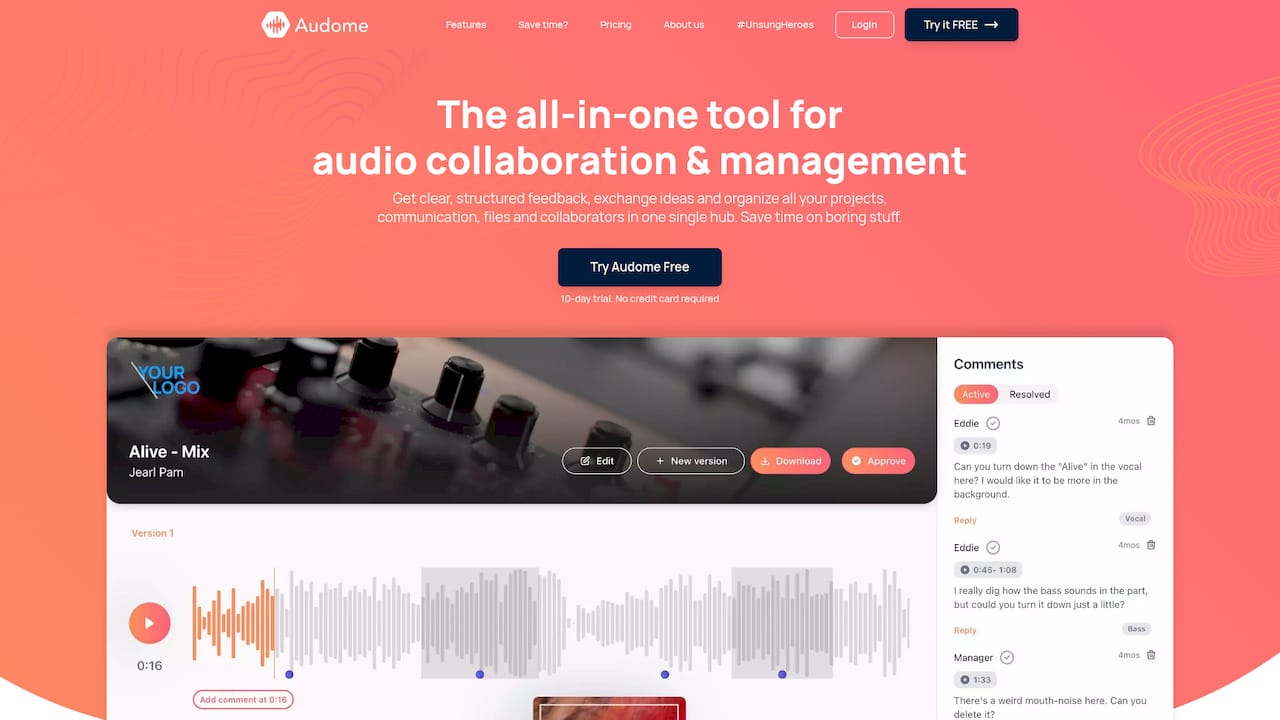
Audome is a platform built specifically for audio professionals who need more than a download link. It handles lossless WAV uploads up to 96kHz/24-bit with no compression, unlimited file storage, timestamped comments tied directly to audio waveforms, version control, and private collaborator spaces. Clients don’t need to create an account to listen or leave feedback. Security controls include password protection and download toggling on every shared link. If you’re managing multiple projects with multiple stakeholders and you’re tired of patching together five different tools to do one job, Audome is worth a serious look.
FAQ
What is the best way to share WAV files online without losing quality?
Use a platform that streams WAV files without re-encoding, such as Audome or Echoe. These platforms deliver lossless audio directly in the browser with no compression applied.
How do I send large WAV files online?
Platforms with unlimited upload capacity and no file size caps, like Audome, handle multi-gigabyte WAV files without compression. Free tiers on most platforms cap between 50 MB and 200 MB, which is not enough for full sessions or stems.
How can I collect feedback on WAV files from clients?
Use a platform with in-browser playback and timestamped comments tied to the audio waveform. This eliminates vague feedback and keeps all revision notes attached to the correct file version.
Is free WAV file sharing secure enough for unreleased music?
Free tiers typically lack password protection, download toggling, and link expiration. For unreleased material, use a paid platform that offers all three as standard security controls.
Can clients listen to WAV files without downloading them?
Yes. Platforms with browser-based streaming let clients play WAV files locally without downloading. This protects your files and removes friction for the client.