
Deliver final masters as a lossless release file (24-bit WAV or AIFF at your session’s native rate), plus any requested alternates, wrapped in a plain-text manifest, through a secure client portal that logs versions and captures written approval. Run a quick export check first: listen outside your DAW, confirm the head and tail are clean, and encode-test for true peak. Get this sequence right and your client or distributor accepts the file without a single follow-up question.
TL;DR:
- Using a clear, consistent naming convention for files helps clients identify the correct master quickly and reduces confusion during the review process.
- Export primary masters in 24-bit WAV or AIFF at the session’s native sample rate to meet distributor requirements and avoid rejection.
- Running a true-peak measurement and encode test outside the DAW ensures the file will not clip after streaming platform processing, preventing delays.
- Including a detailed manifest listing all files, formats, dates, session references, and metadata avoids ambiguity and streamlines future remasters.
- Deliver files through a secure, branded client portal with version control and approval tracking to protect work, manage revisions, and prevent leaks.
Table of Contents
- What Goes in a Final Asset Package for Mastering Delivery?
- Export Specs That Won’t Get Rejected by a Distributor
- How Do You Quality-Check a Master Before Sending It?
- Naming Files and Building a Manifest Nobody Has to Ask About
- Secure Delivery Methods That Protect Your Work and Your Revenue
- How Do You Document Client Sign-Off Without Slowing Things Down?
- Final Pre-Release Checklist Before You Send to a Distributor
- Why Delivery Discipline Is a Studio Habit, Not a One-Time Task
- How Audome Handles the Delivery Workflow for You
- Sources
- FAQ
What Goes in a Final Asset Package for Mastering Delivery?
A third party, whether that’s a distributor, a label, or a client who has never touched a DAW, should be able to open your delivery and use it with zero clarifying emails. That’s the real test of a finished asset package, and it’s the standard 80 Hertz’s mastering handoff guidance sets: treat every delivery as self-contained, not as a folder someone has to decode.
Three components make that possible:
- The approved release master, in lossless format, clearly labeled as the canonical file. This is the one file nobody should ever have to guess about.
- Alternates, only when requested or contractually required: instrumental, clean/radio edit, a cappella, or stems. Don’t bundle stems by default. It bloats the delivery and invites scope confusion about what was actually approved.
- A manifest, a simple text or PDF document listing every filename, its format, duration, export date, the session reference it came from, and any ISRCs or metadata tags attached.
The manifest is the piece most engineers skip, and it’s the one that saves you the most time. Jack Righteous’s label-ready deliverables framework recommends the manifest explicitly identify the approved release-master filename, so there’s zero ambiguity months later when someone reopens the project.
Pro Tip: Store the manifest as a plain text file inside the same folder as the audio, not just in an email thread. Emails get lost. Folders get archived.
Export Specs That Won’t Get Rejected by a Distributor
Distributor rejections almost always trace back to one of three things: wrong bit depth, wrong sample rate, or an unrequested dither pass. Getting the export spec right the first time avoids a resubmission cycle that can cost you a release date.
The baseline rule, backed by Mat Leffler-Schulman’s mix preparation and file delivery guide, is straightforward:
- Export primary deliverables as 24-bit WAV or AIFF at your session’s native sample rate. Don’t convert the sample rate unless a store or client specifically asks for it.
- When headroom matters, such as a track still carrying a limiter decision that isn’t finalized, render a 32-bit float version. Send both a limiter-on and limiter-off pass so the mastering engineer or client can hear the difference and choose.
- Skip dithering unless you’re stepping down in bit depth. Dithering a 24-bit or 32-bit float file that isn’t being reduced just adds unnecessary noise.
- If a distributor insists on 16-bit, generate a properly dithered 16-bit copy for that specific submission, but keep your 24-bit file as the permanent archive master. Sound On Sound’s breakdown of final delivery requirements covers spec variations across CD, streaming, and vinyl if you’re juggling multiple release formats at once.
Full export walkthroughs, including sample-rate edge cases, are covered in Audome’s guide to exporting audio deliverables.
How Do You Quality-Check a Master Before Sending It?
Most rendering problems never show up while you’re listening inside your DAW. They show up after export, on a different playback chain, which is exactly why a five-minute check outside your session catches what your ears missed the first time.
- Export the file, then import it into a fresh player or a new DAW session. Listen start to finish on a system you trust, ideally different speakers or headphones than what you mixed on.
- Run a true-peak meter and encode the file to MP3 or AAC. Inter-sample peaks that look fine at the sample level can clip after a streaming platform’s encoder gets to them. One Master’s pre-release checklist recommends targeting roughly -1 dBTP as a safe ceiling unless your client or distributor specifies something else.
- Verify the start and end of the file. No accidental count-in, no truncated tail, and the total length matches the approved edit down to the second.
That encode-and-recheck step matters more than most engineers assume. A file that measures clean at the sample level can still clip once a streaming encoder compresses it, and the only way to catch that is to actually run the encode test before you hit send, not after a distributor flags it.
Naming Files and Building a Manifest Nobody Has to Ask About
A file named final2_MASTER_v3_USE THIS ONE.wav tells a client nothing except that you were in a hurry. A strict naming convention does the opposite: it tells anyone who opens the folder exactly what they’re looking at, without a single message back to you.
A workable format looks like this: ArtistName_TrackTitle_Master_v2_24bit_44_1k.wav. Each segment carries information: artist, track, file role, version number, bit depth, sample rate. Anyone browsing a folder of ten files can sort out which one matters in seconds.
Your manifest should list:
- The approved filename, exactly as it appears in the delivered folder
- Format, bit depth, and sample rate
- Export date and duration
- The session file reference it was rendered from
- A list of every supporting asset included in the package
Jack Righteous’s deliverables framework also recommends noting whether each asset was newly created, imported, or revalidated from a prior session, which matters enormously if the project gets reopened for a remaster years later.
Pro Tip: Keep one untouched copy of the master you never touch again, and a separate “working” copy for any last-minute tweaks. Mixing those two up is how studios lose the original master entirely.
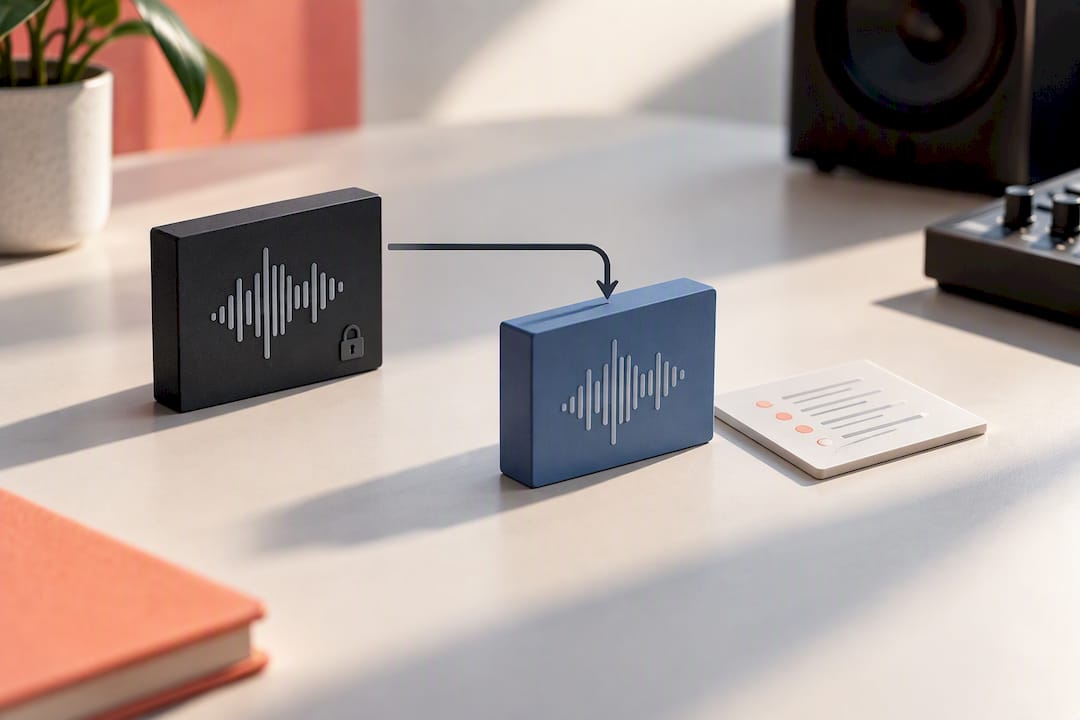
Secure Delivery Methods That Protect Your Work and Your Revenue
How you hand off the file matters almost as much as what’s in it. Email attachments get buried, WeTransfer links expire, and a Dropbox folder with no context leaves clients guessing which file is the final one.
Three approaches work, in ascending order of control:
- A password-protected delivery page that limits access to the intended recipient and nothing more.
- A no-login client portal that preserves version history, so if you send v2 after a revision, the client can still see v1 and the notes attached to it.
- Gated downloads with tracking, where the client can’t pull the file until they’ve taken an action, whether that’s approving it or completing payment for extras.
The delivery page itself should carry more than just a download button. Include the manifest, any reference tracks that establish what “approved” sounds like, plain instructions on what the client is looking at, visible version history, and a clear approval action they can click. ClientProof’s research on professional file delivery found that project pages tying files to specific milestones and approvals cut down on repeat “can you resend that” requests significantly.
Gating downloads behind payment or an approval step isn’t just about revenue protection, though it does that too. It forces a decision point instead of letting a client sit on an unapproved file indefinitely.
How Do You Document Client Sign-Off Without Slowing Things Down?
Approval doesn’t need a legal contract attached to every revision. It needs a repeatable pattern that leaves a paper trail.
- Deliver the file with context. Include the manifest and any reference material so the client understands what they’re hearing and why.
- Client listens and responds. Approval happens in writing, an email reply, or a click inside a portal, whichever you’ve set up.
- Lock the master. Once approved, mark the manifest as final and stop making changes to that file.
- Handle late requests as a new version, not a patch. If a change comes in after approval, scope it, create v3, and rerun the full QC pass. Never edit the approved file in place.
Set the number of free revisions upfront and put paid revision terms in writing before the project starts. Vague revision policies are how a two-round project turns into eight rounds of “just one more tweak.”
Final Pre-Release Checklist Before You Send to a Distributor
Distributor rejections are almost always avoidable. Run these checks before the file leaves your hands:
- Confirm file format, true-peak ceiling, and duration match the distributor’s stated requirements.
- Double-check metadata spelling. Artist name typos and mismatched track titles are among the most common causes of delayed releases.
- Verify ISRCs are attached and artwork specs match the platform’s dimensions and color profile.
- Back up one untouched 24-bit master plus a full project archive offsite, separate from your working drive.
- Confirm the distributor’s lead time against your release date. Most platforms need more runway than artists expect.
One Master’s pre-release checklist frames the archive master as the safer long-term bet: keep the 24-bit WAV as your permanent record, and let each distributor generate its own store-specific encode.
Why Delivery Discipline Is a Studio Habit, Not a One-Time Task
The engineers who skip a resend cycle aren’t the ones with better ears. They’re the ones who front-load the work: send a reference track before the mix starts, state the format upfront, and never assume the client knows what “final” means unless it’s written down.
The export, fresh import, encode test sequence takes maybe ten minutes. I’ve made it a hard studio rule rather than an optional step, because the ten minutes it costs is nothing next to a distributor bounce two days before release. A clean manifest and a documented approval record do something else too: they make the next label conversation shorter, because nobody has to reconstruct what happened three revisions ago.
— Kreg
How Audome Handles the Delivery Workflow for You
Audome is the alternative to stitching together Dropbox, email, and a spreadsheet manifest for every release. Every checklist item above maps to something built into the platform: unlimited high-resolution uploads up to 96kHz/24-bit, no-login client pages so your client never has to create an account just to approve a file, timestamped feedback directly on the waveform instead of scattered text threads, and full version history so a v2 never buries the v1 notes.

Password-protected delivery pages keep unapproved masters from leaking, and Stripe Connect payments mean you can gate final downloads behind payment or limit free revisions before a client racks up round six on a project that quoted three. That combination centralizes the manifest, the approval trail, and the revenue protection in one workspace instead of five different apps. If you’re ready to stop rebuilding this workflow by hand for every project, check Audome’s pricing plans and start a trial to see how a single delivery page replaces your current file-transfer routine.
Sources
Export specs and mix prep guidance come from Mat Leffler-Schulman Mastering, handoff standards from 80 Hertz, and pre-release QC from One Master. For freelance-specific delivery workflows, see Audome’s guide for freelance audio engineers.
- How to Prepare Your Mix for Mastering | File Delivery Guide — Mat Leffler-Schulman Mastering
- Mastering checklist and handoff guidance — 80 Hertz
- The pre-release checklist: from finished master to distributor · One Master
- Label-Ready final master & deliverables — Jack Righteous
FAQ
What File Format Should I Use to Deliver Final Masters?
Deliver a 24-bit WAV or AIFF at your session’s native sample rate as the primary release master. Only convert to 16-bit or a different sample rate when a specific distributor requires it, and always keep the 24-bit file as your archive copy per mastering export guidance.
What Should Be Included in a Master Manifest?
A master manifest lists the approved filename, format, bit depth, sample rate, export date, duration, and the session reference it came from. It should also note any supporting assets included, following the handoff structure Jack Righteous recommends for label-ready deliverables.
How Do I Check a Master for True Peak Issues Before Sending?
Run the exported file through a true-peak meter and encode it to a compressed format like MP3 to catch inter-sample clipping that only appears after streaming encodes. A ceiling around -1 dBTP is a common safe target unless your distributor specifies otherwise, based on pre-release checklist standards.
How Can I Deliver Masters to Clients Securely?
Password-protected delivery pages, no-login client portals with version history, and gated downloads tied to approval or payment all work. The platform bundles delivery, feedback, and payment features into a single client-facing workspace, reducing the need for separate tools.
What Does Audome Cost for Studios Delivering Final Masters?
Audome offers a Studio plan at 12.5 dollars per month or 150 dollars per year, and a Pro plan at 48 dollars per month or 576 dollars per year, according to Audome’s pricing page. Both plans include the file delivery, versioning, and client portal features covered in this guide.