
TL;DR:
- Audome is a specialized platform designed for professional audio collaboration, supporting lossless files and precise timestamped feedback. EngineEars is an AI app for diagnosing vehicle engine sounds and has no features for music production or post-production workflows. Using the correct tool improves workflow efficiency by reducing revision errors and communication delays.
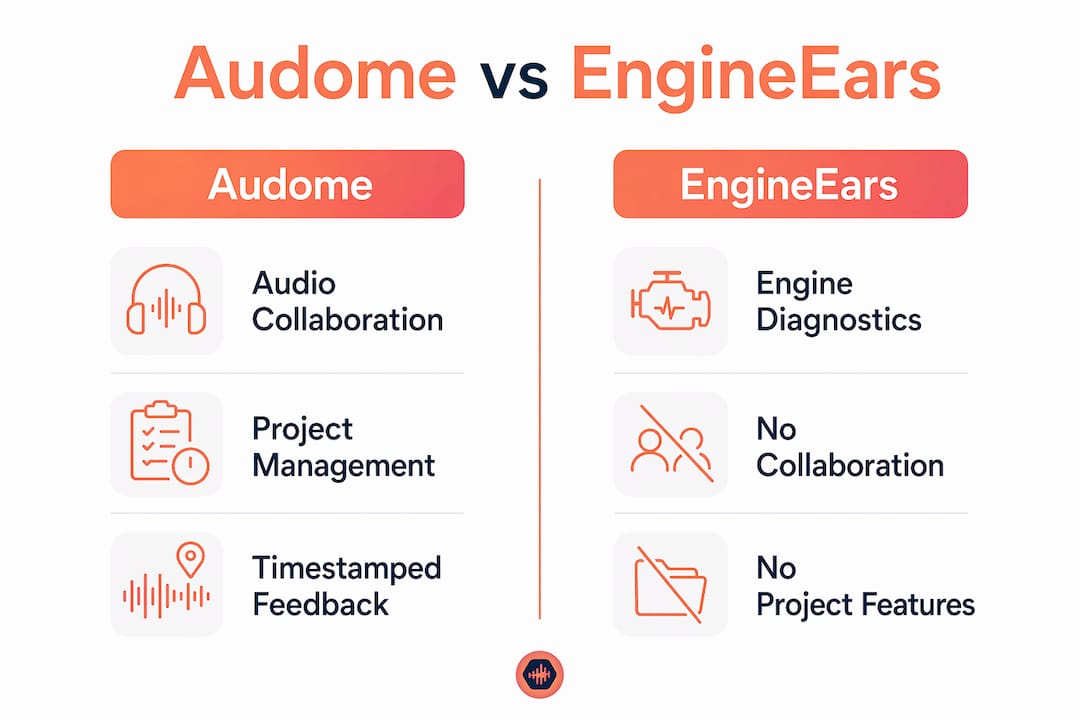
Audome is a professional audio collaboration platform built for music producers, mix engineers, and post-production studios, while EngineEars is an AI mobile app that diagnoses mechanical vehicle engine sounds. The Audome vs EngineEars comparison is not a feature race between two competing audio tools. These two products serve completely different industries, and understanding that distinction saves audio professionals from wasting time evaluating tools that were never designed for their work.
What features does Audome offer for collaborative audio workflows?
Audome is a specialized SaaS platform designed for professional audio engineering and music production workflow management, supporting lossless audio at up to 96kHz/24-bit resolution. That specification matters because compressed audio previews distort the critical listening decisions that mixing and mastering engineers make during revisions. Audome preserves the original file quality from upload through client delivery.
The platform centers on three core capabilities that audio professionals use every day:
- Timestamped waveform comments. Clients and collaborators leave feedback at the exact moment in a track where a change is needed. This replaces vague email notes like “the chorus feels off” with pinpoint instructions tied to a specific timestamp.
- Version control and project organization. Every file upload creates a tracked version. Engineers can compare revisions, restore earlier files, and confirm that clients are always listening to the correct version.
- No client login required. Clients access project pages and leave feedback without creating an account. This single feature removes the most common friction point in studio-to-client communication.
- Password-protected project pages. Studios control who accesses files and when. Download locks prevent clients from pulling unfinished or unpaid deliverables.
- Stripe Connect payment integration. Studios set revision limits, charge automatically for additional rounds, and require payment before final files unlock.
Audome’s Studio plan includes unlimited projects, 300GB of storage, timestamped comments, and password protection for $150 per year. That price point positions it well below enterprise project management tools while delivering features that generic cloud storage platforms do not offer.
Pro Tip: Set your revision limit before sharing a project link with a client. Audome’s built-in controls charge automatically for extra rounds, which trains clients to give thorough feedback the first time.
Why EngineEars does not apply to audio production workflows

EngineEars is an AI-driven mobile app that diagnoses mechanical vehicle engine sounds through a smartphone microphone. It was built for automotive diagnostics, not music production or post-production collaboration. The name creates genuine confusion among audio professionals searching for collaboration tools, but the two products share no functional overlap.
Here is what EngineEars actually does:
- Records engine sounds through a phone’s built-in microphone while a vehicle is running.
- Analyzes acoustic patterns using AI to identify mechanical issues such as bearing wear, belt problems, or exhaust faults.
- Categorizes issues by urgency into Low, Medium, High, and Critical repair priority levels for mechanics and DIY car owners.
- Generates repair recommendations based on the diagnosed sound signature.
EngineEars processes audio, but the audio it processes is engine noise. It has no project management layer, no waveform feedback tools, no version history, and no client communication features. Its smartphone microphone reliance also limits diagnostic depth, making it suitable only for preliminary vehicle assessments rather than any form of professional audio analysis.
Pro Tip: If you found EngineEars while searching for audio collaboration tools, the name overlap is the only connection. Filter your search by “audio production workflow” or “music collaboration platform” to surface tools built for your actual work.
The risk here is real. Audio professionals who spend time evaluating EngineEars as a potential workflow tool lose hours they cannot recover. Domain mismatch in tool selection is a productivity problem, not just a minor inconvenience.
How does a specialized platform improve workflow efficiency?
The efficiency gap between purpose-built audio platforms and generic file-sharing tools is not subtle. Collaboration friction compounds across every project phase, from the first file share to the final approved delivery.
Consider the typical fragmented workflow: a mix engineer sends a WAV file through WeTransfer, the client listens on their phone, types notes into a text message, and the engineer tries to decode which section of a six-minute track “the bridge part” refers to. That cycle repeats three or four times per project. Multiply that across a full client roster and the time loss becomes significant.
“The most significant efficiency gain in professional audio collaboration comes from shifting all feedback and file management into a central, timestamped, version-controlled hub. When every stakeholder works from the same source of truth, revision cycles shrink and approval speed increases.”
The practical gains from switching to a specialized platform break down into four areas:
- Audio fidelity protection. Generic file-sharing tools often compress audio during upload or preview, which means clients are approving a degraded version of the mix. Audome preserves lossless quality at every stage.
- Feedback precision. Timestamped comments eliminate ambiguous notes. A client who types “the snare at 2:34 is too bright” gives the engineer exactly what they need to act.
- Version integrity. Version drift is one of the most common errors in collaborative audio projects. Engineers accidentally work on an older file, or clients listen to a version that has already been superseded. Audome’s version history prevents both scenarios.
- Revision boundary enforcement. Studios that set paid revision limits report fewer rounds of open-ended feedback. Clients become more decisive when they know additional rounds carry a cost.
Professionals transitioning from generic cloud storage to specialized audio platforms consistently report fewer communication errors and higher client satisfaction. The platform does not just organize files. It changes how clients engage with the revision process.
Cross-platform music production workflows also benefit from understanding how audio storytelling spans platforms, particularly for producers who deliver content across streaming, sync licensing, and broadcast channels simultaneously.
How to integrate Audome into your current production workflow
Audome fits into existing production setups without requiring a full workflow rebuild. The platform works alongside any DAW because it handles the collaboration and delivery layer, not the recording or mixing layer.
- Create a project for each client engagement. Upload the first mix as soon as it is ready. Audome generates a shareable link immediately, no client account needed.
- Send the project link instead of a file attachment. Clients open the link in any browser, listen to the waveform player, and leave timestamped comments directly on the track.
- Use version history as your paper trail. Every new upload creates a logged version. If a client later disputes a change, the version history shows exactly what was delivered and when.
- Set download permissions before sharing. Lock final files behind a payment gate using Stripe Connect. Clients complete payment and the download unlocks automatically.
- Apply password protection for sensitive projects. Commercial campaigns, unreleased albums, and sync licensing work all benefit from an extra access layer before the client even reaches the waveform player.
Pro Tip: Upload a low-resolution reference mix first for early-stage client feedback, then swap in the full-resolution file once revisions are finalized. Audome’s version control keeps both files organized under the same project.
Audome does not replace your DAW, your plugin chain, or your monitoring setup. It replaces the scattered collection of email threads, shared drives, and messaging apps that currently sit between your finished mix and your client’s approval. For a broader look at producer collaboration tools available in 2026, the options have expanded significantly, but few match Audome’s depth of audio-specific features.
Maintaining lossless audio through every revision and approval stage is the single most important technical requirement for mixing and mastering engineers. Audome meets that requirement by design.
Key Takeaways
Audome is the correct tool for audio professionals seeking a collaboration platform. EngineEars is an automotive diagnostic app with no relevance to music production or post-production workflows.
| Point | Details |
|---|---|
| Different industries entirely | Audome serves audio production; EngineEars diagnoses vehicle engine sounds. |
| Lossless audio at every stage | Audome supports 96kHz/24-bit files, preserving mix quality through client review. |
| Timestamped feedback replaces email | Clients comment at exact waveform positions, eliminating vague revision notes. |
| Version control prevents costly errors | Audome’s version history ensures engineers and clients always work from the same file. |
| Revision limits protect studio revenue | Built-in paid revision controls reduce open-ended feedback cycles and protect profitability. |
The domain mismatch problem is more common than you think
I have watched audio professionals spend real time evaluating tools that were never built for audio work. The EngineEars situation is a clear example of a name-driven search leading someone completely off course. When you search for “audio collaboration” or “audio review platform,” you expect results from your industry. A similarly named app from automotive diagnostics should not even appear on your radar, but it does, and that creates wasted evaluation time.
The deeper issue is that audio professionals often underestimate how much domain specificity matters in a collaboration tool. A generic file-sharing service can move files. A messaging app can carry feedback. But neither one understands that a client comment needs to attach to a specific second in a track, that the file being reviewed must be lossless, or that a revision limit is a business boundary, not a technical restriction. Audome was built around those requirements from the start.
My honest advice: before you evaluate any platform, confirm it was designed for audio workflows. Check whether it handles lossless files natively, whether feedback attaches to the waveform, and whether it gives you control over downloads and revisions. If a tool fails any of those three tests, it is not a professional audio collaboration platform regardless of what it calls itself.
— Kreg
Audome is built for the work you actually do
Audio professionals who need a purpose-built collaboration platform have a clear option in Audome. The platform handles lossless file sharing, timestamped client feedback, version control, and payment-gated downloads in one place, without requiring clients to create accounts or manage multiple apps.

Audome’s plans scale from individual freelancers to full commercial studios, with the Studio plan delivering unlimited projects, 300GB of storage, and Stripe Connect integration for $150 per year. If your current workflow involves chasing feedback across email, text, and shared drives, Audome replaces all of it. Visit Audome’s platform to see current pricing and start a free trial.
FAQ
What is Audome used for?
Audome is a professional audio collaboration platform for music producers, mix engineers, mastering engineers, and post-production studios. It handles lossless file sharing, timestamped client feedback, version control, and payment-gated project delivery in one workspace.
Is EngineEars an audio production tool?
EngineEars is an AI mobile app that diagnoses mechanical vehicle engine sounds through a smartphone microphone. It has no features relevant to music production, mixing, mastering, or audio post-production collaboration.
Why do audio professionals compare Audome and EngineEars?
The name similarity drives search-based confusion. EngineEars processes audio, but only engine noise for automotive diagnostics. Audome is the platform built for professional audio workflows.
Does Audome require clients to create an account?
Clients access Audome project pages and leave timestamped feedback without creating an account. This removes the most common friction point in studio-to-client approvals.
What audio file quality does Audome support?
Audome supports lossless audio at up to 96kHz/24-bit resolution, preserving the full quality of professional mixes through every stage of client review and approval.