
TL;DR:
- Audio project management is about organizing multi-stage, multi-person workflows, ensuring smooth progress from picture handoff to final delivery. Centralized tracking reduces delays, streamlines approvals, and consolidates communication, leading to faster project completion and lower admin overhead. Effective session organization and choosing suitable methodologies are essential for managing revisions and team coordination in audio production.
Most audio professionals hear “project management” and picture a Gantt chart or a to-do list. That’s not it. What is project management for audio is really about keeping a multi-stage, multi-person process from falling apart at the seams. It’s the difference between a mix session that flows and one where nobody can find the right file version, the client’s notes are buried in three email threads, and the dialogue edit got handed off without anyone labeling a single track. Audio project management, to use the proper term, is the set of systems, roles, and processes that hold your whole production together from picture handoff to final delivery.
Key Takeaways
| Point | Details |
|---|---|
| It’s more than checklists | Audio project management covers scope, schedule, communication, risk, and handoff clarity across every production stage. |
| Centralization cuts waste | Structured project tracking reduces admin overhead by 60% and can speed delivery by up to 40%. |
| Session organization is PM work | Naming, color-coding, versioning, and templates aren’t just housekeeping. They are the backbone of every clean handoff. |
| Method choice matters | Stable specs fit a predictive approach. Revision-heavy projects need agile or hybrid thinking. Pick the right one for your team. |
| One hub beats ten apps | Consolidating file sharing, feedback, and version control into one place removes the friction that kills audio projects. |
What is project management for audio, really
Before getting into tactics, you need a clear audio project management definition. Audio project management is the process of planning, coordinating, tracking, and closing out audio production work. It borrows directly from the PMI lifecycle framework: initiating, planning, executing, monitoring, and closing. Each of those phases has distinct audio deliverables and approvals attached to them.
The stages you’re actually managing
Audio post-production runs through a specific set of stages, and every one of them requires coordination:
- Picture handoff and session prep: Receiving the AAF or OMF, verifying sync, and getting your session into a workable state before a single creative decision is made.
- Dialogue edit: Cleaning, timing, and conforming every spoken word in the project.
- Sound design and Foley: Building the sonic world from scratch or choosing from libraries.
- ADR and music integration: Replacing or adding performances and locking music elements.
- Premix and final mix: Balancing everything into a coherent, broadcast-ready or release-ready file.
- Deliverables: Stems, mixes, versioned files, and format-specific exports.
That’s not a linear checklist. Each stage has dependencies, approval gates, and people who have to hand off work to someone else without dropping the ball.
The core components
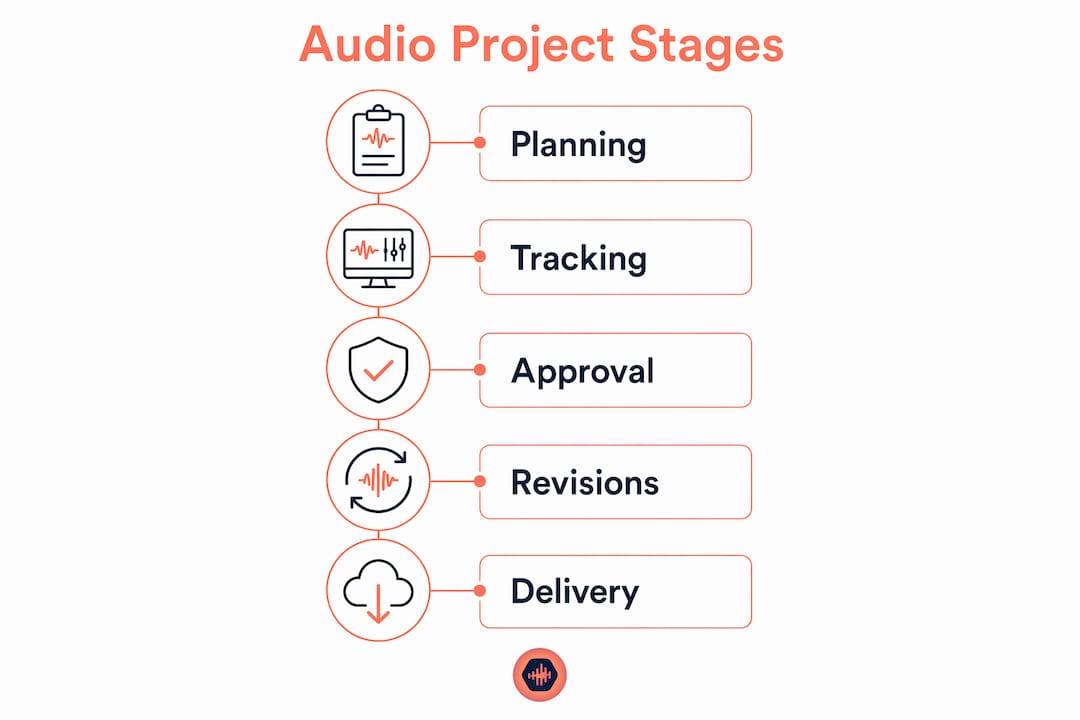
Managing audio projects means handling these five things at all times: scope (what’s actually included in this project), schedule (when each stage needs to happen), cost (budget per stage or per revision round), risk (what could blow up and when), and communications (who needs to know what and when). Skipping any one of these is how you end up doing a fourth round of revisions on a project that was supposed to deliver two weeks ago.

| Component | Audio application |
|---|---|
| Scope | Define what’s included: number of cues, revision rounds, deliverable formats |
| Schedule | Set milestones per stage with buffer for picture changes |
| Cost | Track time per stage, revision costs, and talent fees |
| Risk | Plan for late picture lock, missing AAFs, or unclear client feedback |
| Communications | Agree on who approves what and through which channel |
Why centralized tracking saves your project
Here’s where most audio teams blow it. They’re talented. Their ears are great. Their session work is clean. But everything lives in Slack, email, Google Drive, Dropbox, and three different project boards. Nobody knows which version the client approved. Nobody knows if the sound design handoff actually happened or if it’s just sitting in someone’s downloads folder.
Fragmented communication is the single biggest silent killer of audio post projects. Not technical problems. Not creative disagreements. Fragmented communication. And it’s completely fixable.
Centralized tracking does a few specific things for audio teams:
- It surfaces stalls before they turn into actual emergencies. If the dialogue edit was supposed to be handed off three days ago and nobody flagged it, a tracking system catches that. An email chain doesn’t.
- It gives everyone, including the client, a single place to find approvals, notes, and file versions.
- It removes the “did you see my note?” cycle that adds days to every revision round.
Audio post managers who track ownership and approvals at every handoff point report dramatically fewer delays than teams relying on asynchronous messaging alone. The number that keeps coming up is striking. Admin overhead drops 60% and projects close up to 40% faster when structured tracking replaces scattered communication.
Pro Tip: Set up a simple approval gate at the end of each stage, even if it’s just a single timestamped sign-off. Knowing who approved what and when protects you when a client suddenly “doesn’t remember” agreeing to something.
Audio-specific tracking needs go beyond what generic project tools offer. You need timestamped feedback on actual audio files, not just text comments in a task card. You need version control that shows which mix iteration the client heard when they approved it. You need file sharing that doesn’t compress your audio to something unrecognizable. Generic project management tools don’t do that. Audio-centric platforms do.
DAW session organization as a project management cornerstone
Nobody talks about this enough. Session organization is not admin work. It is project management. How you structure your Pro Tools, Logic, or Reaper session is a direct reflection of how well your project will survive contact with another person… or with you three weeks from now.
Here’s the thing about session prep after an AAF import: the import itself takes maybe 30 seconds. Getting the session into a truly workable state takes 2 to 3 hours. Sometimes half a day. That prep time is where organizing track names, routing, color-coding, and template alignment happens. That work is not optional. It is the foundation every subsequent creative decision sits on.
Well-organized DAW sessions reduce mental load, cut error rates, and speed up revision cycles. That’s not opinion. That’s what happens every time someone comes in after sloppy session prep and has to hunt for the right dialogue track or re-route a bus that was never labeled.
The practices that matter most:
- Naming conventions: Every track, every region, every bus. No exceptions. “Audio 1” is not a name.
- Color coding: Group dialogue, SFX, Foley, music, and ambience by color. You should be able to look at the timeline and instantly know what’s where.
- Grouping and busing: Route things logically so anyone who opens your session doesn’t have to reverse-engineer your signal flow.
- Versioning: Save incrementally. “Mix_v1,” “Mix_v2,” “Mix_v2_FINAL,” “Mix_v2_FINAL_actualfinal” is a joke, but you’ve done it. Stop. Use a real version control system.
- Backups: Automatic and deliberate. At least one offsite or cloud backup before any major revision.
Templates act as the operating system of collaboration. When your team works from a shared template, routing conventions and naming structures are pre-embedded. Ambiguity in handoffs drops. Revision rounds get faster because everyone is starting from the same map.
Pro Tip: Build one master template per project type, and treat it like code. Version control the template itself. When something breaks in a session, check the template first.
Choosing the right project management methodology
Predictive, agile, and hybrid approaches all have a place in audio, but picking the wrong one is like using a compressor when you need a limiter. Technically related. Completely wrong result.
Here’s how to think about it:
- Predictive (waterfall): Best when specs are locked before work starts. Think broadcast delivery schedules with rigid deadlines and fixed deliverable formats. You know what’s coming. You build a plan and work it.
- Agile: Best for projects with frequent revisions, evolving creative briefs, and multiple stakeholders who don’t know exactly what they want until they hear it. Music production and sound design for games often lives here.
- Hybrid: Best for most real audio post work. You plan the macro structure predictively, but individual stages like sound design or music integration run iteratively. You batch feedback rounds, run short sprints, and adjust as approvals come in.
The decision comes down to how stable your requirements are. Ongoing revisions favor agile or hybrid. A locked broadcast spec favors predictive. Most teams are running hybrid whether they call it that or not.
Tailor your process to your team size, your project type, and your client. A solo mixing engineer working with a single director doesn’t need a full sprint board. A post team handling a 10-episode series with a network client absolutely does.
Practical steps to get your audio PM in order
Knowing what audio project management is and actually running it are two different things. Here’s where to start:
- Map your current workflow from intake to delivery. Write down every step, every handoff, every approval. You’ll immediately see where things stall.
- Identify your biggest friction points. Is it client feedback coming in through four different channels? Is it nobody knowing which mix version is current? Is it session handoffs that arrive unlabeled and unorganized?
- Choose tools based on your actual workflow. Not based on what has the best marketing. If you need timestamped feedback on audio files, you need a platform built for that, not a generic task manager with an audio attachment.
- Pilot test with one project. Run one full project through your new system before rolling it out to the whole team. Gather honest feedback from everyone involved.
- Connect your session organization to your tracking system. Version numbers in your DAW should match version numbers in your project tracker. That sounds obvious. Most teams never actually do it.
My honest take on all of this
I’ve seen a lot of talented engineers get buried by projects that were completely fixable. Not because they couldn’t make great audio. Because nobody was running the project like a project.
The thing that kills me is how often the problem isn’t technical at all. It’s a missing handoff note. It’s five versions of a mix sitting in a folder with no dates. It’s a client who gave feedback on a Dropbox share nobody knew was the wrong version. That stuff adds up, and eventually a project that should’ve wrapped in three weeks is eating its fourth month.
Generic project management advice fails audio teams because it was written for software developers or marketing agencies. Audio has non-linear creative feedback loops. A client review cycle in audio isn’t a linear approval. It’s a back-and-forth that loops, revises, and sometimes undoes decisions from two stages back. You can’t manage that with a static Gantt chart.
What actually works is an honest hybrid approach: structure the big milestones, build in explicit revision rounds with defined limits, and give your team one place to find everything. Not three places. One.
The teams I’ve seen do this well aren’t using complicated systems. They’re using simple, consistent ones. Template in the DAW. One approval channel. Version numbers that mean something. And usually a platform purpose-built for audio, because generic tools just don’t account for how audio workflows actually behave.
— Kreg
Get your audio projects under control with Audome
If anything in this article sounded like your last bad project, you’re not alone, and you don’t have to keep patching it together.
Audome was built specifically for audio professionals who are tired of juggling fragmented tools. It brings project tracking, file sharing, and client feedback into one secure hub, with timestamped comments on actual audio files, version control, and private collaborator spaces. No login required for clients. No compressed files killing your audio quality. Lossless playback up to 96kHz/24-bit, so what they hear is what you delivered. If you’re serious about tightening up how you manage audio projects, Audome is where that starts.
FAQ
What is audio project management?
Audio project management is the process of planning, tracking, and coordinating every stage of an audio production from intake to final delivery. It covers scope, schedule, communications, handoffs, and approvals across all team members and stakeholders.
Why does project management matter in audio production?
Without it, teams lose track of file versions, miss handoff deadlines, and waste hours chasing client feedback across multiple channels. Structured tracking reduces admin overhead by 60% and speeds project completion by up to 40%.
How do I manage multiple audio stakeholders?
Assign clear ownership at each project stage, set a single feedback channel, and use a platform that logs approvals with timestamps. Knowing who approved what and when eliminates the most common revision disputes.
What project management methodology works best for audio?
Most audio projects benefit from a hybrid approach: predictive planning for major milestones and agile iteration for creative stages like sound design and mixing. Stable specs fit predictive methods, while frequent revisions call for a more iterative structure.
How do I organize sound design sessions effectively?
Use consistent naming conventions, color coding, and routing groups. Build a master template for each project type and treat version numbers in the DAW as part of your tracking system, not just file names.