
TL;DR:
- Effective producer file management involves establishing a clear folder structure, using consistent naming conventions with version numbers, and maintaining regular backups to prevent asset loss. Collaborators should agree on system standards upfront, including folder locations and filename formats that include initials and dates to avoid confusion. Specialized tools like Audome facilitate lossless sharing, version control, and precise feedback, ensuring smoother collaboration and project organization.
Producer file management is the disciplined process of organizing, naming, versioning, and storing audio project files so nothing gets lost and nobody loses their mind mid-session. Bad file habits are not a minor inconvenience. Lost files and version confusion kill creative flow and blow delivery schedules. If you have ever opened a folder and found six files named “final_FINAL_v2_USE THIS ONE,” you already know the damage. This guide breaks down exactly how to fix that, with real systems that work for producers, mixing engineers, and podcast teams.
What are the core components of producer file management?
The industry term for this discipline is digital asset management, or DAM. Producer file management is the audio world’s version of it, applied to DAW sessions, stems, samples, and client deliverables. The foundation rests on four pillars: folder structure, naming conventions, version control, and backups.
Build a folder structure that makes sense
A standard project folder should contain subfolders for raw recordings, edited sessions, stems, masters, samples used, and admin documents like contracts and briefs. That is it. Do not overthink it.
Here is a clean template:
- ProjectName/
- 01_Sessions/ (DAW project files)
- 02_Audio/ (raw recordings and imports)
- 03_Stems/ (exported stems per instrument or bus)
- 04_Masters/ (final mixes and deliverables)
- 05_Samples/ (any third-party samples used)
- 06_Admin/ (contracts, briefs, reference tracks)
Investing 20 minutes to set this up at the start of every project saves hundreds of hours over a career. That is not an exaggeration. That is math.
Naming conventions that actually hold up
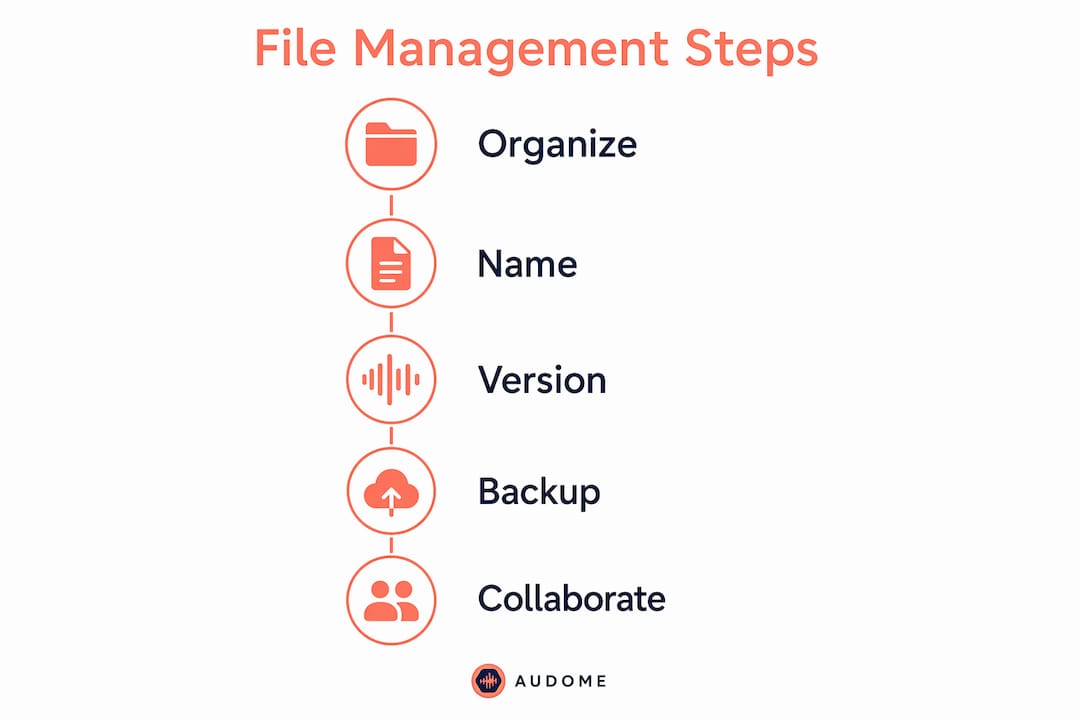
Never use “final” in a filename. Ever. Avoid ambiguous filenames like “final,” “final2,” or “USETHIS.” Use strict incremental version numbers instead. A solid naming format looks like this:

ProjectName_v01_Mix.wav
Add a README.txt file inside every project folder. Document the BPM, key, sample rate, bit depth, and any major changes between versions. When you come back to a project six months later, that README is the difference between a clean handoff and a two-hour archaeology dig.
Pro Tip: Organize your sample library by BPM, genre, and mood rather than by pack name. Organizing samples this way turns a bloated library into something you can actually search in under 30 seconds.
Version control and backup strategy
| Practice | What to Do | Why It Matters |
|---|---|---|
| Version numbering | Use v01, v02, v03 sequentially | Eliminates confusion over which file is current |
| README changelog | Update after every major revision | Gives context for future revisits or handoffs |
| Local backup | Copy to external drive after every session | Protects against hard drive failure |
| Offsite backup | Use cloud storage or a second physical location | Backing up offsite prevents catastrophic loss |
| Archive old versions | Compress inactive project folders with dates | Keeps active folders clean and fast to navigate |
How can producers manage collaboration without chaos?
Multi-contributor sessions are where file management either holds up or completely falls apart. The problem is not that people are careless. The problem is that nobody agreed on a system before the session started.
Including initials and a full date in every version filename is the single fastest fix for multi-collaborator confusion. A filename like TrackName_v04_JR_20260610.wav tells you who touched it last and when. No guessing. No “wait, is this the one you sent me Tuesday?”
Agree on the system before you start
Before anyone opens a DAW, the team needs to agree on three things: the folder structure, the naming format, and who owns the master session file. That conversation takes five minutes. Skipping it costs hours.
- Designate one person as the session owner who manages the master project file
- Set a shared folder location everyone can access, whether that is a cloud drive or a local server
- Lock in the naming format and write it down somewhere everyone can see it
- Decide how simultaneous edits get handled, meaning who exports stems and when
Pro Tip: For remote collaborations, cloud services with folder versioning prevent the nightmare of two people overwriting each other’s work. Set this up before the first file gets shared, not after.
Handling multi-location workflows
When your co-producer is in Atlanta and your mixing engineer is in LA, the shared folder is your studio. Treat it like one. Every file that goes into that folder should follow the agreed naming convention without exception. One person going rogue with their own system contaminates the whole project.
Clear file naming with initials and dates is especially critical when multiple people are editing simultaneously. It prevents editing conflicts and stops changes from disappearing into the void. Think of it like version control in software development. Developers do not just save over each other’s code. Neither should you.
Which file management tools work best for audio producers?
The right tool depends on your workflow, your team size, and how much you care about audio quality during transfers. Here is a straight comparison:
| Tool | Version Control | Audio Quality | Collaboration | Best For |
|---|---|---|---|---|
| Dropbox | Folder versioning (30 days on free) | Compressed on upload | Shared folders, link sharing | General file sharing |
| Google Drive | Basic version history | Compressed on upload | Real-time collaboration | Teams already using Google Workspace |
| Audome | Full version control built in | Lossless up to 96kHz/24-bit | Timestamped comments, private spaces | Audio-specific collaboration and review |
Dropbox and Google Drive are general-purpose tools. They work fine for documents and rough references. But neither was built for audio. Audome was. It supports lossless audio up to 96kHz/24-bit, meaning your files do not get compressed and degraded when you share them. That matters when you are sending a mix for client approval and you need them to hear exactly what you heard.
Audome also includes timestamped comments, so a client can say “at 2:14 the snare feels too bright” directly on the waveform. No more email chains with vague feedback like “the middle part sounds off.” For producers managing audio version control across multiple revisions, that specificity is worth a lot.
What are the most common file management mistakes producers make?
Most producers know they should have a system. Most producers also do not have one. Here are the mistakes that show up constantly:
- Using “final” in filenames. You will end up with “final_v2_ACTUALFINAL_USE THIS.wav” within a week. Use numbers.
- No offsite backup. A hard drive failure with no backup is not bad luck. It is a choice you made earlier.
- Overcomplicated folder structures. If your folder hierarchy requires a map to navigate, it is too deep. Keep it to two or three levels maximum.
- No README documentation. Future you, or your collaborator, will have no idea what sample rate the session was recorded at or why you switched plugins in version 5.
- No agreed collaboration standard. Every person on the project using their own naming system creates a mess that nobody can untangle.
Poor file management leads directly to confusion over the correct project version, lost assets, and wasted time. That is not a soft problem. It hits deadlines and client relationships.
Pro Tip: Archiving old project versions into dated, compressed folders keeps your active workspace clean. Name the archive folder with the date you closed the project: ProjectName_ARCHIVE_20260610. You will thank yourself later.
One more thing that gets ignored constantly: documentation quality. 20–30% of quality deviations in production environments trace back to outdated or incorrect documentation. Audio production is not manufacturing, but the principle is identical. Wrong version, wrong specs, wrong delivery. A README file costs you nothing.
Key takeaways
Solid producer file management comes down to one truth: a consistent system built before the session starts prevents every major problem that kills projects after the session ends.
| Point | Details |
|---|---|
| Build a standard folder structure | Use subfolders for sessions, audio, stems, masters, samples, and admin on every project. |
| Never use “final” in filenames | Use incremental version numbers like v01, v02 and maintain a README.txt changelog. |
| Include initials and dates in shared files | Format like ProjectName_v04_JR_20260610 to prevent multi-collaborator confusion. |
| Back up offsite every session | Local drives fail. Cloud or physical offsite backup prevents catastrophic loss. |
| Agree on collaboration standards first | Lock in naming formats and folder ownership before the first file gets shared. |
The mess i have seen (and what actually fixed it)
I have been in sessions where the folder looked like someone sneezed files onto a desktop. Seventeen versions of the same mix, no dates, no initials, just “mix_v2_GOOD” and “mix_v2_GOOD_actually.” Nobody knew which one went to the client. The engineer spent 45 minutes just figuring out the timeline of edits. That is 45 minutes of billable time gone because nobody set up a naming convention.
The fix is not complicated. It is just boring… and boring is exactly what you want when you are under deadline pressure. A system you built when you were calm is the thing that saves you when everything is on fire.
What I have seen work consistently is this: treat your project folder like a recipe. Every ingredient labeled, every step numbered, every version documented. You do not need fancy software to do this. You need discipline and a README file. Once you add a platform like Audome into that workflow, the collaboration side gets genuinely easier because the version control and feedback tools are built in. But the discipline has to come first. No tool fixes a chaotic mindset.
The producers I respect most are not the ones with the most plugins. They are the ones whose sessions I can open cold and understand in under two minutes.
— Kreg
How Audome keeps your projects from becoming a dumpster fire
If you are managing audio projects with multiple collaborators and you are still duct-taping together Dropbox, email threads, and voice notes for feedback… there is a better way.
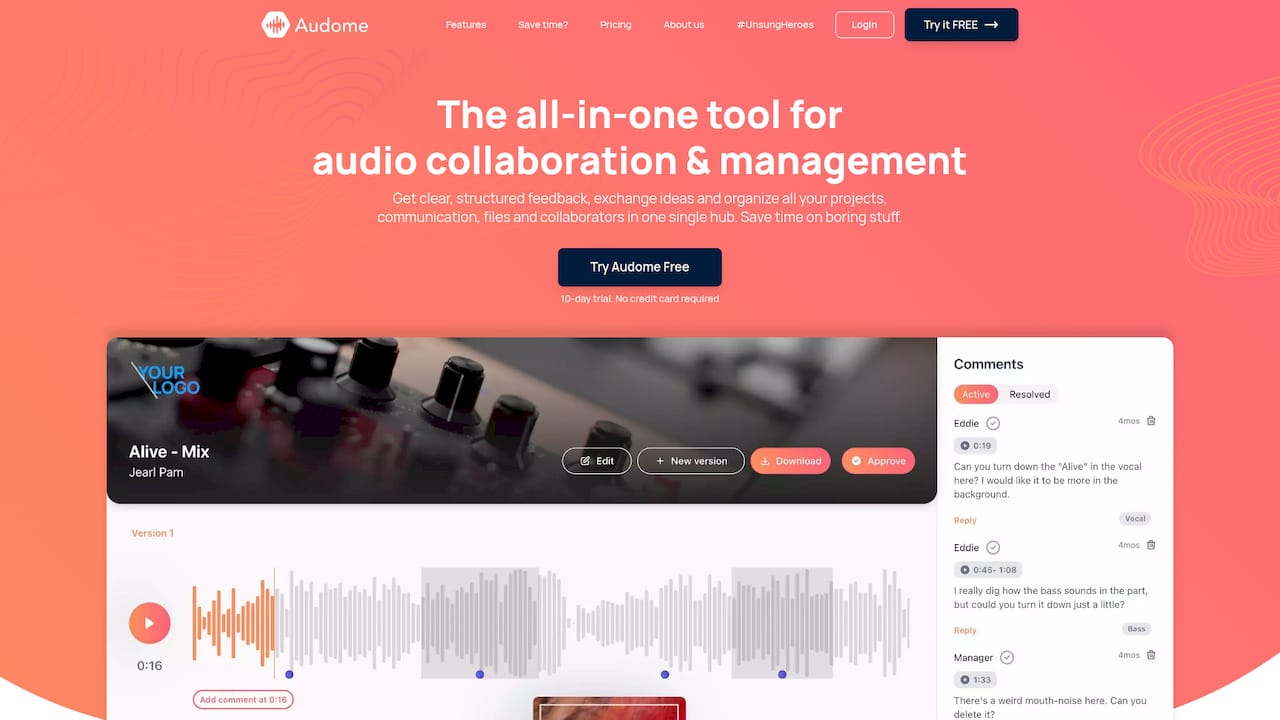
Audome was built specifically for audio professionals. It handles file sharing and version control in one place, supports lossless audio up to 96kHz/24-bit, and gives your clients and collaborators a clean space to leave timestamped feedback without needing to create an account. No compression. No confusion. No “which version did you listen to?” Unlimited file uploads, password-protected sharing, and private collaborator spaces mean your assets stay yours. If you are serious about your producer client workflow, Audome is worth a serious look.
FAQ
What is producer file management?
Producer file management is the practice of organizing, naming, versioning, and backing up audio project files to prevent lost assets and version confusion. It covers folder structures, naming conventions, and backup strategies for DAW sessions and deliverables.
How should i name audio files to avoid version confusion?
Use incremental version numbers like v01, v02, v03 and include initials and a full date for collaborative projects, for example TrackName_v04_JR_20260610.wav. Never use “final” or similar ambiguous terms in filenames.
What is the best backup strategy for audio producers?
Maintain at least two backups: one local external drive updated after every session and one offsite backup using cloud storage or a second physical location. Offsite backups protect against hardware failure and physical disasters.
How do i manage files when collaborating with multiple producers?
Agree on a shared folder structure, a naming format, and a designated session owner before the project starts. Use filenames that include initials and dates so every contributor knows who edited what and when.
Do i need special software for audio file management?
General cloud storage like Dropbox or Google Drive works for basic sharing but compresses audio and lacks audio-specific features. Platforms built for audio professionals, like Audome, support lossless file transfers, version control, and timestamped feedback in a single hub.