
Setting boundaries as a mastering engineer starts with one move: put your scope, delivery specs, and revision policy in writing before the project begins. That single habit stops most problems before they start. Here’s what to lock in from day one:
- Delivery format: 24-bit WAV or AIFF at native sample rate, no sample rate conversion
- Headroom: peaks no higher than a moderate level below 0 dBFS, typically recommended around -3 to -6 dBFS, with no limiter on the master bus (iZotope recommends this standard)
- True peaks: below -1 dBTP to meet streaming normalization targets (LUFS compliance)
- Revisions included: state the number (e.g., one round) and the fee for additional rounds
- Response window: you reply within 48 business hours; weekend messages get answered Monday
- Payment milestone: 50% deposit before work begins, balance due on first delivery
Pro Tip: Keep this list as a saved email template. Paste it into every new client message. Clients who read it before sending files cause far fewer problems than clients who find out the rules after.
Key Takeaways
Setting boundaries as a mastering engineer requires written scope, clear delivery specs, a contracted revision policy, and a platform that enforces those terms so you’re not doing it manually on every project.
| Point | Details |
|---|---|
| Written scope before you start | Define deliverables, revision rounds, and payment milestones in writing before any work begins. |
| Delivery specs prevent rework | Require a moderate amount of headroom below 0 dBFS, usually around three to six decibels headroom, no limiter, and 24-bit files; send the spec on the first email. |
| One revision round is standard | Include one round, charge for additional rounds, and invoice before delivering the revised file. |
| Response windows set expectations | Reply within 48 business hours Monday–Friday; consistent timing trains clients faster than any written policy. |
| Audome enforces the policy | Audome tracks versions, captures timestamped feedback, and bills for extra revisions via Stripe Connect automatically. |
Table of Contents
- 1. Why clear boundaries make better masters and protect relationships
- 2. Exact delivery specs that remove scope questions before they start
- 3. How to set terms up front: scope, pricing, revisions, and IP
- 4. How to give and solicit feedback that leads to useful revisions
- 5. Practical DOs and DON’Ts when working with a mastering engineer
- 6. Step-by-step process to handle disagreement over a master professionally
- 7. Tools, templates, and a workflow that enforce your boundaries
- 8. Run this checklist before you press send on every master
- 9. What repeat clients always get right
- Audome makes your revision and payment policies self-enforcing
- Sources
- FAQ
1. Why clear boundaries make better masters and protect relationships
Boundaries raise audio quality and reduce revision churn. That’s the practical case, not the philosophical one.
When a client sends a mix with a limiter already slamming the master bus, there’s only so much a mastering engineer can do. The dynamic range is gone. No amount of skill recovers it. A clear delivery spec sent before the session prevents that scenario entirely, which means the master sounds better and the engineer doesn’t spend two rounds explaining why the low end sounds crushed.
Scope clarity also protects the relationship itself. When a client doesn’t know what’s included, they assume everything is. That assumption leads to the fourth “quick revision” request, the 11 PM text, and the awkward conversation about whether you’re charging for this one. None of that happens when the terms are written down and agreed to upfront.
The mental load argument is real too. Production Expert notes that consistent reply habits, like not responding to weekend messages until Monday, signal professionalism and reduce burnout without costing you work. Clients adapt faster than most engineers expect. Within two or three projects, they stop texting at 10 PM because they know it won’t get answered until Monday morning.
Pro Tip: Set your email signature to include your response window (“I reply within 48 business hours, Monday–Friday”). Clients read it once and internalize it without you ever having to say it out loud.
2. Exact delivery specs that remove scope questions before they start
Give clients a short, specific paragraph they can follow without asking follow-up questions. Here’s the standard:
Preferred delivery specs:
Export your mix as a 24-bit or 32-bit float WAV or AIFF file at its native sample rate (44.1 kHz, 48 kHz, 88.2 kHz, or 96 kHz). Do not convert the sample rate. Leave a moderate amount of headroom below 0 dBFS, usually around three to six decibels of headroom on the stereo bus. Remove all limiters, clippers, and maximizers from the master bus before export. True peaks should sit below -1 dBTP. If you’re sending an alternate limited version for reference, label it clearly (e.g., “SongTitle_MIX_LIMITED_REF”).
File prep checklist (copy this into your intake form):
- Native sample rate, no conversion
- 24-bit minimum (32-bit float preferred for mix sessions)
- No limiter, clipper, or maximizer on the master bus
- Peaks between -3 dBFS and -6 dBFS
- True peaks below -1 dBTP
- Stereo interleaved file unless stems are requested
- File named: ArtistName_SongTitle_MIX_v1
- Include a reference track if you have one (commercial release, same genre)
Trackbloom’s mix-for-mastering guide points out that a saved checklist and standard delivery template can save significant time per project and removes common failure points like wrong sample rates, limiters left on, and bad file names.
When to send stems vs. stereo: Send a stereo mix unless you’ve agreed on stem mastering in advance. Stems cost more and take longer. If a client asks for stem mastering after the project starts, that’s a scope change and should be priced accordingly. Label any alternate versions immediately: “v1_STEMS_DRUMS,” “v1_STEMS_BASS,” and so on.
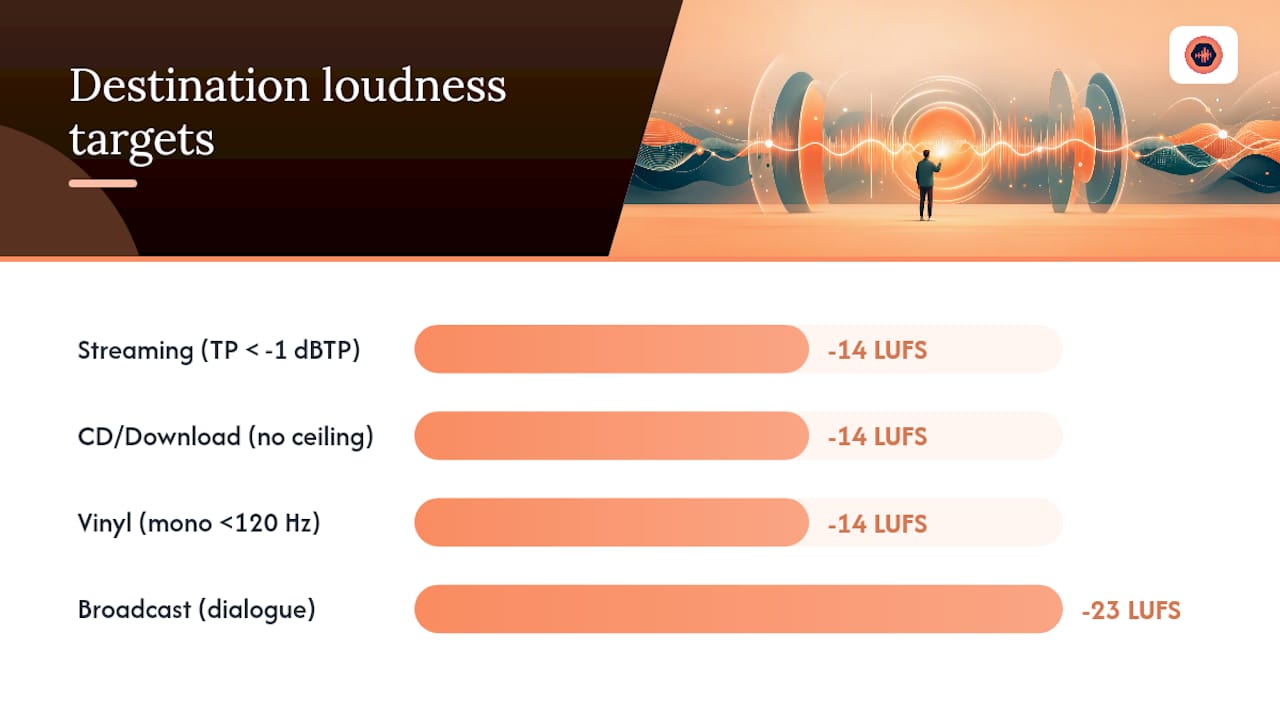
Destination format matters. Discussing the destination format (streaming, vinyl, CD, cassette) before mastering begins affects every technical decision. A master for Spotify optimized to -14 LUFS integrated sounds different from a vinyl cut optimized for groove depth. Ask before you start, not after.
| Destination | Target Loudness | Key Consideration |
|---|---|---|
| Streaming (Spotify, Apple Music) | -14 LUFS integrated | True peak below -1 dBTP |
| CD / Download | -14 LUFS integrated | No hard ceiling required |
| Vinyl | -14 LUFS integrated | Low-end mono below 120 Hz |
| Broadcast (TV, film) | -23 LUFS | Dialogue-anchored loudness |
Pro Tip: Send your delivery spec as a PDF attachment on the first client email. A PDF feels more official than a paragraph in a message body. Clients treat it like a contract even when it isn’t one.
3. How to set terms up front: scope, pricing, revisions, and IP
Define scope, deliverables, revision rounds, and payment milestones before you start. This is the single most protective thing you can do for your time and income.
What your agreement should cover:
- Scope of work (stereo mastering, stem mastering, DDP delivery, vinyl prep)
- Number of included revision rounds (one is standard; two is generous)
- Turnaround window (e.g., 5 business days for first delivery)
- Additional revision fee (e.g., $35–$75 per additional round depending on scope)
- Ownership and licensing (you retain the master recording until paid in full)
- Final delivery formats (WAV, MP3, DDP, vinyl lacquer files)
Sample contract language you can copy:
This agreement covers stereo mastering of [X] songs. One round of revisions is included per song. Additional revision rounds are billed at [$X] per round, invoiced before delivery of the revised file."
2. “The mastering engineer retains ownership of all master recordings until final payment is received in full. Upon receipt of final payment, the client receives an exclusive license to use the masters for the agreed release.”
3. “Turnaround for first delivery is [X] business days from receipt of approved mix files meeting the delivery specifications. Files not meeting spec will be returned for correction before work begins.”
4. *“A 50% non-refundable deposit is required before work begins. The remaining balance is due upon delivery of the first master.”
Pricing approaches vary by market and experience level, but the structure matters more than the number. A flat per-song fee with one included revision is the cleanest model for most freelance mastering engineers. Hourly rates work for stem mastering or unusually complex projects.
Trackbloom’s revision policy guide makes a strong case for treating every formal delivery version (v1, v2) as a discrete revision milestone and invoicing immediately when included rounds are consumed. That habit alone closes the “undefined revision” loop that bleeds time from most mastering projects.
For a deeper look at revision limits and how to structure them, this Audome breakdown on revision policies covers practical contract language and what the industry standard actually looks like.
Pro Tip: Add a line to your invoice: “Additional revisions beyond those included in this agreement will be billed at [$X] per round, invoiced before delivery.” Clients who see it on the invoice remember it the next time they ask for “just one more small change.”
4. How to give and solicit feedback that leads to useful revisions
Use references, short precise descriptions, and timestamped notes. Avoid technical over-specification that boxes in the engineer’s judgment.
Mastering engineer Piper Payne puts it directly: overly granular instructions can constrain an engineer’s expertise. The best feedback describes a feeling or a result, not a processing chain.
Phrases that work:
- “The low end feels a little loose compared to this reference — [track name, timestamp]”
- “The vocal sits slightly behind the mix on the chorus; I’d like it to feel more present”
- “The overall energy feels a bit flat compared to [reference artist]”
Phrases that create problems:
- “Boost 3 kHz by exactly 2.5 dB and add 0.3 ms of pre-delay to the reverb”
- “Make it sound like [reference] but louder and with more bass and brighter highs” (three conflicting goals)
- “I’ll know it when I hear it” (no reference, no direction)
Subjective notes like “I want the vocal more up” are actually useful. They describe a goal. Technical notes like “boost 3–6 kHz by 1.5 dB” are only useful if the client is also a mastering engineer. Otherwise, they’re guesses that may conflict with what the mix actually needs.
Timing and availability rules:
- Collect all feedback in one batch before requesting a revision. Fragmented notes (“oh, and one more thing”) are the fastest way to burn through revision rounds.
- Set a response window for feedback: “Please send all notes within 5 business days of receiving the master.”
- Schedule a call only when written feedback isn’t resolving the issue. A 15-minute call beats three rounds of email for complex problems.
For a practical system to collect consolidated feedback, the Audome feedback collection workflow covers timestamped notes and how to structure the review process so clients give you everything at once.
Pro Tip: Ask clients to send feedback as a numbered list. “1. Low end, 2. Vocal level, 3. Overall brightness.” Numbered lists prevent the “one more thing” spiral and make it easy to confirm you’ve addressed every point.
5. Practical DOs and DON’Ts when working with a mastering engineer
Follow these DOs and avoid these DON’Ts. The difference between a smooth project and a difficult one usually comes down to a handful of behaviors.
DOs:
- Prepare your mix with proper headroom. Peaks between -3 dBFS and -6 dBFS give the mastering engineer room to work.
- Send a reference track. One commercial release in the same genre tells the engineer more than three paragraphs of description.
- Label every alternate version clearly. “SongTitle_MIX_v2_NODRUMS” is unambiguous. “Final_FINAL_v3_USE THIS” is not.
- Confirm who has final sign-off authority. On label projects, that’s often not the artist. Know before you start.
- Keep all feedback in one thread. Email, Audome project notes, or a shared doc — pick one and stick to it.
DON’Ts:
- Don’t micromanage the processing chain. Telling an engineer to use a specific compressor model or EQ curve removes their ability to use their best judgment on your material.
- Don’t send multiple conflicting references without context. Three references that pull in different directions (“I want the warmth of this, the brightness of that, and the punch of this other one”) create an impossible brief.
- Don’t expect instant replies on weekends. A mastering engineer who sets business hours is a professional, not someone who doesn’t care about your project.
- Don’t send a new mix version after mastering has started without flagging it as a scope change. A new mix means new mastering work, which means a new invoice.
- Don’t approve a master and then request changes after the fact. Final approval ends the revision cycle.
A home studio feedback playbook from Audome covers the client side of this dynamic in more detail, including how to structure the review process so sign-off actually means something.
6. Step-by-step process to handle disagreement over a master professionally
When a client pushes back on a master, follow a three-step flow: review, re-specify, mediate. Escalate only if those three steps fail.
-
Review the issue objectively. Pull up the master, the reference, and the client’s notes side by side. Is the complaint technically valid? Is it a matter of taste? Can it be addressed within the existing scope? Answer those three questions before responding.
-
Re-specify with evidence. If the request is technically achievable, offer one clear corrective path. “I can bring the low end down 1–2 dB below 80 Hz, which should tighten the kick without affecting the warmth you mentioned. That’s within the included revision.” If it isn’t achievable, say so plainly and explain why.
-
Mediate or escalate. If the client and engineer genuinely can’t agree, bring in a neutral third party — the producer, the label A&R, or a trusted colleague — for a final listen. Document the outcome in writing.
When the request is technically impossible:
Gearspace forum contributors consistently recommend framing impossible requests as technical limitations rather than personal refusals. Honesty delivered calmly almost always preserves the relationship.
Sample language: “What you’re describing would require more dynamic range than the mix currently has. The limiter on the master bus compressed that range before the files reached me. The best path forward is a remix with the limiter removed — I can re-master from that. Alternatively, I can offer [specific alternative] within the current files.”
Useful conflict-resolution habits:
- Document every decision in writing, even if the conversation happened on a call. A quick follow-up email (“Just confirming we agreed to X”) creates a paper trail.
- Frame every refusal as a technical constraint, not a preference. “The physics of this don’t allow it” lands differently than “I don’t want to do that.”
- Offer one alternative for every “no.” A refusal with no path forward feels like a dead end. A refusal with an option feels like problem-solving.
Pro Tip: Keep a short “impossible requests” document where you log the request, the technical reason it can’t be done, and the alternative you offered. After a few projects, you’ll have a ready-made response for the most common ones.
7. Tools, templates, and a workflow that enforce your boundaries
Templates and a collaboration platform make boundaries easy to enforce because they remove the emotional negotiation. The policy is just… the policy.
A lightweight workflow that works:
- Client fills out an intake form (genre, destination format, deadline, sign-off authority, reference tracks)
- You send the delivery spec template (copy from Section 2 above)
- Client delivers files; you confirm they meet spec before starting
- You deliver v1 with a note: “One revision round is included. Please send consolidated feedback within 5 business days.”
- Client sends feedback; you deliver v2
- If further revisions are requested, you invoice for the additional round before delivering v3
Sample intake email template:
Sample revision policy (paste into your contract or project notes):
Audome supports this workflow directly. The platform captures timestamped feedback directly on the waveform, tracks version history, and uses Stripe Connect to bill clients for additional revisions automatically. That means the revision policy in your contract becomes self-enforcing: when the included rounds are consumed, the system charges the client before the next file is released.

Pro Tip: Run one project through this workflow from intake to final delivery before rolling it out to all clients. One test project reveals the gaps in your template faster than any amount of planning.
8. Run this checklist before you press send on every master
Run these checks every time before sending a master. A missed item here is the most common cause of rework.
Pre-send checklist:
- [ ] File format: WAV or AIFF, 24-bit minimum
- [ ] Sample rate matches the agreed destination (44.1 kHz for CD/streaming, 48 kHz for video/broadcast)
- [ ] Headroom confirmed: peaks between -3 dBFS and -6 dBFS on the delivered mix (verify the client’s file before mastering)
- [ ] Dither applied if converting from 32-bit float or 24-bit to 16-bit for CD; no dither if delivering 24-bit
- [ ] Alternate limited version labeled clearly if included (e.g., “SongTitle_MASTER_LIMITED_REF”)
- [ ] File naming convention followed: ArtistName_SongTitle_MASTER_v1
- [ ] Contact person confirmed (who receives the file, who approves it)
- [ ] Sign-off authority confirmed (artist, label, producer)
- [ ] Deadline and release format documented in the project notes
- [ ] Invoice sent or scheduled if this delivery triggers a payment milestone
Trackbloom’s mix-for-mastering checklist reinforces that a repeatable pre-send routine removes the most common failure points and saves meaningful time per project. Run it before every delivery, not just the first one.
9. What repeat clients always get right
The clients who come back project after project share a handful of consistent habits. They send mixes that meet spec without being reminded. They provide one clear reference track and a short note about what they like about it. They consolidate their feedback into a single message. They pay on time. And when they have a question, they ask it once, clearly, and wait for the answer.
Those behaviors aren’t accidental. They’re the result of a mastering engineer who set clear expectations from the first project and held them consistently. The clients who cause the most friction are almost always the ones who were never told the rules.
There’s also something worth noting about sign-off authority. The clients who move fastest are the ones who know, from the first email, who has the final say. On independent releases, that’s usually the artist. On label projects, it might be an A&R rep or a manager. When that’s unclear, masters get approved and then un-approved, which is the fastest way to burn through revision rounds and goodwill simultaneously.
Discussing expectations and genre before mastering begins reduces downstream surprises about fidelity and delivery. The engineers who build the best long-term client relationships aren’t necessarily the most technically gifted. They’re the ones who communicate clearly, hold their policies consistently, and make the process feel easy for the client.
Audome makes your revision and payment policies self-enforcing
Most mastering engineers write a solid revision policy and then spend half their time enforcing it manually — chasing payment, tracking which version the client approved, and fielding “just one more” requests that technically fall outside the agreement.

Audome solves that operationally. Upload your master, share a password-protected project page with your client, and let them leave timestamped feedback directly on the waveform. No email threads, no scattered voice notes, no “I sent it in a DM.” When the included revision rounds are consumed, Audome’s Stripe Connect integration charges the client automatically before the next file is released. Final downloads stay locked until payment clears.
The result: your contract language becomes a workflow, not a conversation you have to repeat. Set up a single project on Audome to test it. One project is enough to see how much time you recover when the platform enforces the policy instead of you.
Sources
Further reading that backs the recommendations in this article:
- Working With a Mastering Engineer: Tips from the Pros
- How To Set Client Boundaries Without Losing The Gig | Production Expert
- Professional Mastering Process—Macro Considerations
- How to gently tell a client that what he is asking for is impossible… – Gearspace
- Mix for mastering — Trackbloom blog
FAQ
What should a mastering engineer include in a client contract?
Will AI replace mastering engineers?
AI mastering tools handle loudness normalization and basic tonal balance, but they can’t interpret a client brief, navigate genre-specific expectations, or make the judgment calls that come from listening to thousands of records. Human mastering engineers remain the standard for releases where the sonic result matters.
What makes a good mastering engineer?
A good mastering engineer combines technical skill with clear communication: they set delivery specs upfront, ask about destination format and references before starting, and hold their revision policy consistently. The engineers with the best long-term client relationships are as good at managing expectations as they are at managing EQ.
How much does a mastering engineer make?
Freelance mastering engineers in the United States typically charge per song, with rates varying widely based on experience, reputation, and service type. Stem mastering commands a premium above stereo rates. Annual income depends heavily on volume, client mix, and whether the engineer also offers mixing or other services.
How do you handle a client who keeps requesting revisions beyond the agreed limit?
Invoice for the additional round before delivering the revised file, and reference the contract language you agreed to at the start. A platform like Audome can automate this by requiring payment before the next file is released, which removes the awkward conversation entirely.