
TL;DR:
- A feedback collection workflow is a structured, automated process that ensures feedback is gathered, analyzed, acted upon, and communicated back to build trust. Most projects fail by neglecting the crucial closing step, which maintains engagement and improves retention over time. Limiting channels, automating intake, and providing clear follow-up are key to an effective feedback system.
A feedback collection workflow is a structured, automated process that turns scattered notes, voice messages, and email threads into real improvements through a closed-loop system. Most audio projects and podcast teams collect feedback just fine. The problem is what happens after. Notes pile up in inboxes, Slack threads go cold, and six weeks later you’re still mixing to the same vague comment someone left in a Google Doc. The fix isn’t more feedback. It’s a system that actually closes the loop. Tools like Koji, n8n, and Podgagement have made this possible without needing a dev team to build it.
What does a feedback collection workflow actually look like?
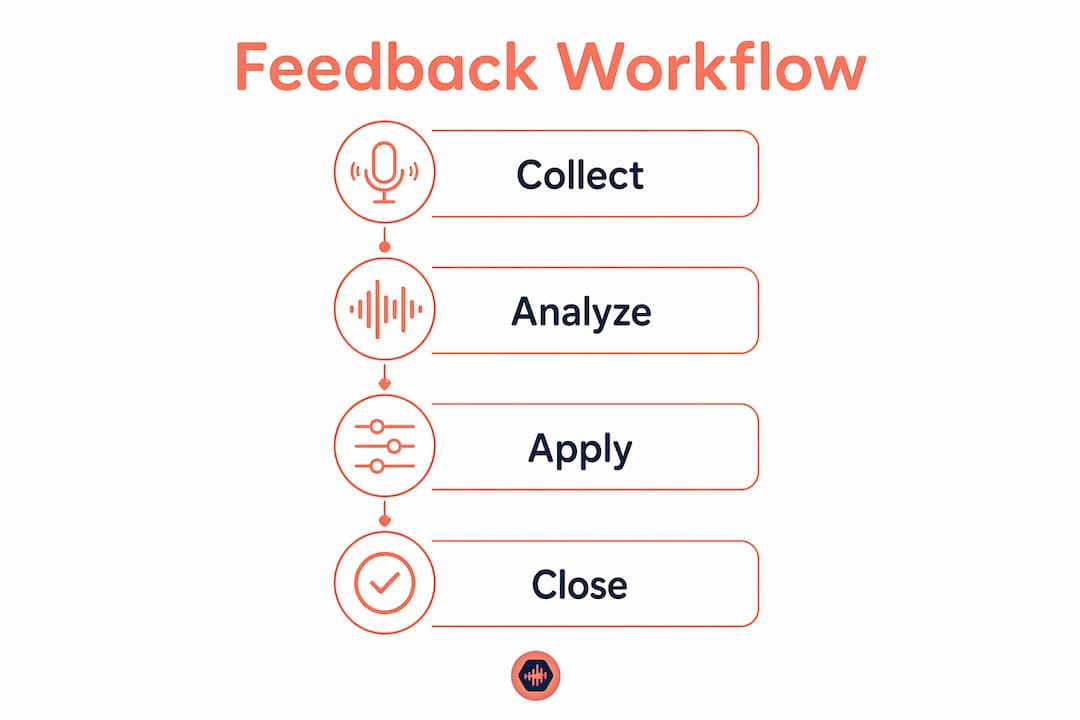
A feedback collection workflow runs on four stages: collect, analyze, apply, and close. That last one is where almost everyone drops the ball. Teams that stop before closing the loop do not improve retention or collaboration effectively. Think of it like a phone call where you give someone directions and then hang up before they confirm they heard you. The loop never closed.

For audio professionals, this matters more than most people realize. You’re dealing with clients who don’t speak the same technical language you do, collaborators spread across time zones, and podcast listeners who have opinions but won’t share them unless you make it dead simple. A system that collects feedback without routing it to the right person, at the right time, with a deadline attached… is just a fancier inbox.
The four stages work like this. Collect means pulling in feedback from surveys, emails, voice messages, and social comments into one place. Analyze means sorting that feedback by type and urgency. Apply means someone actually does something about it. Close means you tell the person who gave the feedback what changed. That last step is the one that builds trust and keeps people coming back with more input.
How do you design an efficient feedback collection workflow for audio projects?
Designing a workflow that doesn’t fall apart after week two comes down to five decisions made upfront.
-
Limit your input channels to two or three. More than that and you’re chasing feedback across platforms instead of acting on it. Pick a survey tool, a voice message option like SpeakPipe or Podgagement, and one direct channel like email or a shared project space.
-
Automate intake with webhooks or APIs. Automating feedback intake with webhook triggers and AI categorization enables real-time sorting and routing. Tools like n8n connect your survey responses, support tickets, and social mentions directly into Slack, Notion, or Google Sheets without manual copy-paste. This is the part most people skip, and it’s why their system collapses.
-
Use AI categorization to sort by type. Bugs, feature requests, praise, and urgent issues all need different responses. Routing a “the mix sounds muddy” comment to the same queue as “the file won’t download” wastes everyone’s time. Set up categories upfront and let automation handle the sorting.
-
Attach SLA-style escalation timers. SLA escalation timers on feedback tickets with alerts at 50%, 80%, and 100% of a deadline prevent bottlenecks. If a client comment sits unaddressed for 72 hours, someone should get a notification. Not a guilt trip. A trigger.
-
Build in a follow-up step. The pipeline n8n models runs five stages: collect, categorize, route, act, and follow up. That follow-up step is not optional. It’s the difference between a system and a graveyard of good intentions.
Pro Tip: Run your workflow for one full week before locking in your categories. Real feedback rarely fits the buckets you imagined. Refine after you see what actually comes in.
What are best practices for collecting meaningful feedback from listeners and collaborators?
Getting feedback that’s actually useful requires a little strategy on the front end. Here’s what works.
-
Keep surveys short. Post-episode surveys with six questions or fewer timed within 48 to 72 hours after release increase response and engagement. People will fill out a short form right after listening. They will not fill out a 20-question survey three days later.
-
Centralize everything. Centralizing listener reviews, ratings, voicemails, and chart tracking on a single dashboard reduces manual tracking effort dramatically. Podgagement does this specifically for podcast teams. Audome does it for music and audio production projects.
-
Use personalized CTAs with incentives. Personalized CTAs with incentives like shoutouts or giveaways increase feedback response rates. A shoutout costs you nothing. It makes someone feel seen. That’s the whole game.
-
Deploy voice message tools. SpeakPipe and Podgagement let listeners leave actual audio feedback. This is richer than a star rating and gives you material you can use on air or in revisions. People say things in voice messages they’d never type.
-
Extend feedback requests beyond the episode. Show notes, newsletters, and social posts all work. Don’t rely on a single in-episode CTA. Prompting feedback within 48 to 72 hours after release captures momentum before it fades.
-
Plan surveys with clear objectives. Surveys planned with defined objectives, target audience, and tested skip logic produce more reliable data. Incorrect branching creates inconsistent experiences and kills data quality.
Pro Tip: Single, clear CTAs outperform multiple asks every time. “Leave a voice message here” beats “rate us, review us, DM us, and fill out our survey.” Pick one per episode and rotate.
How to analyze and act on feedback to improve your audio projects
Raw feedback is noise until you process it. Here’s how to turn it into something your team can actually use.
-
Run thematic analysis with AI assistance. Manually reading 200 survey responses to find patterns is a waste of your time. AI tools can cluster feedback by theme, surface root causes, and flag urgent items in minutes. This is not a luxury. It’s how you stay sane at scale.
-
Map insights to owners. Routing feedback to decision-makers who can act is the difference between a feedback system and a suggestion box. Every insight needs a name attached to it and a deadline.
-
Integrate findings into your project roadmap. Feedback that doesn’t connect to a trackable task disappears. If a client says the low end is too heavy on every mix, that’s a workflow note, not just a comment. Put it somewhere your team will see it.
-
Run recurring insights review meetings. Without a standing meeting to review what came in, nothing ships. Weekly or biweekly is fine. The point is consistency.
Here’s a quick comparison of what happens with and without a structured analysis process:
| Without structure | With structure |
|---|---|
| Feedback sits in inboxes | Feedback routes to owners automatically |
| Patterns go unnoticed | AI surfaces themes within hours |
| No one knows what changed | Changelog communicates updates to clients |
| Clients feel ignored | Clients stay engaged and give better feedback |
Closing the loop by communicating what changed based on received feedback profoundly strengthens relationships and supports retention. Tell people what you did with their input. Even a short message. It changes everything.
What common pitfalls kill feedback workflows in audio projects?
These are the mistakes I see over and over. Most of them are fixable in an afternoon.
-
Stopping at collection. Collecting feedback and doing nothing with it is worse than not collecting it. It signals to collaborators and clients that their input doesn’t matter. Automating only collection without consistent action severely limits pipeline effectiveness.
-
Survey fatigue. Asking for feedback after every single session, episode, or file share trains people to ignore your requests. Space them out. Make them count.
-
Delaying action. Feedback that sits for two weeks loses context. The person who gave it has moved on. Use SLA triggers to force timely responses before the window closes.
-
Inconsistent data formats. Free-text inputs are a mess to sort at scale. Structured JSON payloads for feedback ingestion enable reliable classification and routing. A payload that includes category, message, timestamp, and URL is infinitely easier to process than “hey the thing sounded weird.”
-
Locking in categories too early. Your first guess at how to sort feedback is probably wrong. Give it a week of real data, then refine.
The most common reason feedback workflows fail is not a technology problem. It’s a follow-through problem. The system works fine. People just stop using it when it gets uncomfortable to act on what they hear.
Key takeaways
A feedback collection workflow only works when all four stages, collect, analyze, apply, and close, run together as a connected system.
| Point | Details |
|---|---|
| Close the loop every time | Tell feedback sources what changed or the system loses credibility fast. |
| Automate intake and routing | Use webhooks and AI categorization to sort feedback without manual effort. |
| Limit channels to two or three | More channels means more chaos, not more data. |
| Keep surveys under six questions | Short, timed surveys within 48 to 72 hours get the most honest responses. |
| Attach deadlines to every insight | Feedback without an owner and a deadline is just noise sitting in a folder. |
Why most feedback systems fail before they even start
Here’s my honest take after years of watching audio projects go sideways over feedback… the problem is never the tools. It’s the assumption that collecting feedback is the hard part. It’s not. Acting on it is.
I’ve been in sessions where a client leaves 40 timestamped comments on a mix and the engineer reads maybe 10 of them. Not because they’re lazy. Because there was no system to prioritize which ones actually mattered. Everything felt equally urgent, so nothing got done. That’s a routing problem, not a talent problem.
The teams I’ve seen do this well all share one habit. They treat feedback like a ticket, not a conversation. It comes in, it gets categorized, it gets assigned, it gets resolved, and the person who gave it hears back. That’s it. No magic. Just structure.
Automation changed things for me personally. Once I stopped manually sorting comments and let tools like n8n handle the intake, I had more time to actually fix the things clients flagged. The feedback loop got tighter. Clients noticed. Retention went up.
The one thing I’d tell any audio pro or podcast PM starting this process: don’t build the perfect system on day one. Build the simplest one that closes the loop. You can refine it. You cannot recover from a system no one uses because it was too complicated to set up.
— Kreg
Audome makes this whole process a lot less painful
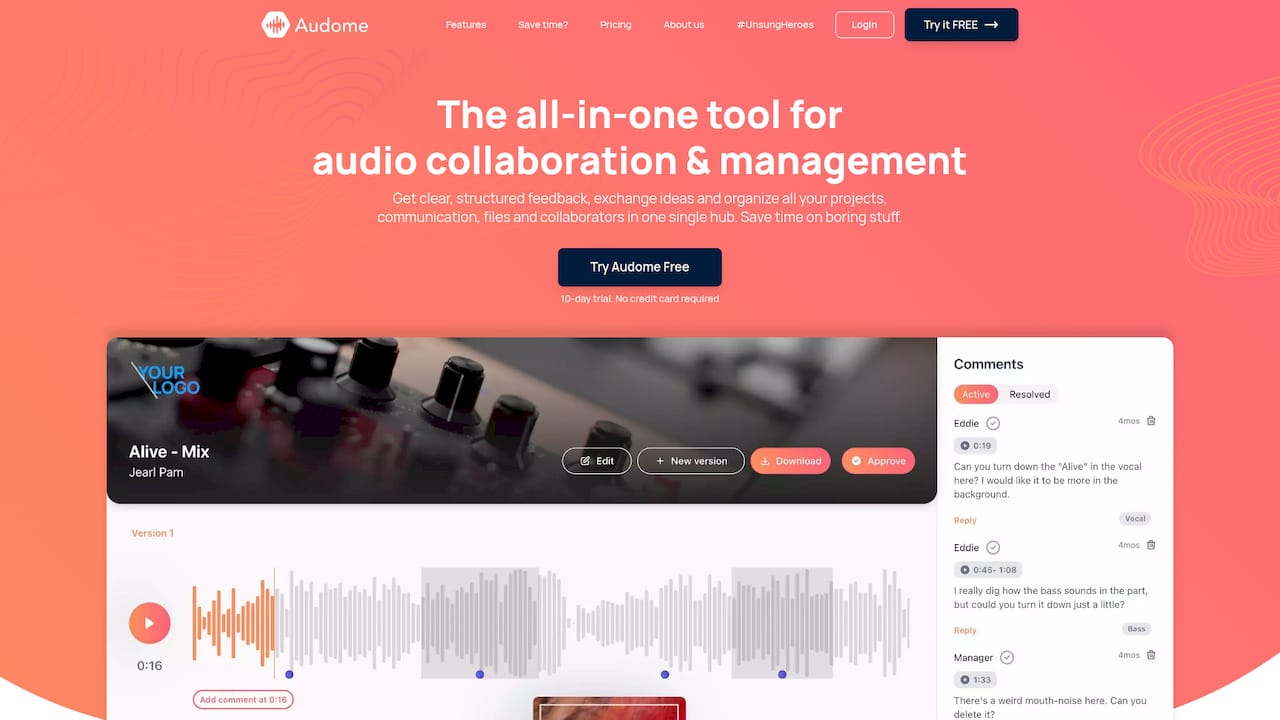
If you’re managing audio projects with feedback coming in from clients, collaborators, and listeners across multiple platforms, Audome was built for exactly that situation. It consolidates file sharing, timestamped comments, version control, and project management into one place so nothing gets lost between a Slack thread and an email chain. No client logins required. No compression on your files. Just a clean, audio-focused collaboration hub where feedback actually connects to the work it’s about. If you’re tired of chasing comments across five different apps, give Audome a look.
FAQ
What is a feedback collection workflow?
A feedback collection workflow is a structured system that gathers, sorts, routes, and acts on feedback through a closed loop. It includes four stages: collect, analyze, apply changes, and communicate outcomes back to the source.
How many feedback channels should I use for a podcast?
Limit your channels to two or three. Post-episode surveys, a voice message tool like SpeakPipe or Podgagement, and one direct contact option cover most use cases without creating tracking chaos.
How do I automate feedback intake for audio projects?
Use webhook triggers connected to your survey tool, email, or support system and route responses into Slack, Notion, or Google Sheets via a tool like n8n. AI categorization handles sorting so your team only sees what needs action.
Why does closing the feedback loop matter for retention?
Communicating what changed based on feedback builds trust with clients and listeners. Teams that skip this step see lower engagement over time because contributors feel their input disappears into a void.
How short should a post-episode podcast survey be?
Six questions or fewer, sent within 48 to 72 hours of release. Shorter surveys get higher completion rates and more honest answers than long forms sent days after the episode drops.