
A project intake workflow is a fixed sequence that gates studio work behind three things: a completed client checklist, a signed scope with defined revision limits, and a deposit, no file gets opened in a session until all three clear. That single rule, applied without exception, is what separates studios that bill on time from studios that chase feedback for six weeks. Audome exists largely to make that gate enforceable instead of aspirational.
TL;DR:
- A strict project intake process requires a completed client checklist, signed scope, and deposit before any session begins to prevent delays and misunderstandings.
- Clients must submit WAV files with clear naming, a rough mix, and reference tracks, along with a screenshot of their export to ensure correct and usable delivery.
- Revision limits should be explicitly defined in the contract, with clear quotas and payment rates for additional rounds to avoid open-ended revisions.
- Using centralized tools that support timestamped feedback, high-resolution uploads, and automatic payment gating significantly reduces revision and file management friction.
- Final project delivery must include comprehensive file notes, version identifiers, and prompt billing to encourage faster, more reliable payments and repeat business.
Table of Contents
- What Goes Into a Project Intake Checklist Before Work Starts?
- What File Formats and Naming Rules Prevent Bad Deliveries?
- How Do You Set Revision Limits That Actually Hold?
- Which Tools Actually Reduce Intake and Revision Friction?
- How Do You Close Out a Project Without Losing the Client?
- Kreg’s Take: Intake Is the Contract, Not a Formality
- Run Your Intake Through Audome Instead of Six Different Apps
- Sources
- FAQ
What Goes Into a Project Intake Checklist Before Work Starts?
Every stalled project traces back to something missing at the start, whether it is a rights question nobody asked or a rough mix that never showed up. Most project failures come down to poor initial materials and unclear acceptance criteria, which is exactly why auditing inputs before a session saves hours of troubleshooting later. The fix is a checklist, applied in order, every single time.
Inquiry stage. Before you quote anything, get answers to:
- Hard deadline (not “soon,” an actual date)
- Budget band (even a range prevents scope mismatches)
- Rights and usage (sync, broadcast, personal use, commercial release)
- One named point of contact, even for a five-person client team
Proposal and contract stage. This is where you lock the terms that protect your time:
- Written scope: exactly what you’re delivering (a stereo master, five stems, a podcast episode mix)
- Number of revision rounds included
- Deposit amount and due date
- Payment trigger for final delivery
Onboarding stage. Once the deposit clears, send the asset checklist: stems or session files, a rough mix, reference tracks, BPM and key for anything music related, and target sample rate and bit depth. A structured producer client workflow that runs inquiry through invoicing in that order cuts the back-and-forth that otherwise eats a week of calendar time.
Send this checklist as its own link, not buried in a quote email. A dedicated onboarding page or upload link gets opened and completed; an attachment inside a negotiation thread gets ignored until you chase it.
Before opening the session, run a two-minute audit: does the file count match what was promised, do file sizes look reasonable, and is anything suspiciously small (a sign of a corrupted export)? If something’s off, flag it before you touch a fader.
What File Formats and Naming Rules Prevent Bad Deliveries?
Vague file requests produce vague files. Give clients a one-page spec they can follow without a phone call, and paste it directly into your onboarding message.
- Format: WAV only, 24-bit, matched to your session sample rate whenever possible
- Consolidation: every track starts at bar 1, no floating clips or unexplained gaps
- Processing: dry (unprocessed) stems by default; if something is intentionally wet (a reverb baked into a vocal, for example), label it
- Naming: descriptive, not generic. “Kick,” “Snare_Top,” and “Lead_Vox” instead of “Track 1,” “Track 2,” “Audio 3”
- Rough mix: always required, even a phone-recorded rough bounce, because it shows creative intent
- References: one to three tracks with a note on what to borrow from each (low end, vocal tone, overall loudness)
A one-page stem delivery checklist covering these exact points has been shown to cut file submission errors significantly when studios hand it to clients up front instead of explaining it after a bad delivery.
Rough mixes are often the most revealing asset in the whole intake packet. They tell you where the client’s ear actually sits, which cuts down on revision rounds that exist only because you guessed wrong on balance.
Pro Tip: Ask for a screenshot of the client’s session or export window alongside the files. It takes them ten seconds and tells you immediately if they exported the wrong bus or forgot to bounce a track.
Once files land, verify before scheduling: count tracks against the stem list, scan for files under a few hundred kilobytes (often a sign of silence or a failed export), and give the client 48 hours to fix anything before the session date moves.
How Do You Set Revision Limits That Actually Hold?
Revision policy is a contract problem, not a personality problem. Vague language (“a few rounds of revisions”) is what lets a project run to round nine. Specific numbers, written down, are what stop it. A structured onboarding process that defines revision counts up front prevents most of the open-ended revision requests that erode margin on a per-project basis.
Use language close to this template and adjust the numbers to your rates:
- “This project includes two rounds of revisions.”
- “Additional rounds are billed at $75 per round, or $50 per hour for spot fixes.”
- “Revisions are typically required within a defined review window to close the project; after that window, the current version is considered final.”
Acceptance needs a mechanism, not an assumption. Pick one: a written sign-off email, an in-platform approval click, or an automatic acceptance clause after a stated review window (five business days is common). Without one of these, projects drift indefinitely and your final payment drifts with them.
Payments should map to milestones, not to trust:
- Deposit due before any session is booked
- Balance due before final, unwatermarked files are released
- Downloads gated automatically until payment clears, not manually chased
Change orders (a client asking for a genuinely new creative direction, not a fix) get documented separately, quoted as new scope, and scheduled outside the existing revision count. Treating a change order as a “quick revision” is how free work happens.
Which Tools Actually Reduce Intake and Revision Friction?
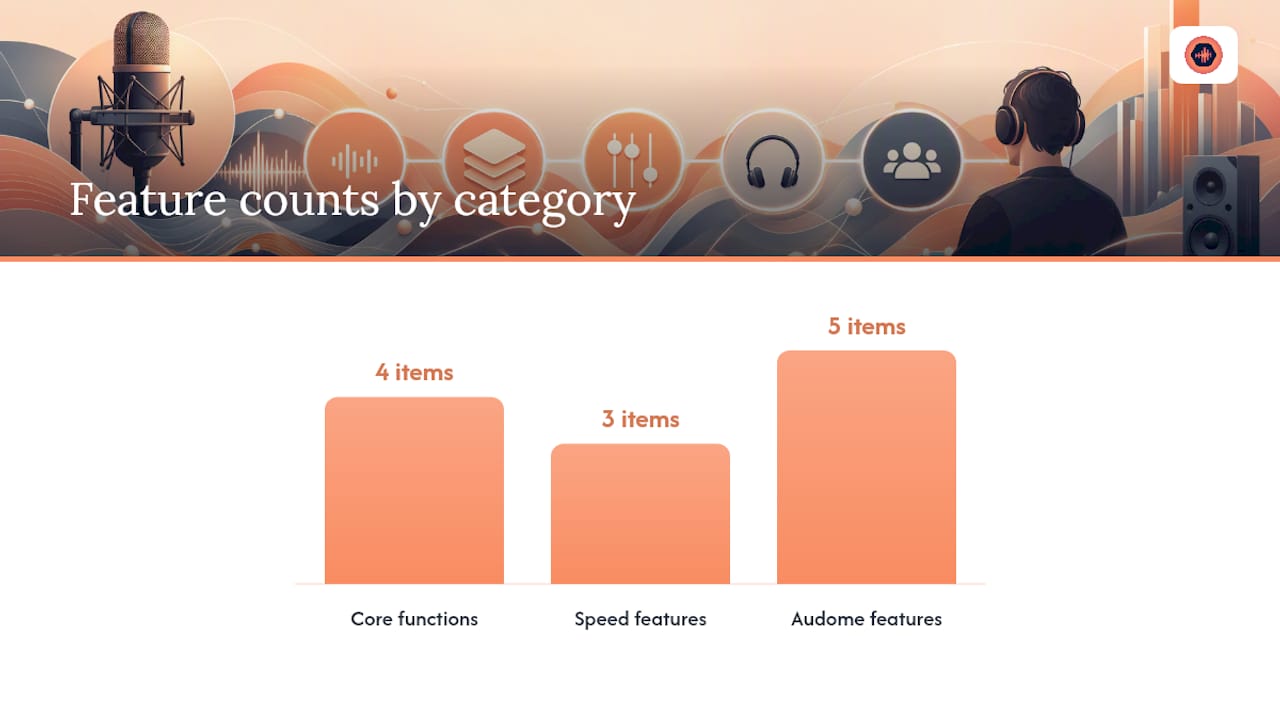
You need four things, and most studios cobble them together from four different apps: an intake form with an upload link, a centralized review space with timestamped notes, a way to map DAW versions to platform versions, and invoicing that gates downloads until paid. Audio project management built around these four functions, instead of general-purpose project software, is what actually holds up across a full client roster.
Generic file-sharing tools were never built for this. A Dropbox comment thread does not timestamp to the waveform, and an email chain does not track which version a client actually approved. Timestamped waveform feedback, lossless high-resolution uploads, and comment access without forcing a client to create an account are the three features that consistently speed up revision cycles, because the client is pointing at the exact second in question instead of describing it in prose.
Audome maps directly onto this four-part structure:
- Unlimited high-resolution uploads (up to 96kHz/24-bit) replace the WeTransfer link that expires in seven days
- Timestamped feedback on the waveform replaces “the drums feel off around the second verse” guesswork
- Version history keeps every mix revision in one traceable thread instead of scattered file names
- Stripe Connect payment gating locks final downloads until the balance clears
Consistent, centralized file organization with stem grouping and timestamped feedback produces measurable time savings over the scattered-tools approach, mostly because nobody spends twenty minutes hunting for “which Dropbox folder has the final vocal comp.” One integration habit worth adopting: name your DAW session versions (“Mix_v3_ClientNotes”) to match the version IDs inside your platform, so a client referencing “version 3” and you pulling up “Mix_v3” are always talking about the same file.
How Do You Close Out a Project Without Losing the Client?
The end of a project is where studios leave money on the table, either by delaying the invoice or by letting the client’s attention wander before the archive is even organized. Close it the same way every time.
Your final delivery message should include:
- Full file list with formats (WAV, MP3, stems if included)
- Version ID or number for the final approved mix
- Any export notes (loudness target hit, sample rate used, dither applied)
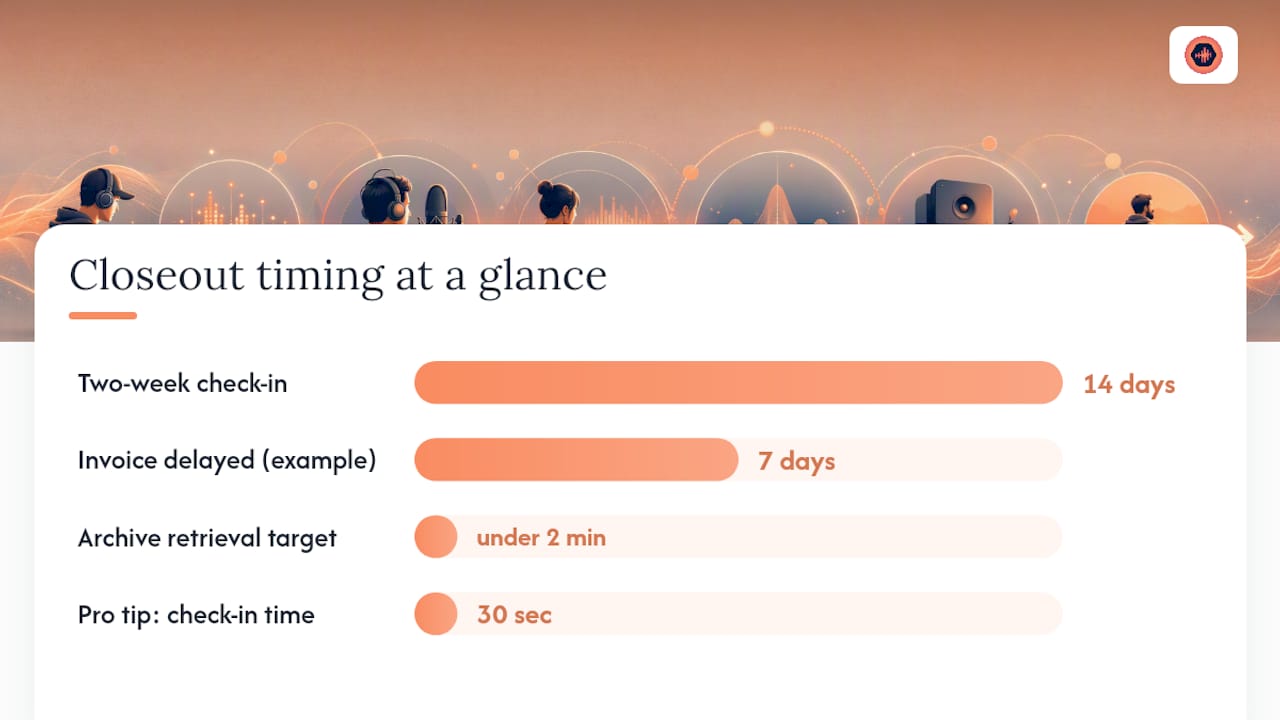
Send the invoice the moment final files are ready, not a week later when the client has moved on mentally. Gate the actual download until payment clears. Studios that invoice at delivery, rather than after a vague “let me know if this works,” get paid measurably faster because there’s no ambiguous window where the client thinks the ball is still in your court.
Archive with a naming convention you’ll actually remember in eight months: ClientName_ProjectName_FinalDate. Store it somewhere retrievable in under two minutes, because clients ask for old masters far more often than anyone expects.
Pro Tip: Send a two-week check-in: “How did the release land? Happy to help with anything else.” It costs you thirty seconds and it’s the single easiest way to generate repeat bookings without pitching anything.
Kreg’s Take: Intake Is the Contract, Not a Formality
Every studio I’ve watched struggle with revisions and slow payment had the same root problem: they treated intake as paperwork instead of as the actual contract governing the relationship. Treating intake as a gate, where no creative time gets billed until the checklist and deposit are both in hand, changes client behavior almost immediately. My rule: refuse to start until the checklist is verified, no exceptions, no “I’ll just get started while you finish the paperwork.” Pick one project this month and run the full gate on it before you touch a fader.
— Kreg
Run Your Intake Through Audome Instead of Six Different Apps
Audome gives you the single workspace this entire workflow assumes exists: one link for high-resolution uploads, one thread for timestamped waveform feedback, one version history instead of a folder full of “FINAL_v2_actualfinal” files, and Stripe Connect payment gating so final downloads never go out before the balance clears.

For a studio running this checklist manually, that means fewer revision rounds because feedback lands on the exact second in the mix instead of a vague email, cleaner acceptance because approvals live in one place instead of scattered texts, and faster final payment because the download simply doesn’t unlock until the invoice is paid. Start a trial on the Audome platform and run your next intake through it end to end, checklist, deposit, revisions, and delivery, in one workspace instead of five.
FAQ
What is a project intake workflow for audio studios?
It’s the sequence, inquiry, proposal, onboarding, production, invoicing, and offboarding, that gates a studio project behind complete files, a signed scope, and a deposit before any session opens.
How many revision rounds should a mix or master include?
Most studios include two rounds in the base price and bill extra rounds at a flat rate or hourly, written explicitly into the contract so nobody is guessing at round nine.
What file format should clients send for stems?
WAV files at 24-bit, consolidated from bar 1, with descriptive names like “Lead_Vox” instead of generic track numbers, plus a rough mix and one to three reference tracks.
When should I invoice for a finished project?
Immediately at delivery, with final downloads gated until the balance clears, which gets studios paid faster than invoicing after a delay.
Can Audome handle the revision limits and payment gating described here?
Yes. Audome lets studios cap included revisions, bill for extra rounds, and lock final downloads behind Stripe Connect payment, enforcing the same gates this workflow describes.