
TL;DR:
- Mix revision management is a systematic process that tracks client feedback, version control, and change logging across audio projects. Using timestamped waveform annotations and clear revision limits helps prevent scope creep, reduce confusion, and speed up project completion. Centralized tools like Audome streamline collaboration by consolidating feedback, version history, and file sharing in one platform.
Mix revision management is the structured method for tracking, implementing, and organizing changes across audio mixes in collaborative projects. If you’ve ever lost a client note in a text thread, delivered the wrong version, or found yourself on round seven of a “quick fix,” you already know the cost of doing this badly. Tools like MixMaster Pro, Plutio, and Audome exist specifically to solve this problem. The core idea is simple: every piece of feedback gets logged, every version gets named, and every round has a limit. Get that right, and your projects close faster, cleaner, and without the drama.
What is mix revision management and why does it break down?
Mix revision management is the organized process of handling client feedback, version control, and change tracking across one or more audio mixes. Most engineers don’t call it that. They call it “dealing with clients,” which tells you everything about how chaotic it usually gets.

The breakdown almost always starts the same way. A client sends feedback over three different channels: one note in an email, two in a text, and a voice memo that says “the vibe is off.” You make changes based on your best guess. They come back with more notes. You’re now on version 14 and nobody remembers what changed between v8 and v9.
Revision spirals usually stem from unclear expectations. That’s not a soft observation. It’s the single most common reason projects go sideways. The fix isn’t more patience. It’s a system.
Effective revision tracking in audio production borrows from document versioning software concepts used in software development and publishing. The difference is that audio has its own layer of complexity: you’re not just tracking text changes, you’re tracking emotional and sonic decisions that clients often can’t articulate clearly.
How do timestamped feedback tools transform your workflow?
The biggest upgrade you can make to your revision process is switching from freeform notes to timestamped feedback on waveforms. Instead of “the chorus feels muddy,” a client clicks at 1:32 and writes “muddy here.” That’s a fixable note. The vague one is a guessing game.
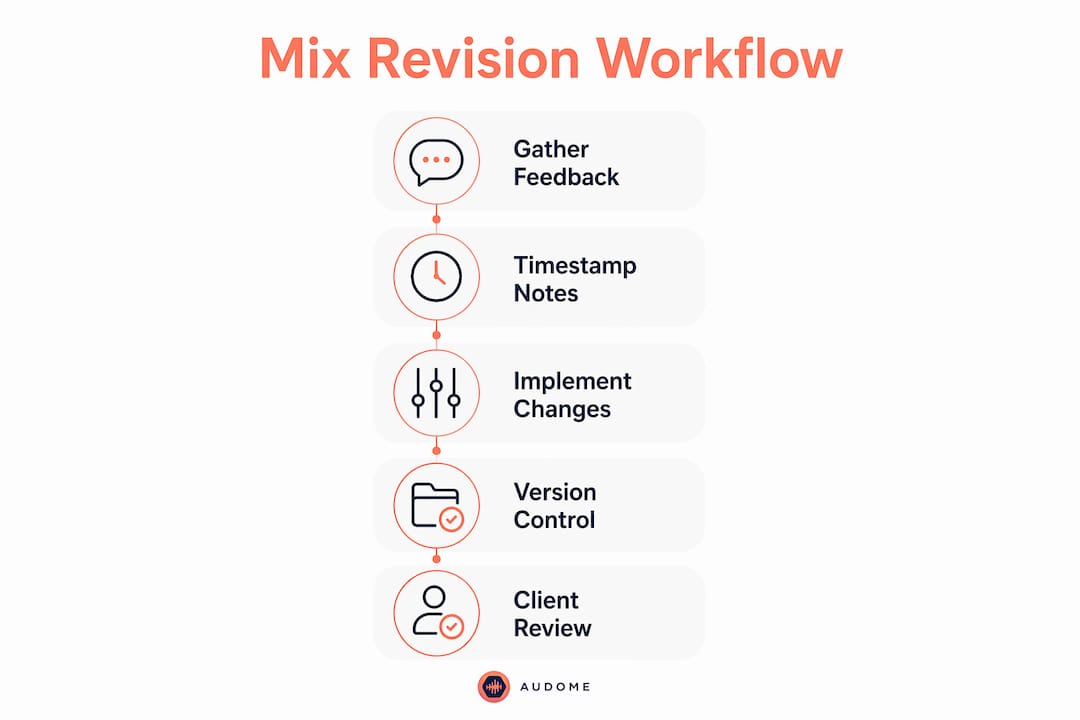
MixMaster Pro is built around this exact idea. Clients annotate directly on the track at specific positions, which eliminates the scattered email chaos that kills productivity. The platform also includes a feature called Maya, an AI mentor that interprets vague client feedback and translates it into actual mix adjustments. That’s genuinely useful when your client says something like “make it more expensive sounding.”
Here’s what timestamped tools actually fix in practice:
- Scattered notes become pinned comments. Every piece of feedback lives on the timeline, not in a thread somewhere.
- Guesswork drops to near zero. You know exactly where the problem is before you open the session.
- Turnaround gets faster. Focused fixes take less time than hunting for what the client meant.
- Version disputes disappear. The comment history shows what was requested and when.
Pro Tip: Pick one feedback channel and tell your client upfront that notes sent anywhere else won’t be actioned. Single-channel feedback is one of the most effective ways to prevent lost notes and miscommunication.
Audome takes this further by combining timestamped comments with version control and private collaborator spaces, all without requiring your client to create an account. That removes one of the biggest friction points in the whole process.
How do you stop scope creep before it starts?
Scope creep in audio projects is like a slow gas leak. You don’t notice it until something blows up. The client who “just needs one more tweak” on round six is not being malicious. They just never had a reason to stop.
Stating revision limits in plain language at project start controls expectations before they spiral. TrackBloom’s guidance on this is blunt and correct: set the number upfront, put it in writing, and don’t apologize for it. Here’s a practical policy structure you can use today:
- Define what counts as a revision. A revision is a change to an approved mix. A new creative direction is a new project.
- State how many rounds are included. Two rounds is standard for most mixing contracts. Three is generous.
- Require batched feedback. The client sends all notes at once, not one at a time over three days. Batching feedback forces intentional listening and cuts impulsive micro-changes.
- Price additional rounds clearly. “Round three and beyond is billed at $X per session” removes ambiguity and makes clients think before they send.
- Document every agreement. A short email confirmation after each round creates a paper trail that protects you.
Pro Tip: After your included rounds are done, use a soft checkpoint before continuing. Tell the client: “We’ve used both included revision rounds. I want to make sure we’re aligned before I proceed.” Soft checkpoints allow scope renegotiation before work continues, protecting your time without burning the relationship.
The goal isn’t to be rigid. It’s to be clear. Clients who understand the process respect it. The ones who don’t were going to be a problem regardless.
Which revision control tools are best for audio producers?
The right tool depends on what you’re actually managing. A solo mixer with two clients needs something different from a post-production house running ten concurrent projects. Here’s how the main options stack up.
| Tool | Core Strength | Revision Tracking | Collaboration Support | Pricing Model |
|---|---|---|---|---|
| MixMaster Pro | Timestamped client feedback | Waveform annotations + Maya AI | Client-facing review portal | Subscription |
| Plutio | CRM with revision history | Session notes + file versions | Client portals + team tools | Subscription |
| Audome | All-in-one audio collaboration | Version control + timestamped comments | Private spaces, no client login needed | Subscription |
| Generic project management tools | Task tracking | Manual version logging | General team collaboration | Varies |
Standalone feedback tools like MixMaster Pro are excellent for the client-facing review layer. But they don’t replace a full production management system. CRM-integrated revision tracking connects session notes, file versions, and feedback history in one place, which matters when a returning artist comes back six months later and you need to remember where you left off.
Audome sits in the middle of this in a useful way. It handles audio version control alongside file sharing and feedback collection, all built for lossless audio up to 96kHz/24-bit. You’re not compressing files to share them, and you’re not duct-taping three separate tools together. For producers managing multiple projects with multiple stakeholders, that consolidation matters.
For a broader look at what’s available, the top project management platforms for mixing engineers breakdown covers the current field in detail.
Best practices for version naming, logging, and batching
Consistent version naming sounds boring. It is boring. It also saves you from the nightmare of opening “Final_Mix_FINAL_v3_USE_THIS_ONE.wav” at 2am before a deadline.
The standard that works is simple: ProjectName_vX_YYYYMMDD. So “SmithAlbum_v3_20260415” tells you the project, the version number, and the date. No ambiguity. No “which final is the final” conversations.
Beyond naming, here are the practices that actually hold up under real project pressure:
- Keep a revision log. A simple text file or shared doc with one line per version: what changed, who requested it, when it was delivered. Short notes per version settle disputes and refresh your memory fast.
- Prioritize conflicting feedback before touching the session. If the client says “more bass” and the label says “less low end,” you need a decision before you open Pro Tools. Revising without resolving conflicts wastes everyone’s time.
- Batch notes, always. Ask clients to listen once all the way through, write everything down, then send it all at once. This prevents the drip-feed of “oh, one more thing” notes that never end.
- Use one channel. A single feedback channel means no note gets lost in a DM while you’re checking email.
Pro Tip: Keep your revision log in the same folder as your session files. When a project comes back six months later, you’ll thank yourself. It takes two minutes per version and saves hours of reconstruction.
The producer-client workflow guide from Audome goes deeper on structuring these communication systems if you want a full framework.
Key takeaways
Effective mix revision management requires clear policies, the right tools, and consistent habits applied from the first client conversation.
| Point | Details |
|---|---|
| Use timestamped feedback tools | Pinned waveform comments replace vague notes and cut guesswork from every revision round. |
| Set revision limits upfront | State included rounds in writing before work starts to prevent scope creep from the jump. |
| Batch all client feedback | Require one consolidated note session per round to stop the drip-feed of endless small changes. |
| Name versions consistently | Use a clear naming convention with version number and date so you never open the wrong file. |
| Centralize everything in one platform | Integrated tools like Audome keep feedback, files, and version history in one place. |
The honest truth about revision chaos
I’ve been in sessions where the revision thread was longer than the actual project timeline. A client once sent feedback across seven different platforms over four days… email, text, voice note, Instagram DM, a Google Doc, a handwritten photo, and a Zoom call where they said “you know what I mean” seventeen times. I did not know what they meant.
The turning point for me wasn’t finding a better tool. It was getting honest about the fact that I had no system. I was absorbing chaos instead of managing it. Once I started using timestamped feedback tools and putting revision limits in every contract, the whole dynamic shifted. Clients stopped treating revisions like an unlimited buffet because they finally understood there was a menu.
The engineers I’ve seen struggle most with this are the ones who think being accommodating means having no boundaries. It doesn’t. It means you end up resenting the project and the client by round five. That’s not good for anyone.
If you’re still running revisions through email threads and hoping for the best… stop. The tools exist. The frameworks exist. The only thing missing is the decision to use them. Check out how other engineers are handling revisions like pros and steal what works.
— Kreg
Stop losing revisions. start using Audome.
If your current revision process involves more than two apps and a prayer, Audome is worth a serious look.
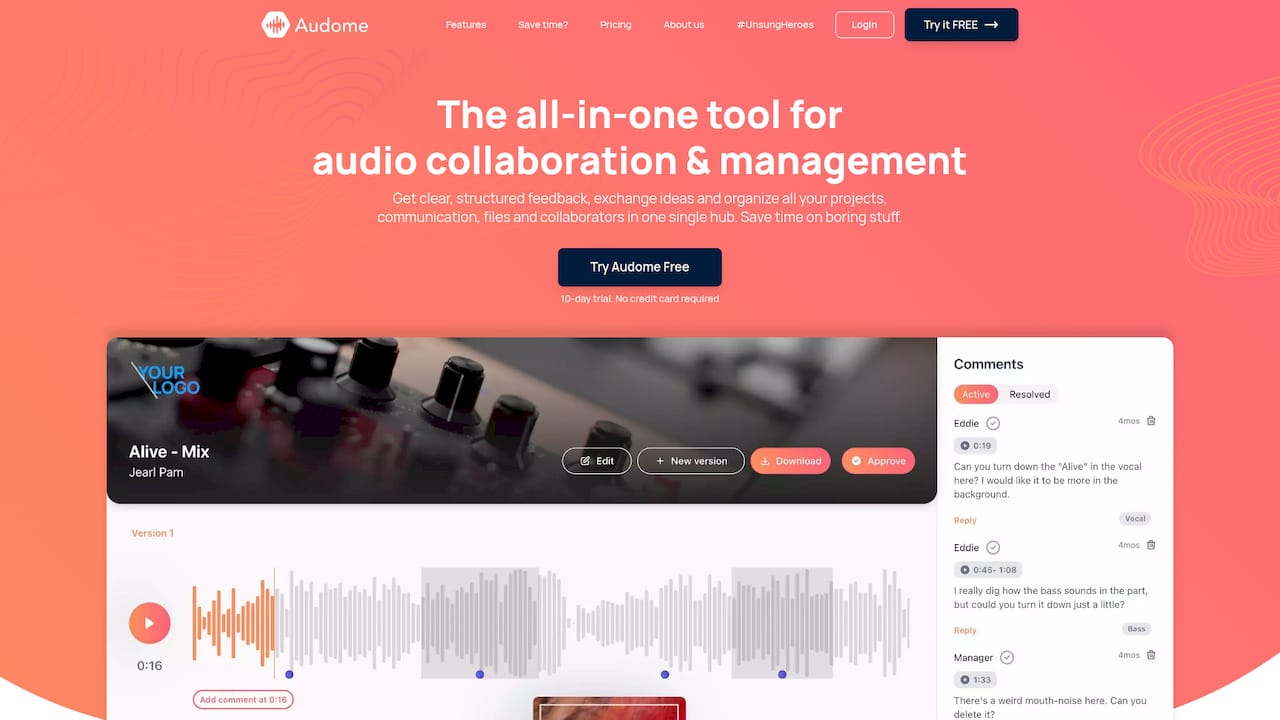
Audome is built specifically for audio professionals who need centralized audio collaboration without the friction. Timestamped comments, version control, private collaborator spaces, and lossless file sharing up to 96kHz/24-bit are all in one place. Clients don’t need to create accounts. You don’t need to chase feedback across platforms. Every version, every note, every approval lives in a single hub. If you’re managing mix revisions across multiple projects and stakeholders, Audome replaces the patchwork of tools you’re currently duct-taping together.
FAQ
What is mix revision management?
Mix revision management is the organized process of tracking, implementing, and logging changes to audio mixes across multiple feedback rounds. It includes version naming, client communication policies, and tools for collecting and acting on feedback.
How many revision rounds should i include in a mixing contract?
Two rounds is the standard for most mixing contracts. TrackBloom recommends stating this limit in plain language before work begins to prevent scope creep.
What tools are best for tracking mix revisions?
MixMaster Pro handles timestamped client feedback directly on waveforms. Plutio integrates revision history into a full CRM. Audome combines version control, timestamped comments, and file sharing in one platform built for audio professionals.
Why is batching client feedback so important?
Batching feedback reduces cognitive load and prevents small changes from snowballing into endless revision cycles. Requiring all notes at once forces clients to listen intentionally before responding.
How do i prevent version confusion across a long project?
Use a consistent naming convention like ProjectName_vX_YYYYMMDD and maintain a short revision log noting what changed in each version. This prevents opening the wrong file and settles any disputes about what was delivered.