
What are the best Filepass alternatives for professional audio collaboration?
Audome is the strongest all-in-one Filepass alternative for mixing and mastering engineers who need lossless streaming, timestamped waveform feedback, automatic version control, and no-login client access in a single platform. Notetracks leads for teams working across audio and video. Samply and Aliada cover simpler sharing needs at lower price points. WeTransfer and Dropbox handle raw file transfer but lack any audio-specific collaboration features.
Filepass does two things genuinely well: it gates final downloads behind payment, and it streams lossless audio up to 96kHz/24-bit. If those are your only requirements, it holds up. The gap shows when you need client feedback on the waveform, automatic version tracking, or a project hub that replaces email threads and scattered Dropbox folders.
| Platform | Key Features | Audio Quality | Client Access | Version Control | Pricing | Best For |
|---|---|---|---|---|---|---|
| Audome | Timestamped waveform feedback, Stripe payments, unlimited uploads, project hub | Lossless up to 96kHz/24-bit | No login required, password-protected | Automated version management | Tiered plans, free trial | Mix/master engineers needing full client workflow |
| Filepass | Payment gating, lossless streaming | Lossless up to 96kHz/24-bit | Client login required | Manual | Paid plans | Studios needing payment-gated delivery |
| Notetracks | Multi-track uploads, voice and visual notes, Pro Tools/Adobe Audition integration | High quality | Login required | Basic | Paid plans | Audio/video teams needing timeline feedback |
| Samply | Audio-focused file sharing, community-driven features | High quality | Simple link sharing | Limited | Free and paid tiers | Engineers wanting a lightweight Dropbox swap |
| Aliada | 200GB storage, client feedback tools | High quality | Client portal | Basic | Affordable paid plans | Studios needing large storage with feedback |
| Feedtracks | Project-oriented file organization, music workflow tools | Standard | Project-based access | Basic | Paid plans | Producers managing multi-project workflows |
| WeTransfer | Quick link-based transfer, no registration needed | No streaming | Link only, no collaboration | None | Free and paid tiers | One-off file sends with no setup |
| Dropbox | Cloud storage, broad integrations, file sync | No audio streaming | Shared folder access | File versioning only | Free and paid tiers | General storage with some team sharing |
For a deeper side-by-side look at how Audome, Samply, and Filepass stack up on pricing and features, the Audome vs Samply vs Filepass breakdown covers the specifics.
How do Filepass and its competitors compare on features that matter to engineers?
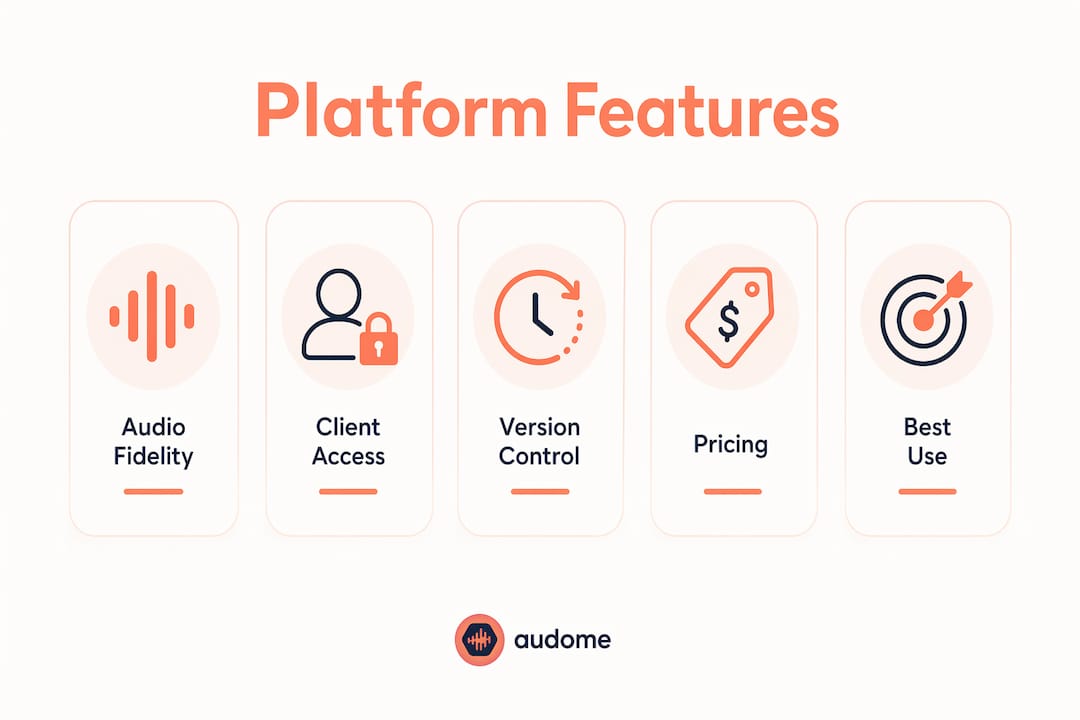
The real differences between these platforms show up in four areas: audio fidelity, how clients interact with files, how revisions get tracked, and what you pay.
Audio quality and streaming
Filepass and Audome both support lossless audio up to 96kHz/24-bit. That matters when a mastering client needs to hear the actual file, not a compressed proxy. Notetracks, Samply, Aliada, and Feedtracks support high-quality playback, though none publicly specify the same 96kHz/24-bit ceiling. WeTransfer and Dropbox transfer files without any in-browser streaming or waveform playback at all.
Client access and collaboration
This is where the platforms split most sharply. Audome lets clients open a project page, leave timestamped comments directly on the waveform, and download approved files without creating an account. Filepass requires clients to log in, which adds friction, especially for non-technical clients who just want to approve a mix. Notetracks also requires a login but compensates with richer feedback tools: visual and voice notes, tags, and marked comments on the media timeline. Samply keeps things simple with link-based sharing. Aliada and Feedtracks offer client portals with basic feedback mechanisms.
WeTransfer and Dropbox offer no feedback layer at all. A client can download a file from either, but any notes come back through email or text, which is exactly the scattered workflow most engineers are trying to leave behind.
Version control and revision management
Audome handles version management automatically. Upload a new mix, and the platform organizes it alongside previous versions without any manual filing. Filepass tracks versions manually. Dropbox keeps file version history but has no concept of a “project” with linked revisions and client comments. Notetracks provides basic version tracking within its timeline-based review system.
Pro Tip: Before committing to any platform, test the client-facing experience yourself. Send a test project to a non-technical contact and time how long it takes them to leave feedback. That friction cost is real and compounds across every project.
Pricing and payment options
Filepass charges for downloads through payment gating, which is a genuine feature for studios that want to lock final files behind an invoice. Audome integrates Stripe Connect directly, so you can require payment before a client downloads the final file and automatically charge for revisions beyond the included limit. That combination of payment gating plus revision monetization is not available in Notetracks, Samply, Aliada, or Feedtracks.
WeTransfer and Dropbox have no payment features. They are file transfer tools, not studio billing tools.
Aliada stands out on storage value: its paid plans include 200GB, which is competitive for studios managing large session archives. Samply targets engineers who want a lighter, more affordable Dropbox replacement with some audio-specific touches. For a full breakdown of file sharing methods for studios, including how pricing models differ across platforms, that guide covers the 2026 landscape in detail.
| Platform | Payment Gating | Revision Monetization | Free Trial | Storage Highlight |
|---|---|---|---|---|
| Audome | Yes (Stripe Connect) | Yes (paid revision limits) | Yes | Unlimited uploads |
| Filepass | Yes | No | Yes | Standard |
| Notetracks | No | No | Yes | Standard |
| Samply | No | No | Yes (free tier) | Standard |
| Aliada | No | No | Yes | 200GB included |
| Feedtracks | No | No | Yes | Standard |
| WeTransfer | No | No | Free tier available | No storage |
| Dropbox | No | No | Free tier available | — |
Pros and cons of each platform for studio use
Every platform in this comparison has a real use case. The question is whether that use case matches your actual workflow.
| Platform | Pros | Cons |
|---|---|---|
| Audome | No-login client access, automated versioning, Stripe payment gating, timestamped waveform feedback, unlimited uploads, lossless 96kHz/24-bit | Newer platform, smaller user base than Dropbox |
| Filepass | Strong payment gating, lossless streaming, purpose-built for audio delivery | Client login required, no waveform feedback, manual version tracking |
| Notetracks | Rich timeline feedback, voice and visual notes, Pro Tools and Adobe Audition integration | Login required for clients, less focused on payment workflows |
| Samply | Lightweight, audio-focused, community-driven development, affordable | Limited version control, fewer collaboration features |
| Aliada | 200GB storage, affordable pricing, client feedback tools | Basic version management, less polished client experience |
| Feedtracks | Project-oriented organization, music workflow support | Limited public feature documentation, smaller community |
| WeTransfer | Extremely easy to use, no account needed for recipients, fast | No audio streaming, no feedback tools, no version control, no payment features |
| Dropbox | Broad integrations, widely adopted, reliable sync | No audio-specific features, no waveform feedback, no payment gating |
Filepass is a solid choice if payment-gated delivery is your primary need and you can accept the client login requirement. Notetracks earns its place for studios doing audio-for-video work where timeline-based feedback across multiple tracks is the priority. Samply and Aliada are worth considering for engineers on tighter budgets who need more than WeTransfer but less than a full project management platform.
WeTransfer and Dropbox belong in a different category. They are general file transfer and storage tools. Using them for professional client collaboration means you are building your own workflow on top of a tool that was never designed for it, which is exactly the problem most engineers are trying to solve.
How to choose the right Filepass alternative for your studio workflow
The right platform depends on which part of your current workflow is actually broken. Start there, not with a feature checklist.
Identify your primary pain point first:
- If clients are downloading files without paying, you need payment gating. Audome and Filepass both solve this directly.
- If feedback arrives through email, texts, and voice memos with no timestamps, you need waveform-based commenting. Audome and Notetracks both deliver this.
- If you are losing track of which mix version a client approved, you need automated version control. Audome handles this without any manual filing.
- If you just need to send large files quickly with no setup, WeTransfer or Dropbox will do the job.
Evaluate these factors before committing:
- Audio fidelity: confirm the platform supports your delivery format (96kHz/24-bit WAV or higher) without transcoding or compression.
- Client friction: test the client-facing flow yourself. A platform that confuses clients creates more back-and-forth, not less.
- DAW integration: Notetracks integrates with Pro Tools and Adobe Audition. Audome supports workflow integration for audio professionals. Check whether the platform fits your existing production environment.
- Revision limits and billing: if revision abuse is a real problem in your studio, look specifically at platforms that let you cap free revisions and charge for additional rounds.
- Security: look for password-protected project pages, download controls, and clear data privacy policies. Both Audome and Filepass include these features.
- Trial availability: most platforms in this comparison offer free trials. Use them. A 14-day trial with a real client project will tell you more than any feature comparison.
For engineers specifically focused on sharing WAV files without quality loss, that guide covers the technical considerations in detail.
What makes Audome different from other Filepass alternatives?
Audome was built specifically for the business of running an audio studio, not adapted from a general file transfer or cloud storage tool. That distinction shows up in features that no other platform in this comparison combines in one place.
Core capabilities that set Audome apart:
- Lossless audio streaming up to 96kHz/24-bit with unlimited uploads in a secure, centralized platform
- Timestamped feedback directly on the waveform, so clients mark the exact moment in a track where a change is needed
- No-login client access with password protection, so clients open a project page in their browser without creating an account
- Automated version management that organizes every upload and its associated comments without manual filing
- Stripe Connect integration for payment gating: require payment before final downloads unlock, and automatically charge for revisions beyond the included limit
- Private client portals with download controls, keeping files accessible only to the right people
- Unlimited projects and collaborators, supporting studios that run multiple concurrent client engagements
The revision monetization feature deserves specific attention. Revision abuse (clients requesting round after round of changes beyond the original scope) is one of the most common profitability problems in freelance audio work. Audome lets you define how many free revisions are included in a project and automatically charges clients for anything beyond that. No other platform in this comparison combines that billing control with waveform-level feedback and lossless streaming in a single tool.
Audome also replaces the fragmented stack that most studios currently use: Dropbox for files, email for feedback, text messages for quick notes, and a separate invoicing tool for payment, unlike general cloud storage solutions like Dropbox. Centralizing all of that in one audio collaboration platform reduces the time spent managing communication and increases the time available for actual work.
For engineers researching how these platforms compare on cloud storage for audio professionals, that resource covers the storage and security considerations in depth.
Audome is the Filepass alternative built for how studios actually work
Filepass, Notetracks, and Samply each solve part of the problem. Audome solves the whole thing: lossless delivery, client feedback on the waveform, automatic versioning, payment gating, and revision billing, all without asking your clients to create an account.

For mixing and mastering engineers who are tired of chasing feedback across email threads and Dropbox folders, Audome offers a free trial so you can run a real project through it before committing. The Audome platform includes clear pricing tiers, no hidden fees, and studio-specific features that generic file transfer tools simply do not have. If the scattered-workflow problem is costing you time and money, this is the most direct fix available in 2026.
Key Takeaways
Audome is the strongest Filepass alternative for mixing and mastering engineers who need lossless audio delivery, waveform feedback, automated versioning, and payment gating in one platform.
| Point | Details |
|---|---|
| Filepass strengths are real but narrow | Filepass excels at payment-gated lossless delivery but requires client logins and lacks waveform feedback. |
| Audome covers the full studio workflow | Audome combines 96kHz/24-bit streaming, timestamped feedback, automated versioning, and Stripe payments in one platform. |
| Notetracks leads for audio/video teams | Notetracks offers the richest timeline feedback with Pro Tools and Adobe Audition integration. |
| WeTransfer and Dropbox are not collaboration tools | Both handle file transfer well but offer no audio streaming, feedback layer, or version control. |
| Audome handles revision billing automatically | Studios can cap free revisions and charge clients automatically for additional rounds via Stripe Connect. |
FAQ
What is the best Filepass alternative for mixing engineers?
Audome is the strongest option for mixing and mastering engineers, combining lossless audio up to 96kHz/24-bit, timestamped waveform feedback, automated version control, and Stripe-based payment gating without requiring clients to create an account.
Does Filepass require clients to log in?
Yes, Filepass requires a client login to access shared files. Audome removes that friction by allowing clients to open password-protected project pages directly in their browser with no account needed.
Which Filepass alternatives offer free trials?
Audome, Notetracks, Samply, Aliada, and Feedtracks all offer free trials or free tiers, letting you test the platform with a real project before committing to a paid plan.
Can any of these platforms charge clients for extra revisions?
Audome is the only platform in this comparison that lets studios set a free revision limit per project and automatically charge clients for additional rounds through Stripe Connect integration.
How do WeTransfer and Dropbox compare to audio-specific platforms?
WeTransfer and Dropbox handle file transfer and storage reliably but offer no audio streaming, waveform feedback, version control tied to client comments, or payment features. They work for one-off file sends but not for managing a full client collaboration workflow.