
An audit trail for a project is a time-ordered record of who did what, to which file, when, and why. For an audio project, that means every upload, revision, comment, approval and delivery is written down in a way you can read back months later. You can build one with a spreadsheet and a naming rule, or you can use a platform that records most of it as you work. Either way, the goal is the same: when a client says “I never approved that mix,” you can show exactly what happened.
This guide is for mixing and mastering engineers, podcast producers, post-production teams and studio owners. Most pages on this topic are about accounting or database security. Here we cover the audio version: what to log, how to keep the log trustworthy, and how long to hold on to it.
TL;DR
- An audit trail is a chronological record of actions, the person responsible, the files involved and the outcome. In audio, it ties every revision and approval to a specific file.
- Log six things per event: date and time, who acted, which file and version, what changed, why, and what the reviewer decided.
- Add file fixity (a checksum) to prove a file has not changed since it was approved.
- A backup stores files. An audit trail explains their history. You need both.
- Keep records somewhere access-controlled, and decide in advance how long you keep them.
Table of Contents
- What an audit trail does for an audio project
- What to record for every change, revision, approval and handoff
- How to create an audit trail, step by step
- Keep the trail chronological, attributable and tied to the right file
- How an audit trail differs from backups, file names and notes
- Control access and decide how long to keep records
- Where Audome fits
- Our perspective
- FAQ
- Sources
What an audit trail does for an audio project
Think of it as the paper trail between a client’s request and the file you delivered. Every step, from “can the vocals come up 2 dB” to “approved, send the master,” leaves a mark you can follow.
It earns its keep in four situations:
- Disputes. A client claims they approved a different version, or that a requested change was never made. A dated record of the comment, the new version and the approval settles it quickly.
- Wrong-file deliveries. Final files go out based on the correct approved version, not the one that happened to be newest in the folder.
- Rights and metadata gaps. If a deliverable bounces because of missing metadata, the record shows who was supposed to supply it and when.
- Handoffs. When a project moves from the mix engineer to the mastering engineer, or a new editor picks it up next year, the trail answers “why is it like this?” without a phone call.
The U.S. Library of Congress and the National Digital Stewardship Alliance make a related point about digital files in general: maintaining fixity information and logs over time can document a file’s provenance and chain of custody, giving evidence of its integrity. That is the same idea you need in a studio, just applied to a single session instead of an archive.
What to record for every change, revision, approval and handoff
Keep the entry short enough that you will actually fill it in. A useful entry answers who, what, when, why and outcome.
The Oregon Department of Transportation’s guidance on its document system describes a basic audit entry as the date and time, whether a document changed, the user, and any manually entered comment. The same guidance warns that such a log may not reveal the editing application or the internal changes. For audio, that is a useful warning: a log that says “file replaced” does not say what you did to the mix. So add a human note.
Here is a practical template for audio work:
| Field | What to write | Example |
|---|---|---|
| Date and time | When the event happened, with time zone | 2026-11-02 14:35 ET |
| Actor | Who did it, by name | Client contact, mix engineer |
| Project | Client, title, job number | Album 3, track 5 |
| File and version | Exact file name and version label | Track05_Mix_v4.wav |
| Format details | Sample rate, bit depth, format | 96 kHz / 24-bit WAV |
| Event | Upload, comment, revision, approval, delivery | Revision requested |
| Reason or note | Why the change was made | Client asked for vocal up, snare down |
| Reviewer and status | Who reviewed it and the decision | Approved by client, v4 |
| Checksum | Hash of the file at that moment | SHA-256 value |
The Library of Congress also lists what it treats as part of a file’s custodial history: chain of custody, authenticity and fixity, transfers, copying, file migration, documented data loss and recovery efforts. You do not need that depth for a podcast episode. But if you are holding masters for a label or an archive, it is a good checklist of what “complete” looks like.
One more habit worth copying from preservation standards: when you can, record the name and version of the software that created the file, along with the creation date. The Library of Congress’s PREMIS data dictionary guide recommends this, and it saves real time when someone opens an old session and the plugins do not match.
How to create an audit trail, step by step
You do not need special software to start. You need a rule and the discipline to follow it.
1. Give every project one home
Pick a single place where the project’s files, comments and decisions live. When feedback arrives by email, text and a shared drive, the trail is already broken. Any step you take outside the home needs to be copied in by hand.
2. Version files so they never overwrite
Never replace a file in place. Each revision gets a new version label, and the old one stays. Our guide to tracking every mix and master in your audio version history covers naming and labeling in more detail.
3. Tie feedback to a moment in the file
“The chorus feels thin” is hard to act on and hard to audit. “At 2:14 the second harmonies are buried” is a record you can check against the exact version. Time-stamped comments on the waveform give you this automatically, and they keep the comment attached to the version it was made on.

4. Log the approval as its own event
Approval is the most important line in the trail. Write down who approved, which exact version, and when. If your process has revision limits or payment conditions, record those too. Our write-up on a studio approval process that locks final files until paid shows how to make approval a clear gate and not a casual “sounds good.”
5. Log the delivery
Record what you sent, in what format, to whom, and when it was downloaded. Linking downloads to orders is covered in client download tracking for audio studios. Delivery metadata matters too: a studio metadata checklist helps you avoid rejected uploads and gives you something to point to if a distributor questions a file.
6. Review the trail at project close
Before you archive a job, read the trail top to bottom. Does every approved version match a file? Is every revision explained? Fixing a gap on day one takes minutes. Fixing it a year later is guesswork.
Keep the trail chronological, attributable and tied to the right file
A good trail has three properties. Entries are in order, each one names a person, and each one points to a specific file, not a folder.
Chronological. Use timestamps generated by a system whenever you can. A time you typed from memory is weaker evidence than one the tool stamped. Keep one time zone across the team, or write it into every entry.
Attributable. Shared logins wreck attribution. If three people use one account, the log says “the studio” did everything. Give each collaborator their own identity, or capture the name of whoever left the comment or approval.
Tied to the file. Names alone can mislead, because someone can export a different mix and call it “v4.” This is where fixity helps. The NDSA guidance explains that fixity information, typically checksums or cryptographic hashes, helps determine whether a file was altered, supports repair of corrupt files, and should be checked when files move and at regular intervals.
In practice for a studio:
- Generate a checksum when a version is approved.
- Store it in the trail next to the file name.
- Check it again before final delivery and whenever you move the file to new storage.
If the checksums match, the file you deliver is the file the client approved. If they differ, you found the problem before the client did. The same NDSA document notes that fixity checks also help diagnose human and system errors during a project’s lifecycle.
For long-term work, the Library of Congress suggests using standards such as PREMIS to judge whether your tools can capture the essential provenance metadata. A small studio does not need to implement PREMIS, but it is a helpful yardstick when you compare tools.
How an audit trail differs from backups, file names and notes
These four things often get lumped together. They do different jobs.
| Tool | What it answers | What it misses |
|---|---|---|
| Backup | “Can I get the file back?” | Who changed it, why, and which version was approved |
| File naming | “Which file is this?” | Who approved it, and what the client said |
| General project notes | “What is the plan?” | A reliable, dated record of what actually happened |
| Audit trail | “What happened, when, by whom, and why?” | It does not store your audio on its own |
A backup can hold ten versions of a mix and still not tell you which one the client signed off on. A file name like “FINAL_v3_REAL” is a hint, not a record. Notes are often edited after the fact, which weakens them as evidence.
It helps to think of the trail as recovery information. When an editor opens a project months later, the trail tells them why a decision was made, so they do not undo it by accident. It is more than paperwork.
If your main pain is revisions, our guide to mix revision management shows how to set limits and keep each round documented. For post-production teams with many moving parts, project tracking for faster audio post-production fits well with the trail.
Control access and decide how long to keep records
A trail is only evidence if nobody can quietly edit it. Two decisions matter: who can change the records, and how long you keep them.
Access. The National Archives (NARA) says that federal agencies using shared drives should protect records from unauthorized access, modification or deletion, and manage them under approved records schedules. NARA’s rules bind federal agencies, not private studios, but the principle carries over: limit write access, and keep a read-only copy of the trail at project close.
NARA also recommends running a risk analysis to decide whether a shared drive can provide a sufficient audit trail at all. For a studio, a plain shared folder usually cannot show who opened, changed or removed a file. If that gap worries you, move the project into a tool that logs those events.
Retention. Write a simple policy and stick to it:
- How long you keep trails after delivery (for example, as long as you keep the masters).
- Who can read them, and who can delete them.
- What happens when a client contract requires a specific period. Follow the contract.
- Where the long-term copy lives, and how often you check its checksums.
If your clients are in regulated industries or you work with a label, ask what they require in writing. For tax or legal retention periods, ask your accountant or attorney, because the answer depends on your business and state.
The Library of Congress’s report on U.S. recorded sound describes preservation as a chain of planned steps: capture, protect, migrate when needed, validate copies, and keep files accessible. Your audit trail is the written proof that each step happened.
Where Audome fits
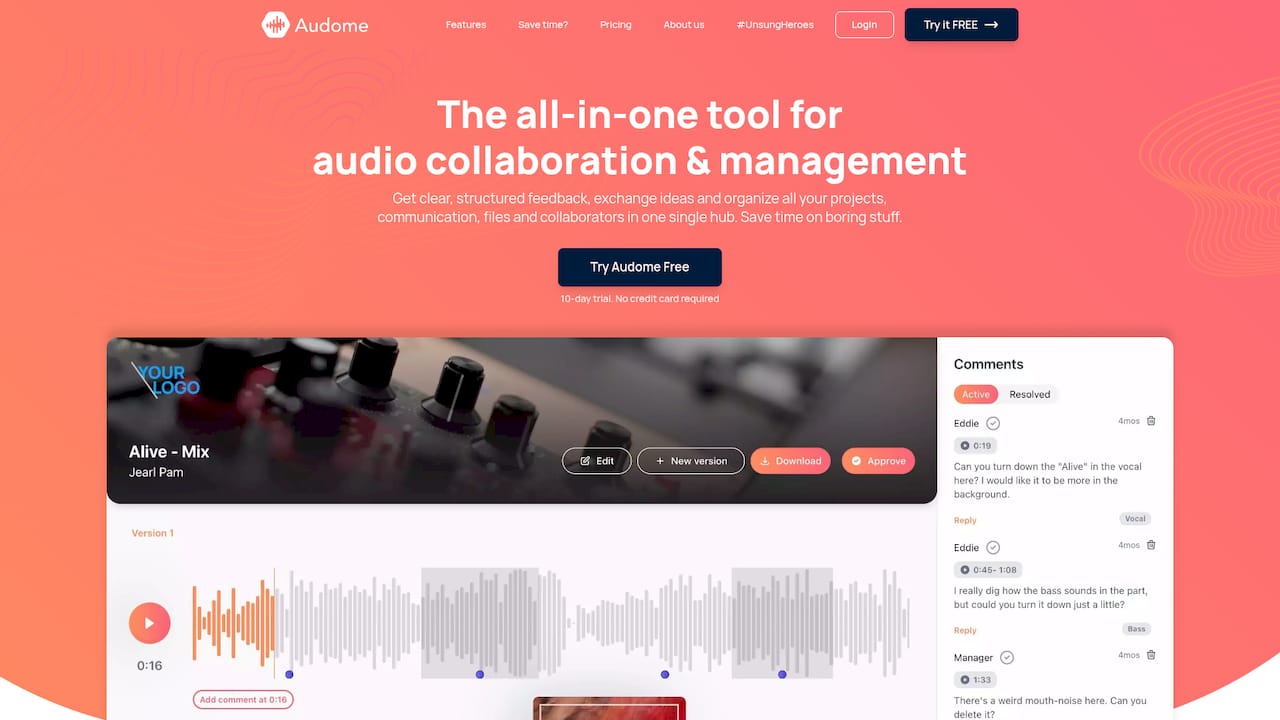
Much of what makes a trail useful is hard to do by hand: versioning that never overwrites, comments pinned to a moment in the waveform, approvals tied to a specific file, and download control. Audome puts those in one place. Collaborators can leave time-stamped comments without a client login, versions are tracked automatically, and you can set revision limits and bill for paid revisions.
Audome supports unlimited uploads of lossless audio up to 96kHz/24-bit, so the file the client hears is the file you made. Plans start at $12.50 per month for Studio ($150 per year), and Pro is $48 per month ($576 per year). See the Audome pricing page for what each plan includes, or look at the Audome home page for the full tour.
Start with one real project. Upload the current mix, invite your client to comment, and see how much of the trail builds itself.
Our perspective
We built Audome because the real audit trail in most studios is a mess of email threads, chat messages and files called “final_final.” Nobody planned it that way. It happens because feedback lives in five places.
Our view is simple: the best audit trail is the one you do not have to remember to write. When comments are time-stamped on the waveform, versions are tracked automatically and the client can listen and respond without creating an account, the record forms as the work happens. That is why we designed Audome around a single hub for files, feedback and revisions.
Quality matters here too. If a trail points to a file, that file should be the one you actually made, so we keep audio lossless instead of sending compressed copies. And when revisions have a limit or a price, the record of each round protects both you and the client.
Our advice: do not wait for a dispute to wish you had a trail. Start logging approvals this week.
Kreg
FAQ
How do you do an audit trail?
Decide what you will record, then record it the same way every time. For audio, log the date, the person, the file and version, the event, the reason and the decision. Never overwrite files, and review the log when the project closes.
What should an audit trail include?
At minimum: a timestamp, who acted, what they did, which file it affected and the outcome. For audio add the version label, the file format, any approval status and a note on why the change was made. A checksum for approved files makes the record much stronger.
Is an audit trail the same as version history?
No. Version history shows which files existed and in what order. An audit trail adds who requested a change, why, who approved it and when. Version history is a core part of the trail, but the trail covers decisions as well.
Do I need special software for an audit trail?
No. A spreadsheet, strict version naming and a habit of logging approvals will work for a small studio. Software helps once you have several clients or collaborators, because stamped times and named users are harder to dispute than hand-typed notes.
How long should I keep project audit records?
Keep them at least as long as you keep the project’s masters, and longer if a client contract says so. Legal and tax requirements vary by state and business type, so check with your accountant or attorney before you set a final policy.
Sources
- Checking Your Digital Content: How, What and When to Check Fixity (Library of Congress / NDSA)
- Understanding Audit Trails (Oregon Department of Transportation)
- Frequently Asked Questions: Accessing Born-Digital Collections (Library of Congress)
- Understanding PREMIS (Library of Congress)
- Bulletin 2012-02 (National Archives)
- The State of Recorded Sound Preservation in the United States (Library of Congress)