
An ADR pickup policy is the written set of rules for how a studio or post team handles replacement dialogue after the main ADR is done. It covers when a pickup is allowed, what the request must contain, how the lines are recorded, what files come back, and who signs off. Write it down once and pickups stop turning into late-night email threads about which line, which take and which version.
This guide is for dialogue editors, supervising sound editors, podcast producers and studio owners. It gives you a policy structure you can adapt, backed by the published requirements of working ADR facilities and delivery specs.
TL;DR
- A pickup policy answers five questions: what qualifies, what the request includes, how it is recorded, how it is delivered, and who approves it.
- Require a cue sheet with timecode, a video reference and guide tracks before you confirm any session. One working studio asks for these at least 24 hours ahead.
- Fix technical specs in the policy. A common baseline is 24-bit, 48 kHz WAV with frame rate matching the picture.
- Cap review rounds and define what counts as a revision, so “one more small fix” has a clear answer.
- Keep every pickup request, take log and approval in one place, not scattered across email and chat.
Table of Contents
- What an ADR pickup policy actually covers
- When a pickup is justified
- What every pickup request must include
- Recording standards the policy should fix
- Naming, session structure and delivery
- Review, approval and revision tracking
- Deadlines, responsibilities and session logistics
- A policy you can adapt
- Perspective
- Keep pickup requests and approvals in one place
- FAQ
- Sources
What an ADR pickup policy actually covers
ADR means automated dialogue replacement: re-recording lines in a controlled room while the performer watches the picture. A pickup is a small, targeted follow-up. It might be a few lines missed in the main session, a script change after the cut moved, or a line that did not match once it was dropped into the mix.
The policy is not a creative document. It is an operating agreement between whoever asks for the pickup (producer, director, editor), whoever records it (studio, engineer, remote talent) and whoever receives it (dialogue editor, re-recording mixer). A good one is short, specific and written so a new team member can follow it without asking.
It should settle:
- Eligibility. Which reasons justify a pickup.
- Request contents. What must be supplied before a session is booked.
- Recording standards. Format, levels, slating, track layout.
- Delivery. File naming, session structure, transfer method.
- Review and approval. Who decides, how many rounds, how it is logged.
- Deadlines and responsibilities. Who does what, and by when.
When a pickup is justified
Most policies start by defining the trigger. Without one, every preference becomes a pickup request.
The usual reasons are practical. Production audio may be technically unrecoverable because of severe clipping, structural noise or background noise that masks speech. A performance may need adjusting for story or emotional tone. A line may have to change for creative, legal or clearance reasons. The same source frames the key test as intelligibility and emotional integrity.
A practical filter comes from Krotos Studio’s guidance for editors: ask whether you can fix intelligibility with EQ and noise reduction within 30 minutes. If you cannot, schedule ADR. You can build this directly into your policy as a pre-request check.
A workable eligibility list looks like this:
- Dialogue is unintelligible or unusable after reasonable cleanup.
- A line was changed after picture or script lock, with written approval from the person who owns the script.
- A legal, clearance or compliance change requires different wording.
- A performance note from the director or producer that cannot be met with editing alone.
- A technical fault in the original session, such as dropouts or clipping.
And a short list of what is not eligible without approval: personal preference on delivery that the editor can solve by choosing another take, and changes requested after final mix sign-off.
Separate main ADR from pickups
Define the line between the two. Main ADR is the planned session built from the spotting pass. Pickups are anything added after that session closes. Pickups usually need a shorter booking, a smaller cue list and a faster turnaround, so the policy can treat them differently on scheduling and billing.
What every pickup request must include
The most useful rule in any pickup policy is this: no complete request, no session. Working facilities say so plainly. Digital One requires an ADR cue sheet with timecode, a video reference and production guide tracks, and confirms its preferences will work before confirming a booking. It asks for the video reference and cues at least 24 hours before the session.
Build your request form around the same items:
| Item | What to specify |
|---|---|
| Cue sheet | Line, character, scene, reel, timecode in and out |
| Reason | Which eligibility category applies |
| Script | Approved replacement wording, with who approved it |
| Video reference | Picture version, with timecode window burn and head and tail pops |
| Guide tracks | Production audio as separate files, such as BWF or AIFF |
| Contacts | Supervisor, engineer, director and attendees |
| Delivery target | Who receives the files and in what format |
On video, the same facility asks for .MP4 or .MOV using H.264, preferably at least 720 vertical lines, with a burned-in timecode window. Use their numbers as a model, then confirm what your own recording room prefers.
Add context for matching
A pre-recording checklist from Krotos Studio recommends locked or near-final picture, a reference mix so the actor hears cues and ambience, a guide track with timecode and slate markers, clear cue sheets with frame numbers, a quiet room with a suitable microphone, room tone from the set and a note of the on-set microphone style. Put the last two in your request form. Knowing whether the original was a boom or a lavalier saves the mixer guesswork later.
If your team works from spotting notes, tie the request back to them. Our walkthrough of a spotting notes workflow shows how to turn notes into cue-ready lists, and the same structure feeds a pickup cue sheet well.
Recording standards the policy should fix
Don’t leave technical settings to memory. Write them into the policy and the session template.
Format and track layout
Digital One records ADR in Pro Tools with audible beeps, as a two-track file with boom on the left and lavalier on the right, at 48 kHz, 24-bit WAV with frame rate matching the reference video. It uses one Pro Tools session per character per episode and provides verbal slates unless asked otherwise.
Netflix’s animation series specification, revised in July 2025, asks for ADR and production dialogue at 24-bit and 48 kHz Broadcast WAV with true 24 fps timecode. Sessions start at 00:59:50:00 with no recorded material before 01:00:00:00, and each actor is on a single mic to a discrete mono track. Not every project follows Netflix rules, but a large distributor’s spec is a sensible default when you have no other instruction.
Netflix’s localized dialogue recommendations add useful hygiene rules for delivered tracks: one character per track, tracks named by character, no plug-ins, no automation, no broadband noise reduction, only light de-clicking, clean edited clips with fades, and a nominal recording level to avoid noise or clipping.
The cue and the performance
Most ADR uses a three-beep cue. IndieWire explains it as three beeps that bring the actor in on a silent fourth beat. The same piece quotes supervising dialogue editor Dhyana Carlton-Tims, who starts by having the actor watch the line several times, then talks through breaths, the quality of the room and the volume. She stresses matching projection levels, especially in exterior scenes, and matching pitch.
That gives you something concrete for your policy: before the first take, the engineer and performer review the original line together and note breath placement, perceived room and level. If a remote performer records alone, send those notes in writing.
How picture and sound line up matters just as much as the performance. For a primer on aligning audio to picture from the first clap, see this guide to syncing audio and video.
Matching the original, not over-processing
Krotos Studio’s JJ Lyon warns that heavy EQ or compression can strip natural dynamics and make ADR obvious. The aim is to match ambience and perspective, not only level, using subtle reverb or convolution impulses that reflect the original room, and blending in room tone to mask edits. Your policy can say who does this: usually the dialogue editor or re-recording mixer, not the recording engineer. Make the engineer’s job to deliver clean, unprocessed takes.
Naming, session structure and delivery
Naming errors cause more rework than most creative notes. Spell the convention out.
Netflix’s animation spec uses track names in the form Line#_Character, for example 93a_COACH STEVE, with Pro Tools labeling takes such as 93a_COACH STEVE_01-01.wav and 93a_COACH STEVE_02-01.wav. It asks for a Pro Tools session with the newly recorded takes, including Select and ALT tracks but excluding Guide, Picture and Aux tracks. Use Save Copy In with Audio Files and Selected Tracks Only, and do not zip folders sent by Aspera.
For pickups specifically, Netflix’s localized dialogue recommendations say to place them on a new track named or marked with “Pickup” and the character name. They add that no alternate takes are needed: commit your best, and if another pickup is needed it will be communicated. That is a strong model for small fixes, because it limits the volume of material the editor must audition.
At Digital One, session delivery returns a Pro Tools session with selects, alts and all takes in sync as recorded, with guide tracks and video reference removed. Internet delivery can use the client’s Aspera account if the link is sent before the session. Otherwise the studio uses its own service. Video files are deleted at session end unless otherwise specified, which is worth copying into your own data-handling line.

A delivery checklist before files leave your hands
Krotos Studio recommends checking that sync points are correct across the session, levels are consistent with headroom intact, breaths and clicks are handled, room tone covers edits, and files carry scene, take and version metadata. It also notes common practice of sending production audio, ADR takes and room tone as separate stems.
For broader handoff habits, we cover exporting audio deliverables and how freelance engineers deliver files to clients in separate guides.
Review, approval and revision tracking
A pickup is not finished when it is recorded. It is finished when someone with authority has accepted it and that acceptance is on record.
The Studio Hero guide to podcast studio SOPs recommends standardizing how feedback is submitted, how many revision rounds are included, what counts as a revision, the turnaround per round, and how versions are named and tracked. It advises sending a review link with clear instructions, collecting feedback in one place, logging and assigning revisions, exporting correctly named new versions and recording approval status. Every one of those belongs in a pickup policy.
Who has the final say
Decide this in advance. Production Expert’s dialogue editing panel describes dialogue editors scripting ADR and sending scripts to the director and others for approval, usually after a spotting session. Roger Guerin notes that on TV series without a director or producer present, the dialogue editor directs the talent. On features, the director focuses on performance and has the final say, while the dialogue supervisor handles sync and take count. Copy whichever pattern fits your project and name the people.
Define a revision
A sample rule set:
- Round one: the recorded pickup, delivered with selects.
- Round two: one consolidated list of notes, sent together, not line by line.
- Anything after that is a new pickup request with its own cue sheet.
- A change to the script after recording is a new request, not a revision.
This mirrors how audio teams handle revisions with clients. If you need a pattern for that, our article on one edit pass to resolve client comments shows how to collect notes into a single pass, and the guide to cutting revisions and locking payment explains how to set limits at onboarding.
QC before it goes to the mixer
A QC checklist from Hollyland before delivery includes loudness verification against the platform spec, a sync check at head, middle and tail, a drop-out scan, a clipping audit, format validation for sample rate, bit depth, channels and file type, and a naming audit against the distributor’s requirements. The same piece calls skipping QC the most common cause of rejections and costly re-deliveries. Add a one-line QC sign-off to your policy.
Deadlines, responsibilities and session logistics
The policy should read like a timetable with names on it.
Before the session
- Request, cue sheet, video and guide tracks arrive at least 24 hours ahead, matching the lead time one studio publishes.
- Contact details for the supervisor, engineer, director and attendees go to the producer.
- If the client supplies a transfer account such as Aspera, the link is sent before the session.
On the day
Digital One asks for at least 30 minutes of prep before the day’s first scheduled record. Build prep time into your own booking blocks.
Time estimates help. MIX Recording Studio says a handful of line fixes for one actor usually takes one to two hours, while full-scene replacements or multi-character sessions may run half a day or longer, and it leaves buffer between bookings so talent is not rushed out of the booth. Use ranges like these when you quote pickup sessions, then adjust to your own room.
After the session
MIX Recording Studio describes a four-step flow: picture lock, cue sheets organized by reel, scene and character, recording with a three-beep cue and multiple takes comped to the best performance, and delivery of session logs with take counts and line identifiers in the format the post team specifies. For union work it notes standard session requirements including timed breaks and session logs. If your talent is covered by SAG-AFTRA, check the current agreement or ask the union before you set break and logging rules.
Synthetic voice and replacement lines
If your team ever considers synthetic voice for a pickup, put a rule in writing. Smart Post Sound’s published policy engages text-to-speech or voice-cloning workflows only when a project has documented SAG-AFTRA compliance under the SAG-AFTRA Sound Recordings Code, with consent on file, scope defined and compensation arranged. If that is not cleared, it urges recording traditional ADR. A short clause saying “no synthetic replacement without written consent and clearance” protects everyone.
A policy you can adapt
Here is a compact version to paste into your own documents and edit.
- Scope. This policy covers dialogue pickups requested after the main ADR session closes.
- Eligibility. Pickups are accepted for unusable production audio, approved script changes, legal or clearance changes, and director-approved performance changes.
- Request. Submit a cue sheet, approved script, video reference with timecode burn and head and tail pops, and separate guide tracks at least 24 hours before the session.
- Recording. 24-bit, 48 kHz WAV, frame rate matching picture, one character per track, no processing.
- Delivery. Pro Tools session with selects and alts, tracks labeled Pickup plus character name, files named Line#_Character, delivered by the agreed transfer method.
- Review. One consolidated round of notes. Additional changes are new requests.
- Approval. Named approver signs off in the project log. QC sign-off by the dialogue editor before handoff to the mixer.
- Retention. Reference video deleted at session end unless otherwise specified.
Remote teams should add how talent records when the engineer is not in the room. Our tips on remote audio collaboration cover that setup, and the recording studio workflow guide shows how to fit pickups into a normal session schedule. Roles matter too: see who takes over from tracking to mastering when assigning the approver and the receiver.
Perspective
Most pickup trouble does not come from the recording. It comes from the paper trail. A line is requested in a text message, the cue sheet lives in someone’s inbox, the take that was approved is not the one that got exported, and nobody can say which version the mixer has.
We built Audome around that problem. Audio professionals need one place where files go up in full quality, up to 96kHz/24-bit, where clients can comment on the waveform at an exact timestamp without creating an account, and where versions are tracked automatically. For a pickup, that means the approved take, the notes attached to it and the revision history sit together.
Our view is simple: a policy only works if following it is easier than ignoring it. Revision limits, a branded client portal and a single review link turn the rules above from a document into a habit.
Kreg
Keep pickup requests and approvals in one place
A policy is easier to enforce when the review step has a home. Audome lets you share high-resolution audio, collect time-stamped feedback on the waveform, track versions automatically and set revision limits, with clients reviewing without a login. Plans start with Studio at $12.50 per month or $150 per year, and Pro is $48 per month or $576 per year. See the details on the Audome pricing page or start from the Audome home page.
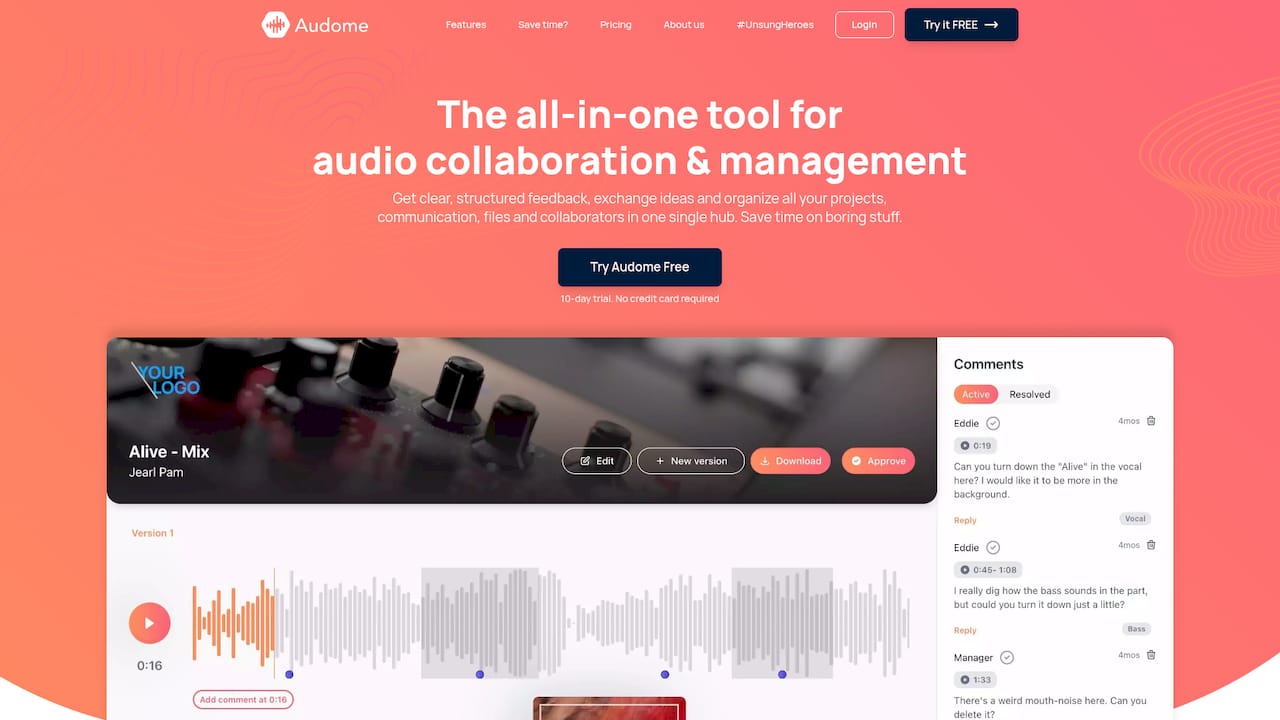
Plans include a free trial, so you can run one real pickup round through it before changing your standing process.
FAQ
How many pickup rounds should a policy allow?
One consolidated round of notes after the recorded pickup is a sensible default. Anything beyond that becomes a new request with its own cue sheet. Standardizing the number of rounds and what counts as a revision is a common studio SOP recommendation, and the exact figure is up to you and the client.
How far ahead should a pickup request arrive?
One published studio policy asks for the video reference and cues at least 24 hours before the session, plus 30 minutes of prep on the day. Use that as a starting point and lengthen it if your talent or room books out far ahead.
What file format should pickups be delivered in?
A common baseline is 24-bit, 48 kHz WAV with frame rate matching the picture, one character per track, no plug-ins or automation. Always confirm the project’s delivery spec first, since distributors differ.
Who approves an ADR pickup?
Name one person per project. On features that is typically the director, with the dialogue supervisor handling sync and take count. On TV series without a director present, the dialogue editor often directs the talent.
Sources
- Audio Post Production Workflow: Every Stage Explained, Hollyland
- What Is Audio Post Production, Krotos Studio
- Automated Dialogue Replacement: Fast ADR for Editors, Krotos Studio
- ADR, Digital One
- ADR Recording Studio Los Angeles, MIX Recording Studio
- Animation SERIES Production Dialogue Recording Specifications, Netflix
- Localized Dialogue Recording Recommendations (Animation), Netflix
- What Is ADR, IndieWire
- Essential Podcast Studio SOPs, The Studio Hero
- Expert Panel: Audio Post Production Workflow, Production Expert
- AI in Audio Post: How We Use It, Smart Post Sound