
TL;DR:
- Effective feedback tools capture timestamped comments, track versions, and assign ownership to ground revisions in context. Closing the feedback loop builds client trust, reduces back-and-forth, and streamlines audio production workflows. Prioritize routing and resolution features over volume to ensure feedback management delivers real efficiency and accountability.
Feedback collection tools in audio production are defined as systems that capture, organize, and route client and collaborator input so that revisions are grounded in context rather than guesswork. The role of feedback collection tools goes way beyond a comment box or a reply-all email thread. When a mix note says “make it warmer,” that’s useless without a timestamp, a reference track, or a clear owner assigned to act on it. Feedback tools act as an intake layer that decides the shape of data at collection time, which is what separates actionable feedback from noise. Tools like Typeform handle quick pulse checks, and platforms like Audome are built specifically for audio workflows where context and precision are non-negotiable.
How do feedback collection tools fit into audio production workflows?
Audio production has natural pressure points where feedback either saves the session or blows it up. Those points are the picture lock handoff, the AAF exchange, the rough mix review, and the final deliverable sign-off. Each one is a handoff boundary, and feedback pain concentrates at these boundaries because that’s where ownership gets fuzzy and comments scatter across email chains, Slack threads, and voice memos nobody can find later.
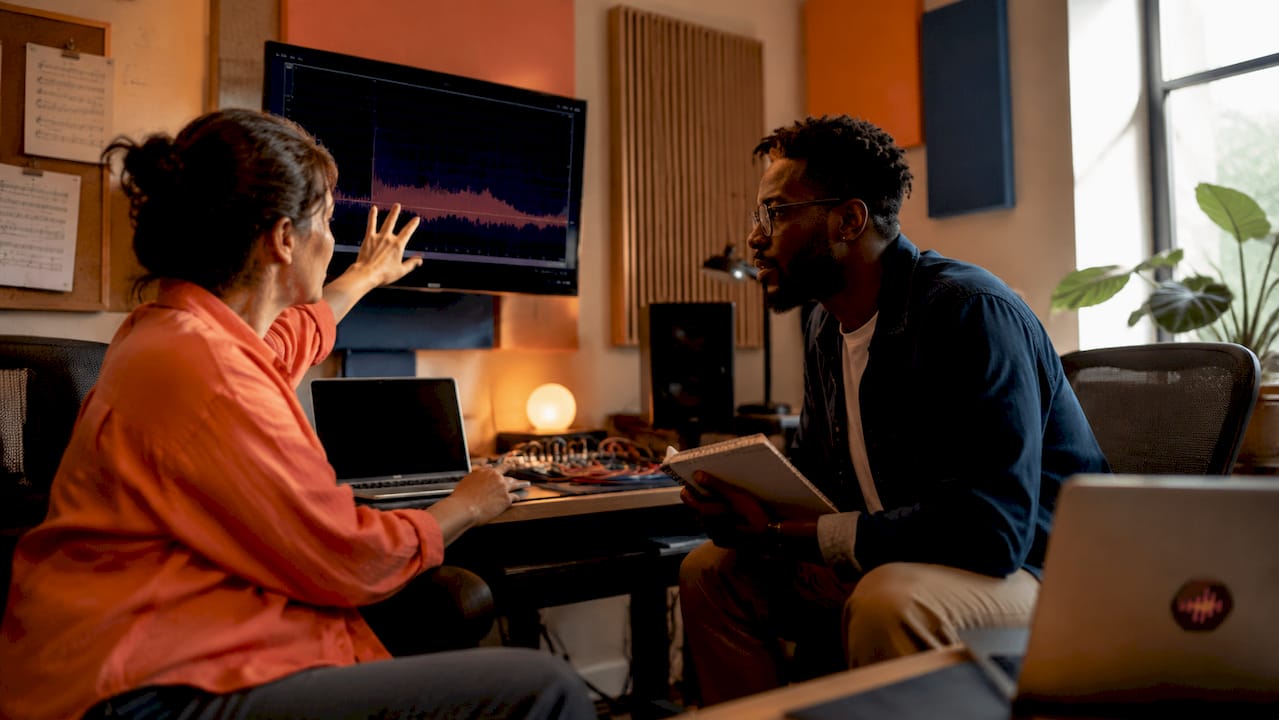
Without structured feedback tooling, here’s what actually happens. The director sends a voice note. The producer screenshots a text. The engineer gets a forwarded email with three conflicting notes and no timestamps. Nobody knows which version those notes apply to. You spend two hours on a revision that was already done in version 4.
Structured feedback tools plug into these handoff points and do a few specific things:
- They capture when in the audio a note applies, using timestamped comments tied to a specific playback position
- They preserve who said what, so there’s no “I thought you said” conversation later
- They track which version the note was made against, so revision history is clear
- They assign ownership so someone is actually responsible for acting on the note
The workflow efficiency gains from aligning feedback tooling with these handoff steps are real. Fewer emails. Fewer “wait, which version is this?” moments. Less time rebuilding context from scratch every time a new stakeholder joins the project.
Pro Tip: Map your feedback tool to your natural workflow boundaries, not the other way around. If your biggest pain point is the rough mix review, start there. Get that one step locked down before you try to overhaul the whole process.
What features distinguish effective feedback tools for audio pros?
Not all feedback tools are built the same, and most of them were not built with audio in mind. Survey-first tools like Typeform are great for quick client satisfaction checks, but they flatten context. You get a rating and maybe a text box. That’s fine for a restaurant review. It’s not fine when you need to know exactly where in a 47-minute podcast episode the client wants the music bed pulled down.
The features that actually matter for audio pros break down like this:
| Feature | Why it matters for audio |
|---|---|
| Timestamped comments | Ties feedback to a specific moment in the audio, not just a vague impression |
| Version control | Confirms which mix or edit the note applies to, preventing stale feedback confusion |
| Ownership and routing | Assigns a person responsible for each note so nothing falls through the cracks |
| Close-the-loop communication | Notifies the feedback provider when their note has been addressed |
| Integration with project management | Connects feedback to tasks so revisions are tracked alongside other deliverables |
The gap between a basic survey tool and a full feedback management system is the gap between collecting feedback and doing something with it. Most tools excel at collection but fail at routing, ownership, and close-the-loop workflows. Those three things are where the actual ROI lives.
Feedback software that centralizes input from multiple channels and supports automation and CRM integration is useful in larger post-production houses. For independent engineers and small studios, the priority is simpler: timestamped comments, version tracking, and a clear way to confirm when a note has been resolved.
Pro Tip: Before you evaluate any tool, write down your three most common feedback disasters. Then check whether the tool would have prevented each one. If it doesn’t solve your actual problems, it doesn’t matter how clean the UI is.
Why closing the feedback loop matters more than collecting it
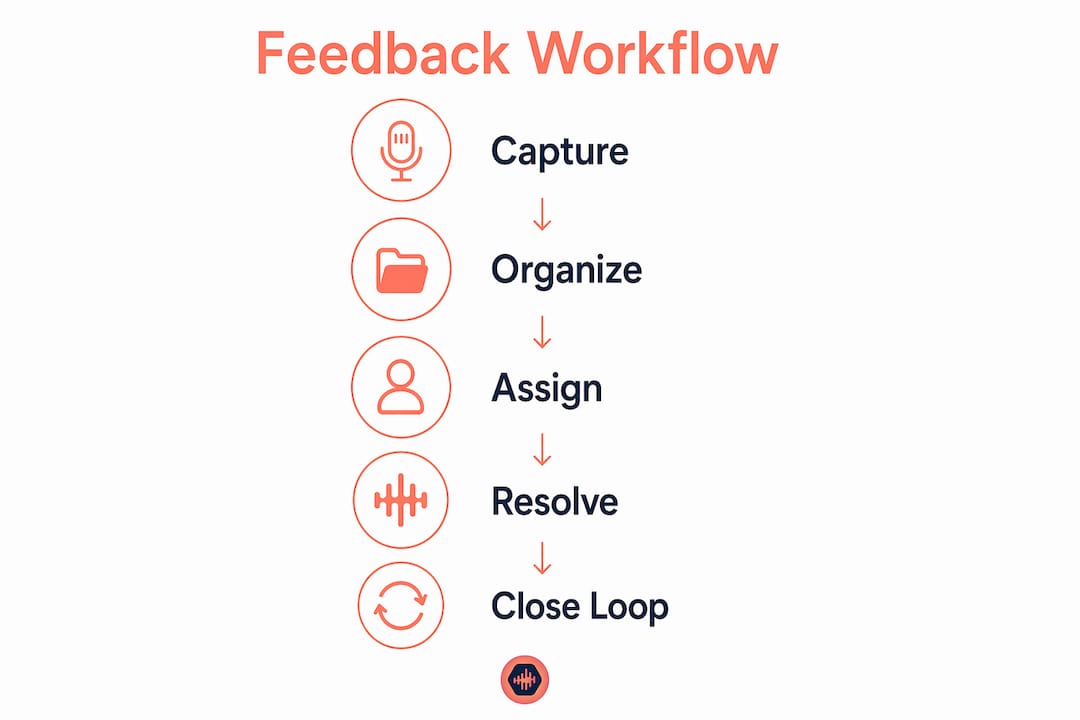
Closing the loop means one thing: the person who gave the feedback knows their note was heard, addressed, and resolved. That sounds simple. Most audio teams skip it entirely.
Here’s what happens when you don’t close the loop. A client leaves a note on the rough mix. The engineer fixes it. Nobody tells the client. The client sends a follow-up email asking if you got their notes. You reply. They reply. Three days later you’re still talking about a change that took 20 minutes to make. That’s revision churn, and it kills projects.
Tools that stop at dashboards create the illusion of feedback management without the substance. You can see all the notes in one place, but if there’s no mechanism to assign ownership, track status, and notify the feedback provider when something is resolved, you’re just looking at a prettier version of your inbox.
For audio teams, closing the loop does a few specific things:
- It reduces the “did you get my notes?” back-and-forth that eats up time on every project
- It builds client trust because clients feel heard, not ignored
- It creates a paper trail that protects you when scope creep arguments come up
- It forces internal accountability because someone has to mark a note as resolved
Capturing the reasoning behind feedback is just as important as capturing the feedback itself. When a client says “the snare sounds off,” you need to know if they mean it’s too loud, too bright, too clicky, or just not what they imagined. Without that context, you’re guessing. And guessing costs revision cycles.
The practical fix is straightforward. Assign every note to a person. Set a status on every note: open, in progress, resolved. Notify the feedback provider when the status changes. That’s it. That’s closing the loop. It’s not complicated, but it requires a tool that actually supports it.
How to select and implement feedback tools for audio work
Picking the right tool comes down to knowing what your actual problem is. Here’s a process that works:
- Identify your dominant feedback type. Is most of your feedback coming from clients reviewing final mixes? From collaborators during tracking sessions? From directors during picture lock reviews? The answer shapes which tool fits.
- Weight routing and close-the-loop capability heavily. The biggest ROI driver is not the volume of comments collected. It’s whether the tool helps you act on them and confirm resolution. Prioritize this over UI aesthetics.
- Check integration with your existing stack. If you’re already using a project management tool or a DAW-adjacent collaboration platform, your feedback tool should connect to it. Combining passive and active feedback methods works best when the data flows into one place rather than living in separate silos.
- Start with one workflow, not all of them. Pick the handoff point that causes the most pain. Implement the tool there first. Get your team and clients comfortable with it before expanding.
- Build in a review cycle. After 30 days, look at whether revision cycles got shorter. If they didn’t, something in the setup is off. Adjust before you scale.
For audio professionals specifically, the types of audio collaboration tools that work best combine file sharing with feedback collection in a single environment. Switching between a file transfer service, an email thread, and a separate feedback form is exactly the kind of fragmentation that creates the problems you’re trying to solve.
Pro Tip: Don’t ask your clients to learn a new tool from scratch. The best feedback tools require zero login from the client side. If there’s friction at the point of feedback collection, you’ll get less feedback, and what you get will be lower quality.
Key takeaways
Feedback tools only work when they capture context, assign ownership, and close the loop. Collection alone is not enough.
| Point | Details |
|---|---|
| Context beats volume | Timestamped, attributed feedback is worth more than 50 vague comments with no owner. |
| Handoff boundaries are the pain points | Align your feedback tool to picture lock, rough mix review, and final deliverable steps. |
| Routing and ownership drive ROI | A tool that collects but doesn’t assign or resolve feedback creates dashboard illusions. |
| Closing the loop builds trust | Notifying clients when their notes are resolved reduces back-and-forth and scope disputes. |
| Start small and iterate | Implement at one workflow stage first, measure revision cycle time, then expand. |
What I’ve learned from feedback chaos in real sessions
I’ve been in sessions where the feedback system was a group text. I’ve been in sessions where the “official notes” were a screenshot of a voice memo transcription. I’ve watched engineers spend 45 minutes rebuilding context from a forwarded email chain before they could even start the revision. That’s not a workflow problem. That’s a feedback problem.
The thing most people get wrong is thinking that more feedback is better. It’s not. Feedback that lacks context forces you to reinterpret what someone meant, and reinterpretation is where revisions go sideways. One note with a timestamp, a version reference, and a clear owner is worth ten notes that say “sounds a bit off.”
The other thing I see constantly is teams that collect feedback and then do nothing with it in any organized way. They fix the notes, sure. But nobody tells the client. Nobody closes the ticket. The client emails again. The engineer sighs. Repeat. That cycle is completely avoidable, and it’s one of the most demoralizing parts of audio work because it makes you feel like you’re always behind even when you’re not.
If you want to handle revisions like a pro, revision management starts at the feedback intake stage, not after you’ve already received 30 conflicting notes. Get the intake right and the rest of the process gets a lot cleaner.
Ditch the email threads. Ditch the voice memos. Build a feedback process that captures context, assigns ownership, and closes the loop. Everything else is just noise.
— Kreg
Why Audome was built for exactly this problem
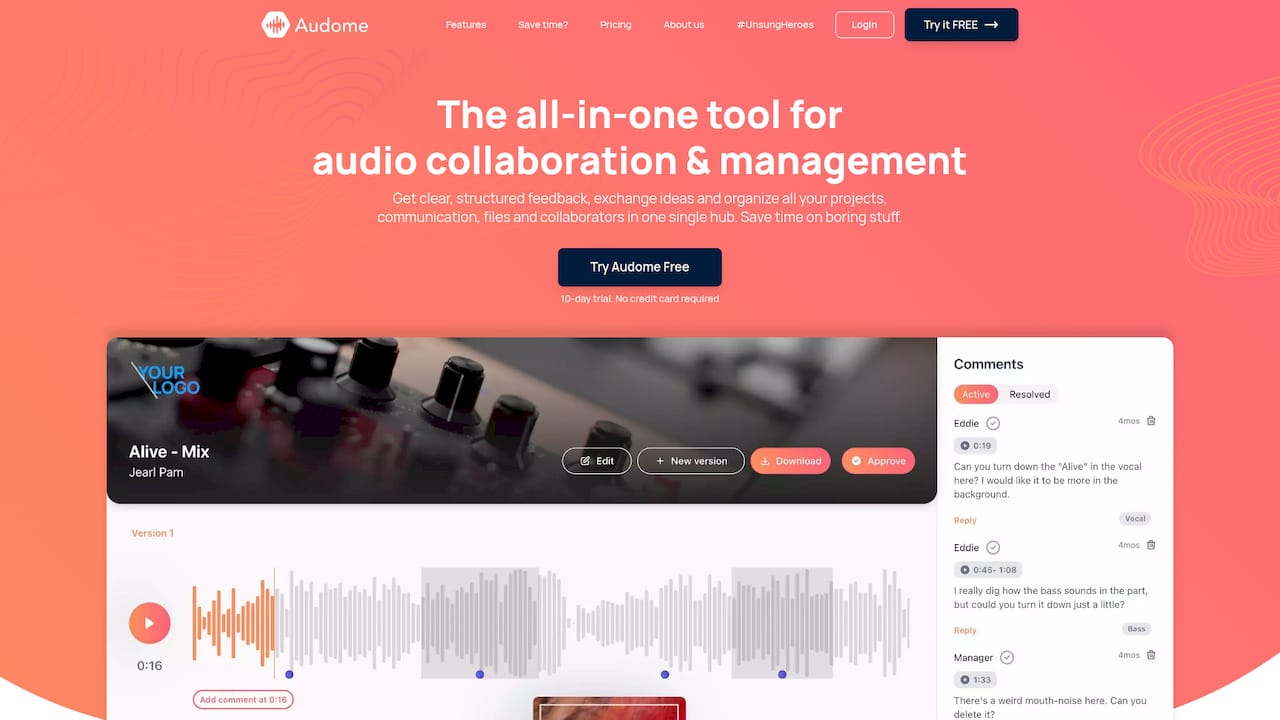
Audome is built specifically for audio professionals who are tired of managing feedback across five different apps. It combines lossless file sharing up to 96kHz/24-bit, timestamped comments, version control, and private collaborator spaces in one place. No client logins required. No compression. No scattered threads. You can explore Audome’s platform and see how it handles the full feedback lifecycle from intake to resolution, built around the way audio workflows actually run. If your current process involves forwarded emails and voice memos, it’s time to replace it with something that was designed for this work.
FAQ
What is the role of feedback collection tools in audio production?
Feedback collection tools capture, organize, and route client and collaborator input so revisions are grounded in context rather than guesswork. In audio production, this means timestamped comments tied to specific playback positions and clear ownership of each note.
Why is closing the feedback loop so important for audio teams?
Closing the loop confirms that feedback was received, acted on, and resolved, which eliminates the “did you get my notes?” back-and-forth that wastes time on every project. It also builds client trust and creates a revision trail that protects you during scope disputes.
What features should audio pros prioritize in a feedback tool?
Prioritize timestamped comments, version control, ownership and routing, and close-the-loop notification. Survey-only tools like Typeform handle quick pulse checks but lack the lifecycle management audio workflows require.
How do feedback tools reduce revision cycles in post-production?
By capturing who said what, when, and against which version, feedback tools eliminate the reinterpretation that causes most revision churn. Structured feedback tooling aligned to handoff boundaries like AAF exchanges and final mix reviews delivers the most measurable efficiency gains.
How do I start implementing a feedback tool without disrupting my workflow?
Pick the one handoff point that causes the most pain, implement the tool there first, and measure whether revision cycle time drops over 30 days. Combining passive and active feedback methods works best when all input flows into a single platform rather than across separate tools.