
TL;DR:
- File format choices in audio production impact workflow speed and final quality across stages. Using uncompressed PCM formats like WAV or AIFF ensures transparency during editing, while FLAC offers lossless compression for archiving and transfer; lossy formats like MP3 or AAC are ideal for distribution. Consistent format standards and careful planning prevent technical issues and streamline collaboration throughout the production process.
Every audio professional has been there: a client opens your carefully crafted mix and hears something that sounds off, or your DAW chokes on a file mid-session because the format doesn’t match the project settings. File format decisions are not just technical housekeeping — they directly shape your workflow speed, audio quality, collaboration efficiency, and final deliverable integrity. This guide cuts through the noise and gives you a clear, stage-by-stage framework for choosing the right format at every point in your production pipeline, from tracking through archiving to final distribution.
Table of Contents
- How to evaluate audio file formats: The workflow-driven approach
- Uncompressed PCM formats: WAV and AIFF for transparent editing
- FLAC: Efficient lossless compression for archiving and transfer
- MP3 and AAC: The go-to options for publishing and distribution
- Avoiding workflow pitfalls: Conversions, resampling, and metadata headaches
- Expert perspective: Why real-world workflow decisions trump theoretical debates
- Streamline your audio projects with Audome
- Frequently asked questions
Key Takeaways
| Point | Details |
|---|---|
| Choose formats by workflow | Uncompressed WAV/AIFF are for editing, FLAC for archiving, and MP3/AAC for delivery. |
| Understand codec and container | Pick formats with compatible codecs and containers to avoid workflow issues. |
| Minimize conversions | Reducing unnecessary conversions and resampling preserves quality and saves time. |
| Compatibility trumps theory | Choose formats your tools and collaborators support rather than chasing the ‘ultimate’ format. |
How to evaluate audio file formats: The workflow-driven approach
Before committing to any format, you need a clear mental model for what actually matters at each stage of production. The first thing to understand is that audio file formats come in two distinct layers: codecs, which determine how audio is encoded and decoded, and containers, which package those encoded streams along with metadata like track names, timestamps, and sample rate information. A WAV file, for example, uses PCM encoding inside a RIFF container. FLAC uses its own codec inside the FLAC container. Getting this distinction wrong leads to compatibility surprises.
When evaluating any format for your workflow, weigh these criteria:
- Sound quality: Bit depth (16-bit vs. 24-bit) and sample rate (44.1 kHz, 48 kHz, 96 kHz) determine the resolution of your audio data
- Compatibility: Will every DAW, plugin, client system, and playback platform read this file without conversion?
- File size: Large uncompressed files strain storage, email limits, and upload times — especially at 96 kHz/24-bit
- Use case alignment: A format ideal for editing is rarely ideal for streaming delivery, and vice versa
- Metadata integrity: Will tags, channel mapping, and loop points survive a format handoff?
Matching your format choice to the specific workflow stage — capture, editing, archiving, or distribution — eliminates unnecessary conversions and the artifacts that come with them.
A practical audio format guide reinforces this point: the best format is always context-dependent, not absolute. Where many engineers go wrong is treating this as a one-time decision rather than a per-stage consideration. This is also a major source of audio version control pitfalls, where mixed format standards across collaborators create chaos at revision time.
Pro Tip: Before starting any new project, document your format standards in a one-page workflow spec — capture format, edit format, archive format, and delivery format. Share it with every collaborator upfront. You’ll save hours of back-and-forth later.
Uncompressed PCM formats: WAV and AIFF for transparent editing
WAV and AIFF are the workhorses of professional audio production. WAV and AIFF are PCM-based, uncompressed formats used as production and editing masters because they preserve every captured sample, giving you maximum transparency through every processing stage. No encoding artifacts, no generation loss, no decoding overhead during playback in your DAW.
Here’s how they differ in practice:
- WAV (Waveform Audio File Format): The dominant standard in Windows-based studios, broadcast environments, and cross-platform DAW sessions. Supports up to 32-bit float and 192 kHz sample rates. Virtually every plugin, DAW, and professional audio tool reads WAV natively
- AIFF (Audio Interchange File Format): Developed by Apple, AIFF is the native lossless format in Logic Pro and GarageBand workflows. It carries similar audio specs to WAV and handles metadata slightly differently, particularly for loop markers in sample libraries
- Broadcast WAV (BWF): An extension of WAV that embeds timecode, loudness metadata, and project description fields — standard in post-production and broadcast delivery
Uncompressed formats give you the headroom to process without accumulating errors. Every EQ pass, compression stage, or gain adjustment on a lossy file compounds whatever artifacts were introduced at encoding. With PCM, what you track is what you work with.
The clear limitation of WAV and AIFF is file size. A stereo 24-bit/96 kHz WAV file runs roughly 34 MB per minute. A 45-minute podcast session creates files exceeding 1.5 GB before editing. This makes these formats impractical for direct web delivery, but that’s not their job. Their job is to protect your audio through every production stage. When it comes to sending mixes to clients, uncompressed formats are the right call for professional review, even if you follow up with a compressed delivery version. You can also check an evaluation framework for PCM formats to stress-test your format decisions against real compatibility and quality benchmarks.
FLAC: Efficient lossless compression for archiving and transfer
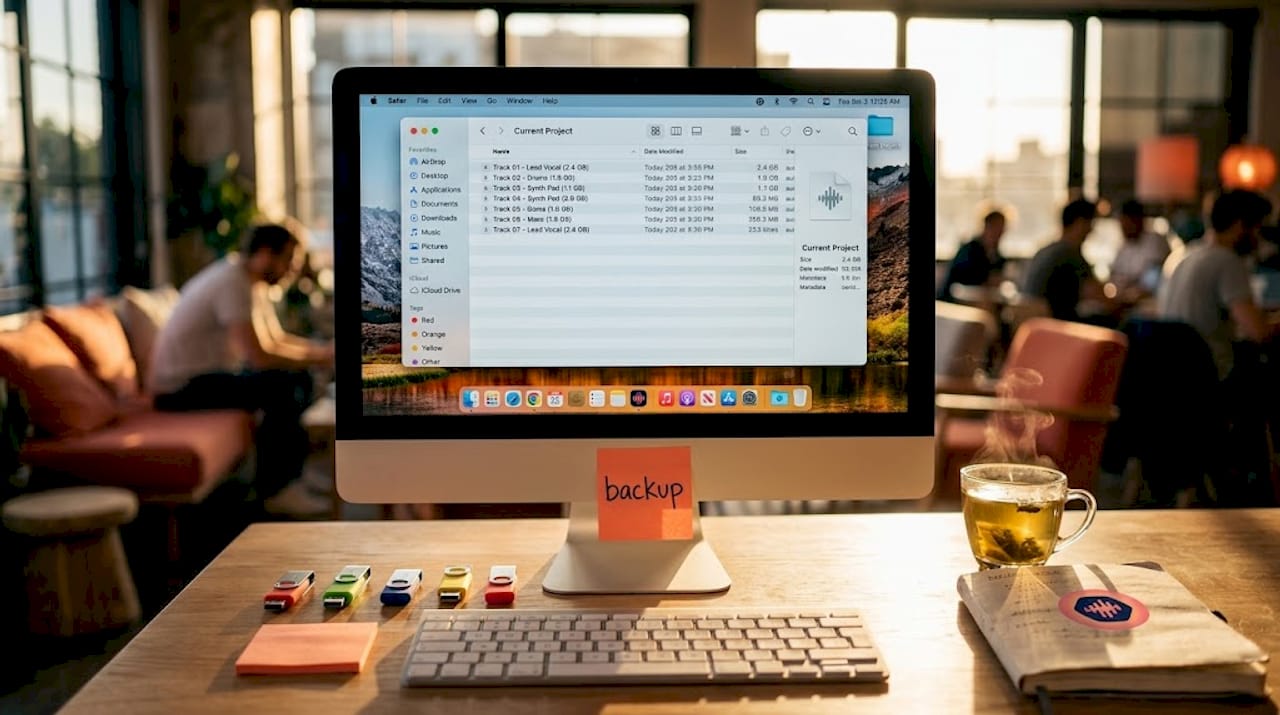
FLAC (Free Lossless Audio Codec) occupies a critical middle ground that uncompressed formats can’t fill. FLAC is a lossless compression format that reconstructs the original PCM audio exactly on decode, making it functionally identical to WAV or AIFF in terms of sound quality, while cutting file size by roughly 40 to 60 percent.
That difference matters enormously in real workflows:
- Archiving: A full multitrack session that weighs 8 GB as WAV files may compress to 3.5 to 5 GB as FLAC without any quality loss
- Stem transfers: Sending 40 stems to a mixing engineer across a cloud platform becomes significantly faster and cheaper with FLAC
- Long-term storage: When you’re maintaining a catalog of hundreds of projects, that 50% space saving compounds quickly across years of work
- Streaming platforms: Several high-resolution streaming services accept FLAC masters directly, and many audiophile distribution platforms prefer it over WAV
FLAC also supports a wide metadata standard called Vorbis comments, which handles album art, credits, and custom tags robustly — making it a strong choice for final masters heading to distribution.
Pro Tip: Use FLAC for your archival master copies instead of WAV when you need to share files across platforms or store large session backups. If you ever need to process them again, decode back to WAV for your DAW session. The round-trip is mathematically perfect.
The one significant limitation of FLAC is DAW compatibility. While support has improved, some DAWs require conversion before importing FLAC files natively. Pro Tools, for instance, still requires an intermediary step in some versions. Always verify your DAW’s FLAC support before committing it to an edit workflow. For managing these kinds of format decisions across complex projects, good project tracking for post-production discipline keeps you from losing track of which version lives in which format.
MP3 and AAC: The go-to options for publishing and distribution
Once your production masters and archives are secured, the format conversation shifts entirely toward delivery. Lossy compression formats exist for one core reason: they make files small enough to stream, download, and embed at scale without burning through bandwidth or storage budgets.
Here’s a direct comparison of the two dominant delivery formats:
| Feature | MP3 | AAC |
|---|---|---|
| Compression type | Lossy | Lossy |
| Typical bitrate (podcasts) | 128 kbps mono, 192 kbps stereo | 96 to 128 kbps stereo |
| Sound quality at equal bitrate | Good | Generally better |
| Universal compatibility | Excellent | Very good (some gaps) |
| Apple ecosystem support | Yes | Native |
| Open standard | Yes | Partially (some profiles) |
| Typical use | Podcasts, general distribution | Apple Podcasts, music streaming |
MP3 is a widely supported lossy format used for distribution, and it remains the universal default largely because of its compatibility track record rather than its technical performance. Nearly every podcast app, media player, car stereo, and browser handles MP3 without issue. For podcast producers who need their content to reach the widest possible audience across every app and device, MP3 at 128 kbps mono (for speech-focused podcasts) or 192 kbps stereo (for music-heavy shows) remains the safest choice.
AAC is a lossy format that often sounds better than MP3 at similar bitrates and is widely used in Apple-oriented podcast ecosystems. This quality advantage is most audible at lower bitrates, where MP3 starts to exhibit the characteristic smearing and pre-ringing artifacts around transients and high frequencies. AAC handles these areas more gracefully. However, compatibility gaps can still appear on older Android apps and certain non-Apple podcast platforms, so check your target distribution channels before defaulting to AAC.
A practical breakdown for common scenarios:
- Speech podcasts: MP3 at 128 kbps mono, 44.1 kHz. Keeps files small, maximizes compatibility
- Music podcasts or audio dramas: MP3 at 192 kbps stereo, or AAC at 128 kbps stereo if Apple Podcasts is your primary platform
- Music streaming masters: AAC or MP3 at 320 kbps for maximum perceived quality
- Streaming platform delivery: Follow each platform’s specific specs. Many prefer WAV masters and encode on their end
For a broader comparison of how these formats stack up in real distribution scenarios, exploring resources on comparing lossy audio formats can clarify when the quality and compatibility tradeoffs tip one way or another, and the audio formats for podcasts guide provides additional platform-specific context.
Avoiding workflow pitfalls: Conversions, resampling, and metadata headaches
Knowing each format’s strengths only gets you halfway. The real damage in professional workflows happens at format handoffs — the moments when a file moves from one stage, collaborator, or system to another.
Follow these steps to build a clean, conversion-minimal workflow:
- Define your session sample rate once, upfront. Decide between 44.1 kHz (music distribution standard) or 48 kHz (video/broadcast standard) before you record a single track. Everything downstream should match
- Lock down your bit depth. Use 24-bit for recording and editing. Convert to 16-bit only at the final dither stage when preparing a CD master or legacy delivery
- Avoid converting between lossy formats. Never take an MP3, convert it to AAC, and re-export. You’re stacking two rounds of lossy compression — quality loss is cumulative and audible
- Keep a lossless master at every stage. Before any bounce or conversion, archive the lossless source. This is your insurance policy
- Embed metadata at the source. Don’t wait until delivery to tag your files. DAW session metadata, ISRC codes, and licensing info should be embedded when you export the master
Choosing inconsistent sample rates and bit depths across a workflow can force resampling at unexpected points, adding CPU overhead and introducing small but real conversion artifacts, especially when repeated or handled by poorly configured software. A 96 kHz session element dropped into a 48 kHz timeline triggers an automatic resample that you may not even notice until it causes a glitch under load.
The cleanest workflows are built on restraint, not ambition. Fewer format changes, fewer conversions, and fewer “just this once” exceptions mean fewer problems at mastering and delivery.
These issues compound further when you’re working remotely with collaborators across different systems. Clear format documentation shared upfront is one of the most practical remote audio collaboration tips you can adopt. For additional guidance on keeping conversions clean and predictable, reviewing techniques to prevent conversion artifacts reinforces good technical habits. Consistent format discipline also reduces the kind of version control pitfalls that cause projects to spiral when multiple collaborators are involved.
Expert perspective: Why real-world workflow decisions trump theoretical debates
There’s a persistent conversation in audio forums about which format is “the best,” and it almost always misses the point. In an ideal lab environment, yes, WAV at 32-bit float is technically superior. AAC has a measurably better psychoacoustic codec than MP3. FLAC is mathematically lossless. These facts are correct and also largely irrelevant to what actually breaks professional workflows.
What actually breaks workflows is the engineer who sends stems as MP3 because their upload was slow, or the podcast editor who recorded at 44.1 kHz when the client’s video timeline runs at 48 kHz, or the producer who mixed on AIFF masters and then archived only the bounced stereo WAV without keeping the session. These are human decisions and process failures, not format failures.
The most effective audio professionals we’ve seen build one unified format map for their studio, then stick to it relentlessly. They educate their clients and collaborators before files start moving. They automate conversions where possible and never allow ad hoc “just use whatever you have” format decisions to creep into a project. Consistency creates predictability, and predictability is what lets you scale from one project to ten without losing your mind.
Chasing theoretical perfection — upgrading to 32-bit float because you read it’s better, or switching to Opus because it has higher efficiency numbers — without understanding how those choices ripple through your actual production chain is how you accumulate technical debt. The best format for your workflow is the one every participant understands and every tool in your chain handles correctly, every time. Insights on music collaboration consistently reinforce this: shared standards between collaborators outperform individual “optimal” choices made in isolation.
Streamline your audio projects with Audome
Format decisions don’t happen in isolation — they happen inside projects with multiple collaborators, revision cycles, and tight delivery deadlines. Getting the right format to the right person at the right stage is where workflow platforms make a real difference.
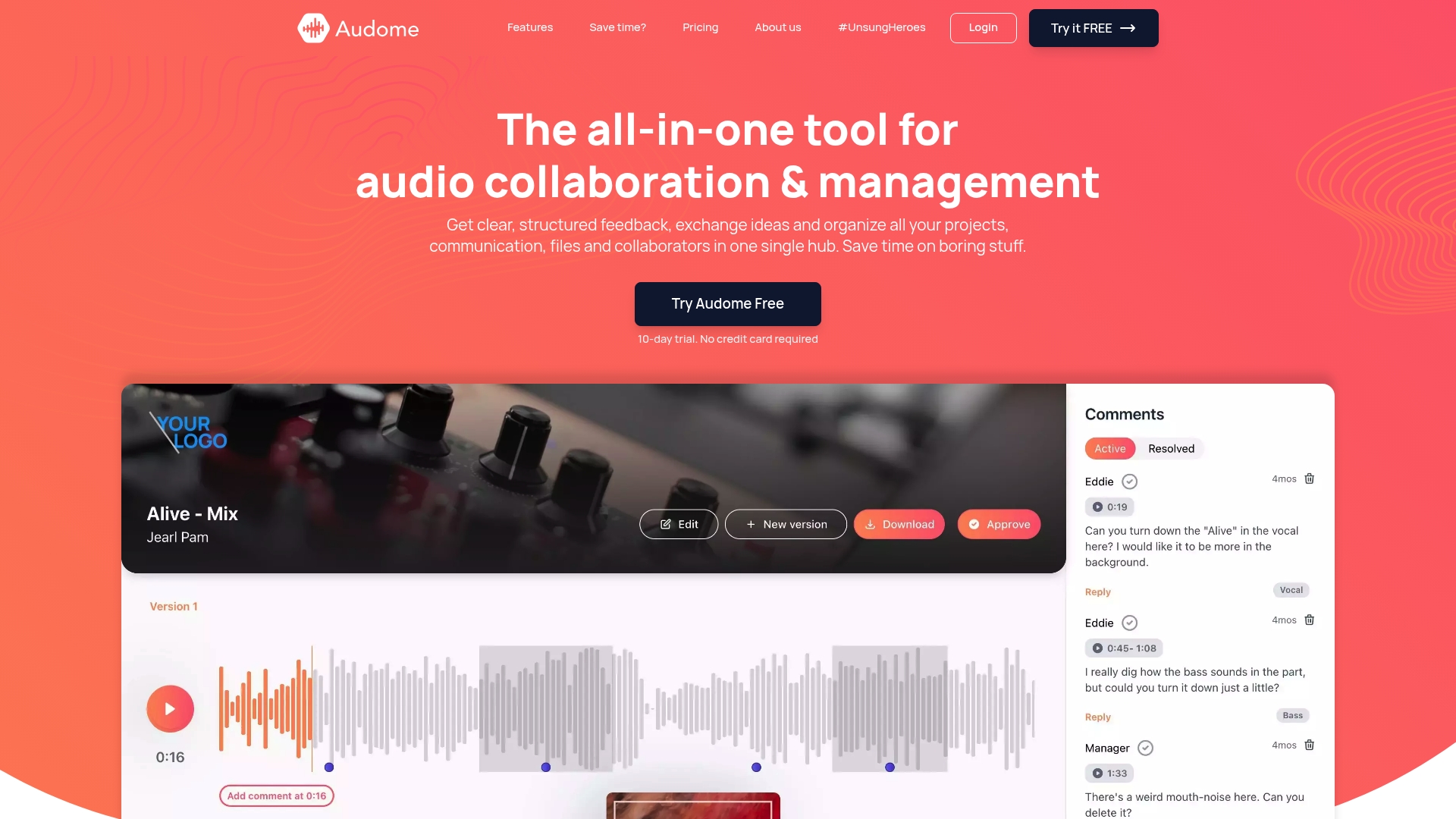
Audome is built for exactly this challenge. As an all-in-one audio platform, it supports lossless audio up to 96kHz/24-bit, so you can share WAV, AIFF, and FLAC files without any compression or quality degradation. Unlimited file uploads, version control, and timestamped comments mean your collaborators can give precise feedback on the exact format that matters. Private collaborator spaces and password-protected sharing keep your masters secure, while the no-login interface means clients can review and respond without friction. If format consistency and clean file handoffs matter to your production process, Audome removes the bottlenecks that slow teams down.
Frequently asked questions
What’s the safest audio format for sharing across all devices?
MP3 is a widely supported lossy format chosen for universal compatibility, making it the safest option when you need a file to play on any device or app without conversion.
When should I choose FLAC instead of WAV?
Use FLAC when you need lossless quality with smaller file sizes, particularly for archiving large sessions or transferring stems. FLAC reconstructs the original PCM exactly on decode, so there’s no quality tradeoff compared to WAV.
Is there a quality difference between AAC and MP3 at the same bitrate?
Yes. AAC often sounds better than MP3 at similar bitrates, particularly at lower bitrates where MP3 artifacts become noticeable around transients and high-frequency content.
How do inconsistent sample rates affect my workflow?
Choosing inconsistent sample rates across a workflow forces resampling, which adds CPU overhead and can introduce small but cumulative conversion artifacts, especially when the resampling happens repeatedly or with poorly configured tools.
What’s a typical pro audio workflow for file formats?
Most professionals record and edit in WAV for maximum transparency, archive lossless copies as FLAC to save storage, and export to MP3 or AAC for final distribution. This three-stage approach covers quality, efficiency, and compatibility without compromise.