
A working studio approval process combines five things: a mix checklist, timestamped feedback, version control, a defined revision limit, and a written sign-off before final files unlock. The immediate next step is simple: send a labeled mix with specific listening prompts, attach the checklist, and open a set review window through a portal that captures timestamped comments instead of scattered emails and texts.
TL;DR:
- Clients should leave timestamped feedback directly on the waveform and provide reference tracks to clarify subjective notes, reducing revision cycles.
- The official approval process requires a signed sign-off attached to a specific version, not informal chats or emojis, and each approval must include a name, role, and date.
- Filenames must follow a consistent format with version numbers, and a clear changelog should be maintained for at least 90 days to prevent confusion and disputes.
- Two revision rounds are standard, with three considered generous; additional rounds should require payment or a clear fee structure.
- Files should be delivered with −3 to −6 dBFS headroom and proper platform-specific loudness targets to avoid delays at mastering.
Table of Contents
- What Belongs on a Studio Mix Approval Checklist?
- How Should You Handle Versioning, Filenames, and Changelogs?
- How Do You Collect Feedback You Can Actually Act On?
- How Many Revisions Should Be Included, and When Should Extra Rounds Cost Money?
- What Are the Pre-Master Technical Specs You Should Confirm Before Delivery?
- Async Portal or Live Review Session: Which Workflow Fits?
- Why Structured Approval Protects Both Sides of the Studio Relationship
- Put This Approval Process to Work With Audome
- Sources
- FAQ
What Belongs on a Studio Mix Approval Checklist?
A formal mix approval checklist covers five areas: sonic acceptance, technical specs, playback testing, delivery and metadata, and written sign-off. Skip any one of them and you end up chasing approvals after the fact instead of locking them in before delivery.
Sonic acceptance covers balance, tonal character, dynamics, and automation moves. Ask the client to confirm the vocal sits where they expect, the low end matches their reference, and nothing static or overly compressed. Technical specs means confirming sample rate and 24-bit depth, plus headroom in the correct range for the next stage of the chain.
Statistic Callout: Pre-master deliveries should sit at −3 to −6 dBFS of headroom, with the mix bus limiter removed. That gap gives a mastering engineer room to work instead of fighting a file that’s already slammed to zero.
Playback testing means checking the mix on at least three systems, a mono fold down, and true peak or LUFS targets if the project is headed straight to a streaming platform. Delivery and metadata covers file naming, sample rate labeling, and confirming the right files landed in the right folder.
The final piece is written sign-off, and this is where most studios get sloppy. Approval needs a name, a role, and a date attached to an exact version number, not a thumbs up emoji in a group chat. That can happen through:
- A checkbox inside a client portal tied to a specific file version
- A signed one-page client sign-off form
- A direct email reply quoting the version number back to you
How Should You Handle Versioning, Filenames, and Changelogs?
Version confusion kills more studio relationships than bad mixes do. A client says “go back to the one from Tuesday” and nobody can figure out which file that was. Fix it with a filename convention and a habit of never overwriting a previous file.
- Name every file consistently. Use a format like
Artist_Title_Mix_v1.wav, incrementing the version number on every export, no exceptions. This one habit eliminates the phantom revision problem where a client swears they heard a change that was never made. - Log a one-line changelog per version. Something as short as “v2: vocal +1.5 dB in chorus, tightened low end at 80 Hz” gives you and the client a shared record of what actually moved between versions.
- Retain everything for a minimum of 90 days. Keep previous versions even after final delivery, since disputes and rollback requests almost always surface weeks later, not the same day.
Never overwrite a file to “save space.” Storage is cheap. Rebuilding a client’s trust after you’ve lost their approved version is not.
How Do You Collect Feedback You Can Actually Act On?
Vague notes are the single biggest driver of wasted revision rounds. “Make it punchier” tells you nothing actionable. Timestamped, pinned comments on the waveform tell you exactly where and what.
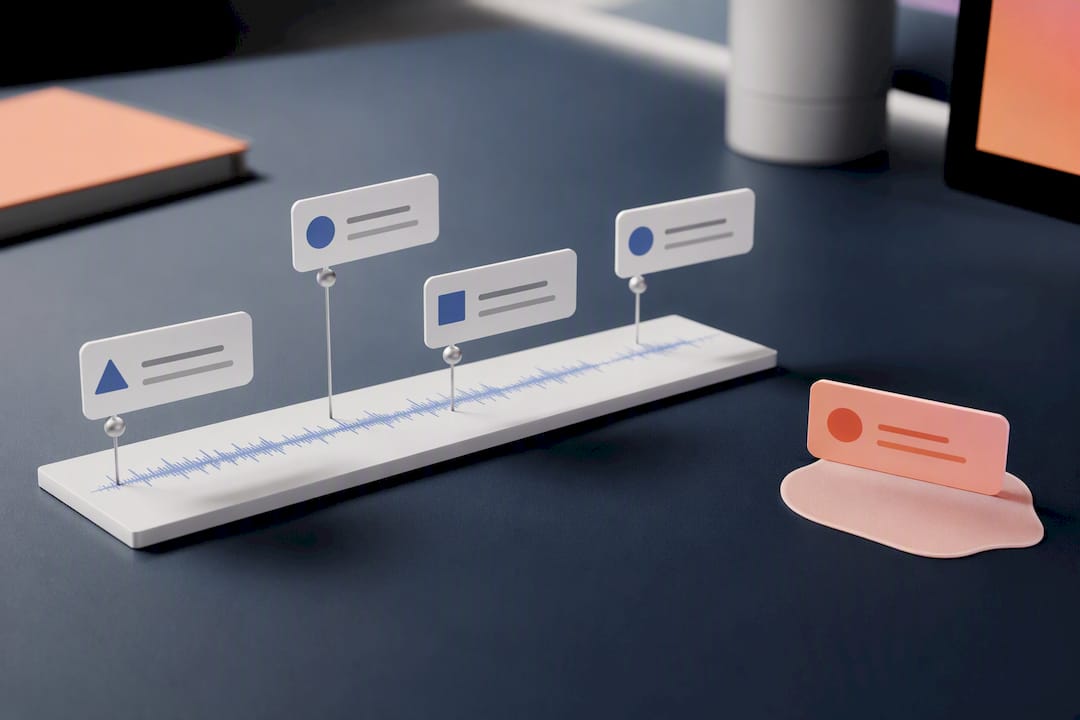
Require clients to leave feedback directly on the timeline rather than in a paragraph of prose, and batch every note into a single revision round instead of trickling in one comment at a time over three days. A portal built for seamless mix delivery does this natively. That structure alone prevents the slow drip of “oh, one more thing” messages that never seem to end.
Reference tracks solve the other half of the problem. Structured references translate subjective feedback into a shared target and cut down the number of rounds needed to get there. When a client says “make the vocal warmer,” ask for a reference track or convert that note into something measurable: raise 2 to 4 kHz by a specific amount, or pull down the 3 kHz presence region. Adjectives are negotiable. Decibels are not.
- Require every note to land on the waveform with a timestamp, not in a separate email.
- Batch feedback into one document or one portal thread per revision round.
- Ask for a reference track whenever feedback uses a subjective adjective with no clear target.
- When stakeholders disagree, circulate a short written summary of the agreed direction before touching the session.
Pro Tip: When you get conflicting notes from two stakeholders on the same project, don’t split the difference in the mix. Send a two-line summary of what you’re about to change and get one reply confirming it before you open the session. That single email saves entire revision rounds.
How Many Revisions Should Be Included, and When Should Extra Rounds Cost Money?
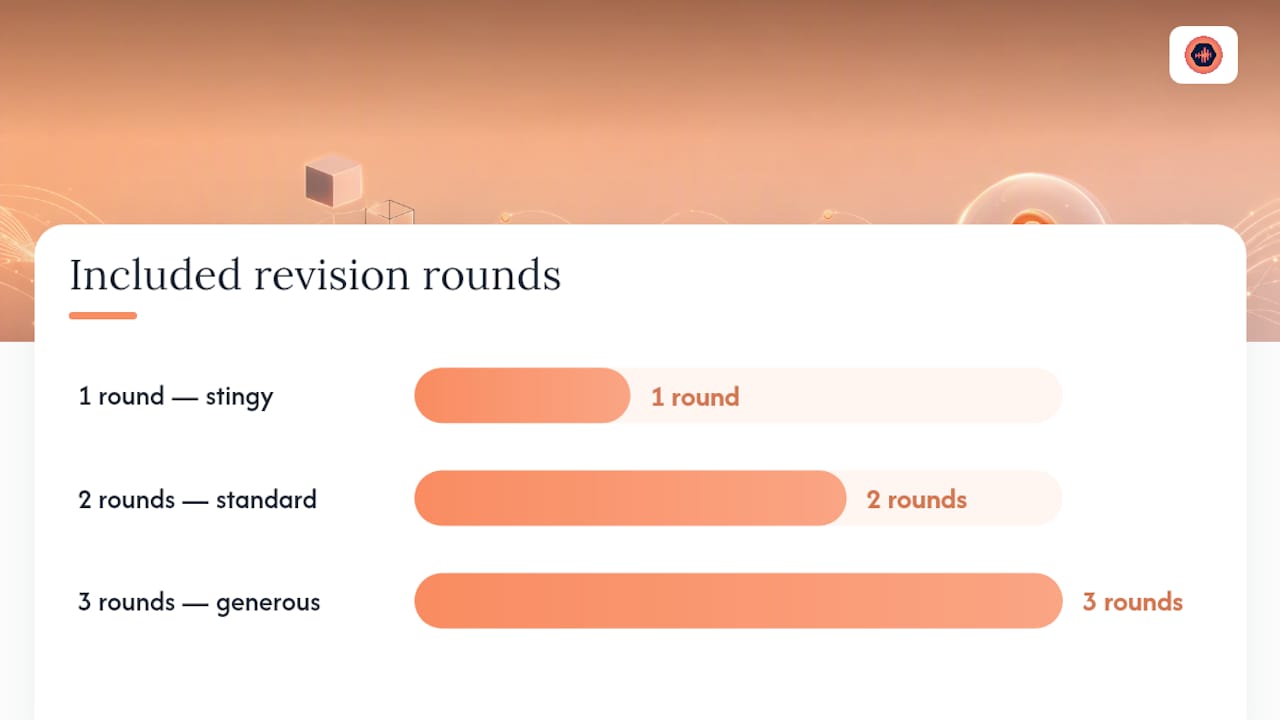
Two included rounds is the standard most studios settle on, and three is already generous. Fewer than two feels stingy to the client; more than three tends to invite drift, where “one small tweak” quietly becomes a full remix. The fix is setting a clear limit up front and defining, in the quote itself, what counts as a revision versus new work.
A revision adjusts existing elements: levels, EQ, timing, arrangement tweaks within the same song. New work is anything that changes scope: adding a verse, recording a new part, remixing a different version for radio. Draw that line in writing before the first mix goes out.
- State the revision count plainly in the quote or proposal, not buried in an email thread.
- Use soft checkpoint language once rounds are exhausted: “You’ve used your two included rounds. Additional revisions are billed at [rate] per round.”
- Offer a per-round fee for extra passes, or gate final downloads behind payment until the invoice clears.
- Payment gates let a studio unlock the final file only after the client pays for the extra round, which removes the awkward follow-up email entirely.
Naming the revision count up front, and stating the payment channel plainly, changes how clients behave. They start acting like collaborators with a budget instead of open-ended requesters.
What Are the Pre-Master Technical Specs You Should Confirm Before Delivery?
Technical mistakes at delivery cause more mastering delays than creative disagreements. Confirm every spec before the file leaves your session, not after the client asks why the master sounds thin.
Statistic Callout: Deliver stereo WAV files at 24-bit depth with the sample rate matching your original session (44.1, 48, or 96 kHz), and headroom sitting between −3 and −6 dBFS. Anything hotter than that leaves the mastering engineer fighting a mix instead of shaping one.
- Match the sample rate to the session, not a default export setting.
- Run a mono compatibility check and a phase check before export.
- Note platform-specific loudness targets: streaming generally sits around −14 LUFS integrated, broadcast around −24 LKFS.
- Attach a delivery-notes file listing specs, exact filenames, and the intended target platform.
That last item matters more than it sounds. A one-page notes file eliminates the “wait, is this the streaming version or the broadcast version” call that happens two days before a release date.
Async Portal or Live Review Session: Which Workflow Fits?
Both workflows work. The right choice depends on how many stakeholders are involved and how much time you have before delivery.
- Async portal review. Upload the batch, attach the checklist, and set a review window of around seven business days. Clients leave timestamped comments on their own schedule. This is the better fit for projects with multiple stakeholders spread across time zones.
- Live review session. A focused 60-minute call where everyone listens together and adjusts on the spot. A shared listening session can collapse two or three rounds of back and forth into a single meeting when people align in real time.
- Hybrid. Start async to gather individual notes, then finish with a live session once stakeholders disagree or you’ve burned through the included revision rounds. This combination catches the benefits of both without dragging out the timeline.
Why Structured Approval Protects Both Sides of the Studio Relationship
Studios that standardize their approval steps close projects faster and get paid on a predictable schedule instead of chasing invoices for weeks after delivery. The pattern holds whether you’re mixing records, mastering EPs, or finishing podcast episodes: throughput improves the moment ambiguity leaves the process.
Timestamped comments remove the guesswork from feedback. Version history removes the “which file is this” argument. Paid revision gates remove the incentive for endless small requests. Each piece maps directly to a line on the checklist, and none of them work in isolation. Adopt the whole structure, not just the parts that feel comfortable.
— Kreg
Put This Approval Process to Work With Audome
Audome is built around the workflow this guide describes: timestamped waveform comments instead of vague email notes, version history so nobody argues over which file is current, and payment gates that unlock final downloads only after extra revisions get paid. Clients review and comment without creating an account, which keeps the process frictionless on their end while you stay in control of the files.

The Audome pricing page lists the current Studio and Pro plans, and the product overview walks through how projects, revisions, and delivery all live in one workspace instead of scattered across Dropbox links and text threads. If your studio is still tracking approvals by memory and email chains, that’s the gap this platform closes. Set up a project and run your next mix approval through it before your current revision round starts.
Sources
- Mastering for streaming: Your 2026 platform guide — Soundbridge
- 13 tips for using reference tracks while mixing — iZotope
FAQ
What Is a Studio Approval Process?
It’s the structured sequence a studio uses to get a mix, master, or edit formally accepted by a client, covering the checklist, feedback collection, versioning, and written sign-off. A working process ties every approval to a specific file version, name, role, and date rather than an informal thumbs up.
How Many Revision Rounds Should Be Included by Default?
Two rounds is the standard most studios use, with three considered generous. Anything beyond that should shift to a per-round fee or a payment gate before further work begins.
What Headroom Should I Leave on a Pre-Master File?
Leave −3 to −6 dBFS of headroom and remove any limiter on the mix bus before sending files to mastering. That range gives the mastering engineer enough dynamic space to shape the final loudness properly.
How Long Should I Keep Old Mix Versions?
Retain every version for at least 90 days after final delivery, and never overwrite a previous file. Rollback requests and disputes usually surface weeks after a project closes, not the same day.
Does Audome Handle Paid Revisions and Version Tracking?
Yes. Audome combines timestamped waveform comments, automatic version history, and Stripe Connect payment gates so studios can bill for extra revision rounds and lock final downloads until payment clears. Current plans and pricing are listed on the Audome pricing page.