
TL;DR:
- Timestamped feedback attaches comments directly to specific moments in audio tracks, reducing revision time significantly. Using the right platform with waveform annotation and version control streamlines communication and prevents outdated notes, improving efficiency and trust. Implementing a six-step process and early client education enhances feedback quality, cutting unnecessary revisions and building stronger collaboration.
The timestamped feedback process is the practice of attaching comments directly to exact moments in an audio track, giving engineers and clients a shared, precise reference point for every revision request. Ambiguity in feedback accounts for 60–80% of revision round time in traditional workflows. That single bottleneck disappears when every note is pinned to a specific second. Switching to a structured timestamped review process can reduce total revision time by up to 50–70%, compressing multi-day revision cycles into hours. This guide walks audio professionals and production teams through the tools, steps, and best practices needed to make that shift stick.
What is the timestamped feedback process and why does it matter?
Timestamped audio feedback is the industry term for waveform-anchored annotation. A reviewer listens to a track, pauses at a problem moment, and types a note that locks to that exact position in the timeline. The engineer receives a comment like “2:14 — the kick is masking the bass” instead of “the low end feels off somewhere in the second verse.” The difference is not cosmetic. Precise timestamped comments allow engineers to jump directly to the segment, loop playback, and address specific technical issues without guessing.
The efficiency gain compounds across a full project. A mix with ten rounds of vague email feedback can stretch across two weeks. The same project with timestamped audio comments typically resolves in two or three focused sessions. For production teams billing hourly or managing multiple clients, that compression directly affects profitability. The revisions in music production process becomes measurably faster when every note has a coordinate.
What tools and prerequisites do you need for timestamped audio feedback?
The right platform is the foundation. A tool that supports timestamped audio feedback must include at minimum: waveform playback with click-to-comment annotation, version tracking so comments stay linked to the correct file revision, and a status system that lets engineers mark notes as addressed, in progress, or rejected.

Core feature categories to evaluate
When comparing platforms, focus on these feature categories rather than brand names:
- Waveform annotation. Comments must attach to the exact playback position, not just a general timestamp field.
- Version control. Versioned timestamped comments let you reference exact moments on specific revisions, preventing outdated feedback from being applied to the wrong file.
- No-account access for clients. Allowing collaborators to leave notes without creating accounts or installing software reduces friction and increases the volume of usable feedback.
- Integrated player interface. Feedback tools built directly into the audio player where reviewers listen eliminate the friction of switching tabs or copying timestamps manually.
- Download controls and payment gates. For studios managing client deliverables, locking final downloads behind payment prevents unpaid exports.
Pro Tip: Before onboarding a client to any feedback platform, send a 60-second screen recording showing exactly how to leave a timestamped comment. This one step eliminates most compliance failures before they start.
Audome covers all of these categories in a single workspace. Engineers upload high-resolution files up to 96kHz/24-bit, clients leave waveform-anchored comments without creating an account, and every note stays linked to the correct version. The collaborative audio review guide from Audome covers platform selection in more depth for teams still evaluating options.
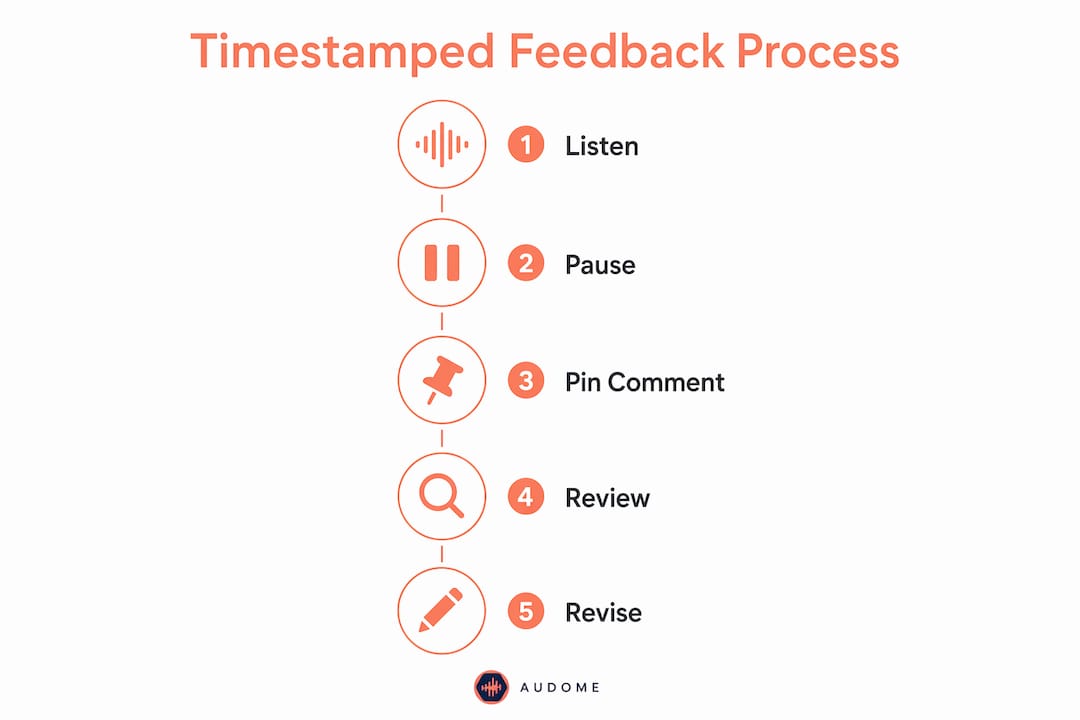
How to implement a step-by-step timestamped feedback process
A repeatable sequence removes guesswork from every revision cycle. The following six steps form a complete feedback tracking method that production teams can apply to any project.
-
Prepare and upload the audio file. Export a clearly labeled version of the mix or master. Use a consistent naming convention that includes the version number and date, for example “TrackName_v2_2026-03-15.” Upload it to your feedback platform and confirm the waveform renders correctly before sharing.
-
Enable timestamped commenting and share the link. Activate the annotation layer in your platform and send the client or collaborator a direct link. If your platform supports password protection, set it before sharing. Clients should be able to click play, pause at any moment, and type a note without any additional steps.
-
Brief reviewers on how to leave precise notes. Setting expectations early about timestamped notes significantly increases the quality and quantity of usable feedback. Tell clients to pause the track at the exact moment they hear an issue and describe what they hear, not what they want to feel. “The snare at 1:32 sounds thin” is usable. “The energy drops in the chorus” is not.
-
Review and categorize feedback by timestamp, status, and priority. Once comments come in, sort them by position in the track. Group related notes together. Flag anything that contradicts a previous approved revision so you can address it with the client before touching the file.
-
Execute targeted revisions by jumping directly to timestamps. Open your DAW alongside the feedback thread. Work through comments in order, addressing each one at its exact position. Feedback pinned to exact seconds allows one focused revision cycle instead of multiple passes based on vague impressions.
-
Upload the new version and close the feedback loop. Link the revised file to the original feedback thread. Mark each addressed comment as resolved. Notify the client that specific notes have been actioned, and flag any notes you rejected with a brief explanation. This closes the loop and prevents the same issue from resurfacing in the next round.
Pro Tip: Never start a revision pass until all comments for that version are submitted. Set a clear deadline for feedback, then lock the thread. This prevents mid-revision additions that invalidate work already completed.
What are common challenges when using timestamped feedback in audio production?
Even well-designed workflows break down under real project conditions. Knowing the failure points in advance lets you prevent them rather than react to them.
“The platform for collecting feedback matters as much as the feedback itself. Integrating comments directly into the player interface where audio is auditioned eliminates friction and increases the quality of what clients actually submit.”
Overloaded comment threads. A client who leaves 40 comments on a single mix creates a different problem than one who leaves none. Set a guideline: one comment per distinct issue, no stacking multiple requests into a single note. This keeps the thread scannable and the revision scope clear.
Vague notes despite timestamping. Some clients will timestamp a comment but still write “fix this part.” Build a short feedback template into your project onboarding. Ask clients to describe what they hear, where they hear it, and what direction they want it to move. Three sentences per comment is a reasonable standard.
Outdated feedback applied to the wrong version. Versioned timestamped comments prevent this when the platform supports them. If a client sends feedback on version 2 after you have already uploaded version 3, the notes must stay attached to version 2. Applying them to version 3 without checking for conflicts creates new problems. Always confirm which version a comment refers to before acting on it.
Friction from tool-switching. When clients have to download a file, open a separate app, copy a timestamp, and paste it into an email, most of them skip the timestamp entirely. The solution is a platform where the listening experience and the commenting experience are the same interface. Audome’s client portal keeps both in one place, which is why it removes the need for Dropbox, Google Drive, WeTransfer, and email chains simultaneously.
Scope creep disguised as feedback. Timestamped feedback creates a dispute-proof historical record that protects studios from scope creep and project stagnation. When a client claims they “already mentioned” an issue, the thread either confirms or refutes it instantly. That record is one of the most underrated benefits of the entire system.
Best practices for building trust and efficiency with timestamped feedback
Precision builds professional trust faster than any other single behavior in audio collaboration. When a client sees that every note they leave gets addressed at the exact second they flagged, they stop second-guessing the process and start trusting the engineer. That trust compounds over repeated projects into predictable, repeatable working relationships.
Establish a clear feedback culture from day one
- Send a one-page feedback guide to every new client before the first file goes out. Cover what a good timestamped comment looks like, how many revision rounds are included, and what happens when additional rounds are needed.
- Model the behavior yourself. When you send notes to a collaborator, use timestamps. Engineers who annotate their own files teach clients how to reciprocate.
- Use status labels consistently. “Addressed,” “rejected,” and “deferred” are three labels that cover almost every outcome. Clients who see their notes tracked and resolved feel heard, even when you push back on a request.
Protect your audit trail
A complete feedback collection workflow that preserves every comment, version, and status change gives you a full project history at any point. This matters most when a project stalls or a dispute arises. The audit trail answers “what was agreed, when, and on which version” without any back-and-forth.
Pro Tip: At the end of every project, export or archive the full comment thread alongside the final approved file. This takes two minutes and protects you from disputes that surface weeks or months after delivery.
Reduce revision cycles by improving feedback quality upfront
Fewer, better comments produce faster results than many vague ones. Studios that invest time in educating clients about timestamped audio comments during onboarding consistently report shorter revision cycles. The client revision management process becomes significantly more predictable when clients understand what useful feedback looks like before they submit it.
Key Takeaways
A structured timestamped feedback process is the single most effective method for reducing revision cycles and eliminating miscommunication in professional audio production.
| Point | Details |
|---|---|
| Define feedback precisely | Comments pinned to exact seconds eliminate ambiguity and cut revision time by up to 50–70%. |
| Choose the right platform | Use a tool with waveform annotation, version control, and no-account client access built in. |
| Follow a six-step sequence | Prepare, share, brief, categorize, revise, and close the loop on every revision round. |
| Protect your audit trail | Versioned, threaded comments create a dispute-proof record that prevents scope creep. |
| Educate clients early | Setting expectations about timestamped notes before the first file ships increases feedback quality and compliance. |
Why I think most studios adopt this process too late
I have watched production teams spend years managing feedback through email threads, voice notes, and Slack messages before finally switching to a structured timestamped review process. The consistent pattern is the same: the switch happens after one project goes badly wrong, not before. A client insists they flagged an issue that never made it into the revision. A mix gets delivered to the wrong version. A revision round stretches to six cycles because nobody can agree on what was already approved.
The uncomfortable truth is that most studios resist the switch because they assume clients will push back on learning a new tool. That assumption is almost always wrong. Clients do not want to learn software. They want to be heard. A platform that lets them click a timestamp and type a sentence requires no training at all. The resistance lives entirely on the studio side, not the client side.
What I have seen shift when teams commit to this process is not just efficiency. It is the quality of the creative conversation. When a director can say “at 2:47, the strings feel too forward” and an engineer can respond “addressed in v3, pulled back 2dB at 3kHz,” the relationship moves from guesswork to craft. That precision is what builds trust in media collaboration over time, and it is what separates studios that retain clients from those that constantly chase new ones.
The teams that wait for a crisis to make the switch pay a higher price than the ones who build the habit early. Start with one project. Run the full six-step sequence. The results will make the decision permanent.
— Kreg
Audome brings timestamped feedback into one workspace
Audome is built specifically for audio professionals who need a faster, cleaner revision process without stitching together five separate tools.

Clients leave waveform-anchored comments without creating an account. Every note stays linked to the correct file version. Engineers can set revision limits, charge automatically for additional rounds through Stripe Connect, and lock final downloads behind payment. The entire feedback thread, version history, and file delivery live in one audio collaboration platform designed around how studios actually work. Teams that move their revision process into Audome stop chasing feedback across email, Discord, and Dropbox and start spending that time on the work itself.
FAQ
What is timestamped feedback in audio production?
Timestamped feedback is a comment attached to an exact moment in an audio file, giving engineers a precise reference point for every revision request instead of a vague description.
How much time can timestamped feedback save?
Switching from email-based feedback to a structured timestamped process can reduce revision round time by up to 50–70%, compressing multi-day cycles into focused sessions.
Do clients need to create an account to leave timestamped comments?
No. Platforms like Audome allow clients to leave waveform-anchored comments through a shared link without creating an account or installing any software.
How do you prevent outdated feedback from being applied to the wrong version?
Use a platform with version-linked comments. Each note stays attached to the specific file version it was left on, so engineers can confirm which revision a comment refers to before acting on it.
What makes a good timestamped comment?
A useful timestamped comment identifies the exact moment, describes what the reviewer hears, and indicates the direction of the change. “The kick at 1:32 is masking the bass, pull it back” is far more useful than “the low end feels off.”