
Use an audio-specific collaboration platform like Audome instead of email and generic cloud storage. It gives you the four things a studio actually needs: timestamped waveform feedback, version history, secure delivery, and paid-revision controls.
Two reasons this matters more than picking a slightly better DAW plugin:
- Timestamped comments tied to an exact waveform and file version kill the back-and-forth of “which version has the vocal fix?”
- Built-in payment gating through tools like Stripe Connect means clients pay for extra rounds and unlock downloads only after settling up.
Key Takeaways
Studio-grade collaboration works when timestamped feedback, version control, and payment gating live in one platform instead of scattered across email, Drive, and text messages.
| Point | Details |
|---|---|
| Pick an audio-native platform | Choose a tool built for waveform feedback and version history, not a repurposed file-sharing app. |
| Set revision limits upfront | Cap included rounds at two or three and require batched, timestamped notes per round. |
| Gate downloads behind payment | Use a processor like Stripe Connect so extra revisions and final files are billed automatically. |
| Roll out gradually | Trial one project, pilot a few more, then move your full roster within about four weeks. |
| Audome centralizes the workflow | Audome pairs timestamped waveform comments, version history, high-resolution uploads, and Stripe Connect payments in one no-login client workflow. |
Table of Contents
- What Tools Do Professional Studios Use for Client Collaboration?
- What Features Make a Platform Studio-Grade?
- How Do You Choose a Platform and Set a Revision Policy?
- What Security and Payment Controls Should You Demand?
- What Does a Real Studio Workflow Look Like End to End?
- How Long Does It Take to Roll Out a New Platform?
- What Does a Studio Collaboration Platform Cost?
- Does It Work With the Software and Gear You Already Use?
- How Do You Train Your Team and Clients on a New Tool?
- What Studios Say After Switching to a Centralized Platform
- How Audome Brings This Together for Studios
- Sources
- FAQ
What Tools Do Professional Studios Use for Client Collaboration?
The short answer: a dedicated platform built around audio files, not a folder-sharing app repurposed for it. Dropbox, Google Drive, WeTransfer, and email all move files fine. None of them were built to handle feedback, versioning, or revenue protection for a creative business.
That gap shows up the moment a project gets past round two. A client emails “can you make the chorus punchier” with no timestamp, no reference to which mix version they’re hearing, and no way for you to bill them when that “one small note” becomes a fourth full pass. Dedicated platforms that combine file sharing, timestamped feedback, and version control remove that ambiguity because every comment attaches to a specific moment in a specific file version.
Studios are shifting toward these audio-native platforms for a practical reason: fragmented tools force you to reconstruct context every time a client responds days later across three different apps. A centralized workspace does the reconstructing for you, automatically, every time.
What Features Make a Platform Studio-Grade?
Not every “collaboration tool” belongs in a studio’s stack. Here’s the checklist that separates a real studio platform from a glorified file box.
- Timestamped waveform feedback. Comments should attach to an exact second in an exact file version, with metadata showing who left it and when. This is the single biggest upgrade over email threads.
- Version history with lossless support. You need full recall of prior mixes, including files up to 96kHz/24-bit, plus the ability to compare or restore an earlier version when a client changes their mind three days later.
- Secure delivery controls. Password-protected project pages, gated downloads, and clear file ownership so a stem doesn’t end up forwarded to someone’s cousin’s SoundCloud.
- Paid-revision workflows. Integration with a payment processor like Stripe Connect so extra rounds get billed automatically and final files stay locked until payment clears.
- No-login client review. Clients shouldn’t need to create an account to leave notes. Friction here is why half your feedback arrives as a text message instead of a structured comment.
- Project organization tools. Searchable engineer notes, per-version permalinks, and a private space per collaborator matter once you’re juggling a dozen active projects.
Pro Tip: Keep a running changelog for every version, even a one-line note like “v3: tightened low end per client request.” Studios that skip this step lose the thread the moment a client asks to go back to “the one from last Tuesday.”
A platform that checks these boxes is doing something email and Drive were never designed to do: turning feedback into a structured, billable, defensible record.
How Do You Choose a Platform and Set a Revision Policy?
Picking the right tool matters less than pairing it with a policy that actually gets enforced. Here’s how to do both.
Run through this decision checklist before committing to any platform:
- Does it support lossless uploads at studio resolution (96kHz/24-bit or better)?
- Can clients leave timestamped notes without creating an account?
- Does it gate downloads behind payment, or just track invoices separately?
- How is file ownership and version history stored, and can you export everything if you leave?
- Does it integrate with your existing DAW exports and backup routine?
Once the platform is set, lock in a revision policy before the first note comes in. Capping included revisions at two or three rounds and requiring batched notes per round is a proven way to keep projects moving.
A workable policy looks like this:
- A limited number of revision rounds per deliverable, with notes submitted as one batched list per round.
- A 48 to 72 hour turnaround per round, starting after notes are received.
- Additional rounds billed at a set rate, charged automatically before the next file is uploaded.
- New musical or structural requests treated as new work, not a revision.
Drop a version of this into your proposal email: “This project includes two rounds of revisions. Please submit all notes for each round in a single message with timestamps. Additional rounds are billed at [your rate] and processed before work begins.” Clients respond better to boundaries stated upfront than boundaries enforced after the fact.
Before rolling this out studio-wide, run one trial project through the platform first. Test a no-login review link with a client who isn’t technical, upload a high-resolution file, and confirm playback fidelity holds up before you commit.
What Security and Payment Controls Should You Demand?
Your masters and stems are the studio’s inventory. Treat platform security the same way you’d treat lock quality on a physical storage room.
Look for these baseline protections:
- Password-protected project pages with per-project access controls, not a single shared link that outlives the project.
- Download limits or expiring links so a file doesn’t circulate indefinitely after delivery.
- Encrypted storage and clear metadata showing who owns each file and version.
- Payment gating through Stripe Connect or a comparable processor, with automatic billing triggered when a client requests work beyond the included rounds.
Before signing up, ask the vendor directly: how long is data retained after a project closes, can you export original files and version history if you cancel, and how are engineer credits and version notes preserved. Audome’s platform capabilities show what a full answer to those questions looks like: unlimited high-resolution uploads, retained version history, and payment-before-download built into the workflow rather than bolted on.
These controls exist for a business reason, not just a technical one. Every unpaid download and every disputed “final” file is money the studio doesn’t recover. Payment gating and clean version records close both gaps at once.
What Does a Real Studio Workflow Look Like End to End?
Here’s how one project moves through a properly set up platform, from first upload to final payment.
- Create the project and set the revision policy (rounds included, turnaround time) before inviting the client.
- Client uploads reference tracks and stems through a no-login link.
- Engineer delivers the first mix; client leaves timestamped notes directly on the waveform.
- Engineer reviews notes and sends a short acknowledgment before touching the session, confirming exactly what “warmer vocals” or “punchier chorus” means in engineering terms.
- Changes are applied, saved as a new version, and logged with a one-line changelog entry.
- Client reviews the new version against the prior one using version comparison.
- Once approved, extra rounds beyond the included limit trigger a payment request.
- Final files unlock for download only after payment clears.
Pro Tip: Never open the DAW until the client confirms you’ve understood their note correctly. A thirty-second acknowledgment message saves you from rebuilding a session because “brighter” meant EQ to you and reverb to them.
Batching notes by round and keeping a changelog per version means you can always answer “what changed between v2 and v4” without guessing.
How Long Does It Take to Roll Out a New Platform?
Studios overestimate how disruptive switching platforms will be. In practice, this moves fast if you sequence it right.
Week one is a trial run: pick one active or upcoming project and route it entirely through the new platform, from upload to delivery. Don’t migrate your whole client roster on day one. Test the no-login review flow with a client who isn’t technically savvy, since that’s the true stress test of whether the interface holds up outside your own team.
Weeks two and three are the pilot phase. Run two or three more projects through the platform while keeping your old workflow as backup for anything already mid-revision. This is when you’ll surface the real friction points, like whether a specific client format needs adjusting or whether your team needs a shared naming convention for versions.
By week four, most studios are ready for full rollout: every new project starts on the platform, revision policies get stated in every proposal, and the old Dropbox links stop going out. Studios handling a high volume of concurrent projects sometimes stretch this to six weeks, mainly to retrain routines around batched notes and versioning rather than any technical limitation. The bottleneck is rarely the software. It’s habit change on your team’s side.
What Does a Studio Collaboration Platform Cost?
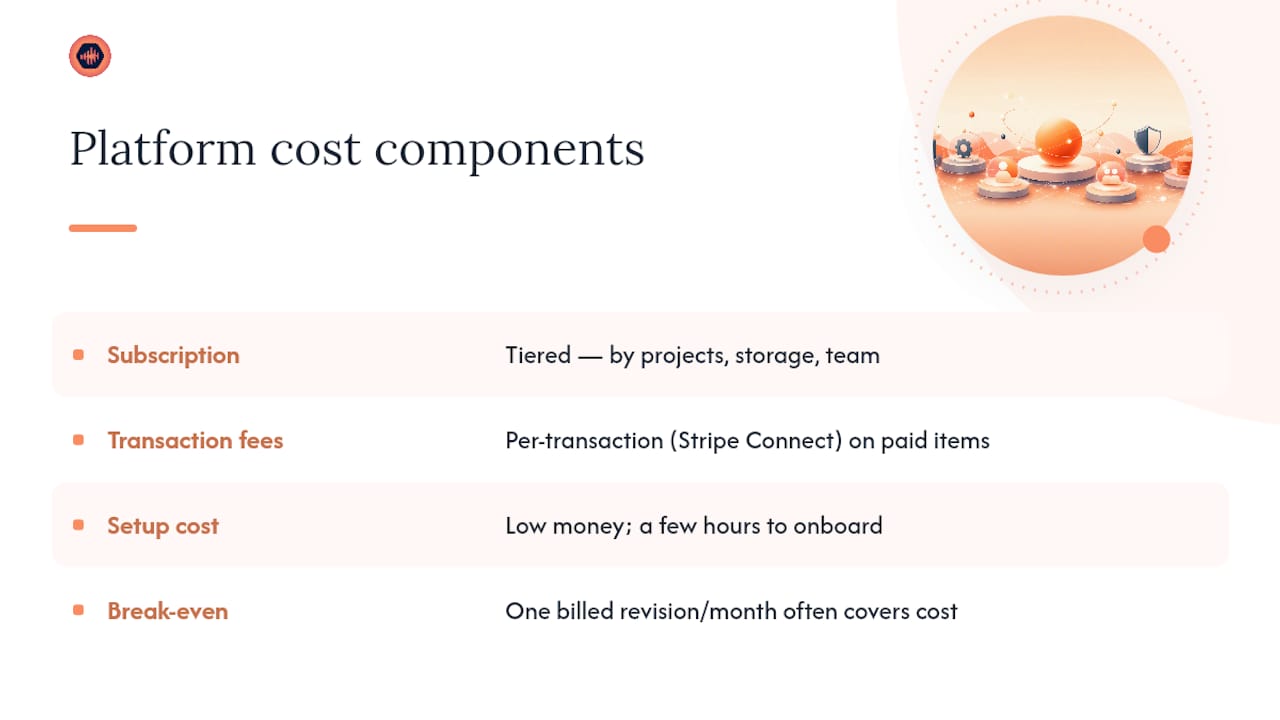
Pricing for these platforms typically follows a tiered subscription model, scaled to project volume, storage needs, and team size rather than a flat one-price-fits-all rate. Solo producers and freelance engineers usually land on a lower entry tier, while studios running multiple concurrent projects and collaborators need a plan with higher storage ceilings and more collaborator seats.
Beyond the subscription, expect a transaction cost on payments processed through the platform, since payment gateways like Stripe Connect charge a per-transaction fee for handling paid revisions and gated downloads. That fee is standard across virtually any platform that processes card payments. It’s the cost of not chasing invoices manually.
Setup costs tend to be minimal since most of these platforms are designed for self-onboarding rather than an implementation with a consultant. The real cost is time. Budget a few hours to migrate active projects, write your revision policy into proposal templates, and train your team on the new upload and review flow.
Weigh the subscription against what unpaid revisions currently cost you. A studio that recovers even one extra billed revision round per month, thanks to automatic payment gating, often covers the platform’s cost outright. That math is the actual reason to switch, more than any feature checklist.
Does It Work With the Software and Gear You Already Use?
A collaboration platform doesn’t replace your DAW, interface, or plugin chain. It sits around them, handling everything that happens before a session opens and after a bounce gets exported.
The practical integration points to check: does the platform accept lossless exports straight from your DAW without recompression, does it support the file formats your mastering chain outputs, and does it play nicely with whatever backup system you already run for archived sessions. Most studio-grade platforms are format-agnostic on the audio side, since the value sits in feedback and delivery, not in touching the file itself.
If your studio already uses project management software for scheduling or invoicing, look for a platform that can sit alongside it rather than trying to replace it outright. You don’t need one tool to do everything. You need the audio-specific workflow, feedback, and payment gating handled by a platform built for that job, while your calendar and accounting stay wherever they already work.
For studios curious about how tooling questions play out in adjacent creative fields, this overview of tools used in professional media production is a useful reference point on how other creative industries have standardized their review workflows.
How Do You Train Your Team and Clients on a New Tool?
The platform only works if people actually use it the way it’s designed to be used, which means training has two very different audiences.
For your team, the training is short: how to upload a new version, how to write a changelog entry, and how to respond to a client comment without opening five other apps first. Most engineers pick this up in one real project, not a formal session. The habit that takes longest to stick is resisting the urge to answer a client note over text instead of inside the platform. That’s the shortcut that breaks the whole system.
For clients, training should be closer to invisible. If a client needs a tutorial to leave feedback, the platform has failed at its core job. The right approach is a short note in your first project email: “Leave your notes directly on the waveform where you hear the issue, no login needed.” Point them to a quick guide on submitting references and notes if they’ve never worked this way before. Most clients adapt within one revision round once they see how much faster it is than writing “the part around 1:30, you know the one” in an email.
What Studios Say After Switching to a Centralized Platform
Studios that make the switch tend to report the same shift: fewer emails, faster turnarounds, and far fewer “wait, which file is this” moments. Version history and timestamped comments turn what used to be a memory argument into something you can just point to.
One pattern that comes up often: a client asks to revert to an earlier vocal take weeks after approval, and instead of scrambling through old exports, the engineer pulls the exact version and timestamp where that take lived. The dispute ends in minutes instead of becoming a whole afternoon.
How Audome Brings This Together for Studios
Everything in this checklist, timestamped waveform feedback, version history, secure delivery, and paid-revision billing, is what Audome was built around from the start, not features bolted onto a generic file-sharing app. Clients leave notes directly on the waveform with no account required, studios keep unlimited high-resolution uploads up to 96kHz/24-bit, and Stripe Connect handles the part every studio dreads: getting paid for the fourth revision round before the final file unlocks.
If you’re still routing feedback through Dropbox links and text messages, the fastest way to see the difference is to run one live project through Audome start to finish. Upload a real session, confirm the high-resolution playback holds up, and test the gated download and payment flow with an actual client. Start your trial project at Audome and see how much of your revision back-and-forth disappears in the first round alone.
Sources
- How to Handle Mix Revisions Without Endless Rounds
FAQ
What tools do professional studios use for client feedback?
Most studios now use audio-specific collaboration platforms like Audome that attach timestamped comments directly to a waveform, rather than relying on email or generic file-sharing apps.
How many revision rounds should a studio include for free?
Two or three included rounds is a common standard, with additional rounds billed separately and notes required in one batched list per round.
Do clients need to create an account to leave feedback?
No. Studio-grade platforms support no-login review links so clients can leave timestamped notes without setting up a separate account.
What audio quality should a collaboration platform support?
Look for unlimited high-resolution upload support up to 96kHz/24-bit so lossless masters and stems don’t lose fidelity during review.
How does payment gating prevent unpaid downloads?
Platforms with Stripe Connect integration can lock final files behind payment, so clients pay for approved work or extra revisions before download access unlocks.