
TL;DR:
- Effective remote audio production relies on separating local high-quality capture from cloud sharing to prevent internet variability from impacting audio integrity. Using integrated workflows with timestamped comments, version control, and unified platforms ensures precise collaboration, reduces errors, and maintains quality across distributed teams. Discipline in workflow practices and adopting all-in-one solutions like Audome streamline processes, preventing version drift and enhancing overall project efficiency.
Most producers assume a fast internet connection is all they need to run professional remote sessions. That assumption quietly costs projects their quality. The reality is that remote podcast production workflows deliberately separate local high-quality capture from cloud upload and merging, precisely because internet variability is an unpredictable threat to audio integrity. The best teams in music production and podcasting have already figured this out. This guide breaks down the exact digital collaboration strategies they use, covering everything from local recording hygiene to asynchronous feedback tools and version control discipline.
Table of Contents
- How digital collaboration reshapes audio production
- Maintaining audio quality in a digital collaboration world
- Real-time versus asynchronous collaboration: When timing matters
- Managing versions, feedback, and approvals efficiently
- Perspective: Why smart digital collaboration is less about tech and more about workflow discipline
- Next steps: Empower your audio team with integrated digital collaboration
- Frequently asked questions
Key Takeaways
| Point | Details |
|---|---|
| Local recording is essential | Recording locally is the foundation for high-quality audio and fail-safe backup in digital workflows. |
| Choose the right collaboration mode | Real-time tools suit creative sessions, while asynchronous solutions excel for detailed revisions and feedback. |
| Centralize feedback and approvals | Integrated platforms reduce version drift and miscommunication through single-workspace controls. |
| Disciplined workflow beats more tools | Consistent processes and review habits are more important than chasing every new app or feature. |
How digital collaboration reshapes audio production
With demand for remote collaboration at an all-time high, understanding how digital tools fundamentally change our workflows is no longer optional. It’s core production knowledge.
Cloud platforms have made it genuinely possible to co-produce a record between Los Angeles and Berlin, review a podcast episode while your editor is asleep in London, and collect client approvals without a single back-and-forth email chain. Project files, stems, mixed references, and revision notes all live in one place. The team logs in, sees the current state of the project, and moves forward without a status meeting.
The specific mechanics matter more than the general idea. Digital collaboration workflows for podcasts commonly use integrated review and approval tools paired with timestamped comments directly on the audio waveform. Instead of a client writing “that violin feels weird around the two-minute mark,” they click the exact moment, type their note, and you see it pinned to the timeline. No ambiguity. No lost emails. No “which version were you listening to?”
Here’s what that unlocks in practice:
- Version control keeps every iteration of a mix or episode archived, so you can roll back without panic
- Cross-location teamwork means your session musician in Nashville, your mixing engineer in Berlin, and your client in Tokyo all work from a single shared source of truth
- Faster revision cycles happen naturally when feedback is precise, timestamped, and attached to the actual file
- Fewer communication errors result from eliminating the email thread that stretches over three days and six attachments
The common failure mode isn’t using the wrong tool. It’s using too many of them. Teams that split feedback across email, messaging apps, video calls, and a separate cloud drive are almost guaranteed to experience version drift, missed notes, and duplicate effort. For deeper context on how remote audio collaboration tips intersect with sound design collaboration, the underlying principle is always the same: consolidation protects quality.
“The number one collaboration killer isn’t bad audio. It’s scattered context. When feedback lives in five different places, someone always misses the note that matters most.”
Pro Tip: Commit to a single integrated platform before a project starts. Migrating mid-project costs more time than it saves, and it almost always introduces at least one version mistake. Smart project management tips consistently reinforce this discipline.
Maintaining audio quality in a digital collaboration world
Understanding the power of collaboration tools is only helpful if you can maintain the highest audio quality. Here’s how the best teams avoid the traps that degrade their work.
The most important concept to internalize is the double-ender workflow. Each participant records locally on their own machine using a dedicated audio interface and a clean signal chain. After the session, those local files are uploaded to a shared cloud location and merged during editing. This approach means that even if the internet connection stutters or drops entirely during recording, the actual audio capture is untouched. Remote podcast production workflows use this exact structure to separate the capture step from the collaboration step.
Cloud-only recording, where the platform captures audio over the internet in real time, is convenient but fragile. A momentary bandwidth dip creates artifacts that no plugin can fully repair. A dropped packet at the wrong millisecond clips a consonant or introduces latency that sounds amateur. For casual content that’s fine. For anything a client is paying for, it’s not a risk worth taking.
Here’s a direct comparison of the two approaches:
| Feature | Local capture + cloud sync | Cloud-only capture |
|---|---|---|
| Audio quality ceiling | Lossless, up to 96kHz/24-bit | Compressed, internet dependent |
| Risk of dropout damage | None (backup exists locally) | High during unstable connections |
| Post-session flexibility | Full stems available for editing | Limited to recorded stream |
| Version backup reliability | Independent of platform uptime | Dependent on service availability |
| Setup complexity | Moderate (requires local recorder) | Low |
The table makes the trade-off clear. Cloud-only capture is low friction on the front end but fragile in ways that surface during editing, not during the session. You often don’t know how bad the audio is until you’re deep into post-production.
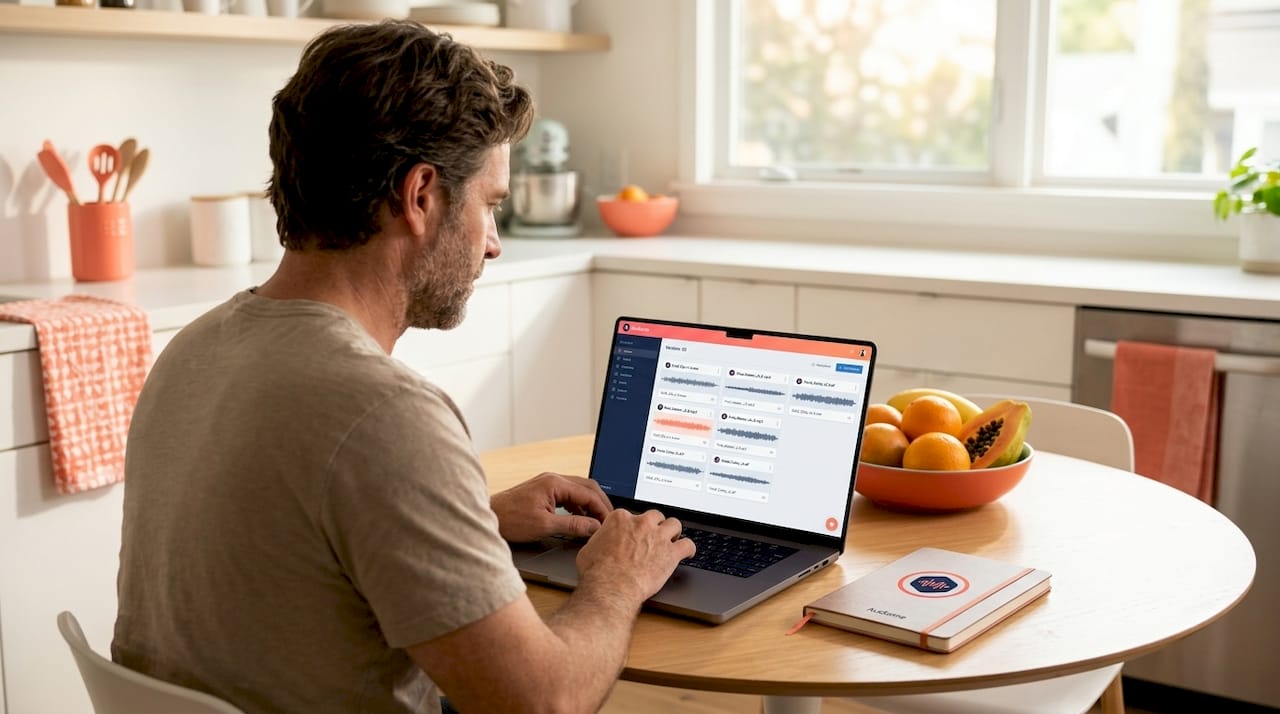
Smart teams also use audio version control best practices to manage the files that accumulate across a project. Every new mix revision gets uploaded as a distinct version, never overwriting the previous one. If a client asks to return to a “warmer” version from two weeks ago, you pull it up in seconds.
Pro Tip: Run a local recorder for every participant in every session, even when you’re using a high-quality collaborative platform for the session call itself. The local file is your insurance policy. Use it.
Real-time versus asynchronous collaboration: When timing matters
With audio quality preserved, the next decision is choosing the right type of collaboration based on what the session actually demands.
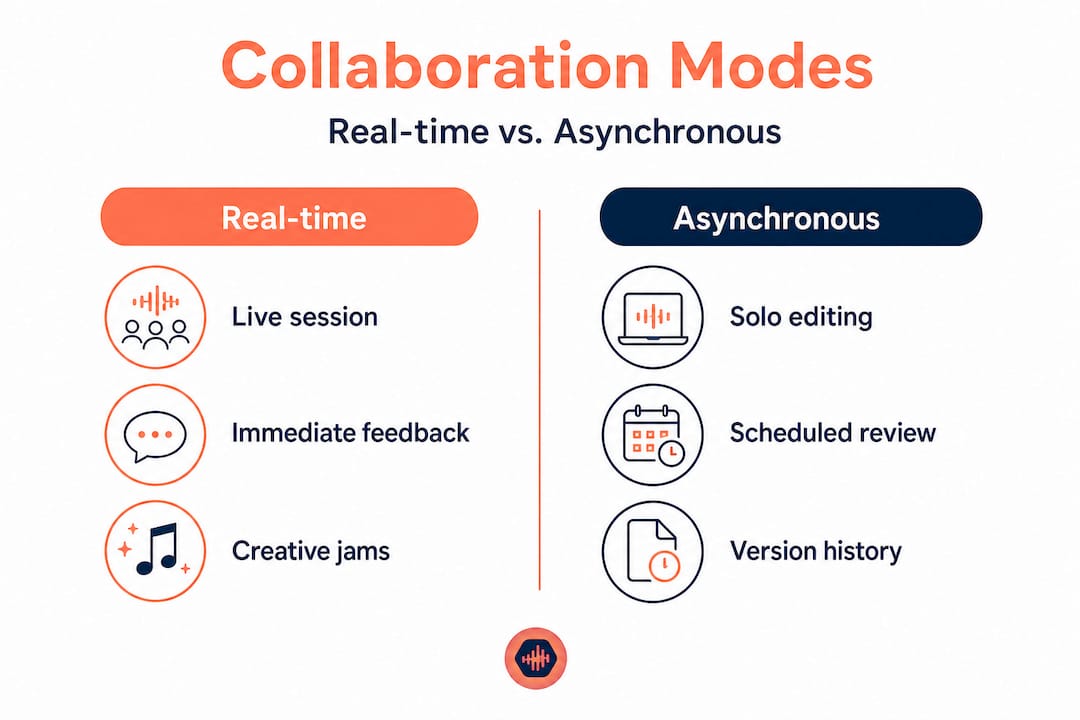
Real-time collaboration has a specific use case, and it’s narrower than most teams assume. When live overdubs or synchronized sessions require that “together in the room” energy, latency under 250ms is the minimum threshold for it to feel natural. Above that, musicians are fighting the delay rather than playing with each other. Real-time platforms that solve this problem use specialized protocols to achieve low-latency audio streaming, and they work beautifully for their intended purpose.
The problem is that most production tasks don’t require that. Real-time platforms can be overkill for the majority of audio production work, where asynchronous review tools with rich feedback mechanics deliver better outcomes without the overhead of scheduling everyone into a live session.
When to use real-time collaboration:
- Live remote overdubs where the musician needs to play in time with the track
- Creative brainstorming sessions where spontaneous energy drives the work
- Synchronized editing sessions where two people are actively working in the same timeline
- Real-time troubleshooting of technical signal chain issues
When to use asynchronous collaboration:
- Mix feedback and approval from clients who are in different time zones
- Detailed editorial review of podcast episodes
- Sound design iterations that require careful listening before commenting
- Final approval sign-off before delivery
| Real-time collaboration | Asynchronous collaboration | |
|---|---|---|
| Best for | Live performance, creative sessions | Review, feedback, approvals |
| Requires scheduling | Yes, everyone synchronously | No, each person works on their schedule |
| Latency sensitivity | Critical, under 250ms required | Irrelevant |
| Feedback quality | Fast but often surface level | Detailed, considered, documented |
| Risk of session fatigue | High with long sessions | Low |
| Client suitability | Rarely practical | Highly practical |
The seamless music collaboration teams understand this split instinctively. They use real-time tools for the creative moments that demand presence, and they use async tools for everything that benefits from deliberate, focused review. Strong project tracking tips help organize both workflows within the same project structure so nothing falls through the cracks.
Managing versions, feedback, and approvals efficiently
Choosing between sync and async collaboration is just the start. The real test is managing feedback and files across multiple people and time zones without losing your mind or your mixes.
Timestamped comments are the single highest-value feature in any audio collaboration tool. When a mastering engineer notes that the low-end buildup before the chorus peaks too hard, they shouldn’t be describing it in minutes and seconds via email. They should be clicking directly on that moment in the waveform and leaving the note there. This eliminates the translation layer between feedback and action. Integrated review and approval workflows that support comment-on-timestamp mechanics have become the standard expectation for professional audio delivery.
A unified workspace eliminates the most common source of rework in collaborative projects. When files, feedback, and approvals all live in separate systems, someone eventually responds to an old version of a file, writes detailed notes on a mix that was already superseded, or approves something that was revised after they listened. These errors are not human failures. They’re structural failures caused by fragmented tools.
Features to demand in any collaboration platform you use seriously:
- Version history with the ability to restore any previous iteration of a file
- Timestamped comments pinned directly to audio waveforms
- Integrated approval workflows so sign-off is attached to the specific file version it applies to
- Private collaborator spaces so you can keep different stakeholders working in appropriate contexts without cross-contamination
- No-login access for clients so the approval process doesn’t stall because a client forgot their password
The version control pitfalls that derail projects almost always trace back to one of two problems: files scattered across platforms, or approvals happening outside the system. Keeping the mix approval process inside the same environment as the files themselves is the structural fix.
“A single workspace for files, feedback, and approvals isn’t a luxury feature. It’s the difference between a project that finishes clean and one that ends with a heated email chain about ‘which final_final_v3 you meant.’”
One edge case worth addressing: onboarding first-time guests or clients into your collaboration workflow. Technical confusion at the client end delays approvals and creates frustration that reflects poorly on your professionalism. Choose a platform that requires no account creation for collaborators. Send a brief orientation note with the link. A 60-second tutorial video embedded in your project invitation dramatically reduces back-and-forth. The smoother the experience for your client, the faster they engage with your work.
Perspective: Why smart digital collaboration is less about tech and more about workflow discipline
With the practical frameworks covered, let’s zoom out and add a hard-won insight from teams that consistently deliver without the chaos.
The audio industry has a gear acquisition problem, and it extends to software. Every few months a new collaboration tool launches with a feature list that promises to solve every communication problem. Teams sign up, import their files, and discover that the tool didn’t fix the dysfunction. The dysfunction was never about the tool. It was about the workflow.
The most effective teams we observe share a specific set of habits that have nothing to do with which platform they use. They define version naming conventions before a project starts. They agree on review windows so feedback arrives in batches rather than trickled over ten days. They assign a single person to consolidate client notes before they’re sent to the engineer, eliminating contradictory feedback from multiple stakeholders. These are process decisions, not software decisions.
There’s also a contrasting expert nuance worth absorbing: real-time platforms are often wrong for the work. Teams that default to “let’s jump on a live session” for mix reviews are choosing adrenaline over accuracy. Listening to a mix once in a 45-minute live call, under the social pressure of someone watching you react, produces shallow feedback. Listening alone, on your best headphones, with the ability to pause and type a timestamped note, produces the feedback that actually improves the music.
Audio versioning wisdom supports the same conclusion. The teams that never lose a mix or replay a revision cycle aren’t using better software. They’re more deliberate about when files change hands and who is authorized to approve those changes.
Pro Tip: Build team rituals around version hand-off. Designate a specific time of day when new versions are uploaded, and a specific window when reviewers respond. This simple ritual eliminates the “is v7 the one you heard?” confusion that kills momentum on long projects.
The human process is your ultimate upgrade. Software enables it. Discipline sustains it.
Next steps: Empower your audio team with integrated digital collaboration
Ready to put these best practices into action? Here’s your next step.
The frameworks in this guide only work if your tools can actually support them. Most teams are still patching together three or four separate services to cover what a purpose-built platform handles in one place.
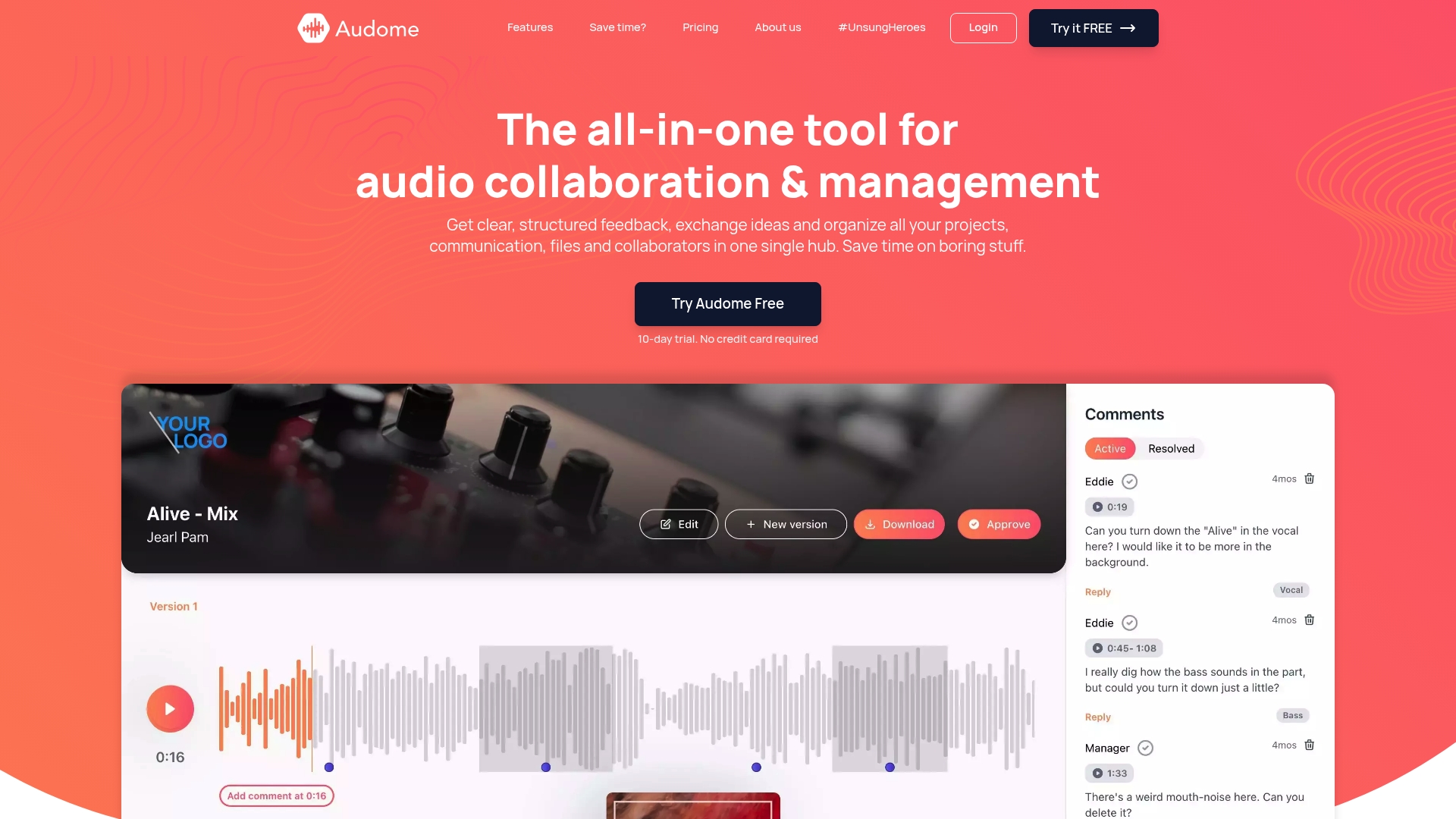
Audome is built specifically for audio professionals who need lossless file sharing at up to 96kHz/24-bit, timestamped feedback pinned to waveforms, version-controlled uploads, and private collaborator spaces, all without requiring your clients to create an account. It’s the all-in-one audio collaboration solution that replaces the fragmented stack. Whether you’re managing a full album production or a weekly podcast release, Audome gives your team one secure hub where files, feedback, and approvals stay organized and nothing gets lost between revisions.
Frequently asked questions
Why is local recording still critical in professional podcast or music production?
Local recording ensures the highest possible audio quality by bypassing internet variability entirely, and it provides reliable file backups that protect audio quality regardless of what happens to the connection during a session.
When should real-time collaboration tools be used versus asynchronous tools?
Use real-time tools when synchronized performance or shared creative energy is required, such as live overdubs or synchronized sessions; use async tools for mix reviews, client feedback, and approvals where careful listening produces better results.
How do integrated review and approval tools prevent version drift?
When files, comments, and approvals all exist inside a single workspace, every stakeholder references the same current version, which is precisely why integrated review and approval mechanics are now standard in professional audio workflows.
What is version drift, and how can it be avoided?
Version drift occurs when multiple tools or scattered file locations leave team members uncertain about which mix is current; integrated review and approval tools combined with a clear naming convention and single upload point eliminate it entirely.