
Losing audio quality and precise version feedback when sending large files between producers and collaborators wrecks client approval and slows down revision passes. Generic cloud drives compress files, strip metadata, and force clients through awkward account setups. You can pick a platform with lossless delivery, secure access, and practical feedback tools so you stop wasting time on file naming and patchwork emails.
Table of Contents
Audome
At a Glance
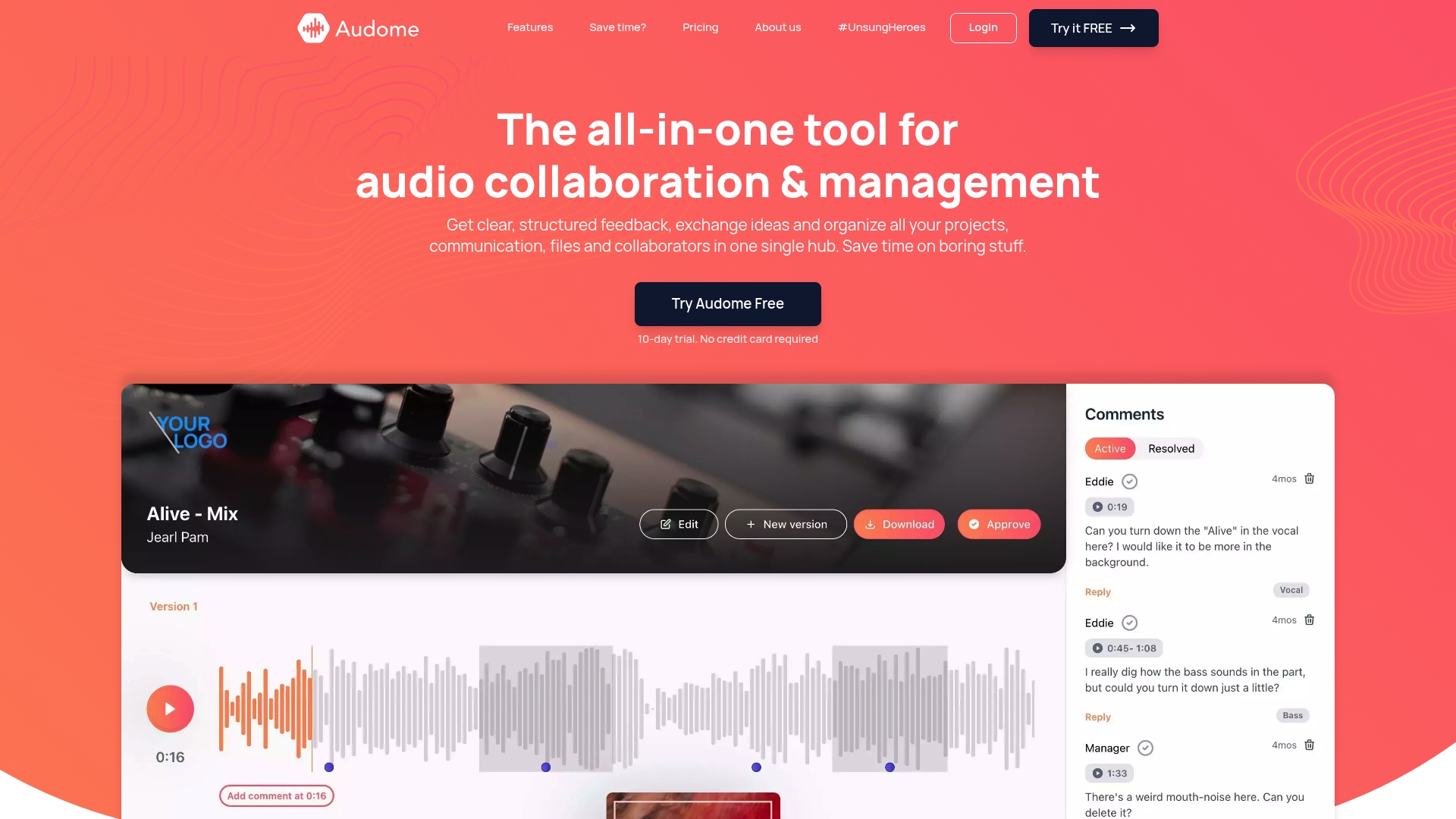
You can share lossless audio up to 96 kHz/24 bit while uploading files of any size. The platform keeps every revision with automatic version control and shows feedback tied to exact timestamps. Password protected delivery pages stop accidental downloads and remove the friction of client logins.
Core Features
Audome centralizes projects, unlimited client uploads, and a shared review space with timestamped comments so feedback lands on the right bar in a session. It supports lossless audio up to 96 kHz/24 bit and stores every iteration with automatic version management. Delivery pages include custom branding, password protection, and download toggles for privacy and client presentation.
Key Differentiator
Audome pairs truly unlimited lossless audio sharing with automated version control and branded delivery pages. That combo keeps masters intact while tracking revisions without manual file naming. It removes the need to stitch together separate storage, sharing, and review tools.
Pros
Unlimited uploads let you send full-resolution mixes and stems without splitting sessions or lowering sample rate. The timestamped feedback makes revision passes faster because notes point to precise moments. Security controls like password protected links and download toggles give you control over who gets a final master, and collaborator spaces avoid making clients create accounts, so you spend less time on admin.
Cons
- No integrated payment processing yet; billing features are still a bit limited compared with platforms that include a checkout flow.
Notable Integrations
- Payment processing coming soon.
- Project time tracking coming soon.
Who It’s For
Producers, mix engineers, and post mixers who need lossless delivery and precise revision tracking will get the most value. Sound designers and podcast producers who share long takes or large stems will appreciate the unlimited uploads. Voice actors delivering final masters to clients benefit from branded pages and download control.
Unique Value Proposition
Unlimited file uploads combined with branded collaborator spaces let you hand off final masters without compressing files or forcing clients to sign up. That means you deliver high quality audio and collect timestamped notes on the same page. For teams billing by the hour, this reduces back-and-forth and keeps versions tidy. The branded presentation also helps you look professional when sending mixes to clients.
Real World Use Case
A music producer exports three mix stems and a 96 kHz/24 bit master, uploads them to a project, and sends a password protected delivery link. The client drops timecoded feedback on the chorus and a specific fade, and the producer uploads a new version. Audome tracks the versions so both parties reference the same file names during approval.
Pricing
Plans start at Studio for $15 per month and Pro at $48 per month, both offering project controls and security features. Audome includes a 10 day free trial with no credit card required so you can test lossless delivery and review tools.
Website: https://audome.com
Byta
At a Glance
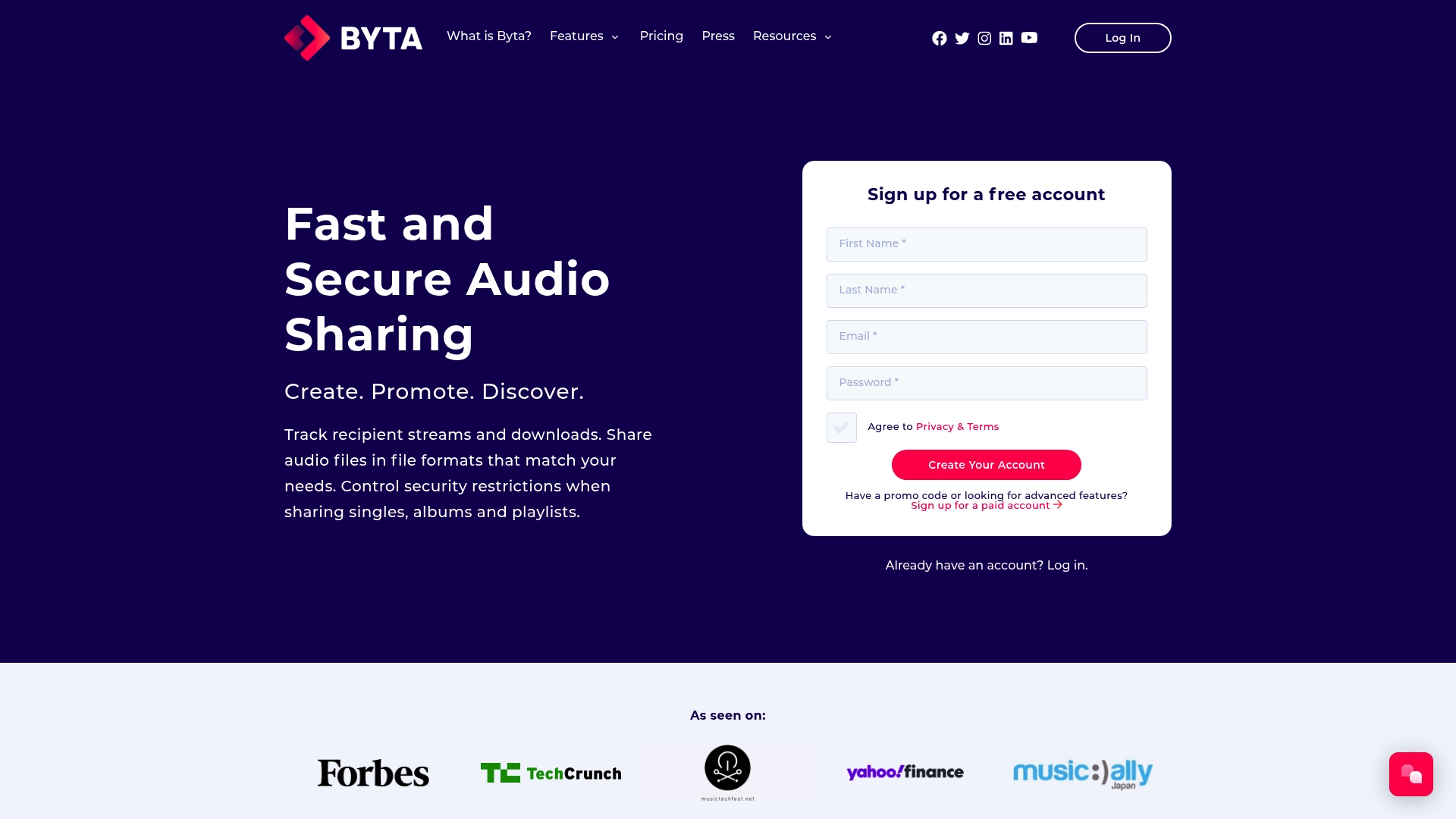
Byta handles format conversion across AIFF, ALAC, FLAC, WAV, AAC, and MP3 while adding watermarking and download tracking for pre release control. This combination keeps masters intact and lets you trace who got which file. That tracking makes it useful for labels and promo campaigns.
Core Features
Byta offers three secure link types: Protected Links, Universal Links, and Direct Shares, plus metadata reading and writing that preserves catalog order. The service converts between lossless and lossy formats on upload or delivery and applies watermarking for traceable distribution. It also connects with Mailchimp to push tracked files into email campaigns.
Key Differentiator
Byta combines deep metadata management with multi format conversion and per file watermarking. That mix gives music teams a single place to keep catalogs organized while running secure pre release distributions that report back on downloads.
Pros
Byta gives you several concrete controls for sensitive releases. Protected links and Direct Shares let you gate access and require recipients to authenticate when needed, which reduces accidental leaks. Metadata editing keeps session tags and ISRCs intact across format changes, which saves time when prepping deliverables. Watermarking and download logs make it easier to identify where a leak came from, and Mailchimp integration helps you send tracked promos without exporting files manually.
Cons
- Interface complexity may overwhelm casual users. The control panel stacks many options and takes time to learn.
- Some advanced features require paid plans. Expect to pay for watermarking at scale or team seats.
- Browser compatibility issues exist. The platform no longer supports outdated browsers, which will block some legacy environments.
When It May Not Fit
If your recipients refuse to create accounts, Byta can feel restrictive because certain secure links require recipient accounts. If you need to support older browsers or very casual listeners, the lack of legacy browser support will cause friction. Teams that want anonymous public downloads without tracking will find the security features excessive.
Notable Integrations
Byta integrates with Mailchimp for campaign outreach. Use that link to attach tracked streams or downloads to an email list and monitor opens and clicks alongside file access. No other third party integrations are listed.
Who It’s For
Music industry professionals who need control over pre release distribution will get the most value. Labels, publicists, managers, and studios that require metadata fidelity and traceable promos will benefit. Producers sharing stems with managers who must track access will find the feature set practical.
Real World Use Case
A label uploads master files, converts them to MP3 for reviewers, and applies watermarking to each copy. The label sends Protected Links to media with account logins and uses download logs to trace a leaked file back to a distributor. Mailchimp handles the promo emails and records which recipients opened the track.
Pricing
Plans start with a Free tier and scale to paid seats. Self reported pricing begins at $1/month for Solo and goes up to $45/month per seat for Teams, with larger plans adding storage and advanced features. Billing is per seat for team configurations.
Website: https://byta.com
Vollume
At a Glance
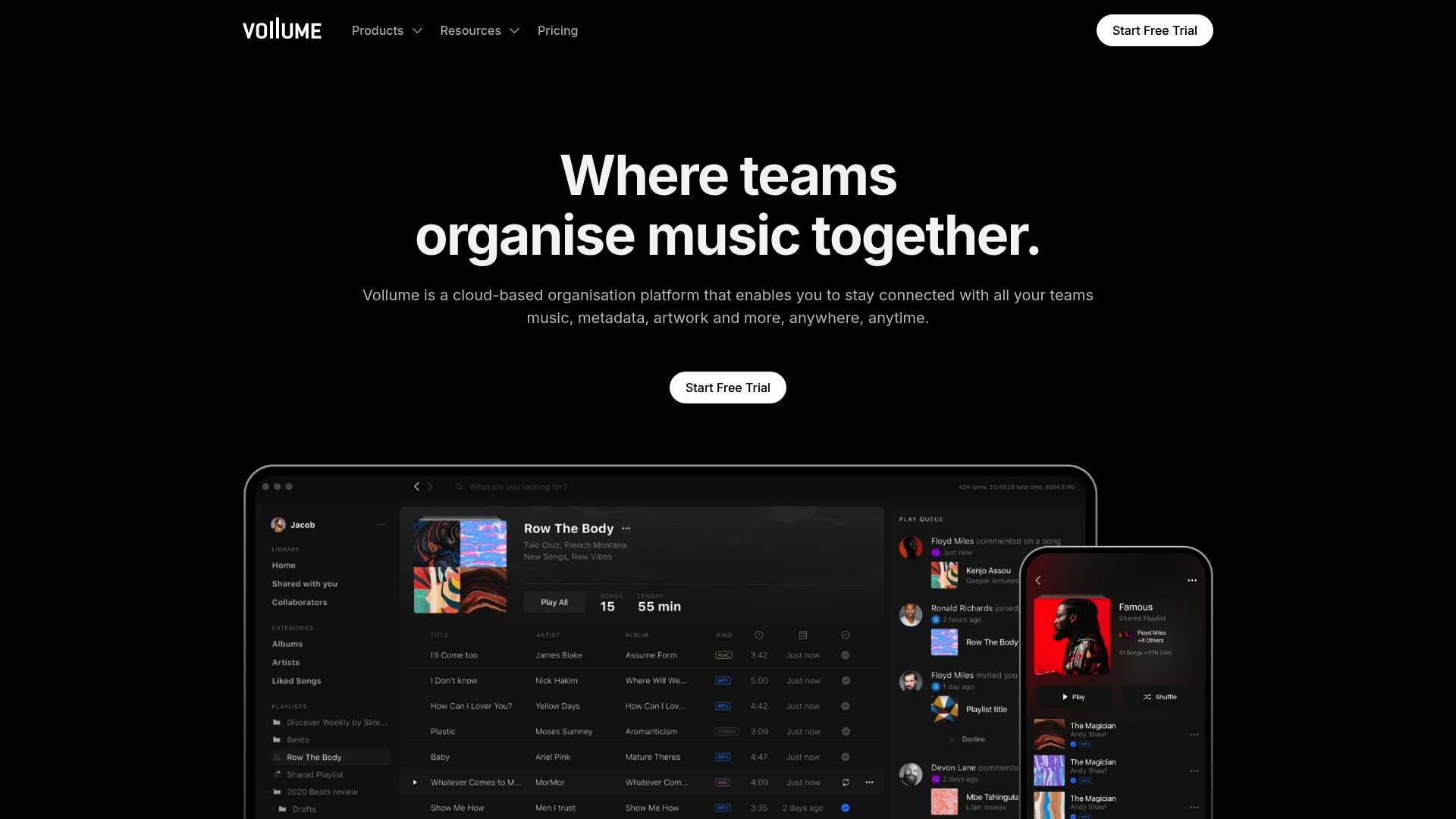
Offline playback with AES encryption and multi-room audio support, including Sonos and CarPlay, sits at the center of Vollume’s pitch. The platform also supports desktop, mobile, and web access while handling music files, metadata, and artwork in a single hub. That mix makes it practical for teams that move files between studios and broadcast environments.
Core Features
Vollume combines cloud-based music management, metadata handling, and artwork storage with cross-platform desktop, mobile, and web apps. It includes commenting, permissions, private links, and drag-and-drop DAW integration through desktop clients. The service adds offline playback, cloud backup, and multi-room audio support so teams can preview tracks on Sonos, AirPlay, CarPlay, and Android Auto.
Key Differentiator
Cross-platform access paired with enterprise-grade security and direct DAW hooks defines Vollume. The product focuses on keeping high-quality music files intact while letting engineers and producers open projects inside their DAW workflows. That design reduces round trips between cloud folders and local session files for many production teams.
Pros
Automatic cloud backup and synchronization remove manual file-transfer work for producers and assistants. Cross-platform apps let collaborators on macOS, Windows, iOS, and Android access the same library and comments. Direct integration with major DAWs speeds project handoffs and keeps stems, metadata, and artwork tied to the correct session. AES encryption and enterprise management tools address licensing and release security for labels and broadcasters.
Cons
- Pricing tiers and the exact feature split by plan are not clearly published.
- Some third-party reviews mention a complex interface and a noticeable learning curve for new users.
- Very large storage needs or deep enterprise customization likely require custom contracts and negotiations.
When It May Not Fit
If you need an immediately familiar folder-style workflow for a small team, Vollume may feel heavy at first. Teams that require out-of-the-box unlimited storage at fixed list prices could find the vendor model inconvenient. Organizations needing bespoke integrations beyond the advertised DAW hooks should plan to discuss enterprise options.
Who It’s For
Producers, label operations, radio stations, and education programs that manage large music libraries will get the most from Vollume. The platform suits teams that need encryption, metadata control, and device playback across studios and broadcast rooms. Independent producers who prefer minimal setup may find it more than they need.
Real World Use Case
A record label uses Vollume to stage new releases. AOPs upload masters with artwork and metadata, then invite producers and mastering engineers to comment. The team plays preview files on Sonos in the office while engineers open stems directly in their DAW via the desktop app for final tweaks.
Pricing
Pricing ranges from a free individual tier with basic features to custom enterprise solutions with expanded security and support. Specific tier limits and published per-user or per-terabyte rates are not publicly listed and require vendor contact for exact figures.
Website: https://vollume.com
Comparison of alternatives
Producers comparing audio collaboration tools often find themselves balancing priorities like file compatibility, team productivity, and platform accessibility. Audome stands out for enabling high-resolution project reviews, while competitors like Byta and Vollume excel in specific workflows.
Lossless file sharing versus format flexibility
Audome prioritizes accommodating extensive audio projects with its unlimited upload feature supporting high-resolution formats, aiding producers handling large-volume sessions. Byta, on the other hand, integrates file conversion tools alongside lossless and lossy options, such as FLAC and MP3, useful for diverse promotional strategies where compatibility is crucial.
Metadata management and promotional tools
While Audome specializes in project centralization and precise feedback, Byta leads in metadata preservation and integration into promotional campaigns. Features like ISRC management and Mailchimp connections add value when tracking file distribution. Vollume addresses specific needs such as DAW integration and encryption for collaborative studios but lacks some operational simplicity.
Best fit
- Producers requiring unlimited lossless file uploads and streamlined feedback tracking should choose Audome.
- Teams managing promotional material or needing metadata integration for distribution will benefit from Byta.
- Studios preferring integration with their DAW software should consider Vollume.
Our pick
Audome delivers tools for audio producers requiring high-resolution capacity and precise feedback tied to timestamps. However, those focused on promotional campaigns or detailed file management may find Byta more aligned with their workflows.
Lossless audio sharing platforms streamline file management and feedback collaboration for producers.
| Feature | Audome | Byta | Vollume |
|---|---|---|---|
| Primary Use | Lossless audio sharing with timestamped feedback | Secure pre-release distribution with metadata management | Cloud-based music management with DAW integration |
| Key Differentiator | Unlimited uploads and branded delivery pages | Metadata management with watermarking | Enterprise-grade security and cross-platform access |
| Best For | Producers, mix engineers, sound designers | Labels, managers, publicists | Record labels, radio stations |
| Pricing | Studio tier: $15/month | From $1/month for Solo tier | Price not published |
| Limitation | Limited payment processing features currently | Requires user accounts for some link types | Complex interface and learning curve |
Choosing the Right Google Drive Alternative for Producers
Google Drive often falls short when handling lossless audio files, version control, and feedback precision. Producers and audio professionals need more than just storage — they need clear revision tracking, secure delivery, and easy client collaboration. Audome solves those problems by offering unlimited uploads of 96 kHz/24 bit lossless audio, automatic version management, and timestamped comments that pinpoint exact feedback moments.
No client logins. Password-protected delivery pages. Download control. That means you keep your masters intact and your workflow clean without juggling separate tools. If you want a Google Drive alternative for producers that respects audio quality and cuts revision chaos, check out Audome.
Explore Audome’s features and start managing your projects the smarter way. Share your masters securely and get precise feedback with no hassle.
FAQ
What makes Audome a strong choice for lossless audio sharing?
Audome is ideal for lossless audio sharing because it supports audio quality up to 96 kHz/24 bit. This feature allows producers to deliver high-quality work without compromising sound integrity. You can centralize projects and collaborate with ease, ensuring your clients receive the best possible mixes.
How does Byta compare to Audome in terms of secure file distribution?
Byta offers extensive metadata management and watermarking for secure file distribution, which is beneficial for labels and promo campaigns. Audome, on the other hand, excels in providing unlimited lossless uploads and timestamped feedback, which streamlines the revision process for producers. This makes Audome a better fit for producers focused on collaborative revisions and delivery rather than just metadata security.
Can producers use Audome for managing client feedback effectively?
Yes, producers can use Audome to manage client feedback efficiently through its timestamped comments feature. This setup ensures that all feedback corresponds directly to specific moments in audio tracks, speeding up the revision process. You can expect fewer back-and-forth emails and more streamlined communication.
What features does Audome have that benefit producers working with large files?
Audome offers unlimited file uploads, allowing producers to share full-resolution mixes and stems without worrying about file size limitations. This capability keeps the audio quality intact and makes collaboration much easier, especially for projects requiring high fidelity.
Is there a trial available for Audome?
Yes, Audome provides a 10-day free trial with no credit card required. This allows producers to explore the platform’s features, including lossless delivery and review tools, before committing to a subscription plan. It’s a risk-free way to evaluate whether Audome meets your needs.