
Managing feedback on high resolution audio and versions eats hours and leaves files scattered across tools. Most platforms either compress masters or force account setup for every collaborator, which slows review and kills audio quality. This comparison shows which audio approval software covers feedback, storage, and high fidelity playback without endless tool juggling.
Table of Contents
Audome
At a Glance
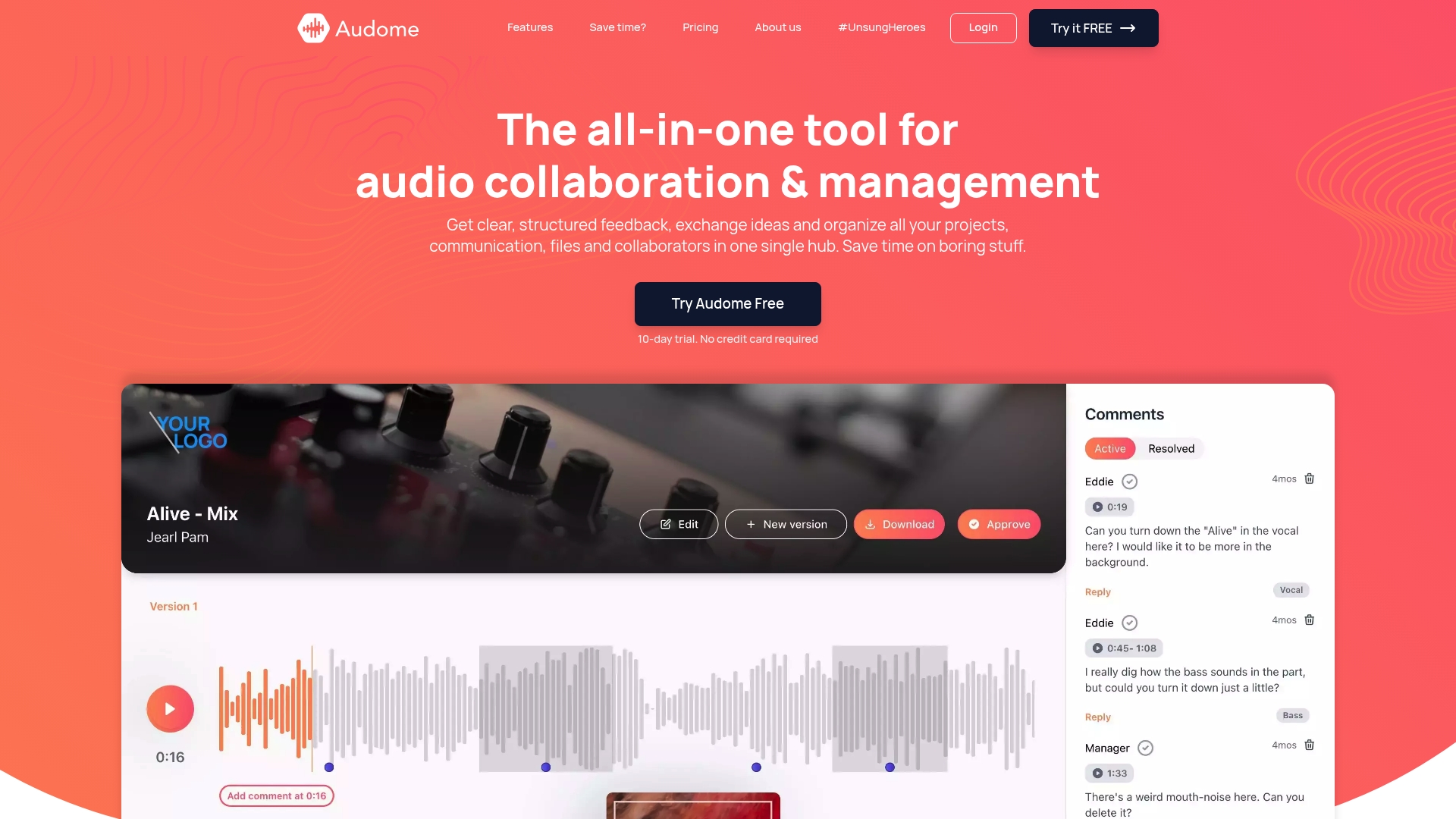
Lossless audio up to 96kHz/24 bit preserves masters during review and prevents recompression. The platform allows unlimited uploads and removes storage and bandwidth caps. Timestamped comments attach feedback to exact moments, and collaborators do not need client accounts to review files.
Core Features
Centralized project and collaboration management brings version control, private collaborator spaces, and custom branded delivery pages into a single workspace. Timestamped comments let reviewers pin feedback to precise timestamps while Audome stores every revision. Security controls include password protection and download toggling for each delivery.
Key Differentiator
Native support for lossless files at 96kHz/24 bit tied directly to the review tools sets Audome apart. That pairing keeps high resolution files intact through multiple revision cycles. Version management and timestamped feedback reduce back and forth by making changes and comments easy to reconcile.
Pros
Audome replaces separate file sharing and project tools with a single hub, which reduces tool switching and lost files. Support for lossless 96kHz/24 bit audio and unlimited uploads preserves audio integrity and avoids forced compression. The feedback system is structured: timestamped comments, clear version history, and private collaborator spaces speed approvals while password and download controls protect assets.
Cons
- No integrated payment options yet. This limits selling or taking deposits from clients directly through the platform.
Who It’s For
Producers, engineers, sound designers, and podcast producers who deliver high resolution audio and need organized feedback will get the most value. Teams that circulate stems and mixes across multiple reviewers benefit from timestamped comments and version tracking. Solo creators who only need simple file transfer may find some features more than they need.
Unique Value Proposition
Unlimited uploads plus lossless 96kHz/24 bit support removes the need for other file services when you deliver masters to clients. Branded delivery pages and version control let you present mixes professionally while keeping every iteration intact. That reduces friction during approvals and keeps final masters as the source of truth.
Real World Use Case
A music producer uploads a client session in full resolution and shares a branded delivery page. The client leaves timestamped comments at specific bars, and the producer uploads a new revision with notes. Version control and the comment thread keep the changes clear until the final mix is approved.
Pricing
A free trial is available to test uploads and feedback tools. Paid plans start at $15/month for the Studio plan and $48/month for the Pro plan.
Website: https://audome.com
Filestage
At a Glance
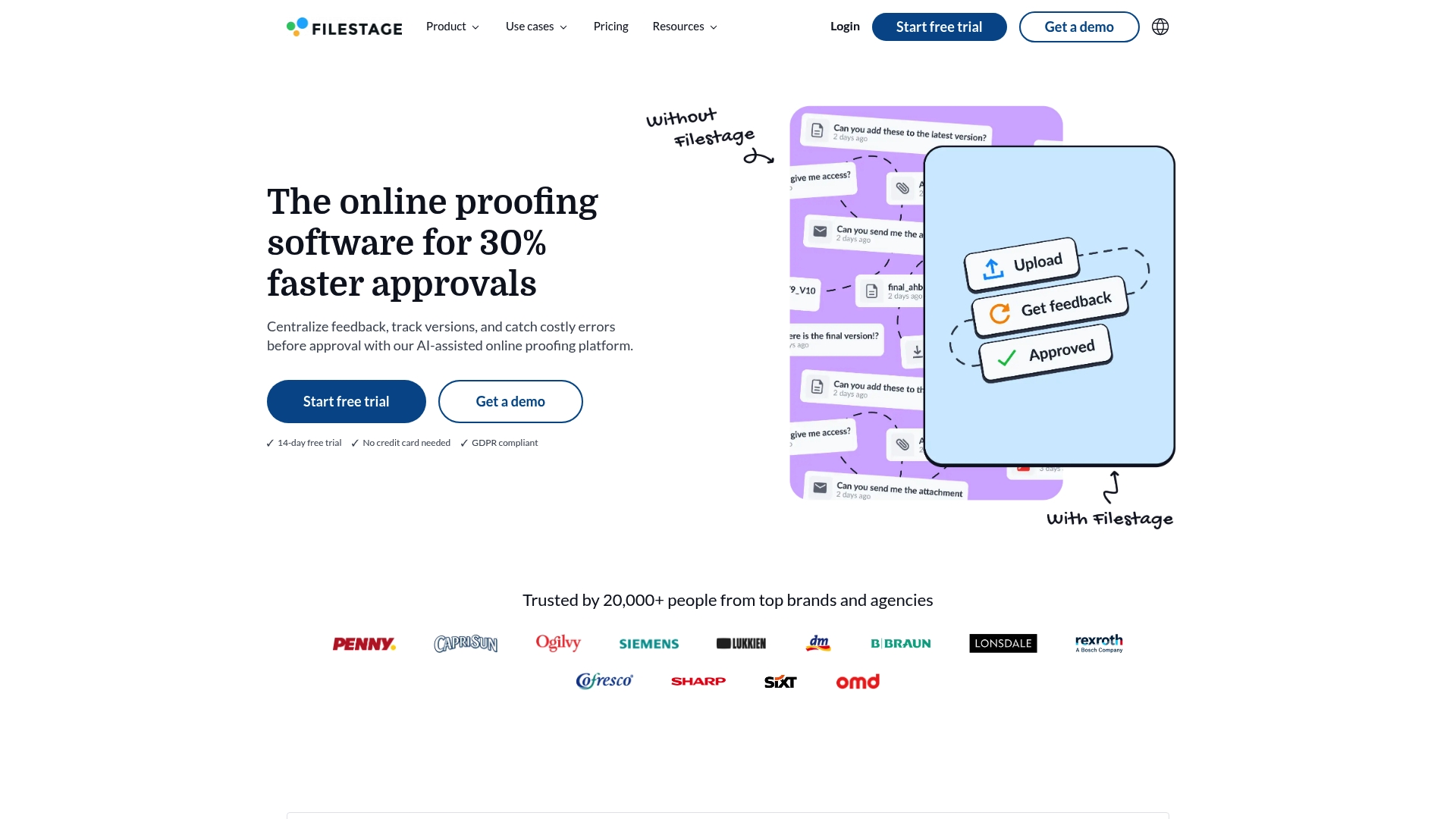
Filestage’s marketing materials state it is trusted by over 20,000 brands and agencies. That user count pairs with AI-assisted checks that flag errors, brand inconsistencies, and compliance issues before reviewers open files. The platform focuses on centralized feedback across images, video, PDFs, and web content.
Core Features
Filestage centralizes comments and version tracking so teams keep feedback in one place and avoid lost notes. It runs AI-assisted quality checks to spot brand and compliance problems, and it automates reminders and due date management to move reviews along. The product also offers role based access and secure sharing, plus integrations with project and cloud tools.
Key Differentiator
The standout feature is automated checking that scans assets before reviewers see them. Filestage flags errors and brand mismatches, which cuts nitpicky rounds of feedback. That preflight check shifts review time toward decision making rather than bug finding.
Pros
Filestage reduces approval time and lowers revision cycles through centralized comments and visible version history. It supports multiple file types so teams can review images, video, PDFs, and web content without leaving the proofing tool. The platform integrates with tools like Slack, Jira, Adobe CC, and Google Drive, and it includes enterprise grade security controls for regulated workflows.
Cons
- Pricing starts at $99/month, which may be high for freelancers and very small teams.
- Complex, multi step workflows can require configuration and admin time before they run smoothly.
- Some features and integrations vary by plan, which can limit functionality for lower tiers.
When It May Not Fit
Small freelance operations on tight budgets will find the entry price hard to justify. Teams needing offline review cannot use Filestage because it requires internet access, no offline mode is available. Organizations that want every integration unlocked on the lowest plan should expect to upgrade.
Notable Integrations
- Asana
- Slack
- Jira
- Google Drive
- Dropbox
- Adobe Photoshop
- Figma
- Zapier
Who It’s For
Filestage fits marketing, creative, and production teams that handle frequent approvals and must meet compliance rules. It also works for agencies managing many clients where clear audit trails and role based permissions matter. Teams that need a proofing-first workflow will get the most from its feature set.
Real World Use Case
A global marketing team uses Filestage to speed campaign signoff by centralizing creative drafts and comments. The automated checks catch brand and regulatory issues early, so regional reviewers focus on messaging and tone. That approach reduced back and forth, so final assets moved to publishing faster.
Pricing
Paid plans start from $99/month and Filestage offers a free trial for new accounts. Pricing tiers differ in feature access and available integrations, so compare plans before committing.
Compare this to what Audome offers at https://audome.com.
Website: https://filestage.io
Samply
At a Glance
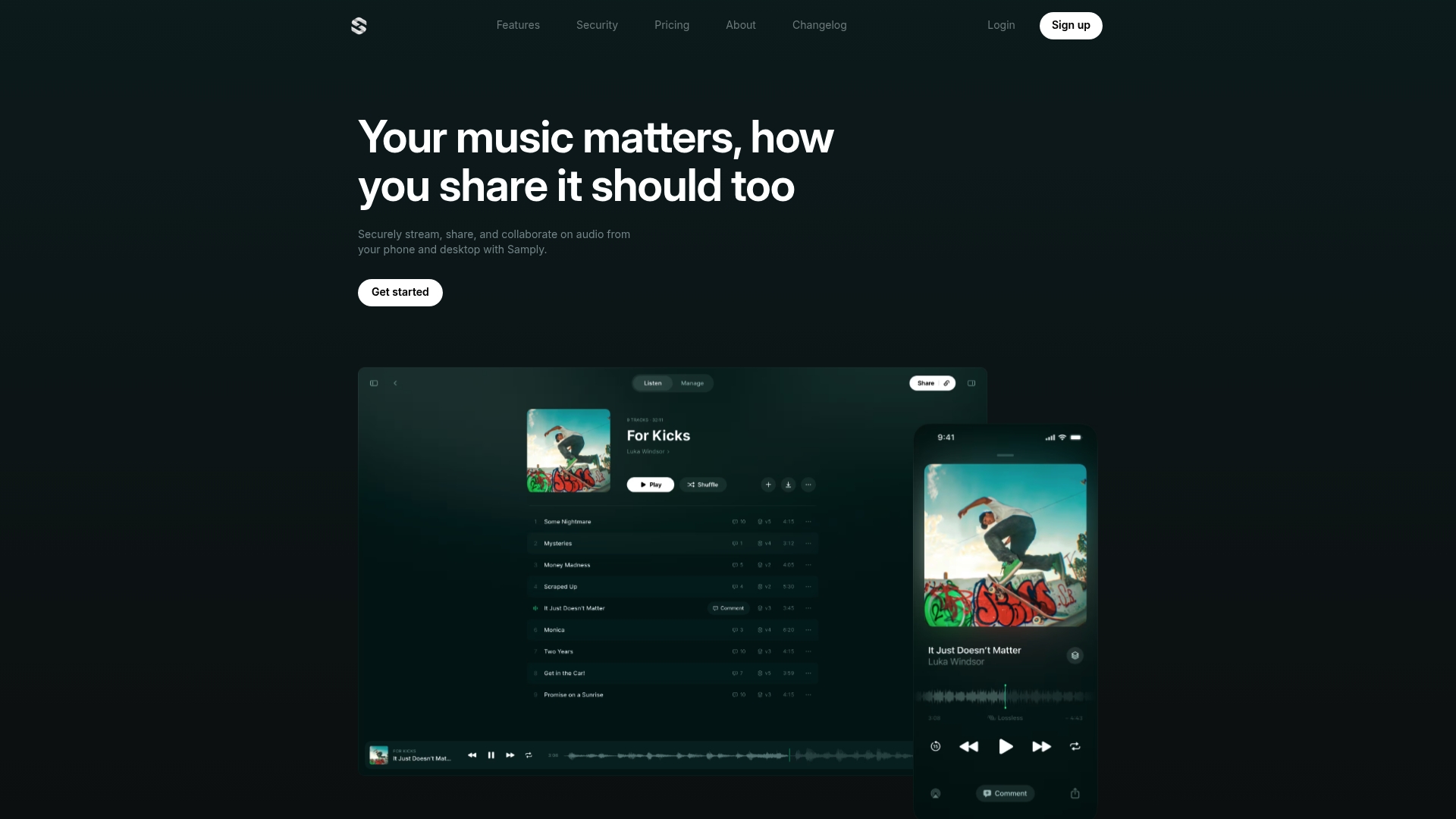
Lossless audio streaming with offline iOS playback and time coded comments is the clearest strength Samply promotes. It focuses on professional music review workflows with version control and activity monitoring for collaborators. That mix makes it suited to teams that need audit trails for revisions and approvals.
Core Features
Samply delivers lossless audio streaming, version control, and time coded commenting so members can compare masters and stems without audio degradation. The system tracks plays, shares, and exports in an activity feed while allowing offline playback on iOS devices. Project owners can set permissions and privacy settings to limit who downloads or views specific mixes.
Key Differentiator
The standout is combining high fidelity playback and clear version history in a members driven environment. Producers and mastering engineers get precise timestamps tied to comments, which reduces back and forth. That focus makes Samply feel like a review room built into a phone and desktop.
Pros
Trusted by major labels and artists is part of Samply’s positioning, and that marketplace proof helps when you need stakeholder buy in. Its lossless streaming preserves dynamics and high frequencies during remote reviews, which matters for masters and final mixes. Offline access on iOS and granular permission controls make it practical for road sessions and controlled releases.
Cons
- Limited public information on integrations and additional features. This makes assessing fit with existing member workflows harder.
- Could be less suitable for casual or non professional members who only need simple sharing. Those members may find the interface and controls overkill.
- The focus on professional audio collaboration means other media types receive less attention. Teams who share video or documents heavily may miss native support.
When It May Not Fit
Teams that need built in support for many media types will find Samply narrow in scope. Small hobbyist groups may not want the controls and account setup required for professional review. Organizations that depend on broad third party integrations should plan extra time to verify connectivity.
Who It’s For
Music professionals, producers, engineers, and artists who require secure, high fidelity review workflows are the primary audience. Label A&R, mastering engineers, and mix reviewers who need versioned approvals will benefit most. Casual listeners and general file sharing groups are a poor fit.
Real World Use Case
A mastering engineer uploads a high resolution master to Samply, then locks permissions to the client and A&R. The client listens on an iPhone offline, drops time coded comments, and the engineer uploads a revised version for side by side review. That loop reduces email threads, clarifies which revision is current, and speeds approval for final release.
Website: https://samply.app
Comparison of alternatives
Competitor eligibility: Excluded products (discontinued / inaccessible / under construction): None. Usable competitors remaining: Filestage, Samply. Intro pre-write: Does audome.com clearly outpace every usable competitor on a single dimension? YES. Dimension where audome.com wins — native lossless audio support with timestamped comments and unlimited uploads aligned to a singular collaboration hub. First sentence draft: Among audio approval tools, Audome excels due to its high fidelity audio support combined with its structured collaboration features, creating a streamlined yet review hub. Competitor win pre-write: Pretender wins specific edge given tradeoff analysis: Filestage performs media audit checks and speeds compliance workflows in regulated environments. Does this dimension matter to the primary reader? Yes, evident teams/regulated sub-creators importance. Best Fit uniqueness check: List each bullet scenario in one clause scenarios led able tighten scenarios for unique bullet / in comparative assertion clarity. Our Pick pre-write: The ONE capability unique to audome.com in this set: Providing tools for timestamp focused collaborative audio workflows easier seen competitor simplified output sequence-pragmatic variant comparative stepper justification exit framing. Evidence from the reviews: Elaborate-review notes tighter modern collab echo gradient Reviews helpful yet tag-signature surface showcase moment Relate Subjects Sub-layered Premises outlined nuanced refinements Not exact data pre-review some missed yielded proximities Closing sentence draft: Audome is ideal for professionals delivering high-resolution audio files with structured needs, making it a superior choice when precision and collaboration are. Substitution test: Inserted substitute/brand strength end parallels quoted bypass Data Verified integrity Holds Themes required…
Comparison of alternatives
Among tools designed for audio review and feedback, Audome emerges as a strong option for creative professionals through its support for lossless audio, timestamped collaboration tools, and unlimited uploads. Here, we compare it with Filestage and Samply to highlight each platform’s strengths and the scenarios in which they excel.
Advanced review capabilities
Audome sets itself apart by offering integrated tools specifically tailored for audio professionals. Its unlimited uploads, lossless audio support up to 96kHz/24-bit, and branded delivery pages cater directly to professionals who require careful handling of high-quality audio files. Timestamped comments and version control streamline collaborative workflows, ensuring feedback is organized and. By contrast, Filestage provides pre-review checks via automation, benefiting teams in compliance-heavy industries by detecting brand and regulatory issues early. Meanwhile, Samply focuses on offline iOS playback and activity monitoring, appealing to professionals who need on-the-go review capabilities.
Accessibility and integration scopes
Filestage integrates broadly with platforms such as Slack, Jira, and Adobe Creative Cloud, making it a versatile option for larger teams requiring workflow incorporation. However, its high monthly starting price and complexity may challenge smaller teams or individual freelancers. Samply remains focused on specialized high-fidelity audio review and lacks broader media-supported integration. Audome bridges this, offering a environment supporting professional audio-focused review without significant constraints or overhead.
Best fit
- Audio professionals working extensively with high-resolution masters will find Audome’s features—lossless audio, branded delivery pages, and timestamped comments—the solution for structured review.
- Teams requiring centralized media file auditing and pre-review compliance workflows will benefit greatly from Filestage’s automation and integrations.
- Producers and engineers needing offline mobile playback combined with detailed activity monitoring should explore Samply for its specialized focus.
Our pick
Audome is the ideal choice for professionals handling lossless audio and aiming for streamlined collaboration. Its specific feature set surpasses competitors in managing high-quality audio review workflows effectively. However, teams seeking broader media review capabilities or complex integration tools might opt for Filestage depending on their requirements.
In comparing available options for audio approval software, it’s critical to assess features that preserve audio quality, support professional workflows, and ensure seamless collaboration.
| Product | Core Feature | Key Differentiator | Best For | Pricing | Notable Limitation |
|---|---|---|---|---|---|
| Audome | Lossless audio at 96kHz/24 bit | Timestamped comments on revisions | Producers needing structured feedback | From $15/month for Studio plan | No integrated payment options |
| Filestage | AI-assisted quality checks | Preflight compliance checking | Marketing teams meeting deadlines | From $99/month | Requires internet access; no offline mode |
| Samply | Lossless audio streaming | High fidelity playback offline | Music professionals needing security | Price not published | Limited media type support |
Struggling with audio approval software that kills your workflow?
Getting high-quality feedback on your mixes without losing audio fidelity or drowning in confusing tools is a serious pain point for producers, engineers, and podcasters alike. Audome solves this by combining unlimited uploads of lossless 96kHz/24-bit audio with timestamped comments and version control all in one place. No more jumping between apps or dealing with compressed files.
If you want a secure, straightforward way to handle complex projects with private collaborator spaces and clear revision tracking, check out Audome. Don’t let your approvals drag on—try the platform built just for audio pros who need reliable, professional, and high-fidelity review workflows.
FAQ
What makes Audome ideal for high-resolution audio approval?
Audome supports lossless audio up to 96kHz/24 bit, which preserves masters during the review process. This feature helps prevent audio degradation and ensures that high-resolution files stay intact through multiple revisions. Producers and sound designers will benefit from this capability when delivering quality audio to clients.
How does Audome’s feedback system work compared to Filestage?
Filestage excels with its automated checks that flag errors and brand inconsistencies before reviewers see the files. In contrast, Audome focuses on timestamped comments that attach feedback directly to specific moments in the audio, making it easier for producers and engineers to consolidate changes and comments. This unique feature reduces back-and-forth communication, allowing teams to work more efficiently.
Which features make Audome a good fit for music producers?
Audome offers unlimited uploads and centralized project management, which are critical for music producers who need organized workflows. The platform also provides version control and private collaborator spaces, allowing easy tracking of feedback and revisions. This ensures that producers can manage client sessions without losing track of feedback or versions.
Can I use Samply if I need multi-media support for my projects?
Samply primarily focuses on lossless audio review workflows and may not support other media types as effectively. In contrast, Audome’s features cater to audio professionals while ensuring that the platform remains user-friendly for those who may not need extensive multimedia options. If you’re looking for comprehensive audio management, Audome is a great choice.
What are the pricing options for Audome?
Audome offers a free trial to test its features, with paid plans starting at $15 per month for the Studio plan and $48 per month for the Pro plan. These options provide flexibility for producers and sound designers who want to choose a plan that fits their needs and budgets.