
Handling large audio files and project feedback quickly turns chaotic on generic cloud storage. Most mainstream options miss crucial features like timestamped comments or automatic version tracking made for music professionals. This comparison covers price, audio quality, and review tools across three purpose-built alternatives, so you can match one to your workflow instead of forcing Dropbox to work.
Table of Contents
Audome
At a Glance
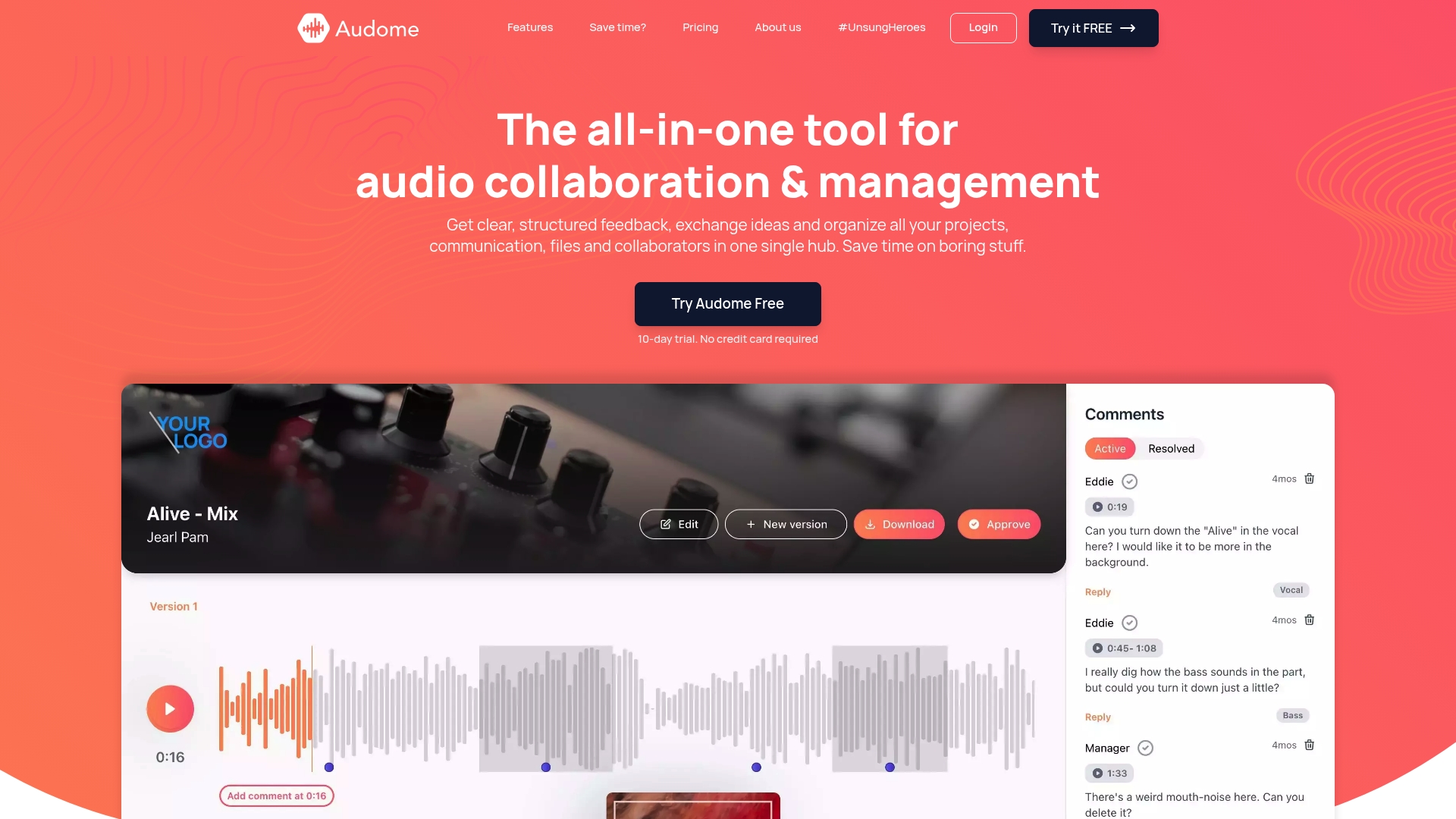
Audome’s marketing materials state support for lossless audio up to 96kHz/24-bit and unlimited uploads. The platform consolidates file delivery, feedback, and project management into one workspace. Timestamped comments and automated version control focus feedback on exact moments in a track.
Core Features
The service centers on timestamped comments so collaborators pin feedback to precise time points in audio. It offers centralized project and collaborator management, plus custom branding and personalized delivery pages for clients. Security controls include password protection and download toggles while collaborators do not need to create accounts to leave feedback.
Key Differentiator
Audome combines high-resolution file sharing with structured feedback and fully automated version management inside a single secure hub. That mix reduces file confusion and keeps review rounds attached to specific file versions. For complex projects, this removes the guesswork about which revision a client commented on.
Pros
The platform keeps all audio files and notes in one place so projects do not get scattered across email and multiple file services. The upload claim matters for long sessions because you can attach many takes without juggling space limits. Automated version control and timestamped notes speed edits and reduce back-and-forth about which mix is current. Password controls and download toggles let you protect final masters or limit who can grab stems.
Cons
- Payment features are upcoming, so current payment security is limited.
Who It’s For
Producers, mix engineers, sound designers, and podcasters who exchange high-resolution files and need precise feedback will get the most from Audome. Teams who handle multiple revisions per project benefit from automated versioning and timestamped comments. Freelancers who deliver branded pages to clients also gain a cleaner handoff experience.
Unique Value Proposition
No client logins removes a common friction point when collecting feedback. That single detail lowers the barrier for nontechnical clients to leave time-stamped notes, which keeps projects moving. For studios billing by deliverable, faster approvals mean fewer revision hours and quicker final deliveries.
Real World Use Case
A music producer uploads session stems and a rough mix, then shares a branded delivery page with a client. The client drops time-stamped comments on the chorus and on individual stems without signing up. The producer uses automated versioning to upload a revised mix and confirm which comments apply to which revision.
Pricing
Plans start at $15/month for the Studio plan, which the vendor markets as the most popular plan and includes unlimited uploads and collaboration. The Pro plan costs $48/month and adds analytics and integrations. A 10-day free trial is available with no credit card required.
Website: https://audome.com
Samply
At a Glance
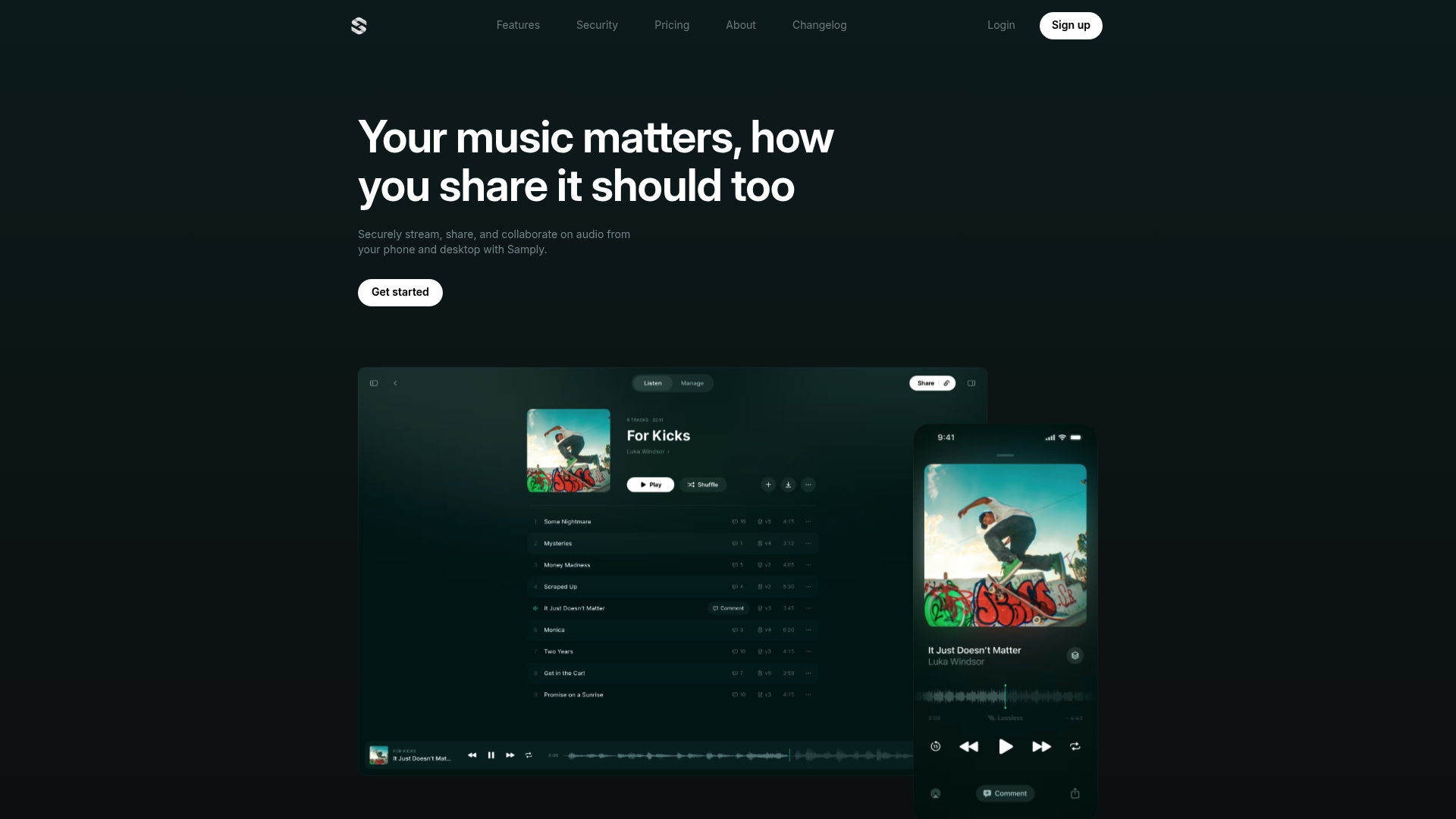
Samply delivers lossless, full-resolution audio streaming across devices so you and your collaborators hear the same file quality. It combines time-coded comments with version control to keep notes tied to exact moments. The platform also supports offline playback on iOS for listening without a connection.
Core Features
Samply streams lossless audio while keeping stacked versions so you can switch takes without exporting new files. It attaches real-time, time-coded comments to precise playhead positions and records activity for simple audit and engagement checks. Security controls include password protection and download toggles, and the mobile app supports offline listening on iOS.
Key Differentiator
Samply focuses on uncompromised audio quality plus feedback tied to timeline positions, which makes it practical for mixing approval and label review. Its combination of lossless streaming and version switching reduces file shuttles and deadline friction. That approach targets music teams who must preserve fidelity while moving tracks through approval stages.
Pros
Samply preserves high-resolution audio so reviewers hear full-bandwidth mixes and stems rather than lossy previews. Time-coded comments make feedback actionable; engineers can jump to the exact bar or transient that needs work. Security settings let you lock downloads or require a password, which matters for unreleased material. The vendor advertises that Samply is trusted by major record labels and artists, which may matter when you need industry-grade distribution controls.
Cons
- Limits for open distribution: If you need broad, public sharing, Samply’s professional sharing model may feel restrictive.
- Pricing clarity: There is no public tiered pricing or free tier listed, so you must contact Samply for costs.
- Automation and integrations: The product lists few automation features or third-party integrations, which can slow workflows that rely on other platforms.
- Audience fit: The platform targets pro music collaboration and may be overkill for casual file swaps.
When It May Not Fit
If you need a quick, public file drop for a wide audience, this product may add friction. Teams that depend on deep API integrations or automated linking to project tools will find the integration set limited. Solo hobbyists or nonprofessional users will likely prefer general cloud storage with clear, lower-cost tiers.
Who It’s For
Samply suits music professionals, mixing engineers, producers, and label A&R who require secure, full-resolution listening during reviews. Use it when fidelity matters and when reviewers must annotate exact moments in a mix. Production teams that manage unreleased tracks or label approvals will get the most value.
Real World Use Case
A mixing engineer uploads multitrack stems and a stereo bounce for a label review. Artists and A&R listen on phones or studio rigs while leaving time-coded comments on the vocal comp and the reverb tail. The engineer switches back to an earlier version, resolves the flagged issues, and exports a new approved master.
Pricing
Pricing is not specified publicly. The listing frames Samply as a professional or enterprise service, so budgeting should expect a quote model rather than metered consumer tiers. Contact Samply for plan details and enterprise options.
Website: https://samply.app
Bridge.audio
At a Glance
Bridge.audio reports more than 50,000 industry professionals using the service. It combines an AI Music Analyzer with curated discovery hubs and shared digital workspaces. The platform targets catalog management, sync licensing, and promotion for labels, publishers, and curators.
Core Features
The platform auto-tags and analyzes audio with the AI Music Analyzer, which speeds catalog search and organization. Smart Workspaces let teams collect files, notes, and submission queues in one shared environment while Discovery Hubs expose tracks to curators and promo channels. Bridge Sync supports sync licensing workflows and an API enables basic automation and integration with other tools.
Key Differentiator
Bridge.audio centers its offering on AI-powered auto-tagging combined with an industry-specific workspace. That pairing reduces the manual labor of cataloging and speeds placement discovery for sync teams. The focus on music industry workflows separates it from generic file storage services.
Pros
The product groups music discovery, catalog management, and licensing tools into a single place, which reduces the number of separate apps needed. AI auto-tagging accelerates intake for labels and publishers, so new submissions get searchable metadata faster. Collaboration works through shared Smart Workspaces, which keeps feedback and files together. Bridge Sync gives artists and curators a direct path to placement opportunities and promotional channels.
Cons
- Some third-party reviews report a steep learning curve for first-time users, particularly when setting up complex workflows.
- Advanced customization options lack transparent documentation, which could frustrate enterprise teams needing deep control.
- Pricing details require inquiry, which creates friction for very small acts or DIY artists who need clear up-front costs.
When It May Not Fit
Teams that need fully transparent, self-serve pricing may find the inquiry model inconvenient. Organizations that require extensive UI customization might hit limits without a custom contract. Solo artists who only need simple file sharing will likely find the platform more than they need.
Who It’s For
This product fits music industry professionals who manage catalogs, pitch for sync placements, or run label operations. It works well for curators, publishers, and A&R staff who value searchable metadata and centralized collaboration. Independent professionals who need simple hosting may find it heavyweight.
Real World Use Case
A mid-sized record label ingests new releases, runs the AI Music Analyzer to auto-tag genres and moods, and routes tracks into Smart Workspaces for A&R review. The label uses Bridge Sync to submit selected tracks to supervisors and curators. That workflow cuts manual tagging and centralizes placement outreach.
Pricing
Bridge.audio lists multiple plan types including free, starter, pro, and custom tiers. The vendor directs interested buyers to the website for full pricing and plan comparisons. Contacting sales is required for custom enterprise quotes.
Website: https://bridge.audio
Comparison of alternatives
In the realm of high-resolution audio file collaboration, three primary platforms excel in providing diverse solutions for creative audio professionals. Each exhibits distinct strengths, enabling users to select the most suitable depending on their unique requirements.
Collaboration features and user experience
Audome delivers an integrated solution for project management and detailed feedback by enabling timestamped annotations directly tied to specific audio revisions. This automatically maintained versioning significantly facilitates traceability in iterative workflows, ideal for production scenarios involving multiple revisions. In comparison, Samply supports lossless audio streaming combined with timeline-specific comments, catering to music professionals requiring flawless audio fidelity for professional vetting and approval processes. Bridge.audio excels in metadata management by introducing AI-powered tagging, benefiting catalog managers handling expansive music libraries.
Audio fidelity and integrity
Samply distinctly emphasizes audio fidelity, employing lossless streaming capabilities to ensure all collaborators access the original mix quality without degradation. In contrast, Audome prioritizes project workflows with high audio resolution support up to 96kHz/24-bit, which provides professionals maintaining timeline annotations high-standard audio accessibility. Lastly, Bridge.audio’s audio fidelity is complemented by its tailored tagging functionality, enhancing discoverability yet focusing less on playback precision compared to its competitors.
Best fit
- For centralized collaboration and precise timestamped annotations within audio projects, Audome becomes indispensable due to its efficient version control automation.
- Professionals requiring uncompromised audio fidelity across distributed teams will find Samply ideally aligned with their needs, ensuring quality retention during every audio review cycle.
- Industry experts managing expansive audio catalogs or requiring automated file categorization gain notable organizational benefits from Bridge.audio.
Our pick
For audio professionals seeking collaboration tools, Audome emerges as a standout solution due to its streamlined project management, timestamped annotations, and effective version control. However, individuals primarily needing cutting-edge audio fidelity or specialized metadata workflows might explore Samply or Bridge.audio as their optimized options.
For those seeking an audio sharing platform that excels in high-resolution file management and precise collaboration, consider the following options.
| Product | Core Feature | Key Differentiator | Best for | Pricing | Limitation |
|---|---|---|---|---|---|
| Audome | Timestamped comments and version control | Integrated high-res file sharing with automated workflows | Producers exchanging high-res audio | $15/month for Studio plan | Payment features are upcoming |
| Samply | Lossless audio streaming | Full-resolution fidelity via streaming and version switching | Music professionals | Pricing not published | Limited distribution options |
| Bridge.audio | AI-powered catalog management | Auto-tagging and workspace integration | Music industry catalog managers | Contact for pricing | Steep learning curve reported |
Why Audome Stands Out as a Dropbox Alternative for Audio Files
Dropbox can feel like a mess when you deal with high-res audio files and multiple collaborators. You need lossless uploads without agonizing over space limits. You want feedback pinned right to specific beats, not vague email threads. You need version control that tracks exactly which mix your client commented on. Audome solves these problems with unlimited lossless uploads up to 96kHz/24-bit, timestamped comments, and automated version management—all in one secure place.
Producers, mix engineers, and podcasters stuck juggling scattered emails and files will appreciate how Audome keeps projects locked tight and communication sharp. Plus, no client logins make feedback painless for nontechnical collaborators.
Ready to cut out the Dropbox hassle? See how Audome’s platform built for audio pros can improve your workflow at Audome. Check out Audome features and try it risk-free today.
FAQ
What features make Audome a top choice for audio file sharing?
Audome offers unlimited uploads and lossless audio support up to 96kHz/24-bit. The platform consolidates project management, feedback, and file delivery into a single workspace. For audio professionals needing a streamlined process, Audome is worth considering.
How does Samply’s streaming quality compare to Audome’s?
Samply delivers full-resolution audio streaming, ensuring high-quality playback for collaborators. While Samply excels in uncompromised audio quality, Audome stands out with its timestamped comments and automated version control, making it ideal for detailed feedback cycles.
What is Audome’s pricing for its Studio plan?
Audome’s Studio plan starts at $15 per month and includes unlimited uploads and collaboration features. This pricing offers a robust solution for producers and sound designers who need an efficient audio file sharing tool without budget strain.
Can users leave feedback in Audome without creating an account?
Yes, collaborators can leave feedback without needing to create accounts on Audome. This feature simplifies the feedback process, making it easy for clients to provide input without technical barriers.
What collaborative features does Audome offer?
Audome features timestamped comments that allow team members to pin feedback to specific moments in a track. This functionality is vital for audio professionals managing complex projects and revisions.