
You prevent studio chargebacks with paper and proof, not with luck: a signed agreement before work starts, a deposit that clears, final files released only after payment, and a record that shows the client received and approved the work. Audio is intangible and usually paid for by card with no one in the room, so the card issuer has nothing to look at except what you can show. If you can show a clear trail, most disputes never get filed, and the ones that do are winnable.
This guide is for mixing and mastering engineers, podcast producers, post-production teams and studio owners. It walks through why clients dispute audio payments, what to set up before the work, what to keep afterward, and what to do in the days after a dispute lands.
TL;DR
- A chargeback is a card dispute: the issuer pulls the money back from you first and asks questions second, and your dispute rate rises even if you win.
- Most studio disputes come from the same few reasons: “I didn’t authorize this,” “I never got it,” and “it wasn’t what I was promised.”
- Prevent them with a written agreement, a non-refundable deposit, a clear revision limit, and final files held until payment clears.
- Keep a delivery trail: approvals, timestamped feedback, version history and download records. Evidence that is short and clear beats a pile of paperwork.
- If a dispute arrives, respond fast and early. Processor deadlines are short and a missed deadline is a loss.
Table of Contents
- Why clients dispute studio payments
- Why audio work is exposed
- Before the work: set the terms in writing
- During the work: stop the “not as described” dispute
- At delivery: control the files, keep the proof
- What to keep for every project
- If a chargeback happens anyway
- Card network rules worth knowing
- Add friction in the right places
- Where Audome fits
- Our perspective
- FAQ
- Sources
Why clients dispute studio payments
A chargeback is a protection built for cardholders. The cardholder questions a payment with their card issuer, and the issuer can reverse it. Stripe’s payment disputes guide groups disputes into categories: fraudulent, product not received, product unacceptable, subscription canceled, credit not processed, duplicate, and general problems such as an incorrect amount.
Translate those into a studio:
- “Fraudulent”: a stolen card was used to book you, or the real cardholder simply doesn’t recognize your business name on the statement.
- “Not received”: the mix was delivered, but the client can’t find the email or link and says nothing arrived.
- “Not as described”: the client doesn’t like the final master, or the revisions ran past what they thought they were paying for.
- “Credit not processed”: you agreed to a refund or studio credit and it didn’t go through.
- “Subscription canceled”: a retainer or recurring mastering plan kept billing after the client thought it ended.
None of these require a villain. Plenty of disputes are a client with a vague memory and a card app that makes disputing easier than emailing you. That is why the fix is mostly process.
Why audio work is exposed
A photographer or a shop can point to a parcel. You can’t. Your product is a file or a session, the client is often remote, and the payment is card-not-present. Many small studios also book over informal email or DMs with no agreement at all. When the issuer asks “what proves this client received what they paid for?”, a thread of casual messages is thin.
The good news is that the evidence you need is a natural by-product of working well. You just have to set the work up so the record gets created automatically.
Before the work: set the terms in writing
Use a booking agreement the client signs
A short session or production agreement, e-signed before anything happens, is the backbone of your defense. A real example is the published session agreement from M3 Studios. It sets a 50% non-refundable deposit at booking, the balance due before the session, and tiered cancellation terms: 48 or more hours’ notice earns a full studio credit, 24 to 48 hours earns half, and under 24 hours or a no-show forfeits the booking fee. It also has a chargeback clause in which the client agrees to contact the studio first about any charge and consents to the studio sharing the agreement, the e-signature record, the booking record and proof of delivery with the processor or card network.
You don’t need to copy that wording, and you should have a lawyer in your state look over your own version, because what you can recover from a client varies by state. But the structure is worth borrowing:
- What you are delivering (for example, one stereo mix of one song, or the edit and mix of a podcast season).
- The price, the deposit, and when the balance is due.
- How many revisions are included and what extra rounds cost.
- Cancellation and rescheduling terms.
- That the work is custom and the deposit is non-refundable once work starts.
- That the client will contact you first with any billing concern.
For a fuller template, see our guide to a studio payment policy and what to include, and our walk-through of how deposit refund windows work.
Take a deposit and let it clear
A deposit does two jobs. It filters out the casual booking, and it creates a first, undisputed payment tied to a real person who agreed to your terms. A 50% deposit at booking is a common convention for full production projects, and larger label work is sometimes split into three payments. Say plainly on the invoice that work begins once the deposit clears.
If you take a deposit and later refund part of it by agreement, always refund to the original card. Sending money by another route is how a client ends up with both a refund and a chargeback.
Make your name on the statement recognizable
American Express’s U.S. disputes guide tells merchants to make sure the business name on statements is accurate and familiar, to include a customer-service phone number on statements, and to give written cancellation, return and refund policies at the time of purchase. If your legal entity is “JM Audio Holdings LLC” and your brand is “Northside Mix Room,” a client scanning their statement may not connect the two. Set your statement descriptor in your payment processor so it matches the name on your website and invoices.
Hand over invoices that explain themselves
Use line items, not one lump sum. “Mix, 1 song, 3 revisions included” tells a client and an issuer exactly what was bought. A clean invoice trail also helps the client, who can find every payment later without having to ask you. Even outside audio, good providers publish plain help pages on finding card payments and invoices so customers never need to guess what a charge was for. Do the same for your clients.
During the work: stop the “not as described” dispute
The most common studio dispute is not fraud. It is a client who felt the project dragged on, or who wanted a different result than the one they approved. Three habits shut that door.
Cap revisions and price extra rounds
Open-ended revisions are a billing dispute waiting to happen. State how many rounds are included, then charge for more. Audome supports revision limits and billing for paid revisions, with Stripe-based payment built in, so the extra round is agreed and paid for inside the project instead of argued about by email. Our piece on cutting revisions and locking payment at onboarding shows how to set this up from day one.
Collect feedback in one place
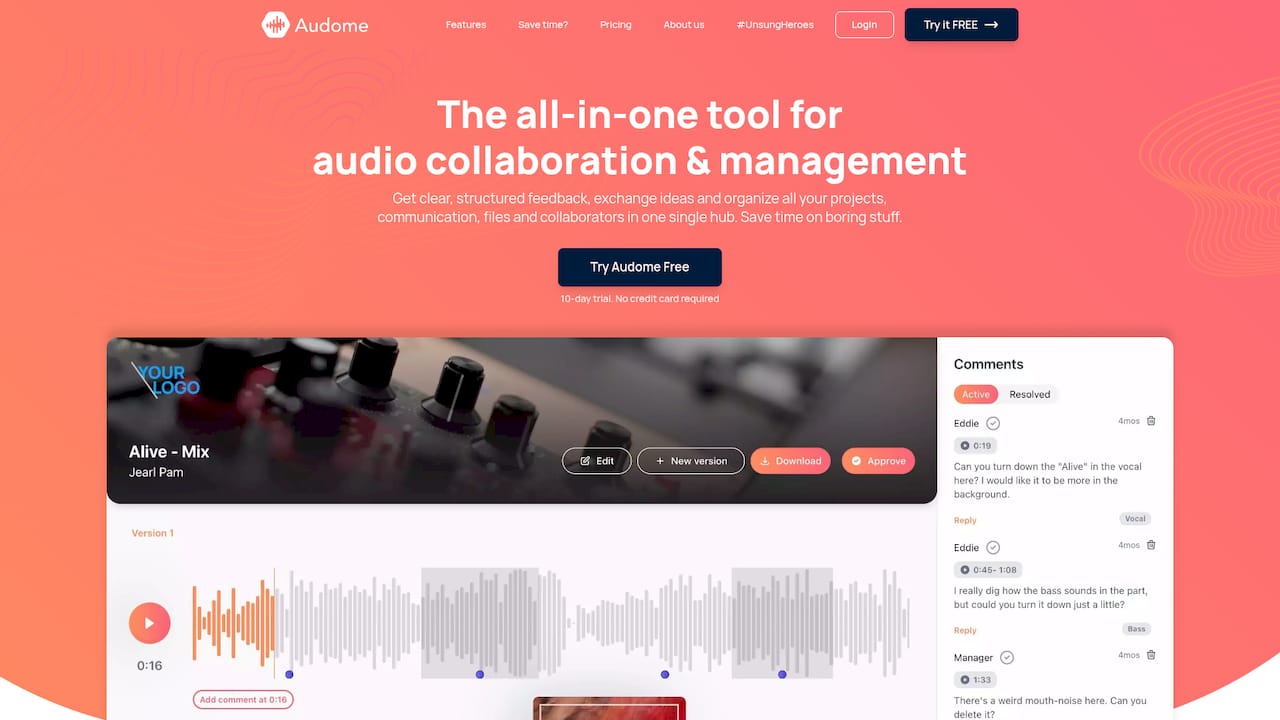
Feedback scattered across text messages, voice memos and email makes it hard to prove what the client asked for and what you delivered. Time-stamped comments on the waveform tie each note to an exact moment in the audio, and automated version tracking shows which version each note applied to. That is the record you want if someone later says the mix “was never what we discussed.”
Clients also don’t have to sign up to leave comments. Audome offers collaboration without a client login, so the client isn’t stuck behind an account they will forget, and the feedback still lands on the project.

Get an explicit sign-off
Write a plain approval step into your workflow: “Reply approved, or approve in the project, and I’ll release the final files once the balance clears.” Keep the approval. It answers “not as described” and “unacceptable” directly, because the client said the work was acceptable before they got the final. Our guide to a studio approval process that locks final files until paid covers the sequence in detail.
At delivery: control the files, keep the proof
Release finals only after payment
Until the balance is paid, send only previews: watermarked, tagged, or otherwise unfit for release. Clean WAVs, stems and project files go out after payment clears. This is a widely used convention in music production invoicing, and it removes the nightmare scenario where the client has the finished master, disputes the charge, and keeps both.
Audome includes download controls and password-protected, branded client portals, so you decide when a client can pull the final files. Previews and finals can also stay in the same lossless quality (up to 96kHz/24-bit), so the client is judging the mix as you made it, not a compressed copy that later gets complaints about sound quality.
Tie downloads to paid orders
“I never got it” is easiest to answer when you can show the file was delivered and when it was collected. Our article on client download tracking that links downloads to paid orders explains how to connect delivery to payment so the two records tell one story.
Keep the delivery email, too
Whatever tool you use, send a delivery message that names the project, the version, and the date, and save it with the invoice. Simple, boring and effective.
What to keep for every project
Build one folder per project, or one project record in your tool, containing:
| Record | What it answers |
|---|---|
| Signed agreement and e-signature record | Did the client agree to the terms, price and cancellation rules? |
| Booking and scheduling record | Did the session or project really happen as booked? |
| Invoice and payment receipts | What was charged, when, and for what? |
| Time-stamped feedback and version history | What did the client ask for, and what did we deliver? |
| Approval message | Did the client accept the work? |
| Delivery and download record | Did the client receive the files? |
| Refund or credit records | Did we already make this right? |
Stripe’s guide notes that for fraud-coded disputes, the key defense is proving the legitimate cardholder authorized the transaction, through things like matching address checks, card security code confirmations, signed receipts or contracts, and IP addresses that match the billing address. A signed agreement from the cardholder is therefore your best single document. It covers authorization and the terms at once.
If a chargeback happens anyway
Even well-run studios get hit sometimes. The first 48 hours matter.
- Read the notice and find the deadline. Note the reason code and the response-by date in your processor dashboard. Stripe says merchants typically have 5 to 21 days to submit evidence after countering, and the issuer usually takes 60 to 75 days to review it. A missed deadline means the dispute is lost, so don’t wait.
- Check whether you already refunded. If you did, say so with the date. A dispute on top of a refund is a documented double claim.
- Contact the client, kindly. Many clients don’t realize a dispute costs you money. If they say it was a mistake, they can withdraw it with their bank. Keep that conversation friendly and in writing, and keep all formal dispute communication in the process your processor provides.
- Match the evidence to the reason. Visa’s guide for merchants says the most effective evidence links the transaction to the cardholder, shows the cardholder took part in or benefited from it, or confirms it was billed according to the agreed terms.
- Keep it short. The same guide warns that excessive or unrelated material can make it harder for the issuer to spot the key facts and may slow the review. Lead with a one-page summary: who the client is, what they bought, what you delivered and when, and the signed terms. Attach only the documents that support those points, in clear PDF or image files.
- Submit early. Don’t use the last day.
Why it’s worth fighting
A dispute costs more than the sale. Stripe explains that the issuing bank takes back the disputed amount plus a dispute fee, that your dispute rate rises regardless of the outcome, and that if the rate goes over card network monitoring thresholds, fines can reach $50 to $150 per dispute.
Card network rules worth knowing
Most small studios never come near the monitoring thresholds, but they are worth understanding, because they explain why processors get strict about disputes. According to TrustLens’s documentation of card network thresholds, Visa’s VAMP program has replaced its older monitoring programs since June 1, 2025. It counts fraud reports plus disputes against settled card-not-present transactions. From April 1, 2026, the excessive line in the U.S. is 1.5%, down from 2.2%, with a monthly minimum of 1,500 events before it applies. Mastercard’s line is also 1.5%, and Amex and Discover use 1.0%.

A studio taking 80 card payments a month is nowhere near that volume. But your processor can still review you, raise reserves or close an account over a pattern of disputes, so the habit of keeping dispute counts low matters at any size. Check your processor’s current terms, since these rules change.
Add friction in the right places
Prevention works best when it feels like professionalism, not suspicion. These small steps also help the client:
- Confirm the booking and deposit in a branded email that repeats the scope and terms.
- Send a pre-session reminder with the cancellation window.
- Respond to “where’s my file?” quickly, with the link, so the question never turns into a dispute.
- Watch for red flags: a client who overpays and asks for the difference back, rushes you to deliver before the deposit clears, or refuses to sign anything.
- Handle retrieval of old projects through a clear file retention policy, so a request for archived files months later is a normal paid service, not a surprise.
- Understand your costs before they surprise you: our guide to studio credit card fees explains what processing costs and how to build it into your pricing.
Where Audome fits
Audome is a collaboration and project management platform built for audio professionals. In chargeback terms, it keeps the records in one place: unlimited lossless uploads up to 96kHz/24-bit, time-stamped waveform feedback, automated version tracking, download controls, and branded, password-protected client portals. Stripe-based payments, revision limits and billing for paid revisions mean the money conversation happens inside the project, not in a side thread.
Plans are published at audome.com/pricing: Studio is $12.50 per month or $150 per year, and Pro is $48 per month or $576 per year. If you want to see the workflow on your next client project, you can start with Audome.
Our perspective
Most chargebacks we hear about from audio professionals are not dramatic fraud stories. They are a client who forgot what they approved, couldn’t find a file, or felt a fourth round of revisions should have been free.
That is why we built Audome around the project, not around the invoice. When feedback is time-stamped on the waveform, versions are tracked automatically, and payment and delivery sit in the same place, the record of what was agreed is created as you work. You don’t assemble it in a panic after a dispute lands.
Our view is simple: protection should come from your process. Set the terms, cap the revisions, get the approval, release the finals when payment clears, and let clients collaborate without a login so there is no friction to hide behind. A client who has been treated this clearly rarely reaches for the dispute button.
Kreg
FAQ
Can a studio win a chargeback?
Yes, when the evidence is clear. Show a signed agreement, the invoice, the approval and proof the files were delivered, and tie each to the specific reason the issuer gave. Keep the response short and submit well before the deadline. Outcomes are decided by the issuer, so no process guarantees a win.
How long does a chargeback take?
You usually have days, not weeks, to respond. Stripe says merchants typically have 5 to 21 days to submit evidence, and that the issuer usually takes 60 to 75 days to review it. Check your processor’s dashboard for the exact due date on each dispute.
Should I refund the client to avoid a chargeback?
If a refund is owed under your agreement, issue it promptly to the original card and keep the record. American Express advises processing credits within 7 days of deciding one is due. Paying a refund and later facing a dispute for the same charge is a case you can document.
Does a deposit stop chargebacks?
A deposit alone doesn’t stop them, but a non-refundable deposit stated in a signed agreement gives you a first paid, authorized transaction and clear cancellation terms. Together with a revision limit and delivery records, it removes most of the common grounds for a dispute.
What if the client says they never received the files?
Send the delivery message and show the download record. If files are held until payment clears, you also have the date you released them. That is why delivery and payment records should sit side by side.
Sources
- How to Handle Payment Disputes, Stripe
- How to Manage and Help Prevent Disputes, American Express U.S. Disputes Reference Guide
- Visa Dispute Management Guide for Merchants
- Session Agreement, M3 Studios
- Card Network Thresholds, TrustLens Docs
- Pay by Card or Crypto: Top-Ups and Invoices, AceRDP Help