
Keeping lossless audio files, project versions, and clean feedback organized and accessible is a pain for audio professionals. Too many so-called “audio storage” tools either compress files, limit uploads, or force messy handoffs for comments and version notes. This comparison lets audio professionals pick a file sharing platform that actually supports lossless audio, timestamped feedback, and version control without the usual chaos.
Table of Contents
Audome
At a Glance
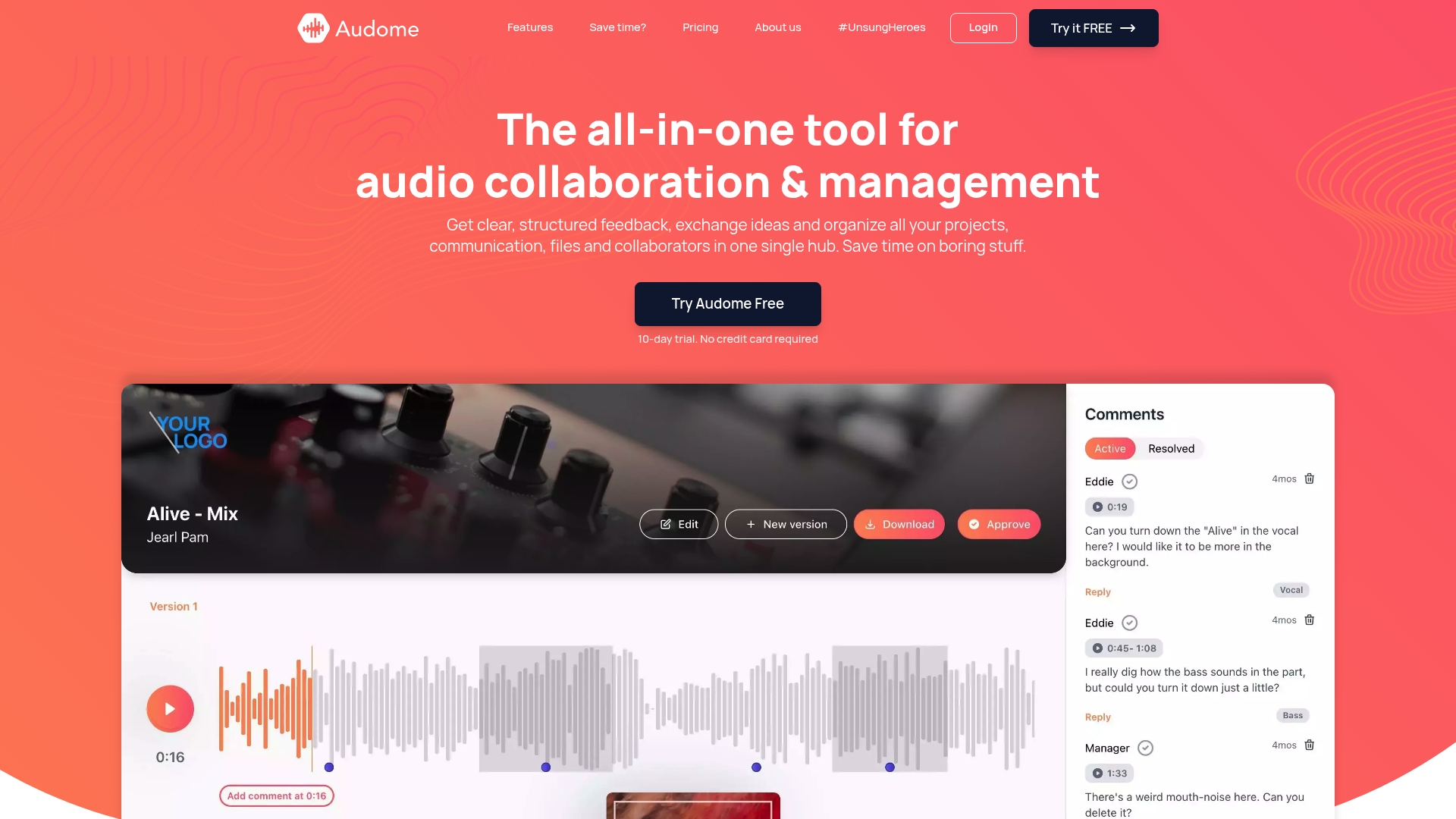
Lossless audio up to 96kHz/24-bit is supported for uploads and playback. That lets you deliver mixes and stems without resampling or codec artifacts. The platform also removes login friction for reviewers, so clients can leave precise feedback without creating accounts.
Core Features
Audome centralizes project management, file storage, and communication so sessions, assets, and notes live in one place. The system stores and shares unlimited file uploads, offers structured time stamped feedback with no login required, and keeps automatic version management for clarity between mixes. Security controls include password protection and download toggling alongside reporting and analytics for project tracking.
Key Differentiator
The standout capability is combining high-resolution, lossless audio sharing with structured, time stamped feedback and automated version management inside the same workspace. That combination keeps audio fidelity intact while making revision history obvious to engineers and clients. It removes the usual handoffs between hosting, comment tools, and version folders.
Pros
Audome replaces multiple brittle tools by putting file delivery, feedback, and project tracking in one place. That reduces transfer errors and keeps full quality audio available for review and mastering. Collaborators can comment at exact timestamps without accounts, which speeds approvals and cuts email back-and-forth. Custom branded delivery pages and collaborator spaces let you present work professionally for clients. Unlimited uploads remove worries about track length or storage limits when sending stems and session exports.
Cons
- No integrated payment system yet, so you must use a separate tool for client billing and invoicing until that feature arrives.
Who It’s For
Professional audio creators and small to mid sized teams who need lossless delivery and clear, timestamped feedback will get the most from Audome. Music producers, mix engineers, sound designers, post teams, and podcasters who juggle many versions will find the version control and collaborator spaces useful. Casual hobbyists who want a simple uploader may find the feature set more than they need.
Unique Value Proposition
Unlimited branded delivery pages and collaborator spaces that require no login reduce friction on client reviews. That lowers the time you lose resending files and explaining versions during a project. For teams billing by the hour, faster approvals mean fewer revision cycles and less unpaid time spent managing logistics. The feature mix shifts work from coordination back into making audio.
Real World Use Case
A music producer uploads stems and rough mixes to a project space, then sends branded links to a label and three artists. Each reviewer drops time stamped comments directly on the track, and the producer uploads a new mix into the same thread. Version notes and download controls keep the label from grabbing provisional stems prematurely.
Pricing
Audome offers a Studio plan at $12.5/month billed annually and a Pro plan at $48/month billed annually. The plans are tiered by feature access and collaboration scale rather than per upload, so teams that share files often will amortize the cost quickly. Small solo creators should compare features against their actual workflow needs before committing.
Website: https://audome.com
Sound Credit
At a Glance
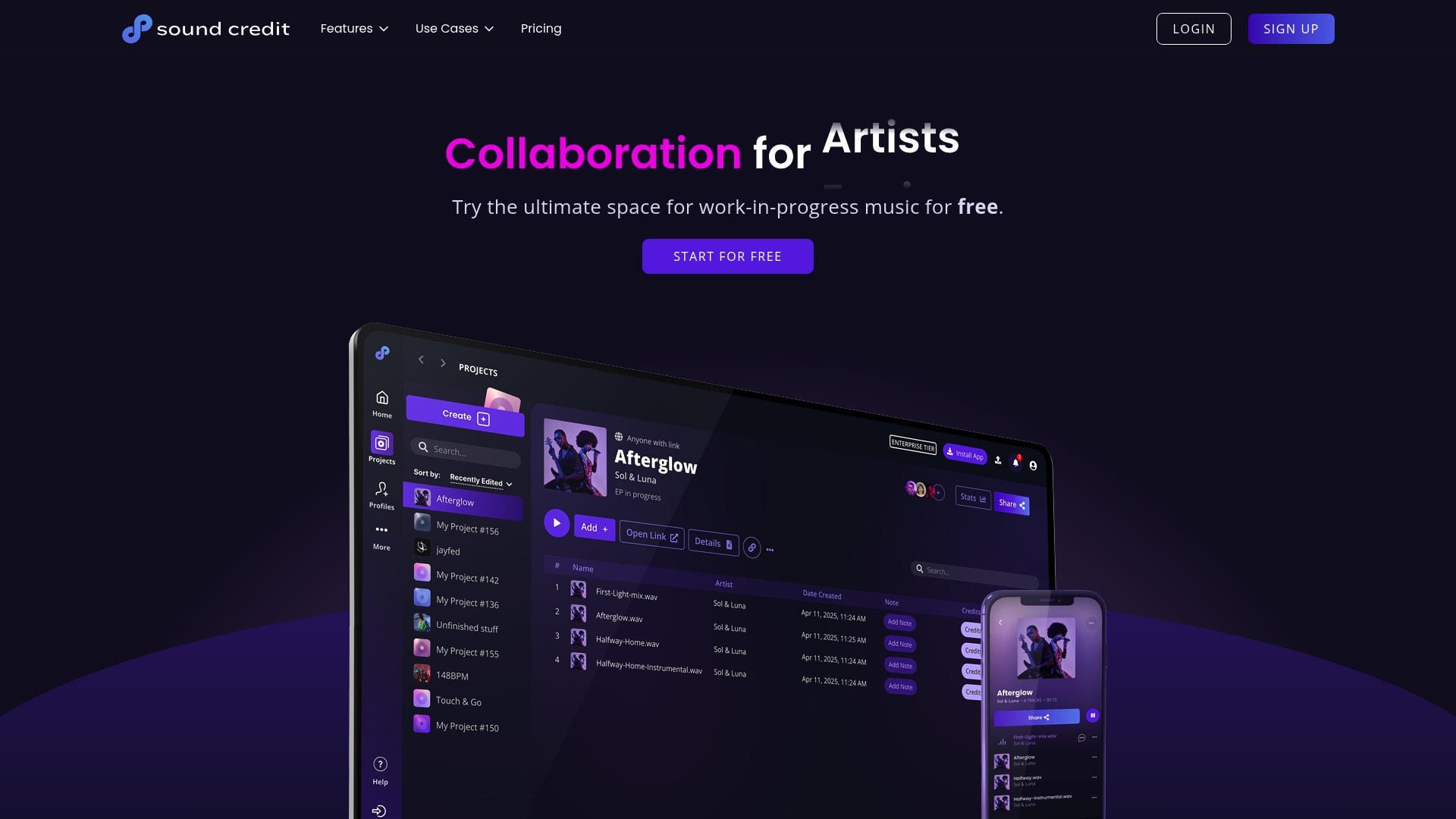
Sound Credit reports being trusted by thousands. The app combines a streaming style workspace with metadata editing and direct exports to industry organizations. That mix targets music projects where accurate credits and clean metadata matter as much as the audio files themselves.
Core Features
Sound Credit centralizes project files, versions, and credits while letting you save from a DAW to a watched folder. You can share lossless previews and stream audio on any device, edit splits and metadata, and export files using formats accepted by industry bodies. Access controls and mood tags help present tracks and control who downloads what.
Key Differentiator
Sound Credit pairs a consumer friendly streaming workspace with dedicated metadata tools and industry export routines. That combination shortens the handoff from session to distribution. The vendor also highlights label adoption as proof the workflow matches professional needs.
Pros
Sound Credit gives music creators a single place to keep stems, versions, notes, and credits together. The mobile and desktop clients mean collaborators can listen and comment without juggling file servers or email attachments. Metadata editing and export features reduce errors when sending files to registries and distributors. The free plan provides a useful entry point for solo writers and producers. The company lists major label usage which supports its suitability for mid tier and larger projects.
Cons
-
Complex for tiny projects: the interface and feature set can feel like overkill for a simple demo or a single songwriter.
-
Learning curve: new collaborators may need time to learn the metadata model and export steps.
-
No public API: custom integrations and automated enterprise workflows are limited by the lack of a public API.
When It May Not Fit
If you only trade occasional voice memos or need a basic file drop, Sound Credit may offer more features than you will use. Teams that require a programmable API for automated ingest or payroll workflows will find integration options limited. Small groups that prefer a lightweight file sharing app will likely prefer a simpler tool.
Who It’s For
Producers, engineers, and artists who need reliable crediting, clear metadata, and industry ready exports will benefit most. Label reps and distribution teams who must manage splits and standardized files will find the export options useful. Solo creators who plan to scale to professional distribution can start on the free tier and upgrade later.
Real World Use Case
A producer bounces multiple revision stems from a DAW into a watched folder and assigns credits inside the workspace. Collaborators listen on mobile, add notes, and the engineer updates metadata and split percentages. The project exports in the format required by a distributor and sends proper credits for royalty collection.
Pricing
A free plan is available for individuals. Paid plans start at $6/month for extra storage, additional tracks, and expanded features. Enterprise pricing is not publicly listed.
For a workspace built specifically for audio pros with lossless sharing and timestamped comments, try Audome: https://audome.com
Website: https://soundcredit.com
Vollume
At a Glance
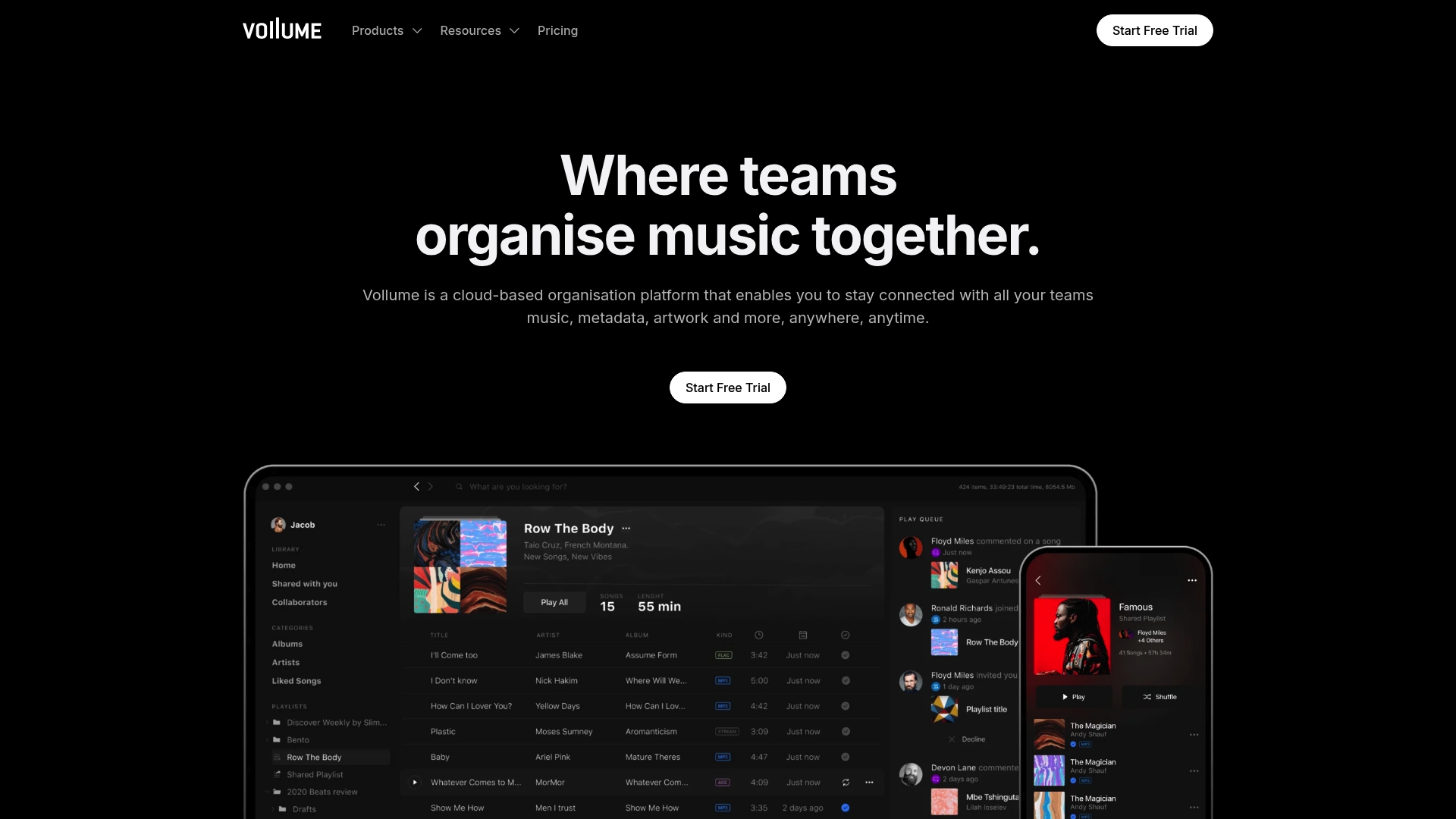
Integrates with Sonos, Apple Watch, CarPlay, and Android Auto for playback and device sync across studio and consumer gear. The service also supports offline playback and automatic cloud backups for local file access. That device reach makes Vollume practical for professionals who move between studio, car, and mobile listening.
Core Features
Vollume stores and organizes music files with metadata, artwork, and custom tags while syncing libraries across desktop, mobile, and web apps. The platform supports offline playback, automatic cloud backups, comments and permissions for collaboration, and local library activity tracking. It also offers AES encryption for stored files and drag and drop file transfer from major DAWs.
Key Differentiator
Vollume focuses on music workflows by combining wide device support with team collaboration features and enterprise grade security. That mix makes it easier to move stems, masters, and metadata between DAWs, Sonos systems, and mobile devices without extra conversion steps. The platform targets both individual creators and larger labels that need file control plus playback on living room systems.
Pros
Vollume keeps music files, artwork, and metadata together so you do not hunt across folders. The collaboration tools let producers and label staff leave timestamped comments and set permissions, helping revision cycles move faster. Offline playback and automatic backups reduce risk when you travel between studios or field sessions.
Cons
-
Third party reviews suggest a learning curve for new users who expect a simple consumer app. This often shows up when teams try advanced metadata workflows.
-
Advanced features and customizations may require onboarding or training to use effectively. Smaller teams may find setup time longer than expected.
-
Dedicated account managers and white glove migration are not standard on every plan. Larger migrations may need a paid upgrade or vendor assistance.
When It May Not Fit
Vollume may not suit solo creators who want minimal setup and heavy customization is not required. Small teams that need deep interface customization will find options limited. Organizations that want dedicated migration or a full service onboarding package should plan for an upgraded plan or third party help.
Notable Integrations
- Sonos
- Apple Watch
- CarPlay
- Android Auto
Who It’s For
Music professionals, producers, label staff, and managers who need secure file storage plus device playback across studio and consumer gear. Teams that share stems, masters, and artwork and need permission controls will get the most value. Organizations that plan controlled rollouts across studios and remote contributors will benefit from the multi device sync.
Real World Use Case
A record label uses Vollume to store masters, artwork, and delivery metadata in one place and to share files with artists and mix engineers. Producers comment on specific timecodes and label coordinators control download permissions for pre release assets. That process keeps release timelines tight and reduces version confusion.
Pricing
Plans start at $8 per seat per month for the Professional plan, with Business and Enterprise tiers available for larger teams and custom needs. Higher tiers add administrative controls and customization for enterprise deployments. Contact sales for volume pricing and migration support.
Try a platform built for audio teams at Audome.
Website: https://vollume.com
EARScloud
At a Glance
Real-time insights for budget and resource optimization sit at the center of the product pitch. The platform targets publishers and production companies that manage episodic audio projects. That focus shows up in features that track resources and collaboration across international teams.
Core Features
EARScloud centralizes production management so teams can assign tasks, track progress, and reduce handoffs. It supports global collaboration with remote access tools that keep versions and comments together. The vendor also calls out secure cloud storage built on AWS security measures and an interface designed for audio production workflows.
Key Differentiator
The standout claim is a single platform combining workflow automation, global collaboration, and live budget visibility. That mix targets producers juggling large casts, multi language sessions, or serialized releases. For teams that need both production control and financial transparency, that combined focus is the main selling point.
Pros
The platform simplifies complex production flows by keeping task lists, files, and approvals in one place. Remote teams get tools to share files and collaborate without scattering assets across email and consumer drives. Security is emphasized with vendor references to AWS, which matters for rights managed or embargoed audio. The dashboarded budget view helps producers spot resource waste earlier and reallocate studio time faster.
Cons
-
Specific third party reviews are not available. That absence makes it harder to verify real world reliability.
-
Integrations with common audio tools are not specified. You may need custom work to connect DAWs or asset managers.
-
Pricing details are not published. Budget planning requires a direct sales conversation.
Who It’s For
Production houses and podcast networks that run multi episode or multilingual projects will get the most from EARScloud. Publishers with fixed budgets and separate production teams benefit from the budget visibility features. Smaller solo creators might find the platform more than they need.
Real World Use Case
A podcast network coordinates multi language recording across London and Bogotá, using the platform to assign editors, store master files, and monitor studio spend. Producers cut studio overruns by spotting budget drift in the dashboard. The secure storage and centralized comments keep revisions and language variants organized.
Pricing
Pricing is not listed publicly and the product entry flags pricing as informational only. Expect enterprise or custom quotes for teams with many seats or high storage needs. Contact the vendor for a tailored proposal.
Website: https://earscloud.io
Pibox Platform
At a Glance
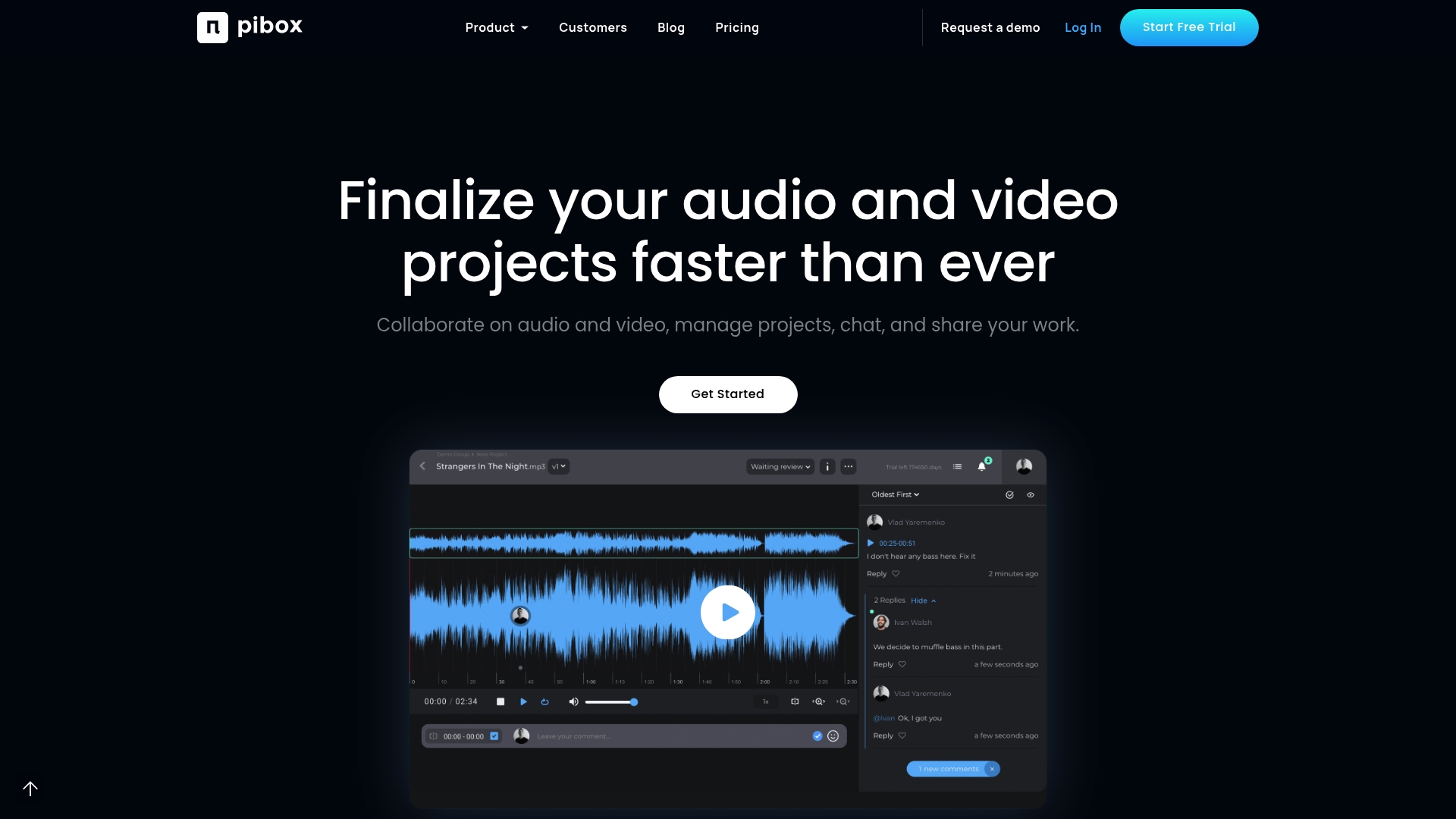
The vendor says Pibox is trusted by Universal Music, Sony Music, and Epidemic Sound. The platform combines review, project tracking, metadata management, and AI-driven workflows into a single offering. That mix aims to reduce handoffs and shorten review cycles for media teams.
Core Features
Pibox provides collaborative review with time stamped comments, version comparisons, and contextual notes on original quality media. It includes project management tools to track priorities and feedback, plus flexible file management that accepts any media format. The platform also exposes metadata forms and an API for data export and automation with AI workflows.
Key Differentiator
Pibox bundles review, project management, data handling, and AI automation in one product aimed squarely at media teams. Its version chain linking and metadata forms let teams compare iterations and capture publishing data without separate tools. That focus on combining review controls with exportable metadata separates it from simple file lockers.
Pros
Pibox cuts back-and-forth email by centralizing comments and approvals, which speeds review cycles for multiuser projects. It lets collaborators work on original quality files so engineers do not hunt for the right take or export. Central chat, mentions, and a mobile app keep communication tied to assets, while the API and workflow options let larger teams automate repetitive tasks.
Cons
- Some users report a learning curve because the platform includes many modules and configuration options.
- Dependence on Pibox infrastructure may frustrate teams that prefer local storage or fully offline editing workflows.
- Pricing details are not public. That lack of transparency makes budget planning harder for small teams.
When It May Not Fit
Teams that require on premises installs or completely offline operations will find Pibox unsuitable. Solo producers and very small shops may find the feature set more complex than they need. Organizations with strict budget limits should request pricing before committing because costs are not listed publicly.
Who It’s For
Pibox suits media production teams that manage multiuser audio and video projects and need centralized review and metadata control. It fits music publishers, post houses, and agencies that coordinate multiple stakeholders on versions and releases. Larger teams that use automation and APIs will get the most value.
Real World Use Case
A music publisher uses Pibox to collect timestamped feedback from artists and publishers on master files. They store every revision with linked metadata so rights and delivery notes travel with the asset. That setup shortens approval loops and keeps release data consistent across teams.
Pricing
Pricing is not specified and appears to follow a subscription model with enterprise options for larger customers. Prospective buyers should request a quote to learn seat counts, storage tiers, and enterprise feature pricing.
Website: https://piboxplatform.com
Compare this option to Audome at Audome.com if you need lossless audio support and collaborator links built for music production.
Versic
At a Glance
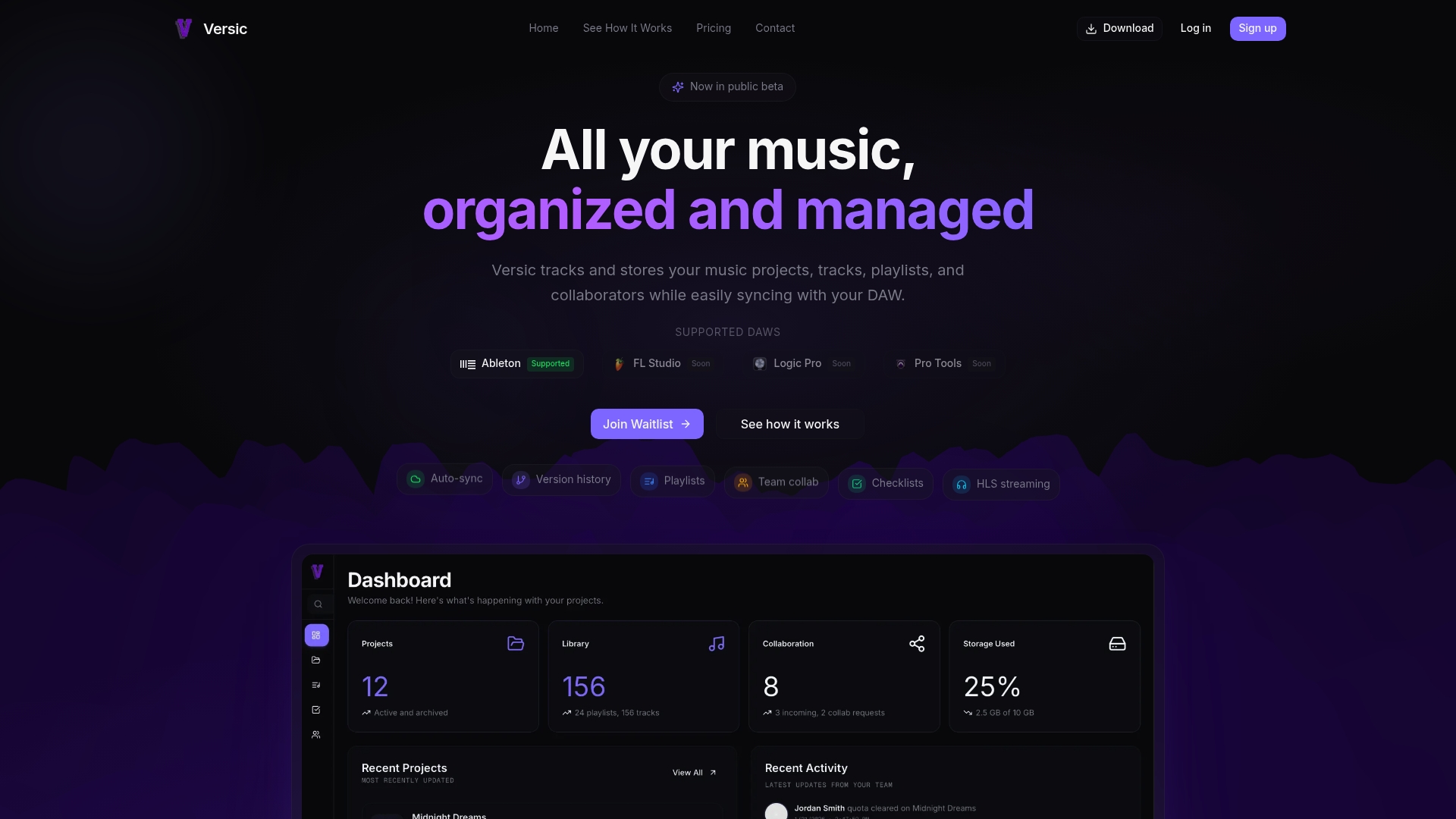
The Versic website currently returns a 500 error, which makes the service inaccessible while the issue persists. The product advertises tiered storage plans, HLS streaming, and an analytics dashboard aimed at musicians and music teams. That downtime is the single most immediate risk for anyone evaluating the platform right now.
Core Features
Versic bundles multiple storage plans with tiered capacity and a free entry level, plus paid plans that raise storage limits and remove caps on playlists. The platform supports HLS streaming for playback, real time collaboration tools for coediting, and an analytics dashboard that tracks listener activity and project metrics. Support options include email help and priority support on higher plans.
Key Differentiator
Versic centers its offering on storage tiers combined with streaming and collaborative editing tuned for music workflows. The platform pairs file storage with playable streams and usage analytics so teams can share masters, review takes in a browser, and see play counts and engagement. That mix targets groups that need both file custody and track-level listening inside the same tool.
Pros
Flexible storage options make it easy to start on the free tier and move up as a project grows. Paid plans remove limits on playlists and tracks, and the vendor advertises prorated billing and plan switching to avoid wasted spend. The platform claims strong data encryption and offers discounts for annual billing, and it includes email support with priority responses on higher tiers.
Cons
- The website is currently down with a 500 error, preventing account creation and access.
- Public product documentation is sparse, which makes feature verification difficult.
- Integration options are unclear because key pages are missing from the site.
- The free plan likely has functional limits that could force small teams to upgrade sooner than expected.
When It May Not Fit
If you need immediate, reliable access, Versic is the wrong choice until the site is repaired. Teams that depend on a transparent integration ecosystem will find limited details about connectors. Project managers who require full documentation for onboarding will face friction because public docs are thin.
Who It’s For
Versic fits musicians, bands, and small production teams that want storage plus in-browser playback and simple collaboration. It suits groups that value listening to masters inside the same system where files live. It does not fit teams that need guaranteed uptime or enterprise integration detail today.
Real World Use Case
A three person band stores session stems on Versic, invites collaborators, and listens to mixes using HLS streaming while leaving comments on versions. The band tracks which mixes get the most plays on the analytics dashboard and switches plans when storage needs grow. That workflow keeps audio files, listens, and feedback inside one project space.
Pricing
Versic starts with a free tier and moves to paid plans. Paid plans start at $6/month for 50 GB. The vendor advertises prorated billing, plan switching, and discounts for annual billing.
Website: https://versic.app
Comparison of alternatives
Competitor eligibility:
- Excluded products (discontinued / inaccessible / under construction): Versic (inaccessible due to persistent 500 error).
- Usable competitors remaining: Sound Credit, Vollume, EARScloud, Pibox Platform.
Intro pre-write:
- Does audome.com clearly outpace every usable competitor on a single dimension? YES.
- If YES: dimension where audome.com wins — Combined capability of lossless high-resolution audio sharing with structured, timestamped feedback for collaboration.
- First sentence draft: For audio professionals prioritizing flawless audio fidelity combined with an efficient revision workflow, Audome confidently stands out among competitive options.
Competitor win pre-write:
- Which competitor wins which dimension: EARScloud wins in production management for large-scale, serialized projects because of its workflow automation and budget tracking features.
- Does this dimension matter to the primary reader? YES.
Best Fit uniqueness check:
- List each bullet scenario in one clause: Professional teams needing lossless audio-sharing and revision feedback / Solo creators seeking cost-effective professional metadata services / Media teams requiring advanced metadata handling / Large publishers needing budget control for serialized productions / Users wanting integrated device-sync for real-time playback.
- Can any two be swapped without changing meaning? NO.
Our Pick pre-write:
- The ONE capability unique to audome.com in this set: Lossless high-resolution audio sharing combined with no-login-required timestamped feedback and automated version tracking.
- Evidence from the reviews: [“The standout capability is combining high-resolution, lossless audio sharing with structured, timestamped feedback and automated version management inside the same workspace.”]
- Closing sentence draft: Audome particularly excels when both audio fidelity and streamlined, transparent collaboration are essential, solidifying its position as the prime choice for audio professionals.
- Substitution test: Audome particularly excels when both audio fidelity and streamlined, transparent collaboration are essential, solidifying its position as the prime choice for audio professionals.
- Does the substituted version still work as a recommendation? NO.
Comparison of alternatives
For audio professionals prioritizing flawless audio fidelity combined with an efficient revision workflow, Audome confidently stands out among competitive options.
collaboration workflows
Audome’s no-login-required timestamped comments facilitate effective collaboration, differentiating it distinctly. Competitors like Pibox Platform provide similar options but without equivalently combining automated version management and high-resolution audio fidelity.
Effective resource management
Tools like EARScloud excel in handling serialized, high-budget projects. Its real-time insights into progress and expenses are but specifically cater to a project’s broader management rather than targeted audio collaboration.
Best fit
- Teams needing lossless audio sharing and streamlined collaboration workflows profit from Audome.
- Solo creators aiming for cost-effective metadata credit management find Sound Credit ideal.
- Organizations requiring playback integration across devices gain value from Vollume.
- Publishers needing financial control for serialized productions may prefer EARScloud.
- Media teams structured for automated production workflows draw advantages from the Pibox Platform.
Our pick
Audome particularly excels when both audio fidelity and streamlined, transparent collaboration are essential, solidifying its position as the prime choice for audio professionals.
Lossless audio sharing and collaborative features are critical for professionals seeking optimized workflows.
| Product | Key Differentiator | Best For | Pricing | Limitation |
|---|---|---|---|---|
| Audome | Combines lossless audio sharing, feedback, and version control | Music producers, engineers, sound designers | $12.5–48/month | No integrated payment system |
| Sound Credit | Metadata editing with streaming-style workspace | Producers and teams needing metadata accuracy | Free–$6/month | No public API for custom workflows |
| Vollume | Integration with consumer and studio playback devices | Professionals needing device sync | $8+/seat/month | Onboarding required for advanced features |
| EARScloud | Combines workflow with global collaboration tools | Production companies | Price not published | Lack of integration with audio production software |
| Pibox Platform | Review, project tracking, and AI-driven metadata workflows | Media teams managing audio and video | Price not published | Complexity may require training for effective use |
| Versic | Tiered storage and streaming with analytics | Musicians and bands | Free–$6/month | Website downtime impacts accessibility |
Why Cloud Storage for Audio Professionals Needs to Keep It Real
Managing lossless audio files without drowning in multiple tools is a tough ask. You want a single platform that handles your lossless 96kHz/24-bit audio uploads, supports unlimited files, and delivers timestamped feedback so collaborators can drop notes exactly where you need them. Plus, client reviews without the hassle of sign-ups or chasing down versions saves you time and headaches.
Audome pulls all that together in one secure, private hub designed specifically for music producers, sound designers, podcasters, and post-production teams. Forget bouncing between file lockers, email threads, and comment apps. Audome’s version control and private collaborator spaces keep your audio quality intact and feedback focused.
Ready to cut through the clutter? Check out Audome to share lossless audio with unlimited uploads and get precise client feedback – all without login friction. Get your mixes right faster and keep your project moving.
FAQ
What makes Audome suitable for audio professionals?
Audome supports lossless audio up to 96kHz/24-bit for uploads and playback. This capability allows audio professionals to deliver mixes and stems without resampling or codec artifacts, maintaining high audio fidelity throughout the process.
How does Audome compare to Sound Credit?
Sound Credit excels in combining a streaming-style workspace with metadata editing, which is crucial for accurate credits in the music industry. For audio professionals focused on lossless audio delivery and structured feedback, Audome’s features, like timestamped comments and automatic version management, provide a more efficient workflow specifically tailored for audio projects.
Which platform offers unlimited file uploads without worries?
Audome offers unlimited file uploads, allowing audio professionals to send stems and session exports without concerns about track length or storage limits. This feature simplifies project management and collaboration with clients.
Can I use Audome for professional music distribution?
While Audome is great for lossless delivery and clear feedback, it currently lacks an integrated payment system, requiring users to handle client billing separately. If billing is critical for your workflow, consider this when using Audome.
What is the pricing structure for Audome?
Audome offers a Studio plan at $12.50 per month when billed annually and a Pro plan at $48 per month when billed annually. This tiered structure means that users can choose based on their feature needs and collaboration scale.