
Getting studio-quality results when your collaborators are scattered across cities or continents is genuinely hard. Distance introduces latency, compression artifacts, sync drift, and a dozen communication breakdowns that never happen when everyone’s in the same room. For music producers, sound designers, podcast engineers, and post-production teams, these aren’t minor inconveniences. They’re workflow killers that cost time, money, and creative momentum. The good news is that purpose-built tools and disciplined workflow design can close most of that gap. Here’s what actually works.
Table of Contents
- Prioritize local recording with cloud sync
- Choose tools optimized for sample-accurate synchronization
- Understand and mitigate remote monitoring latency
- Build common ground with reviewability and structured feedback
- Why conventional remote workflows miss the mark for creatives
- Streamline your remote workflows with Audome
- Frequently asked questions
Key Takeaways
| Point | Details |
|---|---|
| Local recording is essential | Recording audio locally with cloud sync guarantees the highest quality and reliability for remote projects. |
| Prioritize sync accuracy | Select platforms with sample-accurate playback to keep music and podcast collaborators truly aligned. |
| Monitor latency separately | Understand that real-time monitoring may differ from final audio quality, and adjust workflows to minimize confusion. |
| Structure feedback rounds | Use timestamped or voice-noted feedback to streamline review cycles and avoid subjective misunderstandings. |
| Creative workflows need specialized tools | Generic business platforms often fail creatives, so audio collaboration demands tools built for precision and reviewability. |
Prioritize local recording with cloud sync
The single biggest mistake remote audio teams make is trusting the call stream as their final audio source. Every video conferencing platform compresses audio aggressively to reduce bandwidth. That compression is irreversible. By the time you’re editing, you’re working with audio that’s already been degraded.
The smarter approach is local recording with cloud sync, where each participant records their own track locally at full quality, and those files are automatically uploaded to a shared project space after the session. Platforms like Riverside.fm, Squadcast, and Zencastr all operate on this model. Each one captures a lossless or near-lossless local file and syncs it to the cloud so you can pull everything into your DAW (digital audio workstation) and align tracks in post.
Here’s why this matters practically:
- Fidelity is preserved. A local WAV file at 48kHz/24-bit sounds nothing like a Zoom recording. The difference is audible even to non-engineers.
- Network issues don’t destroy the session. If someone’s internet drops mid-sentence, the local recording keeps going. You only lose the sync, not the audio.
- You get true flexibility in post. Separate tracks mean independent EQ, compression, noise reduction, and editing. One track can be cleaned without affecting the others.
- Version history stays clean. When you pair local recordings with audio version control best practices, you can track every revision and roll back without confusion.
“For remote podcast and voice production, emphasize local recording with cloud sync rather than relying on the call stream for the final audio.” This principle applies equally to music overdubs, ADR (automated dialog replacement), and any session where fidelity is non-negotiable.
Pro Tip: Before every session, verify that each participant’s recording software is set to save locally AND that cloud sync is enabled. Test this with a 30-second clip before the real session starts. A failed sync discovered at the end of a two-hour session is a painful lesson.
Choose tools optimized for sample-accurate synchronization
Once you have reliable recording, it’s time to ensure everyone stays in sync during production. This is where generic conferencing tools completely fall apart for music and sound design work.
Sample-accurate sync means that playback across multiple machines is aligned to within a single audio sample, typically 1/44100th or 1/48000th of a second. For a podcast, being off by a few milliseconds is usually fine. For a drum overdub, a tight bass line, or a foley session timed to picture, even 10 milliseconds of drift is audible and unprofessional.
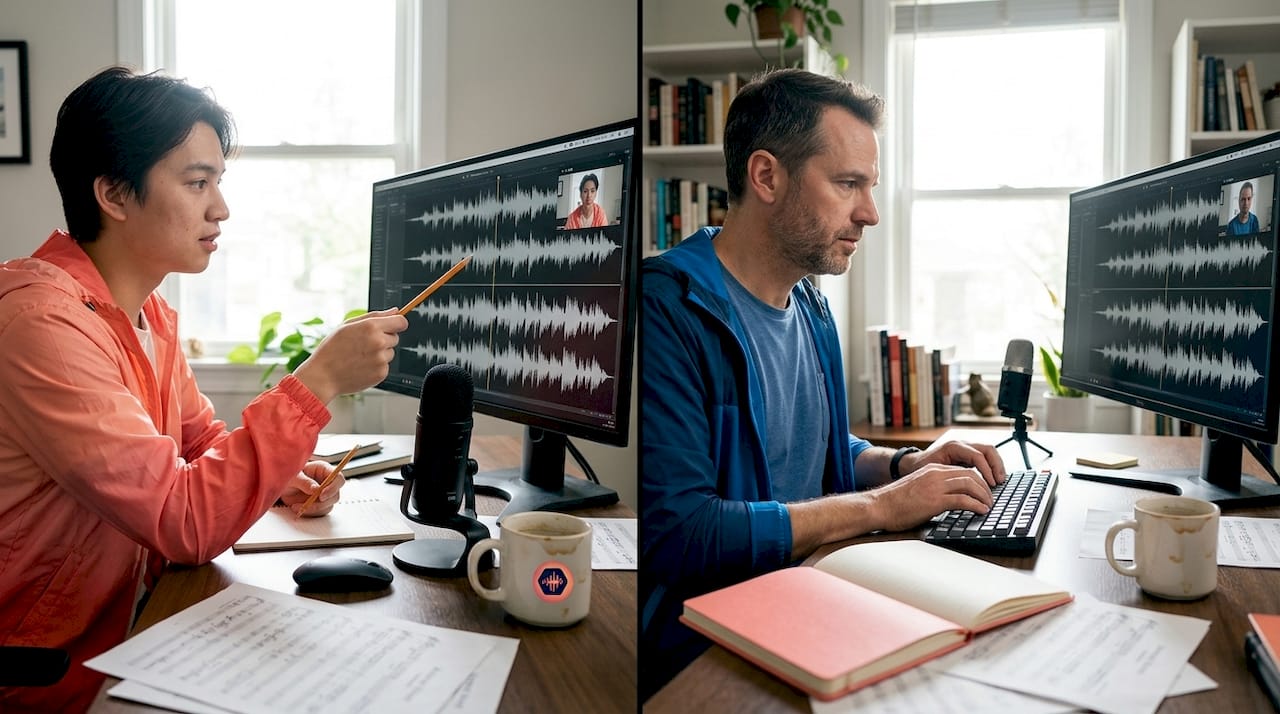
SyncDNA is one of the few platforms built specifically around this requirement. It targets frame and sample-accurate playback for remote sessions, which makes it suitable for music production, sound design, and post-production workflows where timing is everything. Generic tools like Zoom or Teams were built for business meetings, not for musicians trying to nail a tight groove together.
Here’s a quick comparison of the two approaches:
| Feature | Purpose-built audio platforms | Generic conferencing tools |
|---|---|---|
| Sync accuracy | Frame/sample-accurate | Variable, often 50ms+ drift |
| Audio quality | Lossless or near-lossless | Compressed (often 8-bit equivalent) |
| Latency management | Optimized for creative sessions | Optimized for speech intelligibility |
| DAW integration | Often available | Rarely available |
| Cost | Moderate to high | Free to low |
The tradeoff is real. Purpose-built platforms cost more and sometimes require more setup. But if your music collaboration process involves live overdubs, real-time sound design, or any timing-critical work, the investment is justified immediately.
Additional platforms worth evaluating include:
- LANDR Sessions for quick remote collaboration with built-in mastering
- JamKazam for live musical performance with low-latency audio routing
- Audiomovers LISTENTO for high-quality remote monitoring and streaming directly from a DAW
Understand and mitigate remote monitoring latency
Sync is just one aspect of remote collaboration. Latency can create confusion even when the final product is accurate. This is one of the most misunderstood problems in remote audio work.
Monitoring latency can feel much worse than the actual recorded quality suggests. Some platforms deliberately separate the real-time monitoring path from the high-quality recording path. What you hear in your headphones during the session may be compressed and delayed, but the file being captured locally is pristine. Performers who don’t understand this often stop sessions because they think something is wrong, when in fact the recording is fine.
Here’s a practical step-by-step approach to managing monitoring latency in remote sessions:
- Communicate the distinction upfront. Before the session, explain to all collaborators that what they hear in real time is a monitoring stream, not the final recording. Set expectations clearly.
- Use direct monitoring where possible. If a performer is recording into an audio interface, route their own signal directly back to their headphones through the interface rather than through the software. This eliminates software-induced latency entirely on their end.
- Check platform-specific buffer settings. Most purpose-built platforms offer adjustable buffer sizes. Lower buffers reduce latency but increase CPU load. Find the sweet spot for each machine.
- Separate the call from the recording. Some engineers run a regular video call for communication while the actual audio recording happens through a dedicated platform. The call is for talking; the platform is for capturing audio.
- Test before every session. Run a short test pass and ask all participants to report what they’re hearing. Document the latency each person experiences so you can reference it during the session.
Pro Tip: When reviewing audio version control pitfalls, latency-related mislabeling is surprisingly common. Performers sometimes mark takes as “off” when they’re actually perfectly timed in the recorded file. Always check the recording before discarding a take based on monitoring feel alone.
Build common ground with reviewability and structured feedback
With latency and sync handled, now focus on keeping communication clear and actionable throughout every revision. This is where many remote teams lose hours to confusion, repeated requests, and vague feedback.
Remote media fundamentally changes how common ground is built between collaborators. In a physical studio, you can point at a waveform, gesture toward a speaker, or hum a melody to illustrate what you mean. Remotely, you lose all of that. Misunderstandings accumulate faster, and without structured tools for reviewability and revisability, small confusions snowball into major revision cycles.
The fix is to build explicit feedback structures into your workflow from the start. Timestamped and voice-noted feedback dramatically reduces the subjective back-and-forth that plagues remote podcast and music projects. Instead of an email saying “the chorus feels a bit muddy around the middle,” a timestamped comment at 1:42 saying “the low mids are masking the vocal here, try a cut around 300Hz” is actionable in seconds.
Key practices for structured feedback:
- Use timestamped comments on every shared audio file so feedback is pinned to a specific moment
- Require voice notes for complex feedback because tone of voice carries nuance that text often loses
- Set clear revision rounds with defined scope, such as one round for arrangement, one for mix, one for master
- Track every version with descriptive labels, not just “v1, v2, v3” but “v3_chorus_rebalanced_bass_up”
- Separate subjective from technical feedback to keep conversations productive
Here’s a practical framework for structuring feedback rounds:
| Revision round | Focus area | Feedback format | Deadline |
|---|---|---|---|
| Round 1 | Arrangement and structure | Voice note or video | 48 hours |
| Round 2 | Mix balance and tone | Timestamped comments | 24 hours |
| Round 3 | Final polish and mastering | Written notes only | 24 hours |
For video content creators managing audio alongside visual assets, the same structured approach applies. Video content collaboration tips often mirror audio best practices, especially around version naming and feedback cycles.
“Plan feedback rounds explicitly and make feedback timestamped and/or voice-noted to reduce subjective back-and-forth.” This single habit, consistently applied, can cut revision cycles in half for most remote audio projects.
Why conventional remote workflows miss the mark for creatives
Here’s the uncomfortable truth most productivity articles won’t tell you: the remote collaboration tools that work brilliantly for business teams are often actively harmful for creative audio work.
Business remote collaboration optimizes for speed, clarity, and decision-making. A compressed audio stream is fine when you’re discussing a budget. Nobody cares if the audio drops to 8kHz equivalent quality during a quarterly review. But when a musician is trying to feel whether a bass line locks with a kick drum, or a sound designer is evaluating whether a foley hit lands on the exact right frame, that same compression makes accurate creative judgment impossible.
Latency-sensitive creative sessions require either a purpose-built sample-accurate platform or a workflow specifically designed to anticipate monitoring delays. The critical mistake most teams make is assuming that because a VoIP call sounds “good enough” for conversation, it’s good enough for creative evaluation. It isn’t. You cannot make accurate mix decisions through a compressed monitoring stream, and you cannot perform tight musical parts when your monitoring is 80 milliseconds behind your playing.
The deeper issue is that creative work requires a shared sensory experience. When a producer and a vocalist are in the same room, they’re reacting to the same acoustic reality in real time. Remote tools break that shared reality into individual, slightly different experiences. The producer hears one version of the mix; the vocalist hears another. Neither is the final product. Both are making decisions based on incomplete information.
The practical wisdom here is to anticipate, not react. Design your workflow before the session to account for these limitations. Decide in advance which decisions will be made in real time and which will be deferred to async review. Use seamless collaboration strategies that separate the live creative energy of a session from the analytical work of revision and approval. Real-time sessions are for capturing performances and making broad creative calls. Detailed technical decisions belong in async review with full-quality audio and structured feedback tools.
This mindset shift, from reacting to technology limitations to designing around them, is what separates remote audio teams that consistently deliver great work from those that spend half their time troubleshooting.
Streamline your remote workflows with Audome
The tips in this article only work if your tools can actually support them. Most remote audio teams are stitching together four or five different services: a file sharing platform, a feedback tool, a version control system, a project manager, and a communication app. Every handoff between tools is a potential point of failure.
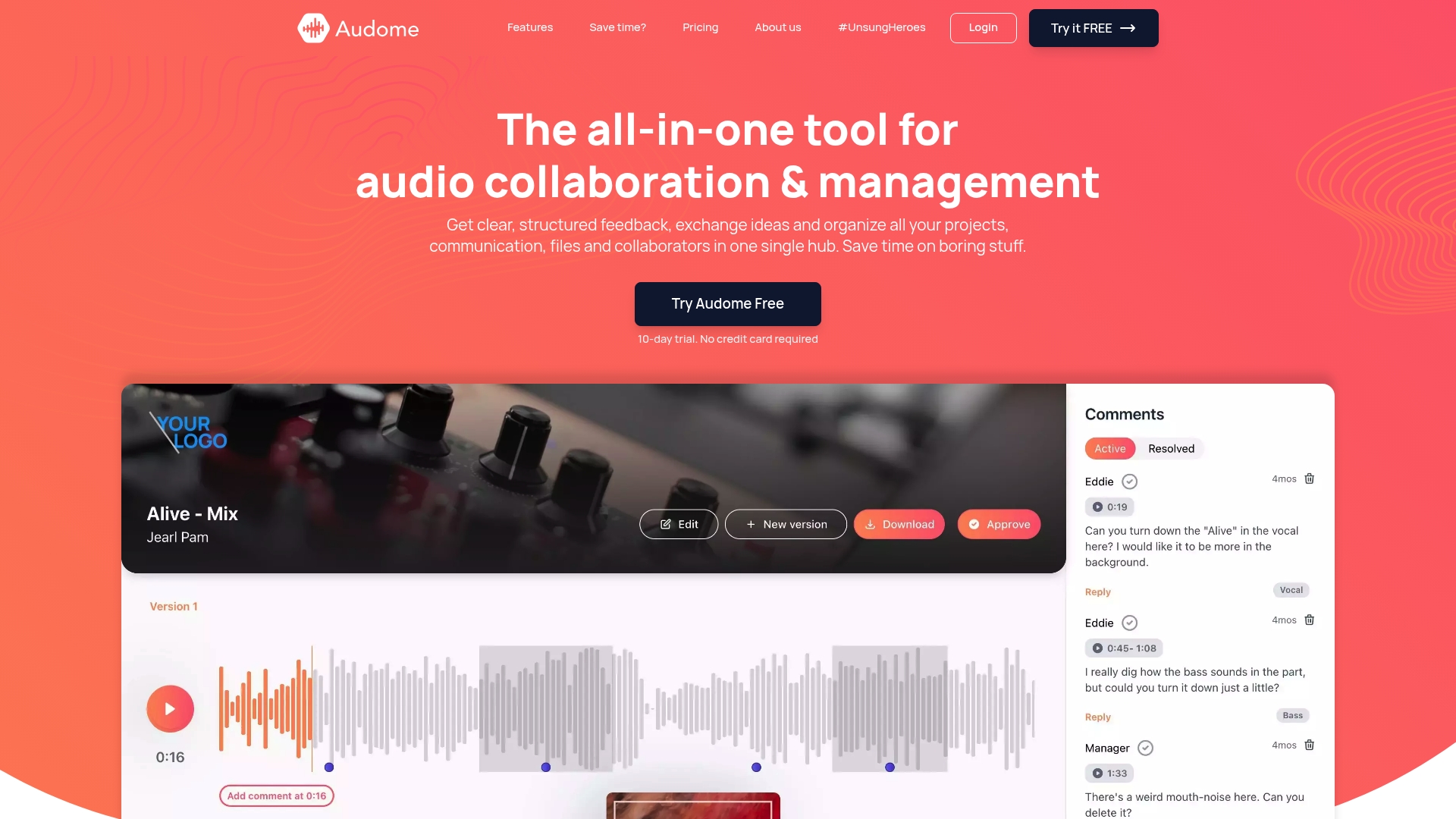
Audome is built specifically for audio professionals who need all of that in one place. The platform supports lossless audio up to 96kHz/24-bit, so your files never get compressed in transit. Timestamped comments are built in, version control is automatic, and collaborators can leave feedback without creating an account. Private project spaces, password protection, and download toggling give you full control over who accesses what. If you’re serious about remote audio collaboration, Audome replaces the fragmented stack with a single purpose-built hub that keeps your workflow clean and your audio pristine.
Frequently asked questions
How do I make sure audio is perfectly synced between remote collaborators?
Use purpose-built audio platforms designed for frame or sample-accurate playback, such as SyncDNA, instead of generic conferencing tools. Purpose-built platforms explicitly target sync accuracy that generic VoIP tools simply cannot match.
Why does my remote monitoring sound worse than the final audio?
Monitoring latency and compression affect the real-time stream, but most dedicated platforms record locally in high quality and sync the files afterward. Remote monitoring latency can feel far worse than the actual recorded quality, so always evaluate the captured file before judging a take.
How do I avoid endless back-and-forth when editing podcasts remotely?
Structure your feedback rounds with timestamped notes or voice comments attached to specific moments in the audio. Timestamped and voice-noted feedback makes revision requests concrete and actionable, cutting down on vague subjective exchanges.
Does remote media change how teams communicate compared to in-person?
Yes, significantly. Remote media changes how common ground is built between collaborators and affects how misunderstandings are identified and repaired, making reviewability and revisability essential tools rather than nice-to-haves.
Recommended
- Audome | The all-in-one tool for audio collaboration & management
- Audio version control: tools, pitfalls, and best practices – Audome
- Mastering the music collaboration process for seamless production – Audome
- 8 Essential Tips for Remote Team Collaboration
- Remote Team Communication Tools: Driving Productivity – Projector Display